
Bellman & Symfon BE1284-433
Bellman & Symfon Smoke Alarm Transmitter
Model: BE1284-433
1. Introduction
This manual provides essential information for the proper installation, operation, and maintenance of your Bellman & Symfon Smoke Alarm Transmitter (Model BE1284-433). This device is designed to integrate with the Bellman Visit Smart Home System, providing early fire detection and transmitting alerts to compatible Visit receivers, particularly beneficial for individuals who are deaf or hard of hearing.
Please read this manual thoroughly before using the product to ensure safe and effective operation.
2. Safety Information
- Important: This smoke alarm transmitter is a component of the Bellman Visit Smart Home System and requires a compatible Bellman Visit receiver (sold separately) to provide alerts. It does not function as a standalone audible smoke alarm.
- Do not paint the smoke alarm. Paint can clog the openings and interfere with the sensor's ability to detect smoke.
- Do not install in areas with high humidity, extreme temperatures, or excessive dust.
- Test the smoke alarm regularly as described in the "Operation" section.
- Replace batteries promptly when indicated.
- Keep out of reach of children unless supervised.
3. Package Contents
Verify that all items are present in the package:
- Bellman & Symfon Smoke Alarm Transmitter (BE1284-433)
- Mounting bracket
- Screws and wall plugs
- User Manual (this document)
- Battery (pre-installed or separate, check packaging)

Image: The Bellman & Symfon Smoke Alarm Transmitter shown with its retail packaging.
4. Product Overview
4.1 Components
The Bellman & Symfon Smoke Alarm Transmitter consists of the following main parts:
- Smoke Sensor: Detects smoke particles.
- Test & Silence Button: Used for testing the alarm and temporarily silencing nuisance alarms.
- LED Indicators: Provide visual feedback on status (e.g., power, alarm, fault).
- Battery Compartment: Houses the power source.
- Mounting Plate: For secure installation on a ceiling or wall.

Image: The smoke alarm transmitter installed on a ceiling, showing its compact design.
4.2 Features
- Wireless transmission to Bellman Visit receivers.
- Long battery life (up to 10 years).
- Integrated Test & Silence button.
- "Toast Mode" for temporary sensitivity reduction in cooking areas.
- Designed for individuals who are deaf or hard of hearing, seniors, and assisted living environments.
5. Setup
5.1 Choosing a Location
Install the smoke alarm transmitter on the ceiling in the center of a room or hallway. If ceiling mounting is not possible, it can be mounted on a wall, ensuring the top edge is between 4 to 12 inches (10 to 30 cm) from the ceiling.
Avoid installing in:
- Kitchens or bathrooms (due to steam and cooking fumes).
- Near ventilation openings, windows, or doors.
- Areas with extreme temperatures (below 4°C / 39°F or above 38°C / 100°F).
5.2 Installation
- Prepare the Mounting Plate: Detach the mounting plate from the smoke alarm by twisting it counter-clockwise.
- Mark Drill Holes: Hold the mounting plate against the chosen ceiling or wall location and mark the positions for the drill holes.
- Drill and Mount: Drill holes, insert wall plugs (if necessary), and secure the mounting plate with the provided screws.
- Attach the Transmitter: Align the smoke alarm transmitter with the mounting plate and twist it clockwise until it clicks securely into place.

Image: Dimensions of the smoke alarm transmitter: Height 4.7" (120 mm), Width 4.7" (120 mm), Depth 1.8" (46 mm), Weight 0.41 lb (185 g) including battery.
5.3 Pairing with a Visit Receiver
To receive alerts, the smoke alarm transmitter must be paired with a Bellman Visit receiver (e.g., Flash Receiver, Alarm Clock Receiver, Pager Receiver, Portable Receiver). Refer to your Visit receiver's manual for specific pairing instructions. Generally, the process involves:
- Put your Visit receiver into pairing mode.
- Press and hold the Test & Silence button on the smoke alarm transmitter until the LED indicator flashes, indicating it's sending a pairing signal.
- Confirm successful pairing on your Visit receiver.
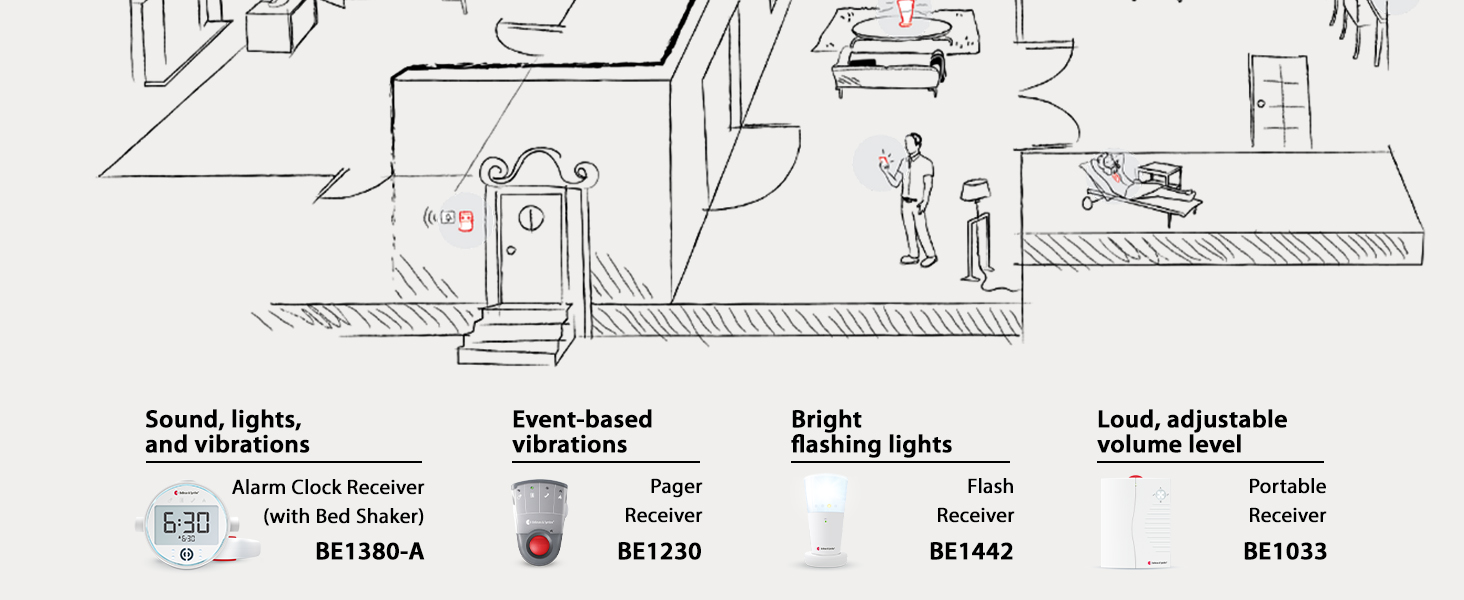
Image: An illustration showing various Bellman Visit transmitters (including the smoke alarm) and receivers placed throughout a home, demonstrating system integration.
6. Operation
6.1 Initial Test
After installation and pairing, perform an initial test:
- Press and hold the Test & Silence button for a few seconds.
- The smoke alarm will emit a test signal, and your paired Visit receiver should activate (e.g., flash lights, vibrate).
- If the receiver does not respond, re-check pairing and ensure the transmitter is within range.
6.2 Normal Operation
The smoke alarm transmitter continuously monitors for smoke. Upon detection, it will:
- Activate its internal alarm (if equipped, though primarily designed for transmission).
- Transmit an alarm signal to all paired Bellman Visit receivers within range.

Image: The smoke alarm transmitter detecting smoke, indicated by a red LED and smoke visually rising.
6.3 Silence Function (Toast Mode)
The "Toast Mode" allows for temporary reduction of sensitivity to prevent nuisance alarms from cooking fumes. To activate:
- When a nuisance alarm occurs (e.g., from cooking), press the Test & Silence button.
- The alarm will be silenced for approximately 10 minutes, and the sensitivity will be reduced.
- After 10 minutes, the alarm will automatically return to normal sensitivity.
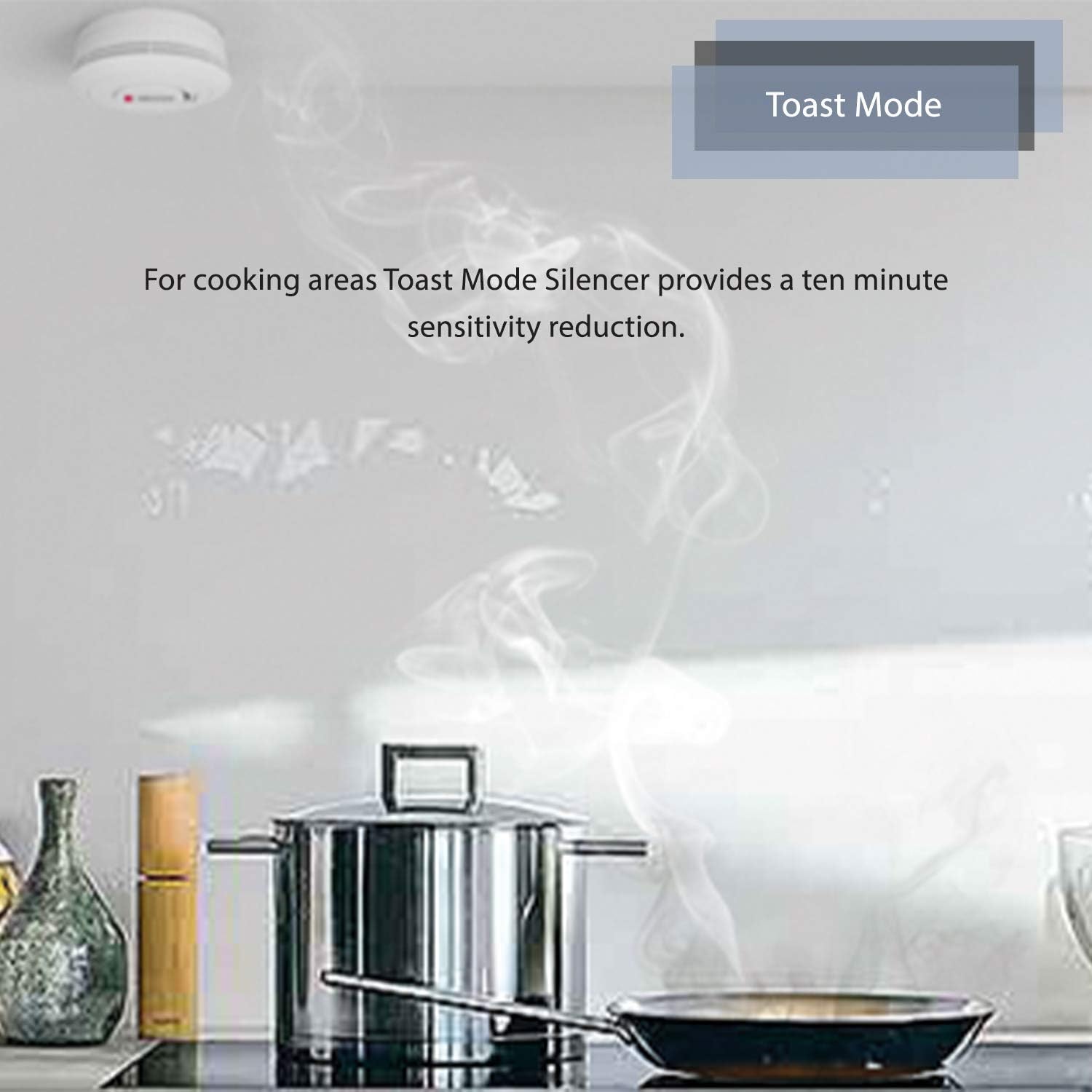
Image: A kitchen setting with the smoke alarm installed, illustrating the use of "Toast Mode" to reduce sensitivity during cooking.
7. Maintenance
7.1 Regular Testing
Test the smoke alarm transmitter weekly by pressing the Test & Silence button. Ensure your paired Visit receiver responds correctly.
7.2 Cleaning
Clean the exterior of the smoke alarm transmitter at least once a month using a soft, damp cloth. Do not use harsh chemicals or abrasive cleaners. Do not open the unit for cleaning.
7.3 Battery Replacement
The smoke alarm transmitter is designed for long battery life (up to 10 years). When the battery is low, the unit will typically indicate this with a specific LED flash pattern or a signal to the Visit receiver. Replace the battery immediately when indicated. Refer to the product's internal markings for the correct battery type (usually a non-rechargeable lithium battery).
- Twist the smoke alarm counter-clockwise to remove it from its mounting plate.
- Open the battery compartment.
- Remove the old battery and dispose of it according to local regulations.
- Insert the new battery, ensuring correct polarity.
- Close the battery compartment and reattach the smoke alarm to its mounting plate.
- Perform a test as described in Section 6.1.
8. Troubleshooting
| Problem | Possible Cause | Solution |
|---|---|---|
| No alert from Visit receiver during test. | Not paired, out of range, receiver off/faulty. | Ensure receiver is on. Re-pair the transmitter with the receiver. Move transmitter closer to receiver. Check receiver's manual. |
| Frequent nuisance alarms. | Installed too close to cooking areas, steam, or dust. | Relocate the smoke alarm. Use "Toast Mode" during cooking. Clean the unit. |
| Low battery indication. | Battery is depleted. | Replace the battery immediately as per Section 7.3. |
| Smoke alarm not securely mounted. | Improper installation. | Ensure the unit is twisted clockwise until it clicks firmly onto the mounting plate. Re-secure mounting plate if loose. |
9. Specifications
| Model Number: | BE1284-433 |
| Brand: | Bellman & Symfon |
| Power Source: | Battery Powered (specific type may vary, check unit) |
| Dimensions (H x W x D): | 4.7" x 4.7" x 1.8" (120 mm x 120 mm x 46 mm) |
| Weight (incl. battery): | 0.41 lb (185 g) |
| Radio Frequency: | 433 MHz (for Visit System) |
| Operating Range: | Up to 520 ft (150-200 m) line of sight, depending on building structure. |
| Certifications: | Certified to US safety standard UL217 |
10. Warranty and Support
10.1 30-Day Money Back Guarantee
Bellman & Symfon offers a risk-free refund for all products within 30 days of purchase. If you are not satisfied with your product, please contact customer support for assistance.
10.2 Customer Support
For any questions, technical assistance, or support regarding your Bellman & Symfon product, please contact us:
- Toll-free: (833) BELLMAN / (833) 235 5626
- Email: support.bsn@bellman.com
Related documentsBE1284-433


Ask a question about this manual
Ask about setup, troubleshooting, compatibility, parts, safety, or missing instructions. Manuals+ will review the question and use this page’s manual context to help answer it.