
1. Introduction
The RICHMETERS RM098 is a compact, auto-ranging digital multimeter designed for accurate measurement of various electrical parameters. It is an ideal tool for professionals in laboratories and factories, as well as for hobbyists and general household use. This manual provides essential information for safe and effective operation of your device.
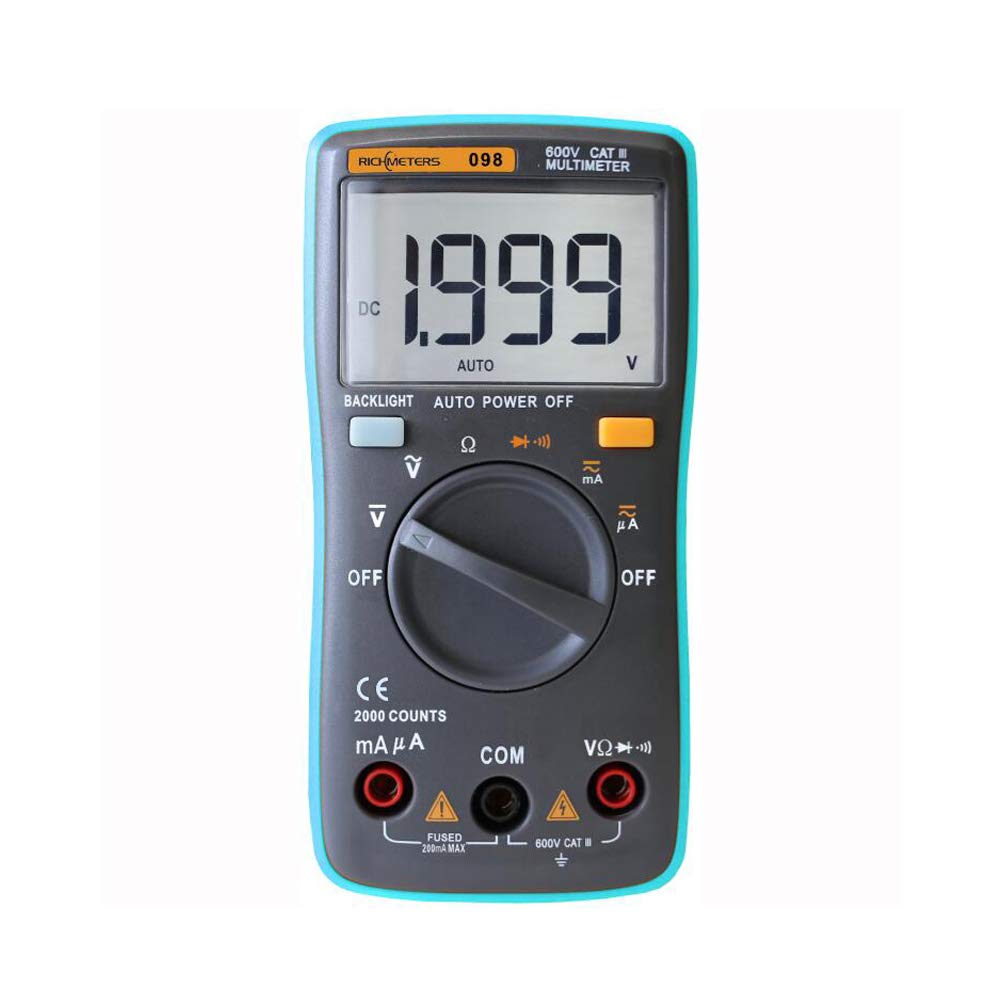
Figure 1: The RICHMETERS RM098 Digital Multimeter, showcasing its compact design and clear LCD display.
2. Safety Information
To ensure safe operation and avoid personal injury or damage to the multimeter, please read and follow all safety instructions carefully.
- Always ensure the multimeter is in the correct function and range before making measurements.
- Do not apply more than 600V DC between the test leads and ground. Exceeding this limit can cause severe damage to the device and pose a safety risk.
- Never use the multimeter if it appears damaged or if the test leads are compromised.
- Exercise extreme caution when working with voltages above 30V AC RMS, 42V peak, or 60V DC. These voltages pose a shock hazard.
- Replace batteries promptly when the low battery indicator appears to ensure accurate readings.
- Ensure the battery cover is securely closed before operation.
- Do not operate the multimeter in explosive gas, vapor, or dusty environments.
3. Product Overview
3.1. Components
The RM098 multimeter features a clear LCD display, a rotary function switch, and multiple input jacks for test leads.

Figure 2: Front view of the RM098 Multimeter, showing the display, rotary switch, and function buttons. The integrated kickstand allows for convenient hands-free operation.
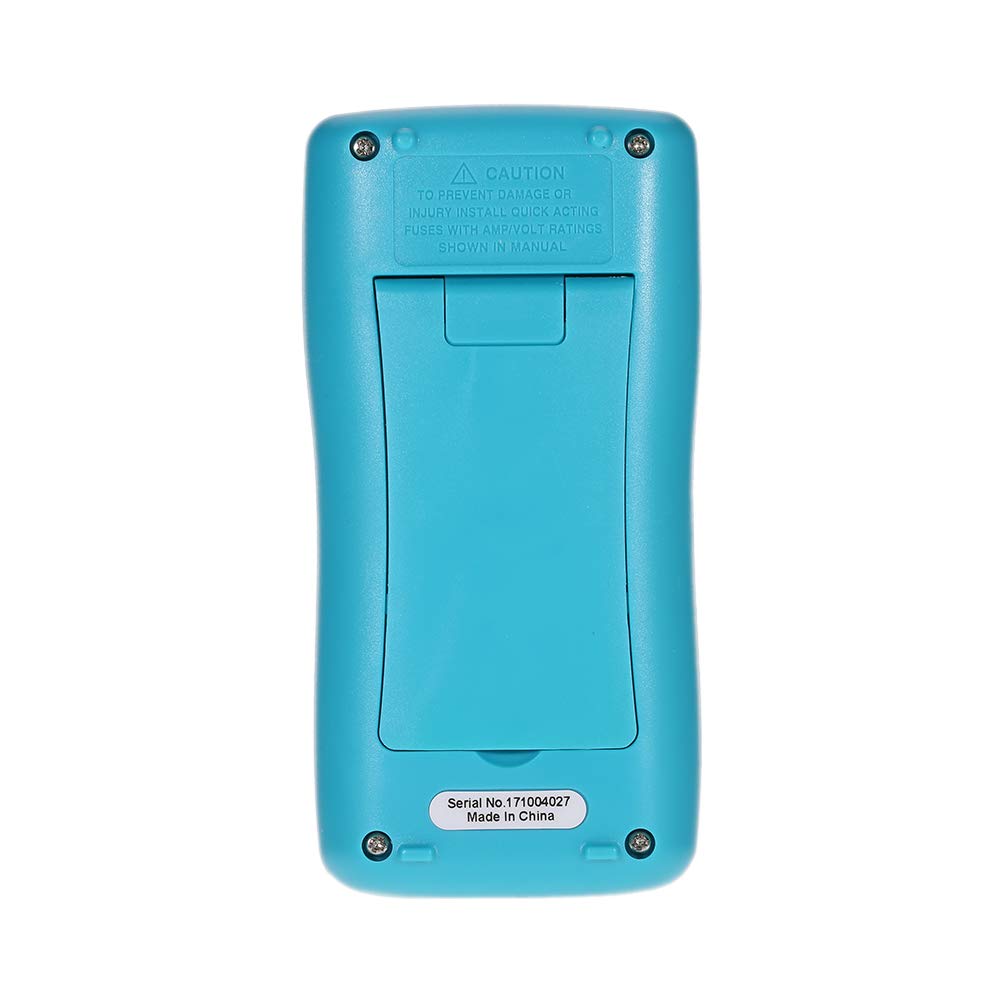
Figure 3: Rear view of the RM098 Multimeter, showing the battery compartment and safety warnings.

Figure 4: Side view of the RM098 Multimeter, highlighting its slim profile.
3.2. Display and Controls
- LCD Display: 2000 counts with backlight for easy reading in various lighting conditions.
- Rotary Switch: Used to select the desired measurement function (Voltage, Current, Resistance, Diode, Continuity).
- Function Buttons: Includes a 'Backlight' button and an 'Auto Power Off' indicator.
- Input Jacks: Dedicated ports for connecting test leads for different measurements (VΩmA, COM, 10A).
4. Setup
4.1. Battery Installation
- Ensure the multimeter is turned OFF.
- Locate the battery compartment on the back of the device (refer to Figure 3).
- Use a screwdriver to open the battery compartment cover.
- Insert two 1.5V AAA batteries, observing the correct polarity (+/-) as indicated inside the compartment.
- Replace the battery compartment cover and secure it with the screw.
4.2. Connecting Test Leads
- Connect the black test lead to the "COM" (common) input jack.
- For most voltage, resistance, diode, and continuity measurements, connect the red test lead to the "VΩmA" input jack.
- For current measurements (up to 200mA), connect the red test lead to the "VΩmA" input jack.
- For higher current measurements (up to 10A), connect the red test lead to the "10A" input jack.

Figure 5: The RM098 Multimeter with test leads properly connected to the input jacks.

Figure 6: A close-up view of the test leads, showing the red and black probes.
5. Operation
This section details how to perform various measurements using the RICHMETERS RM098 multimeter.
5.1. Measuring DC Voltage (V–)
- Turn the rotary switch to the "V–" position.
- Connect the black test lead to the "COM" jack and the red test lead to the "VΩmA" jack.
- Connect the test probes across the DC voltage source to be measured, ensuring correct polarity.
- Read the voltage value on the LCD display.
5.2. Measuring AC Voltage (V∼)
- Turn the rotary switch to the "V∼" position.
- Connect the black test lead to the "COM" jack and the red test lead to the "VΩmA" jack.
- Connect the test probes across the AC voltage source to be measured.
- Read the voltage value on the LCD display.
5.3. Measuring DC Current (mA– / µA–)
- Turn the rotary switch to the "mA–" or "µA–" position, depending on the expected current range.
- Connect the black test lead to the "COM" jack.
- For currents up to 200mA, connect the red test lead to the "VΩmA" jack. For currents up to 10A, connect the red test lead to the "10A" jack.
- Open the circuit where current is to be measured and connect the multimeter in series with the load, observing polarity.
- Read the current value on the LCD display.
5.4. Measuring AC Current (mA∼ / µA∼)
- Turn the rotary switch to the "mA∼" or "µA∼" position.
- Connect the black test lead to the "COM" jack.
- For currents up to 200mA, connect the red test lead to the "VΩmA" jack. For currents up to 10A, connect the red test lead to the "10A" jack.
- Open the circuit where current is to be measured and connect the multimeter in series with the load.
- Read the current value on the LCD display.
5.5. Measuring Resistance (Ω)
- Turn the rotary switch to the "Ω" position.
- Connect the black test lead to the "COM" jack and the red test lead to the "VΩmA" jack.
- Ensure the circuit or component to be measured is de-energized.
- Connect the test probes across the component.
- Read the resistance value on the LCD display.
5.6. Diode Test (→|←)
- Turn the rotary switch to the "→|←" position.
- Connect the black test lead to the "COM" jack and the red test lead to the "VΩmA" jack.
- Connect the red probe to the anode and the black probe to the cathode of the diode.
- The display will show the forward voltage drop. Reverse the probes; the display should show "OL" (Open Line) for a good diode.
5.7. Continuity Test (♫)
- Turn the rotary switch to the "♫" position.
- Connect the black test lead to the "COM" jack and the red test lead to the "VΩmA" jack.
- Connect the test probes across the circuit or component.
- If the resistance is less than 60Ω, the built-in buzzer will sound, indicating continuity.
5.8. Backlight
Press the "BACKLIGHT" button to turn the display backlight on or off. This feature enhances readability in dimly lit environments.
5.9. Auto Power Off
The multimeter automatically powers off after approximately 15 minutes of inactivity to conserve battery life. To reactivate, turn the rotary switch to OFF and then back to the desired function, or press any button.
6. Specifications
Technical specifications for the RICHMETERS RM098 Digital Multimeter:

Figure 7: Detailed specifications table for the RM098 Multimeter, including ranges, accuracy, and resolution for various measurements.
| Parameter | Specification |
|---|---|
| Model | RM098 |
| Display | 2000 Counts, LCD with Backlight |
| Sample Rate | Approx. 3 times/second |
| Input Impedance | 10 MΩ |
| DC Voltage Range | 200.0mV / 2.00V / 20.0V / 200.0V / 800.0V |
| AC Voltage Range | 200.0mV / 2.00V / 20.0V / 200.0V / 600.0V |
| DC Current Range | 200.0µA / 2000µA / 20.00mA / 200.0mA |
| AC Current Range | 200.0µA / 2000µA / 20.0mA / 200.0mA |
| Resistance Range | 200.0Ω / 2.000kΩ / 20.0kΩ / 200.0kΩ / 2.000MΩ / 20.00MΩ |
| Diode Test Current | 1.0 ± 0.7mA |
| Continuity Buzzer | Sounds if resistance < 60Ω |
| Operating Temperature | 0-20°C, <70% RH |
| Storage Temperature | -20-60°C, <80% RH (with battery removed) |
| Max Input Protection | 0.2A / 250V Fast Blow Ceramic Fuse |
| Power Supply | 2 x 1.5V AAA Batteries (not included) |
| Item Weight | 112g / 3.94oz |
| Product Size | 12.5 x 6.5 x 3cm / 4.9 x 2.56 x 1.18in |
7. Maintenance
7.1. General Care
- Keep the multimeter clean and dry. Wipe the case with a damp cloth and mild detergent. Do not use abrasives or solvents.
- Store the device in a cool, dry place away from direct sunlight and extreme temperatures.
- If the multimeter is not used for an extended period, remove the batteries to prevent leakage.
7.2. Battery Replacement
When the low battery indicator appears on the display, replace the batteries immediately to ensure accurate measurements. Follow the battery installation steps in Section 4.1.
7.3. Fuse Replacement
The multimeter is protected by a 0.2A / 250V fast blow ceramic fuse. If the current measurement function stops working, the fuse may need replacement. Fuse replacement should only be performed by qualified personnel. Ensure to use a fuse of the exact specified type and rating.
8. Troubleshooting
If you encounter issues with your RM098 multimeter, refer to the following common problems and solutions:
- No Display / Faint Display: Check battery installation and charge level. Replace batteries if necessary.
- Incorrect Readings: Ensure test leads are properly connected to the correct input jacks. Verify the rotary switch is set to the appropriate function and range. Check for damaged test leads.
- No Current Measurement: Check the fuse. Ensure the multimeter is connected in series with the circuit.
- "OL" (Overload) on Display: The measured value exceeds the selected range. Switch to a higher range or ensure the circuit is within the device's capabilities.
9. Package Contents
The RICHMETERS RM098 package includes the following items:

Figure 8: The RM098 Multimeter, test leads, and user manual as typically included in the package.
- 1 x RICHMETERS RM098 Digital Multimeter
- 1 x Pair of Test Leads (Red and Black)
- 1 x English User Manual
- 1 x Carrying Bag
10. Warranty and Support
For warranty information or technical support, please refer to the documentation provided at the time of purchase or contact your retailer. Keep your purchase receipt as proof of purchase.

