
1. Introduction
Thank you for choosing the SYMA S100 Mini RC Helicopter. This compact and powerful remote-controlled helicopter is designed for indoor flight, offering ease of use and durability for both beginners and experienced flyers. Its advanced features, including a gyro stabilizer and altitude hold, ensure a stable and enjoyable flying experience.
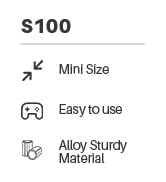
The SYMA S100 is perfect for indoor spaces, providing impromptu fun at home, parties, or any suitable environment. Made from safe and non-toxic materials, its robust PVC body and landing gear are designed to withstand collisions and crashes, ensuring long-lasting enjoyment.

The SYMA S100 Mini RC Helicopter, a compact and durable toy.
2. What's in the Box
Upon opening your SYMA S100 package, you will find the following components:
- SYMA S100 Mini RC Helicopter
- Remote Control Transmitter
- USB Charging Cable
- Instruction Manual
- Small Screwdriver (for battery compartment)
- Spare Rotor Blades

All components included in the SYMA S100 package.
3. Setup
3.1 Charging the Helicopter
The SYMA S100 helicopter comes with a built-in Lithium Polymer battery. Use the provided USB charging cable to charge the helicopter. Connect the small end of the USB cable to the helicopter's charging port and the other end to a USB power source (e.g., computer USB port, USB wall adapter). A full charge typically takes about 30 minutes and provides 5-7 minutes of flight time.
WARNING: For safety reasons, please do not use an AC charger to prevent children from coming into contact with danger. Only use the provided USB charging cable.

Connect the helicopter to a USB power source using the provided cable for charging.
3.2 Installing Batteries in the Remote Control
The remote control requires 4 x AA batteries (not included). Use a small screwdriver to open the battery compartment on the back of the remote control. Insert the batteries, ensuring correct polarity (+/-), then close the compartment and secure it with the screw.

The remote control for the SYMA S100 helicopter.
3.3 Pairing the Helicopter and Remote Control
The SYMA S100 is designed for easy pairing. Simply turn on the helicopter and then the remote control. The remote control will automatically pair with the helicopter. No complicated phone pairing or app downloads are required, making it an ideal first RC toy.
4. Operating Instructions
The SYMA S100 features intuitive controls for a smooth flying experience.
4.1 Basic Controls
- One-Key Take-Off/Landing: Press the dedicated button on the remote control to initiate automatic take-off or landing. This simplifies the process for beginners.
- Altitude Hold: The helicopter features an automatic hover function, allowing it to maintain a stable altitude without constant throttle input. This makes control easier and safer.
- Joystick Movement:
- Left Joystick (Throttle): Move up/down for ascending/descending.
- Right Joystick (Direction): Move forward/backward, turn left/right.
Detailed layout of the SYMA S100 remote control with key functions.
Visual representation of one-key take-off and altitude hold features.
4.2 Flight Tips
- Always ensure the helicopter is fully charged before flying.
- Fly in an open indoor space free from obstacles and strong air currents.
- For first-time flyers, practice gentle movements with the joysticks to get a feel for the controls.
- The helicopter's small size and slow speed make it ideal for indoor maneuvering, even in tight spaces.
The compact design allows for flexible indoor flight.
5. Maintenance
The SYMA S100 is built with durability in mind to withstand typical play. To ensure its longevity:
- Cleaning: Gently wipe the helicopter with a dry, soft cloth to remove dust or debris. Avoid using water or harsh chemicals.
- Blade Inspection: Regularly check the rotor blades for any damage or cracks. Replace damaged blades with spare ones provided in the package to maintain optimal flight performance.
- Storage: When not in use, store the helicopter and remote control in a cool, dry place, away from direct sunlight and extreme temperatures.
- Battery Care: Do not overcharge the helicopter's battery. If storing for an extended period, charge the battery to about 50% to prolong its lifespan.

The robust PVC body and landing gear are designed for durability.
6. Troubleshooting
| Problem | Possible Cause | Solution |
|---|---|---|
| Helicopter does not respond to remote. | Low helicopter battery; Remote control batteries low; Not paired correctly. | Charge helicopter battery; Replace remote control batteries; Re-pair helicopter and remote. |
| Helicopter drifts during flight. | Needs trimming/calibration; Uneven surface for take-off. | Adjust the trimming controls on the remote; Ensure take-off from a flat, stable surface. |
| Short flight time. | Battery not fully charged; Old battery. | Ensure full charge (approx. 30 mins); Battery lifespan may be reduced over time. |
| Helicopter crashes frequently. | Pilot inexperience; Obstacles in flight path. | Practice in open areas; Ensure clear flight path. The durable design helps withstand impacts. |
If the helicopter drifts to the left or right when it is hovering in the air, press the left or right trimming button to correct it. Some users have found that adding a small weight to the nose can help balance if persistent drifting occurs.
7. Specifications
- Product Dimensions: 4.13 x 1.06 x 2.36 inches
- Item Weight: 7.5 ounces
- Item Model Number: S100
- Manufacturer Recommended Age: 8 years and up
- Batteries: 1 Lithium Polymer battery required (included)
- Charging Time: Approximately 30 minutes
- Flight Time: 5-7 minutes
- Remote Control Distance: Greater than 15 meters
- Frequency: 2.4GHz

Key dimensions of the SYMA S100 Mini RC Helicopter.
8. Official Product Videos
Watch the official product video for a visual guide on operating your SYMA S100 Mini RC Helicopter:
Official video demonstrating the super mini helicopter with remote control flying toys.
9. Warranty & Support
SYMA is committed to providing high-quality products and excellent customer service. For any inquiries, technical support, or warranty claims, please contact us using the information below:
- Phone (US): +1 (718) 312-0558
- Email (USA): usa@symatoys.com
- Website: www.symatoys.com
SYMA has accompanied over 5 million kids' childhoods, adhering to the concept of scientific and technological innovation and people-oriented design. We strive to be the leading innovator in remote-controlled aircraft.

