
Product Overview
The Motorola edge smartphone offers a premium mobile experience with its advanced features and sleek design. It is equipped with 5G capabilities, a stunning OLED display, and a versatile camera system, making it ideal for both everyday use and demanding tasks.
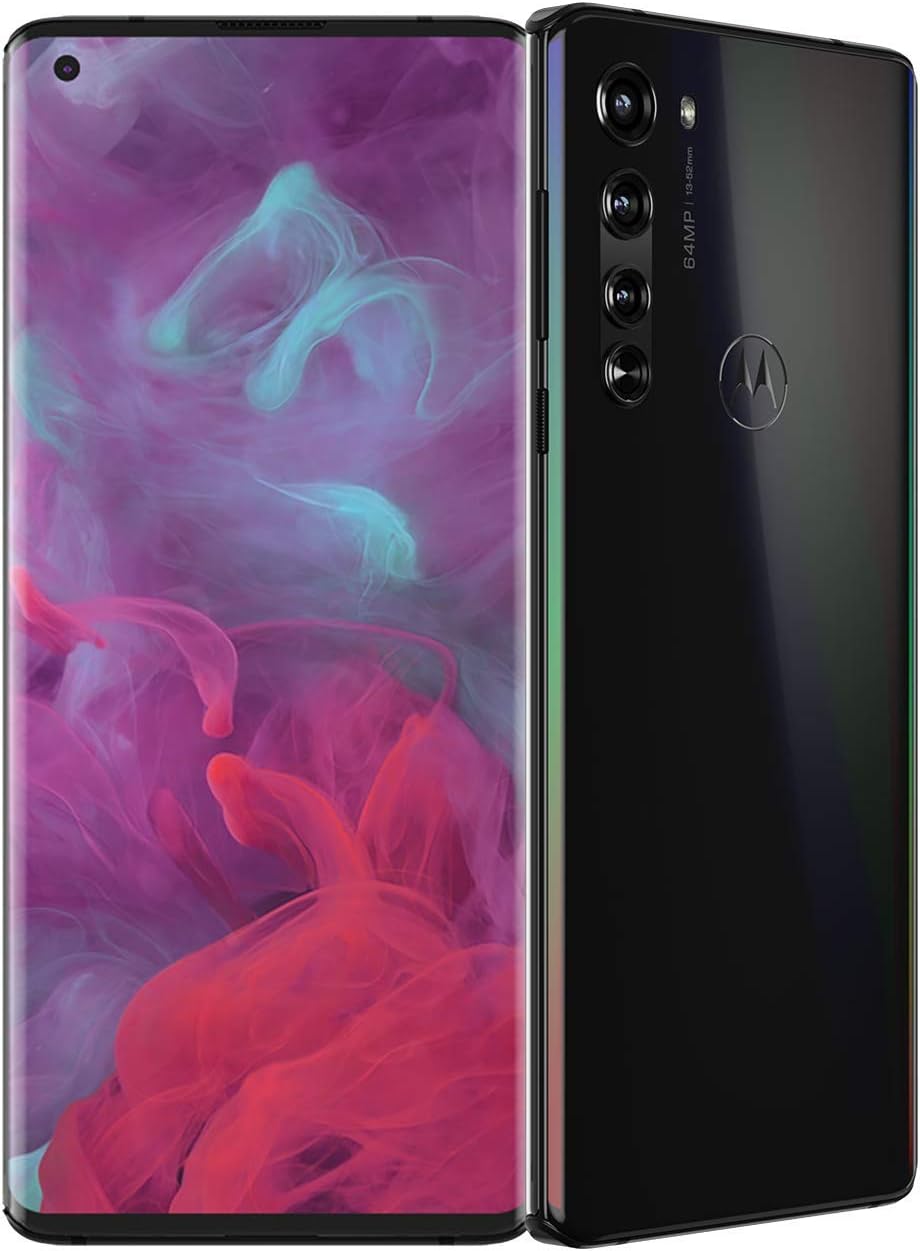
The Motorola edge smartphone in Solar Black, showcasing its curved display and triple camera system.
In the Box
Your Motorola edge package includes the following items:
- Motorola Edge Phone
- 18W Charger
- USB Cable
- Protective Back Cover
- SIM Tray Ejector
- Guides
Setup Guide
Follow these steps to set up your new Motorola edge smartphone:
- Insert SIM Card: Use the provided SIM tray ejector tool to open the SIM card slot. Insert your provisioned SIM card into the tray and reinsert it into the phone.
- Power On: Press and hold the power button until the Motorola logo appears.
- Initial Configuration: Follow the on-screen prompts to select your language, connect to Wi-Fi, and set up your Google account.
- Carrier Compatibility: Ensure your carrier is compatible. The Motorola edge supports AT&T (4G, VoLTE), Verizon (4G, VoLTE), and T-Mobile (5G sub6 NSA, VoLTE, WiFi Calling, Video Calling). For Verizon, provision your SIM through Verizon Wireless by logging into your account and activating/switching devices.

The Motorola edge with its included protective back cover, ready for initial setup.

Detailed carrier compatibility information for the Motorola edge smartphone.
Official Motorola video demonstrating how to connect with a live expert for support and device questions.
Operating Your Device
Immersive Endless Edge Display
Experience breathtaking HDR10 picture quality on the gorgeous 6.7-inch OLED display that wraps around the edges, offering an immersive 90 Hz refresh rate for smooth visuals.

The vibrant 6.7-inch OLED Endless Edge display of the Motorola edge.
Advanced Camera System
Capture stunning photos with the 64MP Triple Camera System, allowing for super high-res, crisp low-light, ultra-wide, and ultra-zoom shots. The 25MP selfie camera ensures high-quality self-portraits.

The powerful 64MP triple camera system on the back of the Motorola edge.
Powerful Stereo Sound
Enjoy studio-quality sonic performance with the highest output of any smartphone, thanks to its powerful stereo sound and audio tuning technology.
Performance and Storage
Experience pure speed with the next-gen 5G wireless network and an insanely fast processor. The device comes with 6GB RAM and 256GB of storage, providing ample space for your files and applications.
Long-Lasting Battery
The 4500 mAh battery offers up to two days of use, and Turbo Charging allows for quick power-ups.
Official Motorola video highlighting the Motorola edge's key features including 5G performance, camera, and storage.
A short video showcasing the Motorola edge's 5G capabilities.
Maintenance and Care
To ensure the longevity and optimal performance of your Motorola edge, consider the following:
- Proper Handling: The Motorola edge features an Endless Edge display. Avoid applying excessive pressure to the sides of the screen, as this can lead to display issues over time. Using the provided protective back cover and a pop socket (if desired) can help minimize direct pressure on the display.
- Software Updates: Keep your device's software up to date. Regular updates provide performance improvements, security enhancements, and new features. Your device runs on Android 10.0 and receives periodic updates.
- Cleaning: Use a soft, lint-free cloth to clean the screen and body of the phone. Avoid harsh chemicals or abrasive materials.
Video demonstrating proper handling techniques to minimize the risk of damage to the device's display.
Troubleshooting Common Issues
If you encounter any issues with your Motorola edge, refer to the following common problems and potential solutions:
Display Discoloration or Malfunction
Some users have reported screen discoloration, green tints, or blotches on the display. This can sometimes be related to pressure applied to the curved edges of the screen.
- Reduce Pressure: Ensure you are not gripping the phone too tightly, especially on the curved sides. Using a protective case can help distribute pressure more evenly.
- Software Update: Verify your device is running the latest software update. While some issues may be hardware-related, software fixes can sometimes address display anomalies.
- Contact Support: If the issue persists, it may indicate a hardware defect. Refer to the Warranty and Support section for assistance.
Video showing a Motorola edge device experiencing screen discoloration and malfunction.
Another example of a Motorola edge with a faulty screen, displaying green tints.
A user's video highlighting severe screen issues, emphasizing the importance of a functional display.
Technical Specifications
| Feature | Specification |
|---|---|
| Model Number | XT2063 |
| Product Dimensions | 6.36 x 2.8 x 0.37 inches |
| Item Weight | 6.6 ounces |
| Operating System | Android 10.0 |
| RAM | 6 GB |
| Memory Storage Capacity | 256 GB |
| Display Technology | OLED |
| Standing Screen Display Size | 6.7 Inches |
| Scanner Resolution | 1080 x 2400 |
| Other Camera Features | 64MP camera |
| Battery Power Rating | 4500 mAh |
| Connectivity Technologies | Bluetooth, Wi-Fi, NFC |
| Special Features | Video Calling, Bluetooth Enabled, Triple Camera System, Expandable Memory, Octa Core Processor, Smartphone, Mobile Hotspot Capability, Built-In GPS |
| Manufacturer | motorola |
| Date First Available | July 22, 2020 |
Warranty and Support
For detailed information regarding your product's warranty, please refer to the official documentation included in your package or the user guide available online.
- User Guide (PDF): Access the complete user guide here for in-depth instructions and information.
- Live Expert Support: For real-time assistance with device questions, live demonstrations, or post-purchase device setup, you can connect with a Motorola expert via voice or text chat.
Official Motorola video demonstrating how to connect with a live expert for support and device questions.


