
Wings Revel
Wings Revel True Wireless Earbuds Instruction Manual
Model: Revel
Brand: Wings
Introduction
Thank you for choosing the Wings Revel True Wireless Earbuds. This manual provides detailed instructions on how to set up, operate, maintain, and troubleshoot your new earbuds. Please read this manual carefully before use to ensure optimal performance and longevity of your device.
What's in the Box
Upon unboxing your Wings Revel earbuds, you should find the following components:
- 1 pair of Wings Revel True Wireless Earbuds
- 1 Charging Case
- 1 User Manual (this document)
- 1 Type-C Charging Cable
- 3 sets of Eartips (Small, Medium, Large - one set pre-installed)

Image: Wings Revel True Wireless Earbuds and their charging case, showcasing the product's main components.
Setup
1. Charging the Earbuds and Case
Before first use, fully charge the Wings Revel earbuds and their charging case. The case features a Type-C charging port for convenient and fast charging.
- Connect the provided Type-C charging cable to the charging port on the case and to a compatible USB power source.
- The LED indicators on the case will show the charging status.
- A full charge provides approximately 7.5 hours of playtime for the earbuds, with the charging case offering an additional 16.5 hours, totaling up to 24 hours of combined playtime.

Image: Close-up of the Wings Revel charging case, highlighting the Type-C charging port located at the bottom.
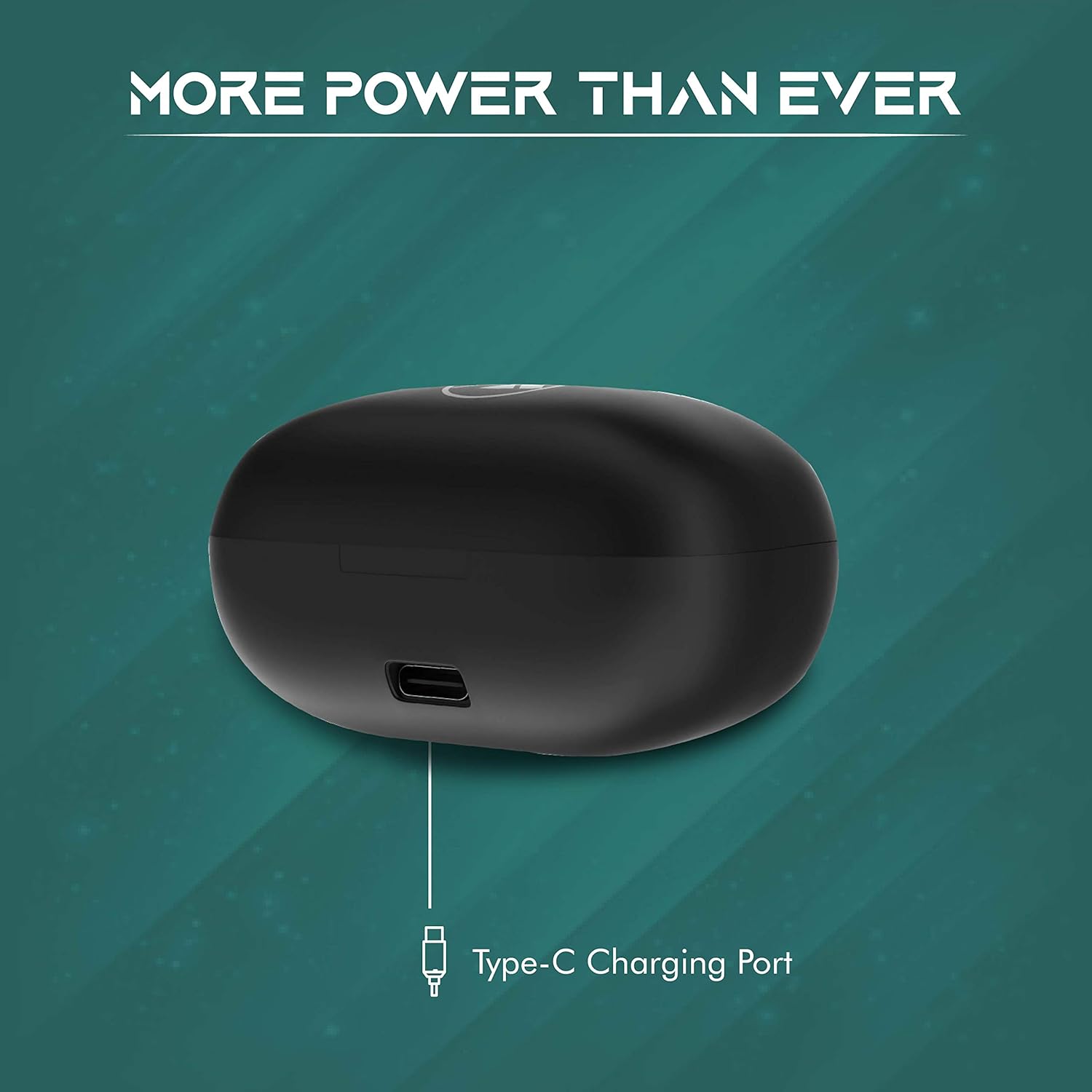
Image: Visual representation of the Wings Revel earbuds and case, illustrating the total playtime of up to 24 hours.
2. Pairing with Your Device
The Wings Revel earbuds utilize Bluetooth 5.0 for stable and efficient wireless connectivity.
- Open the charging case. The earbuds will automatically enter pairing mode.
- On your device (smartphone, tablet, laptop), enable Bluetooth.
- Search for "Wings Revel" in the list of available Bluetooth devices.
- Select "Wings Revel" to connect. A voice prompt will confirm successful pairing.
- Once paired, the earbuds will automatically connect to your device when taken out of the case, provided Bluetooth is enabled on your device.
Operating Instructions
Touch Controls
The Wings Revel earbuds feature intuitive touch controls for managing music playback and calls.

Image: Diagram illustrating the touch control functions for both the left and right Wings Revel earbuds.
| Action | Left Earbud | Right Earbud |
|---|---|---|
| Single Touch | Answer Call / Disconnect Call / Reject Call | Answer Call / Disconnect Call / Reject Call |
| Double Touch | Voice Assistant | Play / Pause |
| Long Touch | Previous Song | Next Song |
| Triple Touch | Decrease Volume | Increase Volume |
Audio Performance
The Wings Revel earbuds are engineered for superior sound quality:
- Qualcomm QCC3020 Chipset: Ensures stable audio transmission and lower power consumption for an uninterrupted listening experience.
- APTx Enabled: Delivers crystal clear bass, crisp highs, and powerful mids, enhancing your audio experience.
- Graphene Coated Drivers: Provide rich sound quality for both music and video playback, offering deep bass and clear audio.

Image: Graphic highlighting the Qualcomm QCC3020 Chipset within the Wings Revel earbuds, emphasizing stable connectivity.

Image: Graphic showcasing the APTx enabled enhanced audio and CVC 8.0 noise cancellation features of the Wings Revel earbuds.

Image: Illustration emphasizing the deep bass activated premium graphene drivers in the Wings Revel earbuds.
Call Quality
Equipped with CVC 8.0 Noise Isolation and 4 microphones, the Wings Revel earbuds ensure clear voice capture during calls, minimizing background noise for both you and the person on the other end.
Maintenance
Proper maintenance will extend the lifespan of your Wings Revel earbuds:
- Cleaning: Regularly wipe the earbuds and charging case with a soft, dry, lint-free cloth. For ear tips, remove them and clean with a damp cloth, then dry thoroughly before reattaching.
- Storage: When not in use, store the earbuds in their charging case to protect them from dust and damage.
- Water Resistance: The earbuds are IPX5 sweat and water resistant, making them suitable for workouts and light rain. However, they are not designed for swimming or submersion in water. Avoid exposing them to excessive moisture.
- Avoid Extreme Temperatures: Do not expose the earbuds or case to extreme hot or cold temperatures, as this can damage the battery and internal components.
Troubleshooting
If you encounter issues with your Wings Revel earbuds, try the following solutions:
- Earbuds not pairing or only one earbud working:
- Ensure both earbuds are charged.
- Place both earbuds back into the charging case, close the lid, wait a few seconds, then open it again.
- On your device, forget or unpair "Wings Revel" from your Bluetooth settings.
- Perform a factory reset (refer to manufacturer's specific reset instructions, often involves holding a button on the case or earbuds for a prolonged period).
- Then, attempt to pair them again from scratch.
- No sound or low volume:
- Check the volume level on both your device and the earbuds.
- Ensure the earbuds are properly seated in your ears and that the ear tips provide a good seal.
- Clean any debris from the earbud nozzles.
- Hissing sound during playback:
- This can sometimes occur with wireless audio devices. Try moving closer to your connected device to reduce interference.
- Ensure there are no other strong wireless signals nearby that might cause interference.
- Charging issues:
- Ensure the charging cable is securely connected to both the case and the power source.
- Try a different Type-C cable and power adapter.
- Clean the charging contacts on both the earbuds and inside the case.
If the issue persists after attempting these steps, please contact customer support.
Specifications
Key technical specifications for the Wings Revel True Wireless Earbuds:
| Feature | Specification |
|---|---|
| Model Name | Wings Revel |
| Connectivity Technology | Wireless (Bluetooth) |
| Wireless Communication Technology | Bluetooth 5.0 |
| Included Components | 1 pair earbuds, 1 charging case, 1 user manual, 1 charging cable, 3 sets eartips |
| Material | Plastic |
| Control Type | Touch Control |
| Item Weight | 200 Grams |
| Battery Life (Earbuds) | 7.5 Hours (single charge) |
| Carrying Case Battery Life | Additional 16.5 Hours (total 24 hours) |
| Audio Driver Type | Dynamic Driver (Graphene Coated) |
| Noise Control | Sound Isolation (CVC 8.0) |
| Microphone Format | With microphone (4 mics) |
| Product Dimensions | 10 x 10 x 4 cm |
| Color | Black |
| Form Factor | In Ear |
Warranty and Support
Wings provides a 1-year replacement warranty for the Revel True Wireless Earbuds. This warranty includes door-to-door pick-up and delivery for all warranty claims in serviceable pin codes.
For warranty claims or technical support, please raise a ticket on the official Wings website. Ensure you have your proof of purchase readily available.
For more information, visit the Wings Store on Amazon.
Related documentsRevel


Ask a question about this manual
Ask about setup, troubleshooting, compatibility, parts, safety, or missing instructions. Manuals+ will review the question and use this page’s manual context to help answer it.