
1. Product Overview
The Club3D CAC-1510-A is a USB Type-C to Dual Link DVI-D Cable Adapter designed to connect your USB Type-C or Thunderbolt 3/4 enabled device to a DVI display. This adapter supports high resolutions, including 3840x2160 at 30Hz and 2560x1600 at 60Hz, providing clear visuals. It is particularly useful for connecting to older Apple Cinema Displays as it does not transmit an HDCP signal, which is compatible with monitors lacking HDCP support.
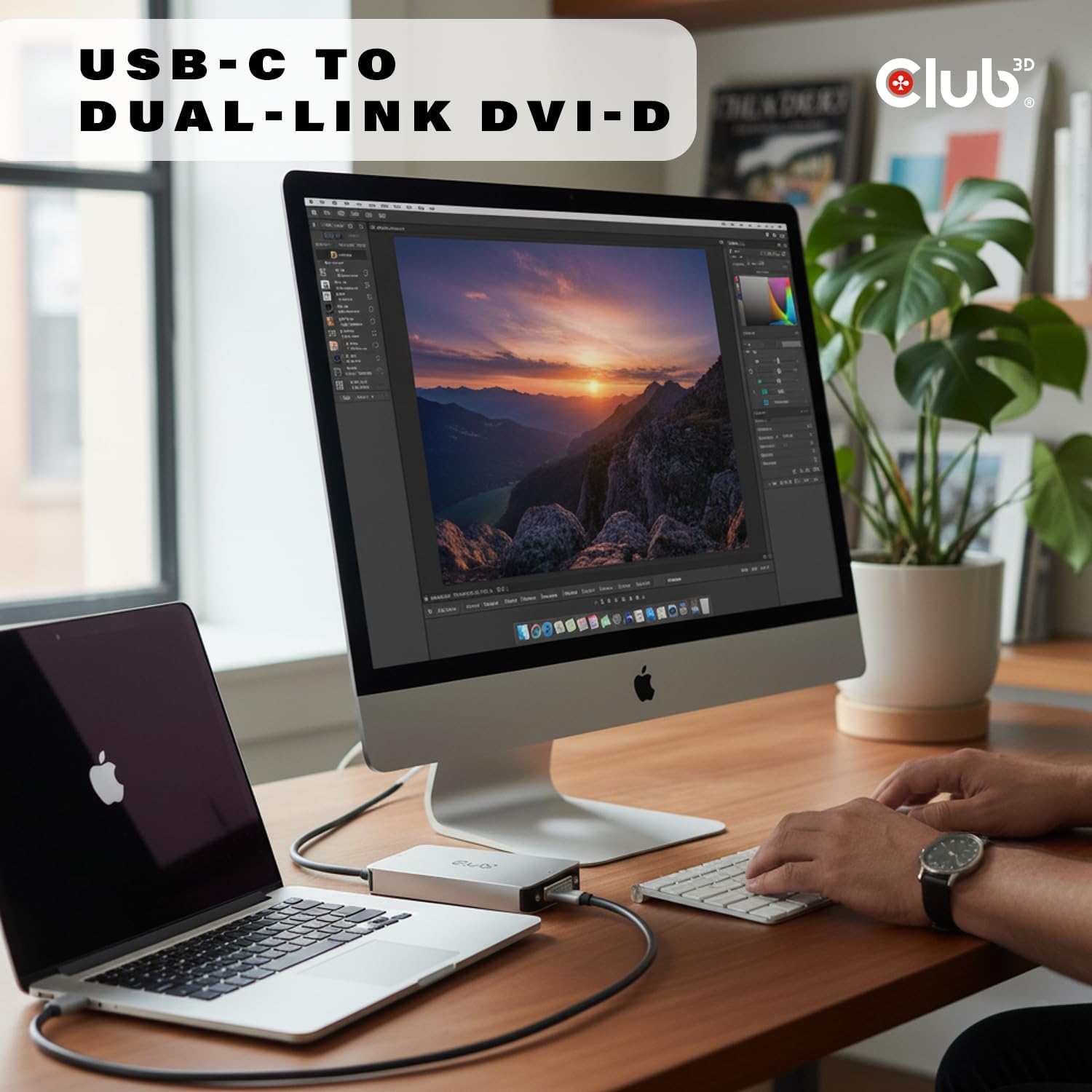
Image: The Club3D CAC-1510-A adapter facilitating a connection between a modern MacBook and an older Apple Cinema Display, demonstrating its primary function.

Image: A detailed diagram highlighting the key components and features of the CAC-1510-A adapter, such as its active conversion chipset, aluminum casing, bus-powered operation, and Dual Link DVI-D (24+1 Pin) output.

Image: A comparison graphic demonstrating the advantages of the Club3D active adapter over generic passive DVI cables, emphasizing its support for higher resolutions and reliable performance.
2. Setup Instructions
The Club3D CAC-1510-A adapter is designed for easy setup without the need for additional software or drivers. Follow these steps to connect your device:
- Connect the DVI-D Cable: Plug your Dual Link DVI-D cable from your monitor into the DVI-D port on the Club3D CAC-1510-A adapter.
- Connect the USB-C Adapter: Insert the USB Type-C connector of the adapter into an available USB Type-C or Thunderbolt 3/4 port on your source device (e.g., laptop, desktop).
- Power On Devices: Ensure both your source device and monitor are powered on. The adapter is bus-powered, drawing power directly from the USB-C port.
- Display Detection: Your operating system should automatically detect the connected display. If the display does not appear immediately, check your display settings.
Video: A demonstration of connecting the USB Type-C to DVI Dual Link adapter to a device and monitor, illustrating the setup process.

Image: Contents of the package, including the Club3D CAC-1510-A adapter and a Quick Start Guide.
3. Operating Instructions
Once connected, the adapter will enable your USB Type-C device to output video to a DVI display. The adapter supports resolutions up to 3840x2160 at 30Hz and 2560x1600 at 60Hz.
3.1. Resolution Settings
- General Use: The adapter should automatically configure the optimal resolution for your connected DVI display.
- For Apple OSX Users: To access the 2560x1600 resolution on Apple OSX, hold the "option" key while navigating to your display options. This action reveals additional resolution choices.
3.2. Compatibility
This adapter is compatible with USB Type-C and Thunderbolt 3/4 devices. It is designed to work with various DVI displays, including Apple Cinema HD Displays (20"/23") and generic DVI monitors. The adapter's design, which does not transmit an HDCP signal, ensures compatibility with older Apple Cinema Monitors that lack HDCP support.
- Apple M3 Users: If you are using an Apple M3 device, please ensure your operating system is updated to Sonoma 14.4 or later for proper functionality with this adapter.

Image: A compatibility chart detailing the devices and operating systems supported by the CAC-1510-A adapter, including various Mac models and DVI monitors.
4. Maintenance
To ensure the longevity and optimal performance of your Club3D CAC-1510-A adapter, follow these simple maintenance guidelines:
- Cleaning: Use a soft, dry, lint-free cloth to clean the adapter. Avoid using liquid cleaners, aerosols, or solvents, as these can damage the device.
- Storage: Store the adapter in a cool, dry place away from direct sunlight and extreme temperatures when not in use.
- Handling: Avoid bending or twisting the cable excessively, and do not apply undue force when connecting or disconnecting the adapter.
5. Troubleshooting
If you encounter issues with your Club3D CAC-1510-A adapter, please refer to the following common troubleshooting steps:
- No Display Signal:
- Ensure both the USB Type-C connector and the DVI-D cable are securely plugged into their respective ports.
- Verify that your monitor is powered on and set to the correct input source (DVI).
- Try connecting the adapter to a different USB Type-C port on your source device, if available.
- Test the adapter with a different DVI cable or monitor, if possible, to rule out issues with other components.
- Incorrect Resolution or Display Issues:
- Check your computer's display settings to ensure the correct resolution and refresh rate are selected.
- For Apple OSX users, remember to hold the "option" key when accessing display settings to reveal all resolution options, especially for 2560x1600.
- Ensure your operating system is up to date, particularly for Apple M3 users (Sonoma 14.4 or later).
- Intermittent Connection:
- Ensure all connections are firm and stable.
- Avoid placing the adapter in areas where it might be jostled or where cables could be strained.
6. Specifications
| Model Number | CAC-1510-A |
| Brand | Club 3D |
| Connector Type | USB Type C to Dual Link DVI-D |
| Max Resolution (30Hz) | 3840x2160 |
| Max Resolution (60Hz) | 2560x1600 |
| HDCP Support | No (HDCP Off for Apple Cinema Displays) |
| Compatible Devices | Desktop, Laptop, Monitor (USB Type-C or Thunderbolt 3/4 enabled) |
| Item Dimensions (L x W x H) | 9.65 x 1.73 x 0.55 inches |
| Item Weight | 2.3 Ounces |
| Color | Silver |

Image: The compact and portable design of the adapter, suitable for travel and on-the-go use.
7. Warranty and Support
The Club3D CAC-1510-A adapter comes with a 2-year limited warranty from the date of purchase. This warranty covers manufacturing defects under normal use conditions.
For technical assistance, troubleshooting, or warranty claims, please contact Club 3D customer support. Email support is available for your convenience.
- Online Support: Visit the official Club 3D website for support resources, FAQs, and contact information.
- Email Support: Refer to your product packaging or the official Club 3D website for the appropriate email address for support inquiries.