
1. Product Overview
The Garmin tactix Delta Solar is a specialized tactical GPS smartwatch engineered to military standards (MIL-STD-810) and features a solar charging lens to extend battery life. This robust device offers a comprehensive suite of tactical functions, advanced mapping, music storage, and sophisticated training features. Designed for extended field use, it includes mission-critical capabilities such as stealth mode for disabling location sharing and wireless connectivity, and a kill switch to erase user memory. The watch also provides enhanced performance monitoring, including an upgraded acclimation 2.0 widget, wrist heart rate estimates, smart notifications (when paired with a compatible smartphone), Pulse Ox sensing, and Garmin Pay contactless payments.
Key Features
- Solar Charging Lens: Extends battery life using sunlight and custom power manager modes.
- Extended Battery Performance: Up to 21 days in smartwatch mode (24 days with solar charging); up to 15 hours in GPS mode (16 hours with solar charging).
- Specialized Tactical Features: Includes Jumpmaster mode, waypoint projection, dual-position format, preloaded tactical activity profiles, stealth mode, and kill switch.
- Power Manager: Quickly access customizable battery modes to optimize and extend battery life.
- Rugged Design: Built to military standards with an always-on 1.4” display and black DLC-coated bezel.
- Advanced Navigation: Features preloaded TOPO maps, public land maps, ski maps for 2,000 worldwide resorts, multi-GNSS support, and advanced navigation sensors.
- Health Monitoring: Enhanced wrist heart rate estimates, Pulse Ox sensing, and performance monitoring.
- Smart Connectivity: Smart notifications (when paired with a compatible smartphone) and Garmin Pay contactless payments.
2. What's in the Box
- Garmin tactix Delta – Solar Edition – Black DLC with black nylon tactical band
- Black silicone watch band
- Charging/data cable
- Documentation (this user manual)
3. Setup
3.1 Charging the Device
Before initial use, fully charge your tactix Delta Solar smartwatch. Connect the charging/data cable to the charging port on the back of the watch and plug the other end into a USB power source. The watch features a solar charging lens that can extend battery life when exposed to sunlight. Monitor solar intensity through the dedicated widget on the watch face.
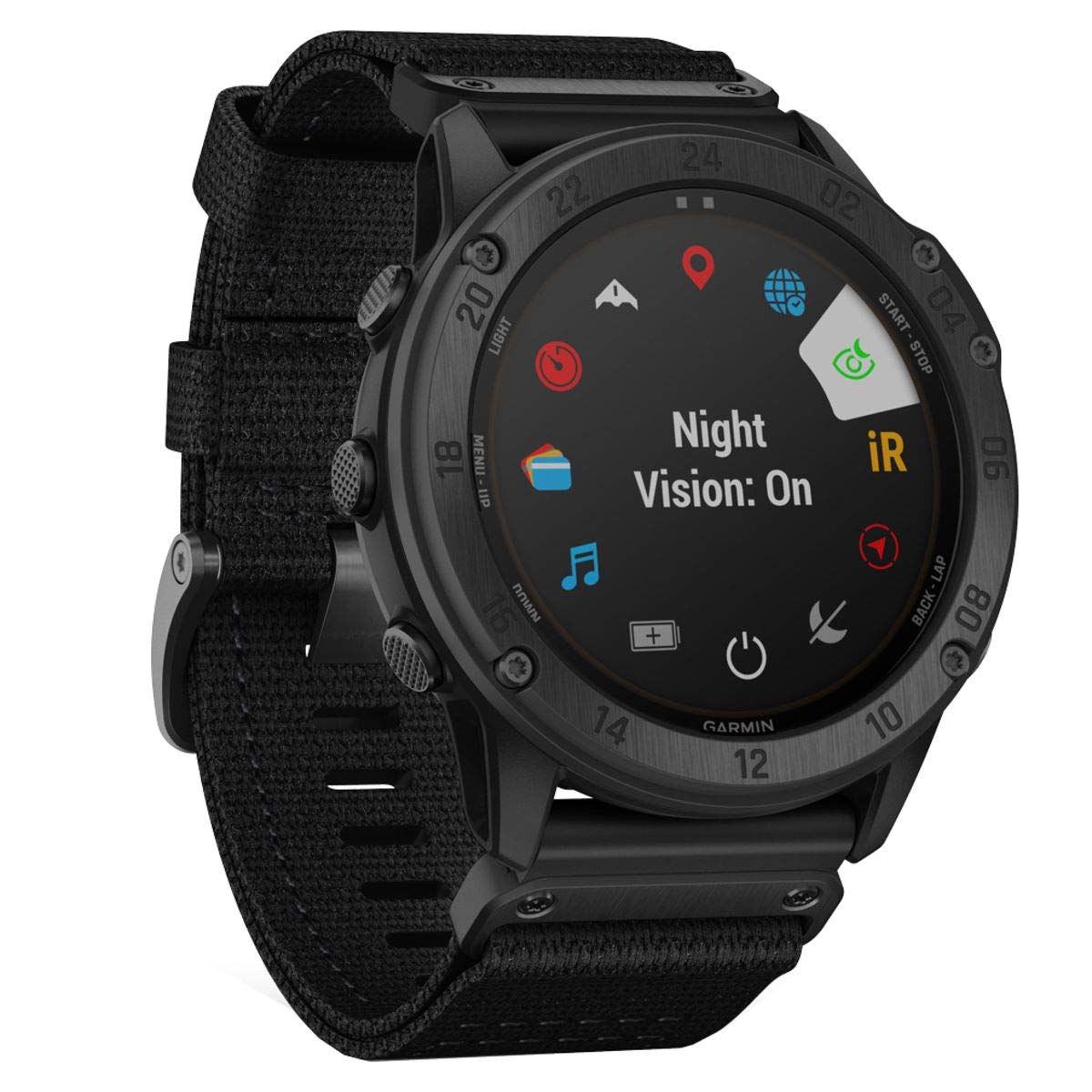
Figure 1: Garmin tactix Delta Solar Smartwatch displaying its main watch face with time, altitude, and date information.
3.2 Powering On/Off
- To Power On: Press and hold the LIGHT button (top left) until the Garmin logo appears.
- To Power Off: Press and hold the LIGHT button until the power options menu appears, then select Power Off.
3.3 Initial Device Pairing
To unlock the full potential of your tactix Delta Solar, pair it with your smartphone using the Garmin Connect app.
- Download and install the Garmin Connect app from your smartphone's app store.
- Ensure your watch is powered on and within Bluetooth range of your smartphone.
- Open the Garmin Connect app and follow the on-screen instructions to add a new device.
- Select your tactix Delta Solar from the list of available devices and confirm the pairing code displayed on both devices.
4. Operating Your Device
4.1 Basic Navigation
The tactix Delta Solar is operated using five buttons:
- LIGHT (Top Left): Press to turn the backlight on/off. Hold to access controls menu (power off, lock screen, Garmin Pay, etc.).
- MENU/UP (Middle Left): Press to scroll through widgets and menus. Hold to access the main menu.
- DOWN (Bottom Left): Press to scroll through widgets and menus. Hold to access music controls.
- START/STOP (Top Right): Press to select an option or start/stop an activity. Hold to view the activity list.
- BACK/LAP (Bottom Right): Press to return to the previous screen or record a lap during an activity. Hold to view the watch face.
4.2 Tactical Features
The watch includes specialized features for tactical operations:
- Jumpmaster Mode: Provides guidance for High Altitude Low Opening (HALO), High Altitude High Opening (HAHO), and Static jumps.
- Stealth Mode: Disables GPS position saving and sharing, and turns off wireless connectivity.
- Kill Switch: Wipes all user memory from the device for data security.
- Night Vision Compatibility: Allows for viewing the display with night vision goggles.
Figure 2: The tactix Delta Solar display indicating Night Vision mode is active, enhancing visibility under specific conditions.
4.3 GPS and Navigation
Utilize the built-in GPS and preloaded maps for precise navigation and tracking:
- Preloaded Maps: Access TOPO maps, public land maps, and ski maps directly on your watch.
- Multi-GNSS Support: Connects to multiple global navigation satellite systems (GPS, GLONASS, Galileo) for improved accuracy in challenging environments.
- Waypoint Projection: Project new waypoints based on current location and bearing.
4.4 Health Monitoring
Monitor your physical performance and well-being:
- Wrist Heart Rate: Continuously monitors your heart rate directly from your wrist.
- Pulse Ox Sensor: Measures blood oxygen saturation levels to assess acclimation to altitude and sleep quality.
- Performance Metrics: Track advanced training metrics such as VO2 max, training status, and recovery time.
4.5 Smart Features
Stay connected and manage daily tasks:
- Smart Notifications: Receive alerts for calls, texts, and app notifications from your paired smartphone.
- Garmin Pay: Make contactless payments directly from your watch (check for eligible countries and payment networks).
- Music Storage: Store and play music directly from your watch, or control music on your smartphone.
Video 1: Official Garmin video showcasing the tactix Delta Solar's features, including solar intensity, tactical functions like Jumpmaster, stealth mode, kill switch, advanced navigation, and health monitoring.
5. Maintenance
5.1 Cleaning the Device
Regular cleaning helps maintain the watch's performance and appearance:
- Wipe the watch and bands with a damp cloth and mild detergent.
- Rinse thoroughly with water and dry completely before wearing or charging.
- Avoid harsh chemicals or abrasive materials that could damage the watch.
5.2 Battery Care
To maximize battery life and performance:
- Charge the device regularly, especially after prolonged periods of inactivity.
- Utilize the solar charging feature by exposing the watch face to direct sunlight whenever possible.
- Adjust power manager settings to optimize battery consumption based on your usage needs.
6. Troubleshooting
6.1 Common Issues
- Device not powering on: Ensure the device is fully charged. Try connecting it to a power source for at least 10 minutes.
- GPS inaccuracy: Ensure you are in an open area with a clear view of the sky. Sync the watch with the Garmin Connect app to update satellite data.
- Connectivity issues: Ensure Bluetooth is enabled on your smartphone and the watch. Try unpairing and re-pairing the device in the Garmin Connect app.
6.2 Resetting the Device
- Soft Reset: If the device is unresponsive, press and hold the LIGHT button for 15 seconds until the screen turns off. Release the button, then press it again to power on.
- Factory Reset: A factory reset will erase all user data and settings. This should only be performed as a last resort. Consult the Garmin support website for detailed instructions on performing a factory reset.
7. Technical Specifications
| Feature | Specification |
|---|---|
| Operating System | Proprietary OS |
| Special Feature | Wireless |
| Battery Capacity | Up to 21 days (smartwatch mode) |
| Connectivity Technology | Bluetooth, ANT+, Wi-Fi |
| Wireless Communication Standard | Bluetooth |
| Battery Cell Composition | Lithium Polymer |
| GPS | Built-in GPS |
| Shape | Round |
| Screen Size | 1.4 Inches |
| Case Material Type | Silicone |
| Sport Type | Outdoor Lifestyle, Training |
| Closure Type | Buckle |
| Human Interface Input | Buttons |
| Supported Application | GPS |
| Water Resistance Depth | 100 Meters |
| Supported Satellite Navigation System | GPS |
| Controller Type | Physical buttons |
| Metrics Measured | Optical Heart Rate Sensor |
| Style Name | Tactix Solar |
| Color | Black |
| Band Color | Black |
| Compatible Devices | iPhone, Android |
| Item Weight | 97 Grams |
| Item Dimensions | 1.97 x 1.57 x 1.18 inches |
| Model Name | tactix Delta Solar |
| Model Number | 010-02357-10 |
| Wearable Computer Type | Smart Watch |
| UPC | 753759245320 |
| Manufacturer | Garmin |
| Display Type | Digital |
| Resolution | 280 x 280 pixels |
| Maximum Display Brightness | 1000 Nit |
8. Warranty Information
The Garmin tactix Delta Solar smartwatch comes with a 1 year limited warranty. This warranty covers defects in materials and workmanship under normal use. For full details regarding warranty terms, conditions, and how to make a claim, please refer to the official Garmin warranty documentation included with your product or visit the Garmin support website.
9. Customer Support
For additional assistance, product registration, software updates, or to access frequently asked questions, please visit the official Garmin support website:
You can also find more information and resources on the Garmin brand store: