
1. Introduction
The Atomi Smart Portable Orb LED Light (Model AT1453) is a versatile, waterproof, and WiFi-compatible lighting solution designed for both indoor and outdoor use. This smart orb light offers a wide range of colors and effects, controllable via the Atomi Smart app or voice commands through Alexa and Google Assistant.
Key features include:
- Unlimited Colors: A hue range of 2500K-9000K, providing over 16 million brilliant colors and multiple special effects.
- WiFi Enabled: Control the light remotely using the free Atomi Smart app on your smartphone.
- Voice Activated: Compatible with Alexa and Google Assistant for convenient voice control.
- IP65 Rated: Fully waterproof and dust protected, suitable for safe indoor and outdoor environments.
- Rechargeable Battery: Built-in 1800mAh lithium battery delivers up to 6 hours of continuous wireless illumination on a full charge.

Image: The Atomi Smart Portable Orb LED Light glowing in a vibrant blue color.
2. What's Included
Please verify that all components are present in the packaging:
- Atomi Smart Orb Light
- Wireless Charging Base
- Smart Bridge (USB cable)
- USB Wall Charger
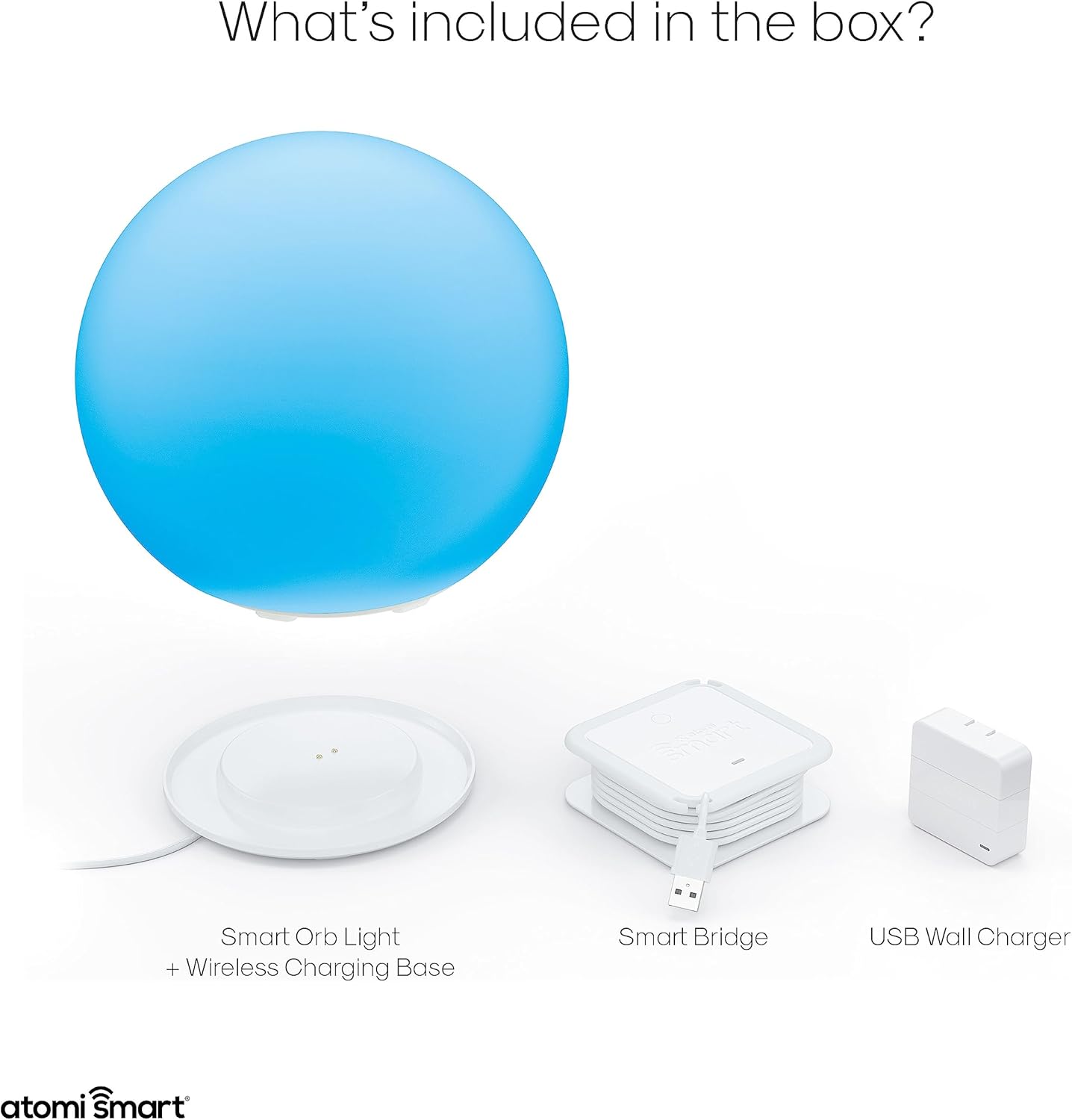
Image: All components included in the Atomi Smart Orb Light package, laid out for inspection.
3. Setup Guide
3.1 Initial Charging
Before first use, fully charge your Atomi Smart Orb Light. Place the orb light onto the wireless charging base. Connect the Smart Bridge USB cable to the USB Wall Charger, then plug the charger into a standard wall outlet. The orb will indicate charging status (specific indicator not provided, refer to app for battery level).
3.2 Downloading the Atomi Smart App
- Download the free Atomi Smart app from the Apple App Store (for iOS devices) or Google Play Store (for Android devices).
- Open the app and follow the on-screen instructions to create an account or log in.
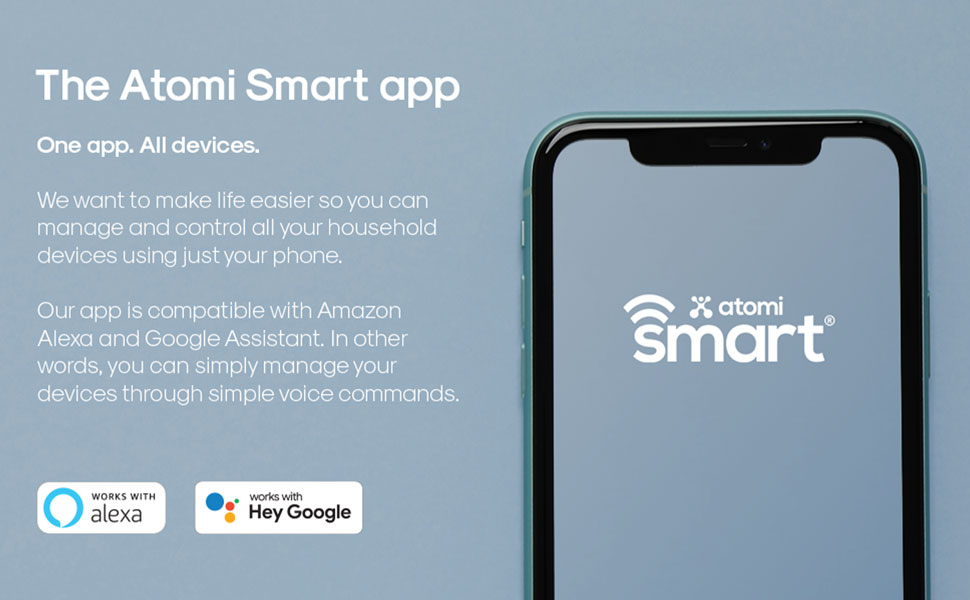
Image: A smartphone screen showing the Atomi Smart app logo, indicating where to download the application.
3.3 Connecting to Wi-Fi
- Ensure your smartphone is connected to a 2.4GHz Wi-Fi network. The Atomi Smart Orb Light does not support 5GHz networks.
- In the Atomi Smart app, tap the '+' icon to add a new device.
- Select 'Lighting' and then 'Smart Orb Light'.
- Follow the in-app instructions to put the orb light into pairing mode (usually involves turning it on/off a few times or pressing a button on the base).
- Enter your Wi-Fi network password when prompted.
- Once connected, the app will confirm successful pairing, and you can rename your device.

Image: A person controlling the orb light using the Atomi Smart app on a smartphone.
4. Operating Instructions
4.1 Using the Atomi Smart App
The Atomi Smart app provides comprehensive control over your orb light:
- Turn On/Off: Toggle the power for the light.
- Light Status: View current power and color settings.
- Change Intensity/Brightness: Adjust the light output from dim to bright.
- Change Color Saturation: Modify the vibrancy of colors.
- Change White Temperature: Select between cool white (9000K) and warm white (2500K).
- Create/Edit Scenes and Effects: Design custom lighting patterns and dynamic effects.
- Group Multiple Orbs: Control several orb lights simultaneously.
- Create Timers and Schedules: Program the light to turn on/off at specific times or intervals.

Image: A detailed view of the Atomi Smart app interface, showcasing the color selection wheel and various control sliders.
4.2 Voice Control Integration
The Atomi Smart Orb Light can be controlled using voice commands through Amazon Alexa or Google Assistant. Ensure your orb light is successfully paired with the Atomi Smart app and then link your Atomi Smart account to your Alexa or Google Home app.
- Example Alexa Commands:
- "Alexa, turn on Orb Light."
- "Alexa, set Orb Light to blue."
- "Alexa, dim Orb Light to 50 percent."
- Example Google Assistant Commands:
- "Hey Google, turn off Orb Light."
- "Hey Google, change Orb Light to red."
- "Hey Google, make Orb Light brighter."

Image: The Atomi Smart Orb Light integrated into a smart home setup, demonstrating compatibility with voice assistants like Alexa and Google Assistant.
4.3 Indoor and Outdoor Use
With its IP65 waterproof rating, the Atomi Smart Orb Light is suitable for various environments. It can be used as ambient lighting indoors, or as a decorative feature in gardens, patios, or even floating in pools.

Image: Multiple Atomi Smart Orb Lights floating in a pool, showcasing their waterproof capability and outdoor use.
5. Maintenance
5.1 Cleaning
To clean your Atomi Smart Orb Light, wipe it with a soft, damp cloth. Do not use abrasive cleaners or solvents, as these may damage the surface or internal components. Ensure the charging port is dry before placing it on the charging base.
5.2 Battery Care
- For optimal battery life, avoid fully discharging the orb light frequently.
- Charge the device regularly, especially if it will be stored for an extended period.
- Store the orb light in a cool, dry place when not in use.
6. Troubleshooting
If you encounter issues with your Atomi Smart Portable Orb LED Light, please refer to the following common problems and solutions:
| Problem | Possible Cause | Solution |
|---|---|---|
| Orb Light not turning on | Battery is depleted; Device is not powered on. | Charge the orb light fully. Ensure the power button (if any, or app control) is activated. |
| Cannot connect to Wi-Fi / Frequent disconnections | Incorrect Wi-Fi band (5GHz); Weak Wi-Fi signal; Incorrect password; Router issues. | Ensure you are connecting to a 2.4GHz Wi-Fi network. Move the orb closer to your Wi-Fi router. Double-check your Wi-Fi password. Restart your router and try pairing again. |
| App not controlling the light | Orb is offline; App is outdated; Phone connectivity issues. | Check if the orb light is connected to Wi-Fi. Ensure your phone has internet access. Update the Atomi Smart app to the latest version. Restart the app or your phone. |
| Voice commands not working | Not linked to voice assistant; Incorrect device name; Orb is offline. | Verify that your Atomi Smart account is linked to your Alexa or Google Home app. Use the exact device name configured in the Atomi Smart app. Ensure the orb light is online. |
| Light is dim or colors are inaccurate | Brightness/color settings are low; Low battery. | Adjust brightness and color settings in the Atomi Smart app. Charge the orb light. |
7. Specifications
- Model Number: AT1453
- Dimensions: 19.81 x 19.81 x 18.29 cm (7.8 x 7.8 x 7.2 inches)
- Weight: 1.41 kg (3.1 lbs)
- Light Output: 90 lumens
- Color Temperature: 2500K-9000K (Tunable White)
- Color Range: 16 million colors (RGB-CCT LED)
- Battery: 1800mAh Lithium-ion, up to 6 hours of use
- Waterproof Rating: IP65
- Connectivity: Wi-Fi (2.4GHz only), Bluetooth (for initial setup)
- Compatibility: Atomi Smart App, Amazon Alexa, Google Assistant
- Material: Plastic

Image: A diagram illustrating the physical dimensions of the Atomi Smart Orb Light.
8. Warranty & Support
For warranty information and customer support, please visit the official Atomi Smart website or contact their customer service directly. Keep your purchase receipt as proof of purchase.
Atomi Smart Website: www.atomismart.com
For further assistance, you may also refer to the Atomi Smart store on Amazon: Atomi Smart Amazon Store


