Introduction
This manual provides essential instructions for the safe and effective use of your PETGEEK Interactive Dog Toy, Model K90759D5. Please read this manual thoroughly before operating the device and retain it for future reference.
Safety Information
- This toy is designed for interactive play and mental stimulation. It is not intended for aggressive chewers.
- Always supervise your pet during play to prevent accidental ingestion of parts.
- Inspect the toy regularly for damage. Discontinue use if any part becomes loose or broken.
- Keep the charging port dry and clean. Ensure the toy is turned off before charging.
- The toy contains a lithium-ion battery. Do not expose to extreme temperatures or puncture.
- Keep out of reach of children.
Package Contents
Verify that all items are present in the package:
- PETGEEK Interactive Dog Toy (K90759D5)
- USB Charging Cable
- Instruction Manual (This document)
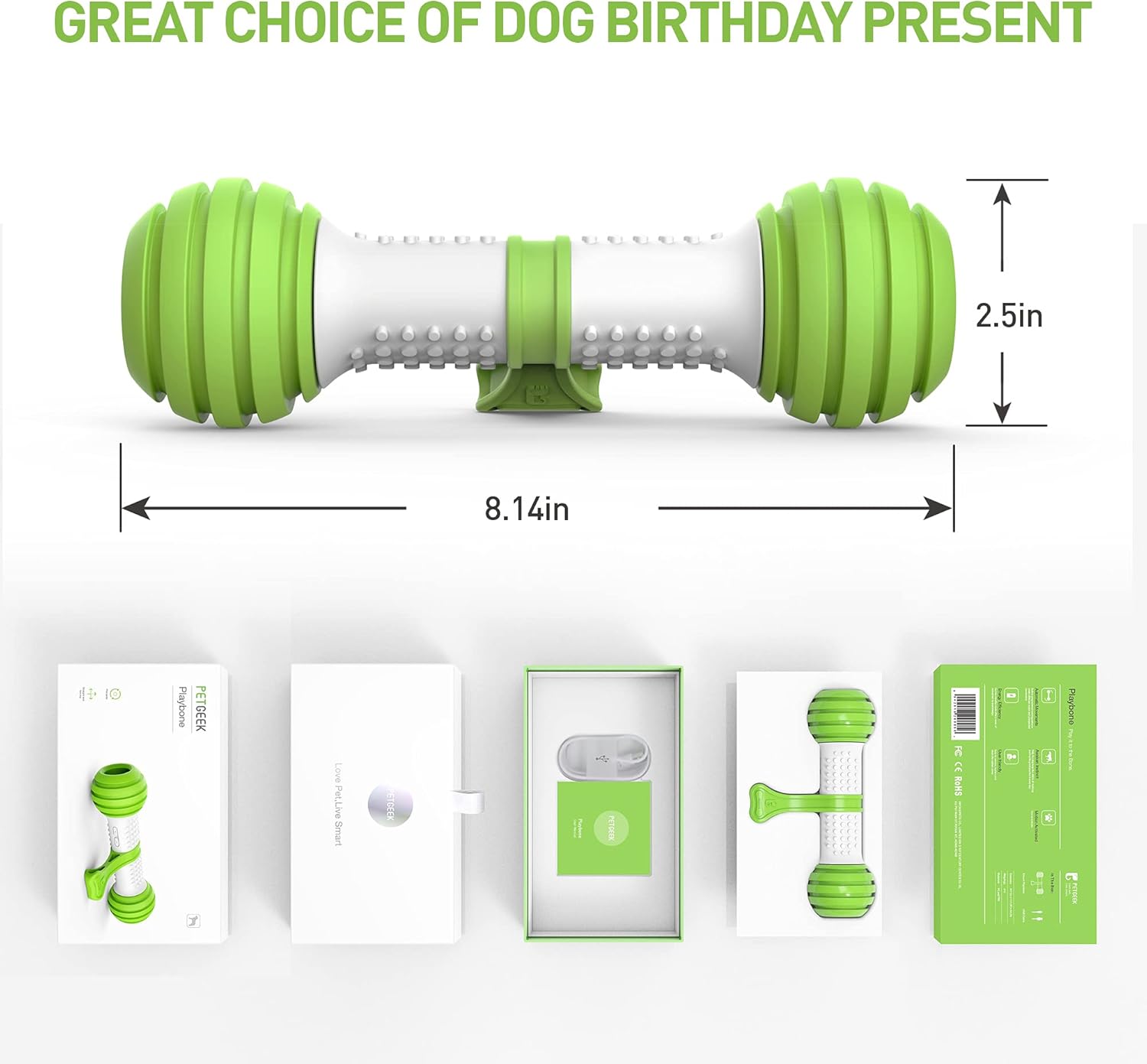
Product Overview
The PETGEEK Interactive Dog Toy is an automatic, motion-activated device designed to engage your dog through unpredictable movements and treat dispensing capabilities.
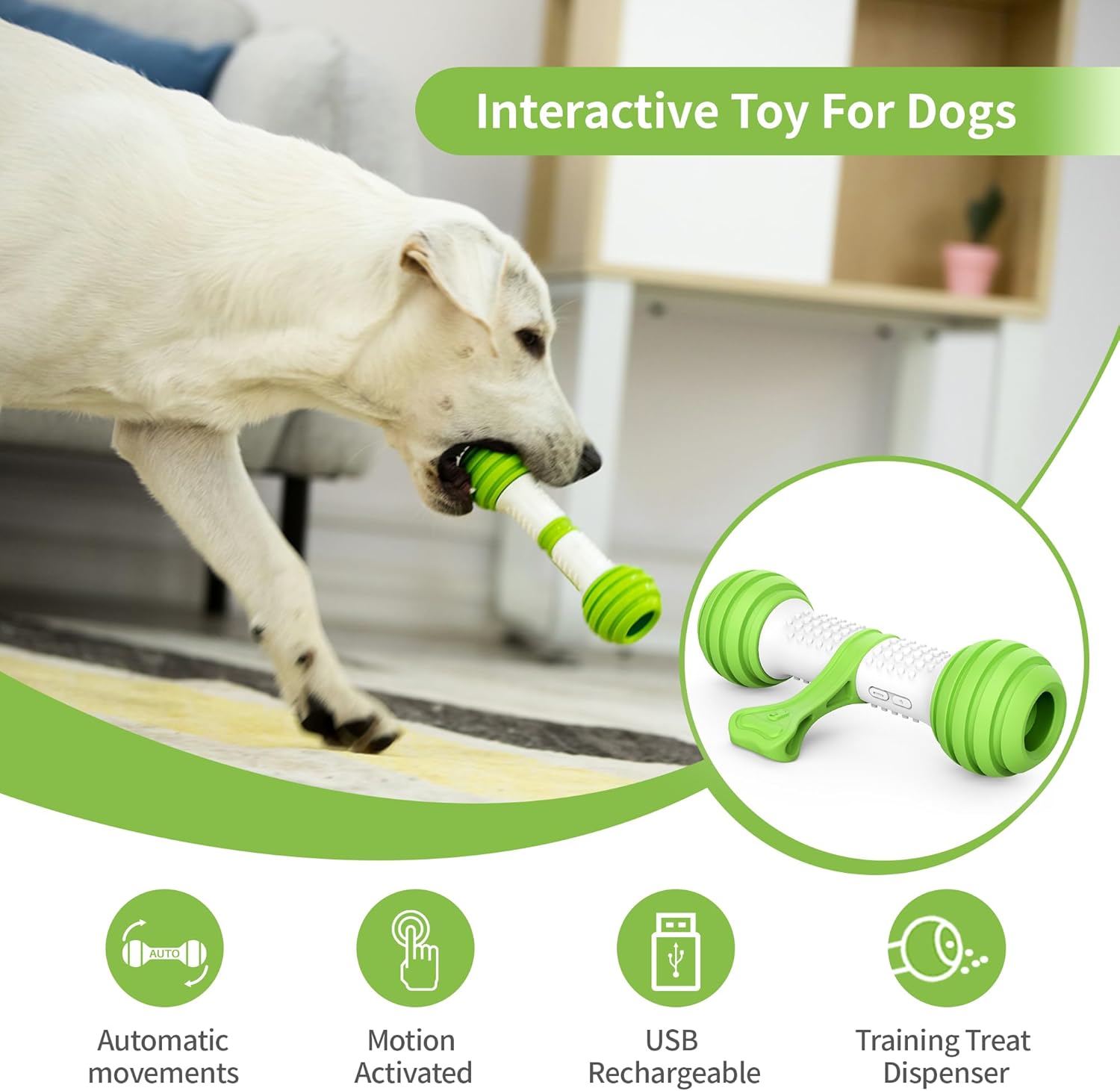
Components:
- Main Body: Houses the motor, battery, and control electronics.
- Rubber Wheels/Ends: Provide grip and allow for movement. Can be removed for cleaning and treat insertion.
- Charging Port: Located under a protective cover.
- Power Button: Activates and deactivates the toy.
Setup
- Initial Charge:
Before first use, fully charge the toy. Locate the charging port cover (often a green flap) and carefully remove it. Connect the provided USB cable to the toy and a compatible USB power source. The indicator light will show charging status. A full charge takes approximately 1 hour and provides over 2 hours of interactive play.

Image: A close-up view of the toy's charging port, illustrating where to connect the USB cable for recharging. Important: Ensure the toy is turned off before charging.
- Prepare for Play:
If desired, you can insert small treats into the wheels of the toy to enhance engagement. The wheels are designed to hide snacks, turning the toy into a treat dispenser.

Image: A dog interacting with the toy, demonstrating how treats can be placed inside the wheels to be dispensed during play.
Operating Instructions
- Power On:
Press the ON/OFF button. The indicator light will turn green, signifying the toy is active.

Image: A three-step diagram illustrating how to prepare and activate the toy: remove cover and charge, press the ON/OFF button, and pat the toy to initiate movement. - Activation:
Place the toy on a hard, flat surface. Gently pat the toy to activate its motion. It will begin to move with programmed, irregular patterns.

Image: The toy moving across a wooden floor, illustrating its irregular movement patterns and treat dispensing. It also indicates optimal surfaces for use (wooden, thin carpet) and unsuitable surfaces (thick carpet). Note: The toy performs best on hard floors. It may not move effectively on thick carpets.
- Standby Mode:
After approximately 10-15 seconds of inactivity, the toy will enter standby mode to conserve battery. To reactivate, simply pat the toy again.

Image: The toy on a wooden floor, showing a Micro USB charging cable and a tip about its standby mode: "Go into standby mode after 10-15 s, pat to reactivate it." - Power Off:
Press and hold the ON/OFF button until the indicator light turns off.
Maintenance
- Cleaning:
The detachable rubber cover and wheels can be removed for cleaning. Wash them with mild soap and water, then rinse thoroughly. Ensure all parts are completely dry before reassembling.

Image: Hands washing the disassembled components of the toy under running water, demonstrating the ease of cleaning. 
Image: The PETGEEK toy disassembled into its main components: the central body, two rubber end caps, and the green bone-shaped attachment. - Storage:
Store the toy in a cool, dry place when not in use. Ensure it is fully charged before long-term storage to maintain battery health.
Troubleshooting
| Problem | Possible Cause | Solution |
|---|---|---|
| Toy does not move. | Battery is low or depleted. Toy is in standby mode. Toy is on an unsuitable surface. | Charge the toy fully. Pat the toy to reactivate it. Move the toy to a hard floor or thin carpet. |
| Toy stops moving frequently. | Battery is low. Toy is entering standby mode. | Recharge the toy. This is normal behavior; pat to reactivate. |
| Difficulty removing charging port cover or end caps. | Tight fit for durability and water resistance. | Apply firm, steady pressure to pull off the end caps. For the charging port cover, gently pry it open. Refer to the "How to Start" image for visual guidance. |
| Toy is damaged. | Aggressive chewing or impact. | Discontinue use. Contact customer support if within warranty. |
Specifications
| Feature | Detail |
|---|---|
| Model Number | K90759D5 |
| Brand | PETGEEK |
| Dimensions (LxWxH) | 10 x 5.8 x 3.1 inches |
| Item Weight | 0.6 Pounds (9.6 ounces) |
| Material | Thermoplastic Polyurethane (TPU) |
| Battery Type | 1 Lithium Ion battery (included) |
| Charging Time | Approx. 1 hour |
| Operating Time | Over 2 hours in interactive mode |
| Target Audience | Dogs (Medium to Large, All Life Stages) |
Warranty and Support
PETGEEK offers a satisfaction service for its products. If you encounter any issues or have questions regarding your Interactive Dog Toy, please contact PETGEEK customer support.
For service inquiries, please visit the official PETGEEK store or contact their support channels. Details can often be found on the product packaging or the official PETGEEK website.
Note: This toy is not designed for aggressive chewers. Damage due to aggressive chewing may not be covered under warranty.


