
1. Introduction
The CYCPLUS M1 is a GPS wireless bike computer designed to provide comprehensive cycling data. It features a 2.9-inch LCD display with backlight, ANT+ sensor compatibility, and app synchronization for detailed ride analysis. This manual provides instructions for setting up, operating, and maintaining your device.

Image 1.1: The CYCPLUS M1 GPS Bike Computer, showing its display and compact design.
2. Package Contents
Ensure all items are present in the package:
- CYCPLUS M1 GPS Bike Computer
- USB Charging Cable
- Bike Mount
- Rubber Bands/Zip Ties for Mount
- User Manual
- Optional: ANT+ Sensors (if purchased as a bundle)
3. Setup
3.1 Initial Charging
Before first use, fully charge the device using the provided USB cable. The device has a 1100 mAh battery, offering over 30 hours of operation on a full charge.

Image 3.1: The CYCPLUS M1 device connected to a USB charging cable.
3.2 Mounting the Device
Attach the bike computer mount to your bicycle's handlebars or stem using the provided rubber bands or zip ties. Secure the M1 device onto the mount by twisting it into place until it locks.
3.3 Power On/Off
- Power On: Long press the left button.
- Power Off: Long press the left button.
3.4 Time Zone Setting
It is essential to set the correct time zone for proper functionality. Refer to the device settings menu to adjust the time zone. This ensures accurate time display and data logging.
4. Operation
4.1 Button Functions
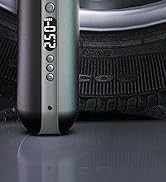
Image 4.1: Overview of the CYCPLUS M1 button functions.
- Left Button:
- Short press: Start/Pause recording.
- Long press: Power On/Off.
- Middle Button:
- Short press: Count lap.
- Long press: Save record (after ride completion).
- Right Button:
- Short press: Go to next page/display screen.
- Long press: Enter/Exit settings.
4.2 Display Functions
The 2.9-inch FSTN LCD screen provides clear visibility even in direct sunlight. It features automatic backlight adjustment based on time zone and ambient light conditions. The display shows various cycling data:

Image 4.2: The CYCPLUS M1 display illustrating various data fields such as speed, time, distance, heart rate, cadence, and power.
- Current Speed, Average Speed, Max Speed
- Time, Trip Distance, Odometer
- Altitude, Gradient, Ascent
- Temperature, Clock, Lap
- Heart Rate, Cadence, Power (requires additional ANT+ sensors)
4.3 GPS Positioning
The M1 supports GPS, Glonass, Galileo, and BeiDou for fast and accurate positioning. The first GPS positioning in Europe may take 3-5 minutes. Subsequent positioning typically takes about 30 seconds. Positioning speed can be affected by environmental and weather conditions.

Image 4.3: The CYCPLUS M1 utilizing multiple satellite systems for rapid and precise positioning.
4.4 ANT+ Sensor Pairing
The M1 is compatible with ANT+ sensors for enhanced data collection, including heart rate monitors, cadence sensors, and power meters. Refer to the device settings to pair new sensors.

Image 4.4: The CYCPLUS M1 integrating with ANT+ sensors for comprehensive cycling data.
4.5 App Synchronization and Data Analysis
Download the "CYCPLUS Fit" app from the App Store or Google Play. The app allows for quick data synchronization via Bluetooth, firmware updates, and detailed analysis of your ride data. You can also synchronize your activity data to platforms like Strava via the XOSS app.

Image 4.5: The CYCPLUS Fit app displaying data analysis and synchronization options.
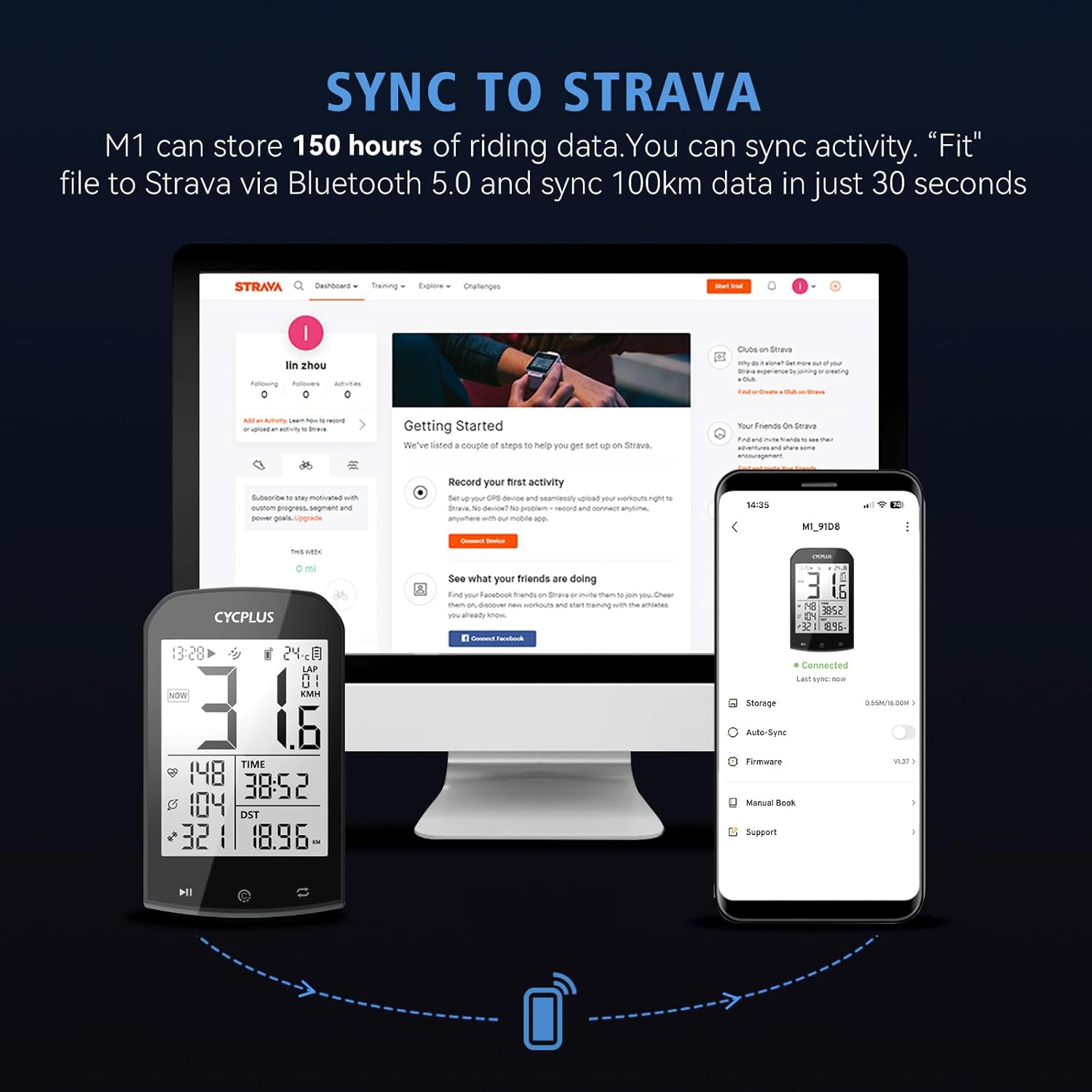
Image 4.6: Data synchronization from the CYCPLUS M1 to Strava via the XOSS app.
4.6 Data Saving
After completing your ride, long press the middle button to save the recorded data. Failure to save may result in data loss.
5. Maintenance
5.1 Cleaning
Wipe the device with a soft, damp cloth. Avoid using harsh chemicals or abrasive materials that could damage the screen or casing.
5.2 Battery Care
To prolong battery life, avoid fully discharging the device frequently. Store the device in a cool, dry place when not in use for extended periods. Charge the device periodically if stored for a long time.
5.3 Waterproofing
The CYCPLUS M1 has an IPX6 waterproof rating, meaning it is protected against high-pressure water jets from any direction. It can be used in rainy conditions, but it is not designed for submersion.

Image 5.1: The CYCPLUS M1 demonstrating its IPX6 waterproof capability during a rainy ride.
6. Troubleshooting
6.1 GPS Positioning Delay
If GPS positioning takes longer than expected (e.g., 3-5 minutes for the first time in a new region like Europe), this is normal as the device adjusts to local satellite signals. Subsequent positioning should be faster (around 30 seconds). Ensure you are in an open area with a clear view of the sky.
6.2 Data Not Saving
Always long press the middle button after your ride to ensure all recorded data is saved. If data is not saved, it may be lost.
6.3 Incorrect Time Display
Verify that the correct time zone is set in the device's settings. This is crucial for accurate time and date stamping of your rides.
7. Specifications
| Feature | Detail |
|---|---|
| Model Number | M1 |
| Display Size | 2.9 inches |
| Display Type | LCD (FSTN) |
| Connectivity Technology | ANT+, Bluetooth 5.0 |
| GPS Sensor Type | GPS, Glonass, Galileo, BeiDou |
| Waterproof Rating | IPX6 |
| Battery Type | Lithium Polymer |
| Battery Capacity | 1100 mAh |
| Battery Life | Over 30 hours |
| Product Dimensions | 5.3 x 2 x 9 cm |
| Product Weight | 77.5 grams |
8. Warranty & Support
CYCPLUS offers a two-year repair/refund/replacement policy from the date of purchase and lifetime customer support. For any issues or inquiries, please contact CYCPLUS customer service through the official website or your retailer.


