
EMB 12 Volt Cordless Drill Driver
EMB 12 Volt Cordless Drill Driver Instruction Manual
Model: 12 Volt Cordless Drill Driver
1. Safety Instructions
Always observe basic safety precautions when using electric tools to reduce the risk of fire, electric shock, and personal injury.
General Power Tool Safety Warnings
- Work Area Safety: Keep the work area clean and well-lit. Cluttered or dark areas invite accidents. Do not operate power tools in explosive atmospheres, such as in the presence of flammable liquids, gases, or dust.
- Electrical Safety: Power tool plugs must match the outlet. Never modify the plug in any way. Do not abuse the cord. Never use the cord for carrying, pulling, or unplugging the power tool. Keep cord away from heat, oil, sharp edges, or moving parts.
- Personal Safety: Stay alert, watch what you are doing, and use common sense when operating a power tool. Do not use a power tool while you are tired or under the influence of drugs, alcohol, or medication. Always wear eye protection. Use safety equipment such as dust masks, non-skid safety shoes, hard hats, or hearing protection when appropriate.
- Power Tool Use and Care: Do not force the power tool. Use the correct power tool for your application. Disconnect the plug from the power source and/or remove the battery pack before making any adjustments, changing accessories, or storing power tools. Store idle power tools out of the reach of children and do not allow persons unfamiliar with the power tool or these instructions to operate the power tool.
- Battery Tool Use and Care: Recharge only with the charger specified by the manufacturer. Use power tools only with specifically designated battery packs.
2. Product Overview
The EMB 12 Volt Cordless Drill Driver is a versatile tool designed for drilling into wood, metal, plastic, and for various screw driving tasks. It features an 18-position clutch, adjustable speed, and a keyless chuck for efficient operation.
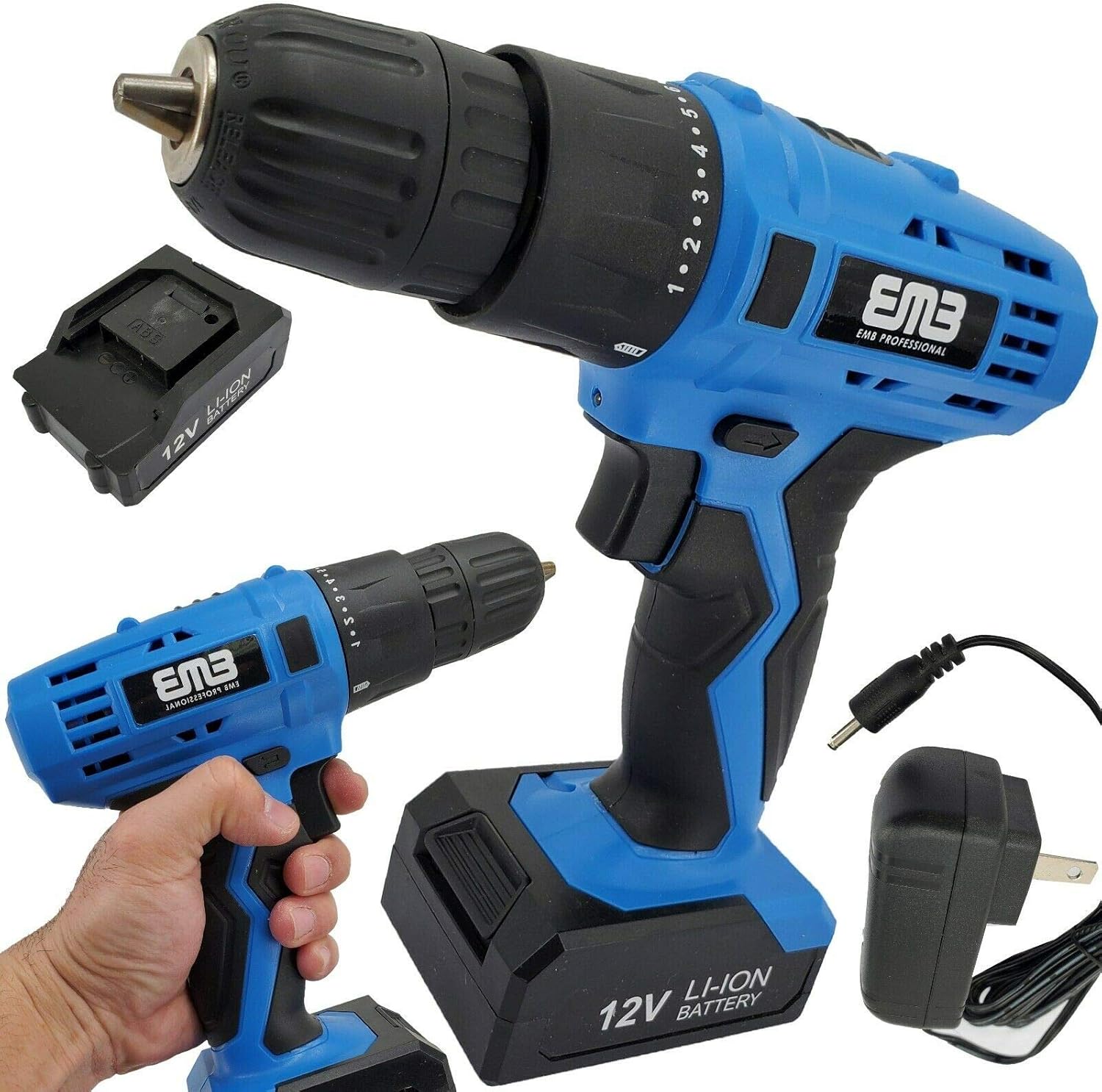
Image 2.1: EMB 12 Volt Cordless Drill Driver, battery, and charger components.
Key Features:
- 12V Lithium-Ion Battery: Provides sustained power for extended use.
- 18-Position Clutch: Allows precise torque control for various materials and prevents screw stripping.
- Adjustable Speed (0-1,300 RPM): Trigger-controlled variable speed for optimal performance.
- Forward/Reverse Switch: For drilling and screw driving/removal.
- 1/4-Inch Keyless Chuck: Enables quick and easy bit changes.
- Ergonomic Design: Lightweight (under 3 lbs with battery) and rubberized handle for comfort and reduced fatigue.
- Integrated LED Light: Illuminates the work area for improved visibility.
3. Technical Specifications
| Specification | Value |
|---|---|
| Brand | EMB |
| Power Source | Battery Powered |
| Voltage | 12 Volts |
| Battery Type | Lithium Ion (1300mA) |
| Speed | 0-1300 RPM |
| Clutch Positions | 18 + 1 Drill Mode |
| Chuck Size | 1/4-Inch Keyless |
| Item Weight | Approximately 3 Pounds (with battery) |
| Included Components | Drill, Battery, Charger |
4. Setup
4.1 Battery Charging
The 12V Lithium-Ion battery is partially charged from the factory. Fully charge the battery before first use.
- Connect the charger to a standard electrical outlet.
- Insert the battery pack into the charger. Ensure it is seated correctly.
- Allow the battery to charge until the indicator light on the charger signals a full charge (refer to charger instructions for specific light indications).
- Once charged, disconnect the battery from the charger and unplug the charger from the outlet.

Image 4.1: The 12V Lithium-Ion battery and its dedicated charger.
4.2 Battery Installation and Removal
To install the battery, align the battery pack with the base of the drill handle and slide it in until it clicks securely into place.
To remove the battery, press the release button (if present, typically on the sides of the battery pack) and slide the battery out of the handle.
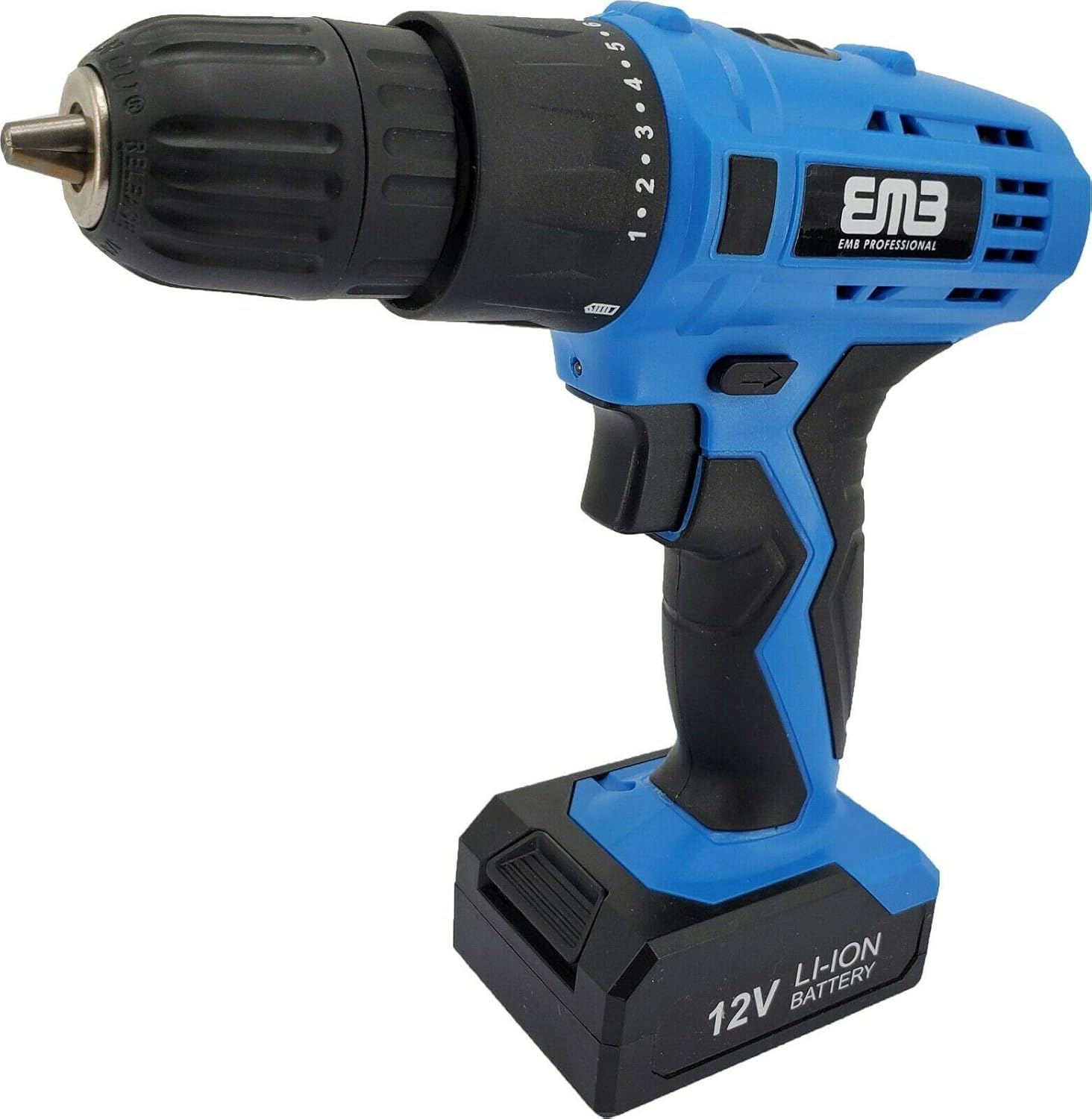
Image 4.2: The drill with the battery properly installed.
4.3 Installing and Removing Drill Bits
- Ensure the drill is off and the forward/reverse switch is in the center (locked) position to prevent accidental starting.
- Grip the rear part of the chuck firmly with one hand.
- Rotate the front part of the chuck counter-clockwise to open the jaws.
- Insert the drill bit or screwdriver bit into the chuck jaws. Ensure the bit is centered and fully seated.
- Rotate the front part of the chuck clockwise to tighten the jaws securely around the bit. Hand-tighten firmly.
- To remove a bit, reverse the tightening process.
5. Operating Instructions
5.1 Forward/Reverse Rotation
The forward/reverse switch, located above the trigger, controls the direction of rotation. Push the switch to the left for forward rotation (drilling/driving screws) and to the right for reverse rotation (removing screws). Position the switch in the center to lock the trigger and prevent accidental operation.
5.2 Variable Speed Control
The drill features a variable speed trigger. Pressing the trigger lightly will result in a slower speed, while pressing it further will increase the speed up to 1,300 RPM. This allows for precise control depending on the application and material.
5.3 Torque Adjustment (Clutch)
The 18-position clutch ring, located behind the chuck, allows you to set the desired torque. Rotate the ring to align the desired number with the indicator mark on the drill body. Lower numbers are for driving small screws or working with soft materials, while higher numbers are for larger screws or harder materials. The drill symbol setting is for drilling applications, providing maximum torque without clutch disengagement.
5.4 Integrated LED Light
The LED light automatically activates when the trigger is pressed, illuminating the work surface. This feature is useful in dimly lit or confined spaces.

Image 5.1: Proper grip and handling of the drill during operation.
6. Maintenance and Storage
6.1 Cleaning
- Always remove the battery pack before cleaning.
- Use a clean, dry cloth to wipe down the exterior of the drill.
- Do not use harsh chemicals or abrasive cleaners.
- Keep the ventilation openings clear of dust and debris to prevent overheating. Use compressed air if necessary.
6.2 Storage
- Store the drill and battery in a cool, dry place, away from direct sunlight and moisture.
- Ensure the battery is partially charged before long-term storage. Avoid storing fully discharged or fully charged batteries for extended periods.
- Store out of reach of children.
7. Troubleshooting
| Problem | Possible Cause | Solution |
|---|---|---|
| Drill does not start | Battery is not charged or improperly installed. Forward/reverse switch is in the center (locked) position. | Charge the battery. Ensure battery is securely installed. Move the forward/reverse switch to the left or right. |
| Loss of power during operation | Battery is low on charge. | Recharge the battery. |
| Bit slips in chuck | Chuck not tightened sufficiently. Bit shank is dirty or damaged. | Retighten the chuck firmly. Clean or replace the bit. |
| Overheating | Continuous heavy use. Blocked ventilation slots. | Allow the tool to cool down. Clear any obstructions from ventilation slots. |
8. Warranty and Support
EMB products are manufactured to high-quality standards. For information regarding warranty coverage, technical support, or service, please refer to the warranty card included with your purchase or contact EMB customer service directly. Keep your purchase receipt as proof of purchase.
Ask a question about this manual
Ask about setup, troubleshooting, compatibility, parts, safety, or missing instructions. Manuals+ will review the question and use this page’s manual context to help answer it.