
Introduction
Thank you for choosing the LBW Full Spectrum LED Floor Plant Grow Light. This manual provides essential information for the safe and efficient use of your new grow light. Please read these instructions carefully before assembly and operation, and retain them for future reference.
Important Safety Instructions
- Always unplug the grow light from the power outlet before cleaning or performing any maintenance.
- Do not operate the grow light with a damaged cord or plug. If the cord or plug is damaged, contact customer support for assistance.
- Keep the grow light away from water or other liquids. Do not use it in wet conditions.
- Ensure the grow light is placed on a stable, level surface to prevent tipping.
- Do not look directly into the LED lights when they are on, as this may cause eye strain.
- This product is designed for indoor use only.
- Keep out of reach of children and pets.
Package Contents
Please verify that all components are present in your package:
- LED Grow Light Head
- Adjustable Gooseneck
- Tripod Stand
- Power Cord with On/Off Switch
- Assembly Tools (Wrench, Nut)
- Instruction Manual
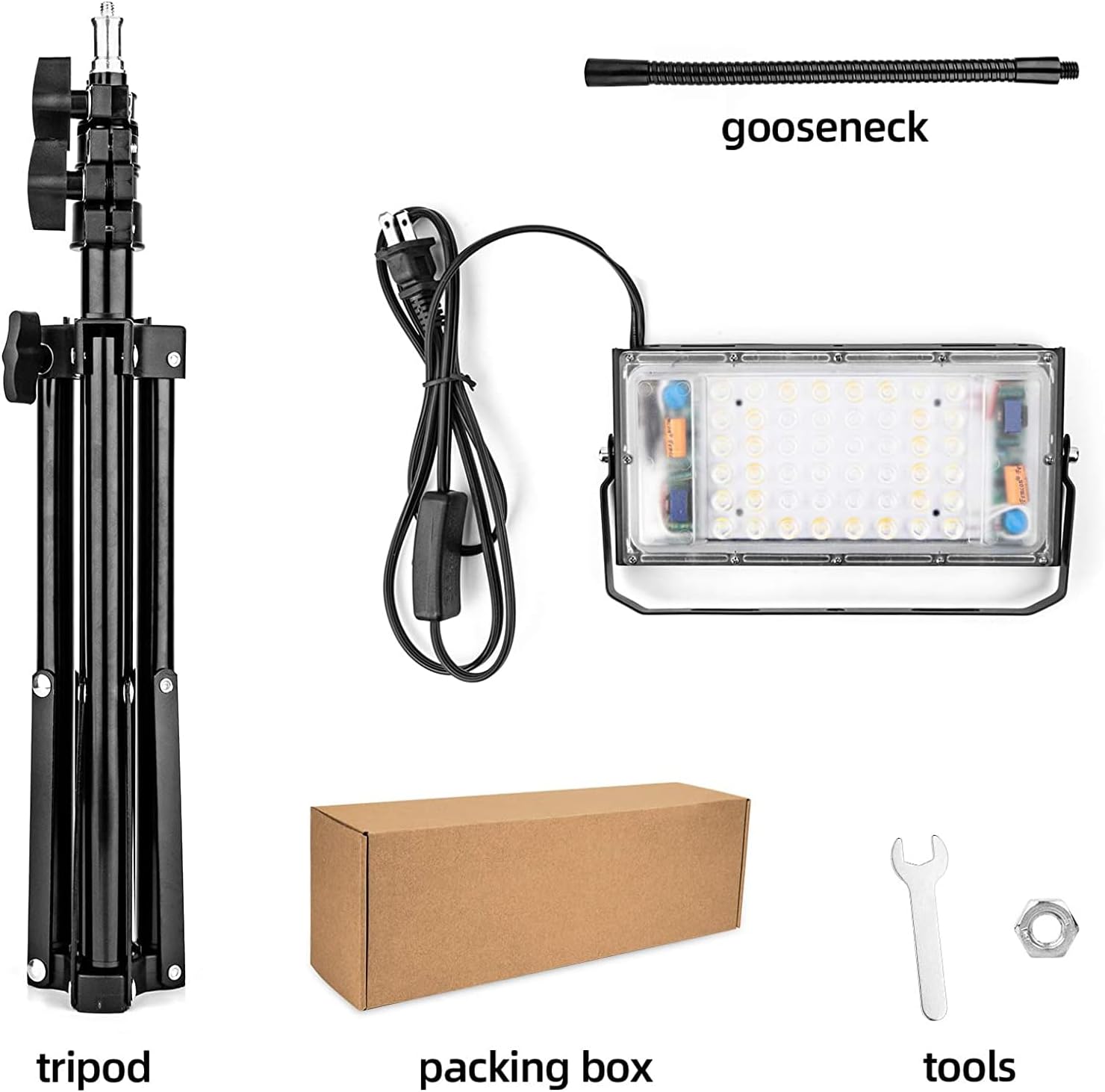
Image: All components included in the LBW Grow Light package, showing the tripod, gooseneck, LED light head, power cord with switch, and small assembly tools.
Assembly Instructions
Follow these steps to assemble your LBW Full Spectrum LED Floor Plant Grow Light:
- Extend the Tripod Stand: Loosen the clamps on the tripod stand and extend the legs to a stable position. Adjust the height of the central rod by rotating the adjustment knob counterclockwise to raise or lower it, then tighten to secure. The stand is adjustable from 15.7 inches (40cm) to 47.2 inches (120cm).

Image: Illustration of adjusting the tripod stand height.
- Attach the Gooseneck: Screw the flexible gooseneck onto the top of the tripod stand until it is firmly attached.
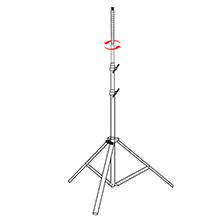
Image: Illustration of attaching the gooseneck to the tripod.
- Mount the LED Light Head: Secure the LED grow light head to the end of the gooseneck using the provided nut and wrench. Ensure it is tightened securely.
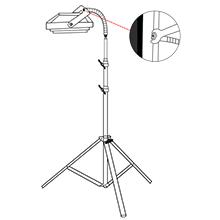
Image: Illustration of securing the light head to the gooseneck.
- Connect to Power: Plug the power cord into a standard electrical outlet. The grow light is now ready for use.

Image: Illustration of plugging in the power cord.

Image: The fully assembled LBW Full Spectrum LED Floor Plant Grow Light positioned next to an indoor plant.
Operating Instructions
Power On/Off
Use the in-line switch on the power cord to turn the grow light on or off. The switch provides a simple control for the light.
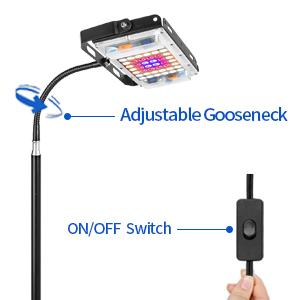
Image: Detail of the power cord with the integrated on/off switch.
Adjusting Light Position
The flexible gooseneck allows you to adjust the angle and direction of the light head. Position the light to ensure optimal coverage for your plants. The tripod stand's adjustable height also allows you to set the light at the ideal distance from your plants as they grow.

Image: The grow light head positioned over a plant, demonstrating the flexibility of the gooseneck.
Full Spectrum Lighting
This grow light provides a full spectrum of light (390nm-730nm), including white (3500K & 6500K), red, and blue LEDs. This spectrum is designed to support all stages of plant growth, from seedling to flowering.
- Red Chips (630-660nm): Beneficial for blooming and fruit development.
- Blue Chips (440-460nm): Essential for photosynthesis and vegetative growth.
- Cold White Chips: Full spectrum with more blue light.
- Warm White Chips: Full spectrum with more red light.

Image: Detailed view of the LED array, highlighting the different color chips and their spectral ranges for optimal plant growth.
Maintenance
- Cleaning: Ensure the grow light is unplugged before cleaning. Use a soft, dry cloth to wipe down the light head and stand. Do not use abrasive cleaners or immerse any part of the unit in water.
- Storage: When not in use for extended periods, unplug the light and store it in a cool, dry place.
- Inspection: Periodically check the power cord and connections for any signs of damage.
Troubleshooting
| Problem | Possible Cause | Solution |
|---|---|---|
| Light does not turn on. | No power supply. | Check if the power cord is securely plugged into a working outlet. Ensure the in-line switch is in the 'On' position. |
| Light flickers or dims. | Loose connection or power fluctuation. | Ensure all connections (gooseneck to light head, gooseneck to tripod) are secure. Try plugging into a different outlet. |
| Stand is wobbly. | Tripod legs not fully extended or tightened. | Ensure tripod legs are fully extended and the height adjustment clamps are securely tightened. Place on a flat, stable surface. |
Specifications
| Feature | Detail |
|---|---|
| Model Name | grow light |
| Item Model Number | ca200610 |
| Brand | LBW |
| Light Source Type | LED |
| Wattage | 30 watts |
| Brightness | 2800 Lumen |
| Voltage | 12 Volts |
| Input Voltage Range | 110V to 130V AC |
| Frequency Range | 50Hz to 60Hz |
| Color Temperature | 4000K |
| Light Color | White, Red, Blue |
| Product Dimensions | 5.11"D x 5.31"W x 16.7"H |
| Max Height (Adjustable) | 47 inches (15-48 inches range) |
| Item Weight | 2.29 pounds |
| Material | Aluminum |
| Indoor/Outdoor Usage | Indoor |
| Control Method | Remote (Note: Product description mentions On/Off Switch, specifications mention Remote. For this model, the On/Off Switch is confirmed by images and feature bullets.) |
| Is Waterproof | True |
Warranty and Support
This LBW Grow Light includes a 12-month servicing warranty. Additionally, a 30-day satisfaction or return policy is offered, ensuring 100% money back if you are not satisfied. For any issues or support, please contact LBW customer service.
Product Overview Video
Video: An official overview of the LBW Full Spectrum LED Floor Plant Grow Light, demonstrating its features and use.