
ADESSO WKB-1320CB
Contents
Adesso WKB-1320CB EasyTouch Wireless Desktop Keyboard and Mouse Combo User Manual
Model: WKB-1320CB
1. Introduction
This manual provides comprehensive instructions for the setup, operation, maintenance, and troubleshooting of your Adesso WKB-1320CB EasyTouch Wireless Desktop Keyboard and Mouse Combo. Please read this manual thoroughly before using the product to ensure optimal performance and longevity.
1.1 Package Contents
- Adesso WKB-1320CB Wireless Keyboard
- Adesso Wireless Mouse
- USB Receiver
- 4 AAA Batteries (2 for keyboard, 2 for mouse)

Image 1.1: The Adesso WKB-1320CB Wireless Desktop Keyboard and Mouse Combo.
2. Safety Information
Proposition 65 Warning:
This product contains chemicals known to the State of California to cause cancer and birth defects or other reproductive harm. Please handle with care and refer to local regulations for disposal.
3. Setup Instructions
3.1 Battery Installation
- For the Keyboard: Locate the battery compartment on the underside of the keyboard. Open the cover and insert two (2) AAA batteries, ensuring correct polarity (+/-). Close the battery compartment cover.
- For the Mouse: Locate the battery compartment on the underside of the mouse. Open the cover and insert two (2) AAA batteries, ensuring correct polarity (+/-). Close the battery compartment cover.
3.2 Connecting the USB Receiver
- Remove the USB receiver from its storage slot, typically found within the mouse's battery compartment or on the underside of the keyboard.
- Plug the USB receiver into an available USB port on your computer.
- Your computer should automatically detect and install the necessary drivers. This process may take a few seconds.
3.3 Powering On and Initial Connection
Once the batteries are installed and the USB receiver is connected, the keyboard and mouse should automatically establish a wireless connection with your computer. No manual pairing is typically required. If the devices do not respond, ensure they are powered on (if they have an on/off switch) and check battery levels.

Image 3.1: The keyboard features an adjustable kickstand for ergonomic positioning.
4. Operation
4.1 Keyboard Functions
The Adesso WKB-1320CB keyboard features a 104-key US layout with quiet membrane switches for a comfortable typing experience. It includes dedicated hotkeys for multimedia and Windows functions.
4.1.1 Multimedia Hotkeys
The keyboard includes 8 multimedia hotkeys located above the function keys (F1-F12) for quick access to media player controls:
- Media Player
- Volume Down
- Volume Up
- Mute
- Play/Pause
- Previous Track
- Next Track
- Stop
4.1.2 Windows & Internet Hotkeys
Additionally, 6 hotkeys provide instant access to common Windows applications and internet functions:
- My Computer
- Search
- Calculator
- Home (Browser Homepage)
- Favorites (Browser Favorites)
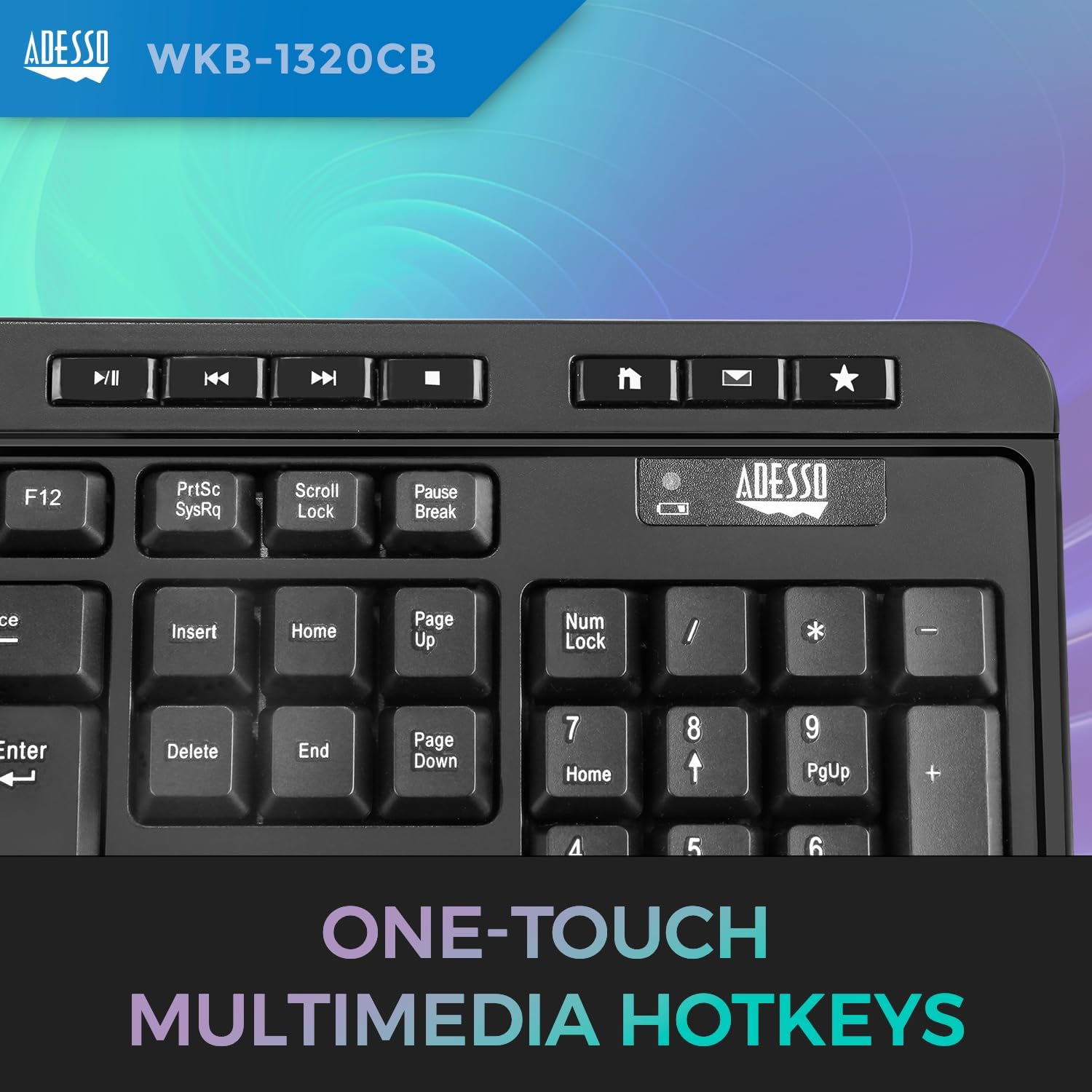
Image 4.1: Dedicated one-touch multimedia hotkeys for quick access to functions.

Image 4.2: User interacting with the keyboard's hotkeys.

Image 4.3: The keyboard features 2X large print size on keys for improved visibility.

Image 4.4: The keyboard utilizes quiet membrane switches for a responsive and silent typing experience.
4.2 Mouse Functions
The wireless mouse is equipped with an optical sensor for precise tracking and navigation.
- Optical Sensor: Provides 1200 DPI resolution for accurate cursor control.
- Scroll Wheel: For vertical scrolling through documents and web pages.
- Buttons: Standard left and right click buttons.

Image 4.5: The Adesso wireless mouse with an optical sensor.
5. Maintenance
5.1 Cleaning
To maintain hygiene and performance, regularly clean your keyboard and mouse. The product features an antimicrobial design.
- Use a soft, lint-free cloth slightly dampened with water or a mild, non-abrasive cleaning solution.
- Avoid spraying liquids directly onto the devices.
- For the mouse, ensure the optical sensor area on the underside remains clean and free of dust or debris.

Image 5.1: The Adesso WKB-1320CB features an antimicrobial design for enhanced hygiene.
5.2 Battery Replacement
When the keyboard or mouse exhibits intermittent connectivity or reduced responsiveness, it may be time to replace the batteries. The keyboard has a low battery indicator. Refer to Section 3.1 for battery installation instructions.
6. Troubleshooting
If you encounter issues with your Adesso WKB-1320CB combo, please refer to the following common solutions:
| Problem | Possible Cause | Solution |
|---|---|---|
| Keyboard/Mouse not responding | Low or dead batteries, loose USB receiver, out of range, interference. | Replace batteries. Ensure USB receiver is securely plugged into a working USB port. Move devices closer to the receiver (within 30 ft). Avoid placing devices near other wireless equipment. |
| Intermittent connection | Weak signal, interference, low battery. | Replace batteries. Move the USB receiver to a different USB port, preferably on the front of the computer. Reduce distance between devices and receiver. |
| Mouse cursor erratic or not moving | Dirty optical sensor, unsuitable surface, low battery. | Clean the optical sensor on the underside of the mouse. Use the mouse on a clean, non-reflective surface or a mouse pad. Replace batteries. |
| Hotkeys not functioning | Software conflict, drivers not installed correctly. | Ensure your operating system is up to date. Restart your computer. Check manufacturer's website for any specific driver software (though typically not required for this model). |
| Excessive battery drain | Frequent usage, faulty batteries, device not turning off. | Use high-quality alkaline batteries. Ensure the mouse is turned off when not in use (if applicable). |
7. Specifications
7.1 Keyboard Specifications
- Layout: 104-Key US layout
- Key Type: Membrane Switches
- Connection: 2.4 GHz RF Wireless Technology
- Working Range: Up to 30 feet (10m)
- Battery: 2 AAA batteries (included)
- Indicator: Low Battery
- Multimedia Hotkeys: 8 (Media Player, Volume Down, Volume Up, Mute, Play/Pause, Previous Track, Next Track, Stop)
- Windows & Internet Hotkeys: 6 (My Computer, Search, Calculator, Mail, Home, Favorites)
- Life Cycle: 5 Million Keystrokes
- Dimensions: 17.7 x 6.6 x 0.8 inches (450 x 167 x 21.4 mm)
- Weight: Approximately 3.17 ounces (90g)
- Certificates: FCC, CE, ROHS, WERCS
7.2 Mouse Specifications
- Connection: 2.4 GHz RF Wireless Technology
- Working Range: Up to 30 feet (10m)
- Tracking Method: Optical Sensor
- Resolution: 1200 DPI
- Battery: 2 AAA batteries (included)
- Dimensions: 4.5 x 2.5 x 1.5 inches (115 x 62 x 36mm)
- Weight: 3.2 oz. (90g)
8. Warranty and Support
For warranty information and technical support, please refer to the documentation included with your product or visit the official Adesso website. Adesso, Inc. is the manufacturer of this product.
Ask a question about this manual
Ask about setup, troubleshooting, compatibility, parts, safety, or missing instructions. Manuals+ will review the question and use this page’s manual context to help answer it.