

1. Introduction
The Escort Redline 360c is a state-of-the-art radar and laser detector engineered to provide unparalleled protection and awareness on the road. Featuring extreme detection range, 360-degree directional awareness, and advanced filtering capabilities, it ensures you are informed of potential threats with exceptional accuracy.
Key features include:
- Extreme Range: Detects radar and laser threats significantly further than previous models.
- AI Assisted Filtering: Utilizes GPS Autolearn and an updateable IVT Filter to minimize false alerts.
- 360 Protection: Provides comprehensive directional awareness of threats.
- True Stealth Technology: Designed to be invisible to Radar Detector Detectors (RDDs).
- Dual-Band Wi-Fi: Connects to 2.4 GHz and 5 GHz networks for seamless updates and cloud features.
- Drive Smarter App Compatibility: Integrates with Apple CarPlay and Android Auto for enhanced functionality.
2. Setup and Installation
2.1 Package Contents
Before beginning installation, ensure all components are present:
- Escort Redline 360c Radar Detector
- Premium Travel Case
- SmartCord USB (with AutoMute)
- EZ Mag Mount Suction Cup
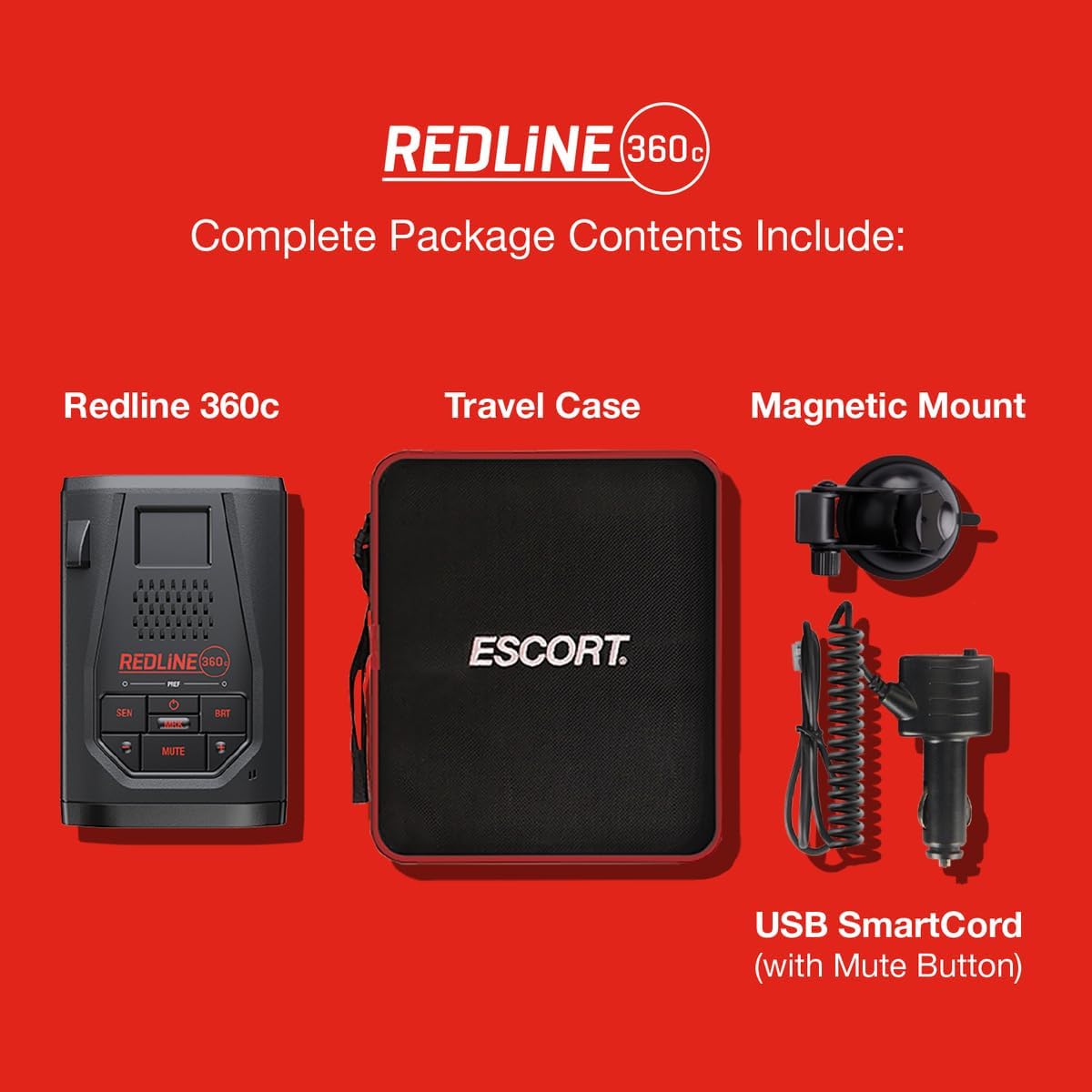
The complete package includes the Redline 360c unit, travel case, magnetic mount, and SmartCord USB.
2.2 Mounting the Detector
The Redline 360c utilizes a magnetic mount for easy attachment and removal. Clean the desired windshield area thoroughly before applying the suction cup. The mount can be adjusted to ensure a clear view of the road and the detector's display.
2.3 Power Connection
Connect the SmartCord USB to the detector and plug the other end into your vehicle's 12V accessory outlet. The SmartCord features an alert light, power indicator, and a mute button for convenient control.
3. Operating the Device
3.1 Basic Controls
The Redline 360c features intuitive controls for easy operation:
- SEN (Sensitivity): Adjusts detection sensitivity.
- MRK (Mark): Marks locations for future alerts or false alert suppression.
- BRT (Brightness): Adjusts display brightness.
- MUTE: Silences audio alerts.
- +/-: Navigates menus and adjusts settings.

The Redline 360c is designed for seamless integration into your vehicle's interior, providing clear alerts.
3.2 Threat Awareness
The device provides comprehensive 360-degree awareness, indicating the direction of radar and laser threats using directional arrows on its OLED display. This allows for quick identification of the threat source (front, rear, left, or right).

Benefit from extreme detection range, providing ample time to react to distant threats.
3.3 Stealth Technology
Equipped with True Stealth Technology, the Redline 360c is designed to be undetectable by Radar Detector Detectors (RDDs), ensuring your privacy and discretion on the road.

The Redline 360c offers advanced stealth capabilities and is compatible with M2 dash cams for a comprehensive driver alert system.
3.4 Drive Smarter App Integration
Connect your Redline 360c to the Drive Smarter app via Wi-Fi for real-time shared alerts from the community, red light camera and speed camera location alerts, and access to advanced settings. The app is compatible with Apple CarPlay and Android Auto, allowing you to view alerts directly on your vehicle's display.

Conveniently view and verify shared alerts on your compatible display through the Drive Smarter app.
4. Maintenance
4.1 Firmware Updates
Regularly update your Redline 360c's firmware to ensure optimal performance and access to the latest features and threat detection algorithms. Firmware updates can be performed via the Drive Smarter app over Wi-Fi.

Updating your Redline 360c's firmware refreshes its performance and ensures it meets the latest industry standards.
4.2 Cleaning and Care
To maintain the device's appearance and functionality, wipe it with a soft, damp cloth. Avoid using abrasive cleaners or solvents. Ensure the front and rear laser/radar sensors are clear of obstructions for accurate detection.
5. Troubleshooting
5.1 False Alerts
The Redline 360c is designed with advanced filtering to reduce false alerts. If you experience frequent false alerts, ensure the IVT Filter is updated via the Drive Smarter app. The AutoLearn feature will also learn and suppress common false alert locations over time.
5.2 Connectivity Issues
If the device is not connecting to Wi-Fi or the Drive Smarter app, ensure your vehicle's 12V power source is active and the device is within range of a stable Wi-Fi network. Restarting both the detector and your smartphone may resolve minor connectivity glitches.
5.3 General Malfunctions
If the device is not functioning as expected, try performing a factory reset (refer to the online user guide for specific instructions). If issues persist, contact Escort customer support for further assistance. It is recommended to thoroughly test the unit upon receipt to ensure proper functionality.
6. Specifications
| Feature | Detail |
|---|---|
| Product Dimensions | 5.13 x 1.3 x 3.35 inches |
| Item Weight | 14.2 ounces |
| Item Model Number | 0100040-1 |
| Special Features | Bluetooth, GPS |
| Display Type | OLED |
| Color | Black |
| Manufacturer | Escort Radar |
| Country of Origin | Philippines |
| Compatible Devices | Smartphone |
| Frequency Bands Supported | X-band 10.525 GHz ± 25 MHz, K-band 24.100 GHz ± 150 MHz, Ka-band 34.700 GHz ± 1300 MHz, Laser 904nm, 33 MHz Bandwidth |
| Power Source | DC |
| Voltage | 12 Volts |
| UPC | 737795004110 |
7. Warranty and Support
7.1 Protection Plans
Extended protection plans are available for your Escort Redline 360c. These plans offer additional coverage beyond the standard manufacturer's warranty. Options include 2-Year and 3-Year Protection Plans, as well as a Complete Protect plan for broader coverage.
7.2 User Manual and Support
For detailed information and further assistance, please refer to the official user manual available in PDF format. You can access it via this link: Escort Redline 360c User Manual (PDF).
For technical support or warranty claims, please visit the official Escort website or contact their customer service department. Contact information can typically be found on the manufacturer's website or in the included documentation.


