
1. Introduction
This manual provides essential information for the proper installation, operation, and maintenance of your Bosch BULLET 5MP DINION IP 3000i IR camera (Model NBE-3503-AL). Please read this manual thoroughly before using the product to ensure optimal performance and safety. Keep this manual for future reference.
2. Product Overview
The Bosch DINION IP 3000i IR camera is engineered for reliable 24/7 surveillance. It features high-quality imaging, built-in Essential Video Analytics, and an integrated IR illuminator for effective monitoring in various lighting conditions. Its compact design allows for flexible installation.
Key Features:
- Fully configurable H.265 multi-streaming for efficient video compression.
- Supports 1080p and 5MP resolutions for clear image capture.
- Integrated Essential Video Analytics to trigger relevant alerts and facilitate data retrieval.
- Built-in IR illuminator with a 30 m (98 ft) viewing distance for night vision.
- Designed for easy installation with a zoom/focus lens.
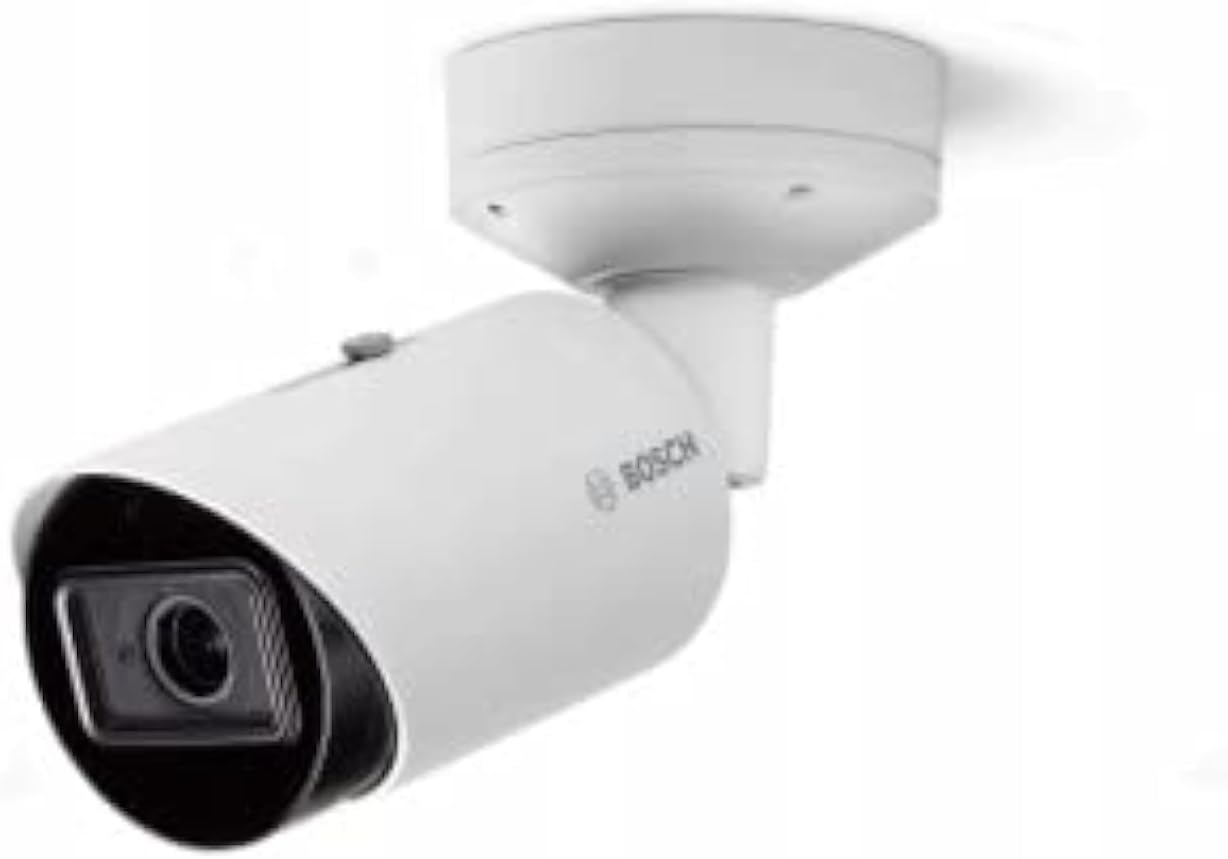
Image: Bosch BULLET 5MP DINION IP 3000i IR camera, white, shown mounted. This camera is designed for outdoor surveillance, featuring a bullet-style housing and an integrated lens.
3. Setup and Installation
Before installation, ensure you have all necessary components and tools. The camera's design offers high installation flexibility.
3.1. Mounting the Camera
- Select a suitable location: Choose a stable surface for mounting, considering the desired field of view and environmental conditions. The camera is recommended for outdoor use.
- Secure the mounting bracket: Use appropriate screws and anchors to firmly attach the camera's mounting bracket to the chosen surface.
- Attach the camera: Secure the camera body to the mounting bracket. Adjust the camera's position to achieve the desired angle.
3.2. Power and Network Connection
- Power Supply: Connect the camera to a suitable power source using a corded electric connection. Refer to the camera's power requirements for voltage and wattage (5 watts).
- Network Connection: Connect the camera to your network via an Ethernet cable. This IP camera requires a wired network connection for data transmission.
3.3. Initial Configuration
After physical installation and connection, access the camera's web interface via your network to perform initial configuration, including setting up network parameters, user accounts, and video settings. The zoom/focus lens can be adjusted during this stage for optimal image clarity.
4. Operating the Camera
4.1. Accessing Live View
Once configured, you can access the camera's live video feed through a web browser or compatible video management software. Refer to your software's documentation for specific instructions.
4.2. Video Analytics
The camera features built-in Essential Video Analytics. Configure these analytics through the camera's web interface to define detection zones, set up rules for motion detection, line crossing, or other events, and trigger alerts.
4.3. Night Vision (IR Illuminator)
The integrated IR illuminator automatically activates in low-light conditions, providing clear black-and-white video up to 30 meters (98 feet). Ensure no obstructions block the IR LEDs for optimal night vision performance.
4.4. Video Streaming
The camera supports H.265 multi-streaming, allowing for efficient video compression and flexible streaming options. Adjust stream settings (resolution, frame rate, bitrate) via the web interface to suit your network bandwidth and storage requirements. The camera supports 1080p and 5MP resolutions at up to 30 frames per second.
5. Maintenance
- Cleaning: Periodically clean the camera lens and housing with a soft, damp cloth. Avoid abrasive cleaners that could scratch the lens or damage the finish.
- Firmware Updates: Regularly check the Bosch website for firmware updates. Keeping your camera's firmware up-to-date ensures optimal performance, security, and access to new features.
- Cable Inspection: Periodically inspect all cables for signs of wear or damage, especially in outdoor installations.
6. Troubleshooting
6.1. No Image/Video Feed
- Check Power: Ensure the camera is properly powered and the power source is active.
- Check Network: Verify network cable connections and ensure the camera has a valid IP address and network access.
- Software/Browser: Confirm your viewing software or web browser is compatible and correctly configured.
6.2. Poor Image Quality
- Clean Lens: Clean the camera lens for smudges or dirt.
- Adjust Focus/Zoom: Use the camera's web interface to fine-tune the focus and zoom settings.
- Lighting: Ensure adequate lighting. If in low light, verify the IR illuminator is functioning.
6.3. IR Illuminator Not Working
- Check Settings: Verify IR settings in the camera's web interface.
- Obstructions: Ensure nothing is blocking the IR LEDs on the camera.
7. Technical Specifications
| Feature | Detail |
|---|---|
| Model Number | NBE-3503-AL |
| Form Factor | Bullet Camera |
| Resolution | 5MP (also supports 1080p) |
| Frame Rate | Up to 30 frames per second |
| Video Compression | H.265 multi-streaming |
| IR Viewing Distance | 30 m (98 ft) |
| Power Source | Corded Electric |
| Wattage | 5 watts |
| Connectivity | Network (Ethernet) |
| Dimensions (L x W x H) | 10.15 x 10.15 x 30.7 cm |
| Weight | 1.63 Kilograms |
| Color | White |
| Recommended Use | Outside |
8. Warranty and Support
For warranty information, please refer to the documentation provided with your purchase or contact your local Bosch representative. For technical support, visit the official Bosch website or contact their customer service department.