Introduction
The Sennheiser Momentum 3 Wireless headphones offer an exceptional audio experience with advanced features designed for comfort and control. This manual provides essential information for setting up, operating, and maintaining your headphones.
What's in the Box
Verify that all items are present in the packaging:
- MOMENTUM 3 headphone
- Carry case
- USB-C charging cable
- USB-C to A adapter
- Analog cable

Image: Sennheiser Momentum 3 Wireless Headphones, carry case, and included cables.
Setup
Follow these steps to set up your Sennheiser Momentum 3 Wireless headphones:
- Initial Power On: Unfold the headphones to automatically power them on.
- Automatic Pairing Mode: The headphones will automatically enter pairing mode upon first activation.
- Bluetooth Connection: On your device (smartphone, tablet, laptop), navigate to Bluetooth settings and select "Sennheiser Momentum 3 Wireless" from the list of available devices.
- Smart Control App: Download the Sennheiser Smart Control App from your device's app store for advanced customization and features.

Image: Side view of the Sennheiser Momentum 3 Wireless Headphones, showing the earcups and control buttons.
Operating Instructions
The Momentum 3 Wireless headphones feature an intuitive three-button interface for easy control:
- Center Button: Play/pause music, answer/end calls.
- Volume Buttons: Adjust volume up or down.
- Top Button: Toggle Active Noise Cancellation (ANC) and Transparent Hearing modes.
For more detailed control and personalization, use the Sennheiser Smart Control App.
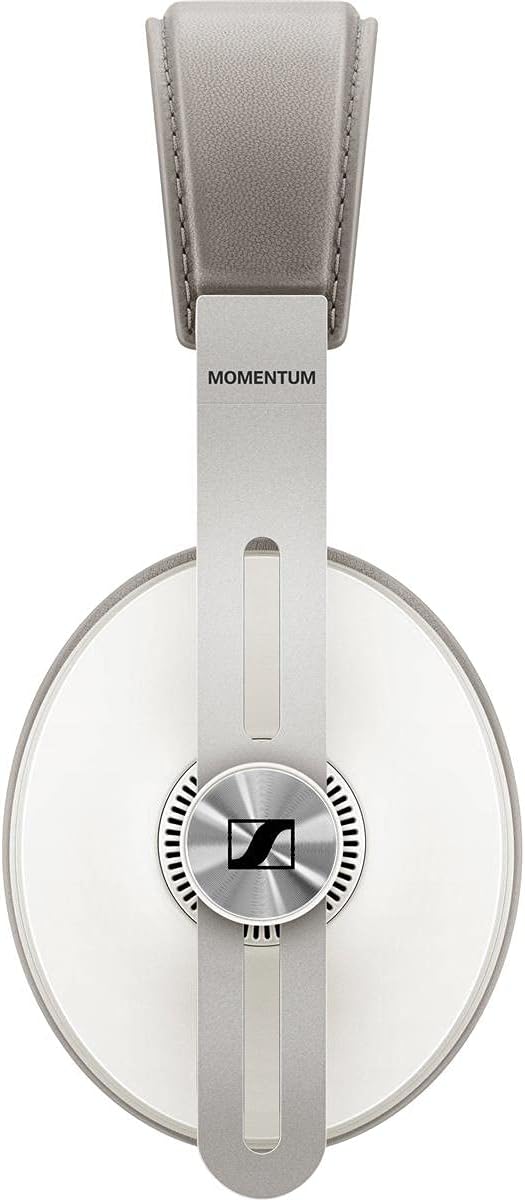
Image: Close-up of the control buttons on the earcup of the Sennheiser Momentum 3 Wireless Headphones.
Active Noise Cancellation (ANC) & Transparent Hearing
The headphones are equipped with Active Noise Cancellation (ANC) to minimize ambient noise and Transparent Hearing to allow you to hear your surroundings without removing the headphones.
- ANC Modes: Adjust ANC levels (Max, Anti Wind, Anti Pressure) via the Smart Control App to suit your environment.
- Transparent Hearing: Activate this mode to stay aware of your surroundings.
Video: Official product overview of Sennheiser Momentum 3 Wireless Headphones, highlighting key features like ANC and Transparent Hearing.
Smart Features
The Momentum 3 Wireless headphones incorporate smart functionalities for seamless use:
- Auto On/Off: Unfolding the headphones powers them on, and collapsing them powers them off.
- Smart Pause: Music automatically pauses when you remove the headphones and resumes when you put them back on.

Image: Sennheiser Momentum 3 Wireless Headphones folded, demonstrating their compact design for storage.
Connectivity
Your headphones offer versatile connectivity options:
- Bluetooth 5.0: For wireless connection to compatible devices.
- 3.5 mm Audio Jack: Use the included analog cable for wired listening.
- USB-C Interface: Connect via USB-C for audio playback and charging.
Battery Life & Charging
The headphones provide up to 17 hours of battery life on a single charge. Use the included USB-C charging cable to recharge the headphones. A full charge takes approximately 17 hours.

Image: Sennheiser Momentum 3 Wireless Headphones neatly stored inside their round, fabric carry case.
Comfort & Design
Crafted for extended listening sessions, the Momentum 3 Wireless headphones feature:
- Exceptional Comfort: Soft earpads and headband crafted from genuine leather.
- Durable Materials: Constructed with leather, plastic, and stainless steel for longevity.
- Foldable Design: Ensures convenient portability and storage.
Specifications
| Feature | Detail |
|---|---|
| Model Name | Momentum 3 Wireless |
| Connectivity Technology | Bluetooth 5.0 |
| Headphones Jack | 3.5 mm Jack |
| Noise Control | Active Noise Cancellation |
| Battery Life | 17 Hours |
| Charging Time | 17 Hours |
| Material | Leather, Plastic, Stainless Steel |
| Item Weight | 10.8 ounces |
| Product Dimensions | 7.8 x 6.7 x 1.78 inches |
Troubleshooting
- No Sound: Ensure headphones are powered on, charged, and correctly paired via Bluetooth or connected with the analog cable. Check device volume.
- Pairing Issues: Turn off and on Bluetooth on your device. Ensure headphones are in pairing mode. Try resetting the headphones if issues persist.
- ANC Not Working: Verify ANC is enabled via the top button or Smart Control App. Ensure earcups form a good seal around your ears.
- Charging Problems: Use the provided USB-C cable and a compatible power source. Check for debris in the charging port.
Warranty & Support
For warranty information and technical support, please refer to the official Sennheiser website or contact their customer service. Keep your proof of purchase for warranty claims.


