
1. Introduction
This manual provides essential instructions for the safe and effective use of your HKY AC/DC Adapter. This adapter is designed to provide reliable power to compatible electronic devices, including various Hello Baby monitors and GPX portable CD players. Please read this manual thoroughly before use and retain it for future reference.
2. Safety Information
- Ensure the adapter's voltage and current ratings match your device's requirements.
- Do not expose the adapter to water, moisture, or extreme temperatures.
- Avoid dropping or subjecting the adapter to strong impacts.
- Do not disassemble or attempt to repair the adapter. Refer servicing to qualified personnel.
- Unplug the adapter from the power outlet when not in use or during electrical storms.
- Keep out of reach of children.
- Ensure proper ventilation around the adapter during operation.
3. Product Overview
3.1 Key Features
- Quality Microchip: Ensures stable and efficient power delivery.
- Super Quality Copper Power Cord: Provides reliable conductivity and durability.
- VO-Grade Fire-Retardant Casing: Enhances safety.
- Strong One-Piece Casting Plug: Designed for secure connection.
- Reinforced Stress Points: Withstands bending and wear for longer service life.
- Anti-interference Magnetic Ring: Helps maintain signal integrity.
- Multiple Protection Features: Includes overcharge, overvoltage, overheat, and overcurrent protection.
- Compact Design: Space-saving for travel and home use.

Figure 1: HKY AC/DC Adapter Product Details and Features.
3.2 Compatibility
This HKY AC/DC Adapter is compatible with a range of devices, including but not limited to:
- HelloBaby HB24, HB24TX, HB24RX, HB28, HB32, HB32TX, HB32RX Baby Monitors
- GPX PC308B, PC332B, PC108B, PC800, PC800B, PC101B Portable CD Players

Figure 2: Compatibility with HelloBaby Camera Monitors.
4. Setup
- Identify the power input port on your device.
- Connect the barrel connector of the HKY AC/DC Adapter to your device's power input port. Ensure a snug fit.
- Plug the adapter's wall plug into a standard electrical outlet (100-240V AC).
- Verify that your device powers on or begins charging.

Figure 3: Connecting the HKY AC/DC Adapter to a device.
5. Operating Instructions
Once connected, the HKY AC/DC Adapter will provide continuous power to your device or charge its internal battery. No further user interaction is typically required during operation.
- For optimal performance, use the adapter in a well-ventilated area.
- Avoid covering the adapter during use to prevent overheating.
- Disconnect the adapter from the power source and device when not needed for extended periods.
6. Maintenance
- Cleaning: Disconnect the adapter from all power sources before cleaning. Use a soft, dry cloth to wipe the exterior. Do not use liquid cleaners or solvents.
- Storage: Store the adapter in a cool, dry place away from direct sunlight and moisture. Avoid tightly coiling the cable to prevent damage. The integrated magic tape strap can be used for neat storage.
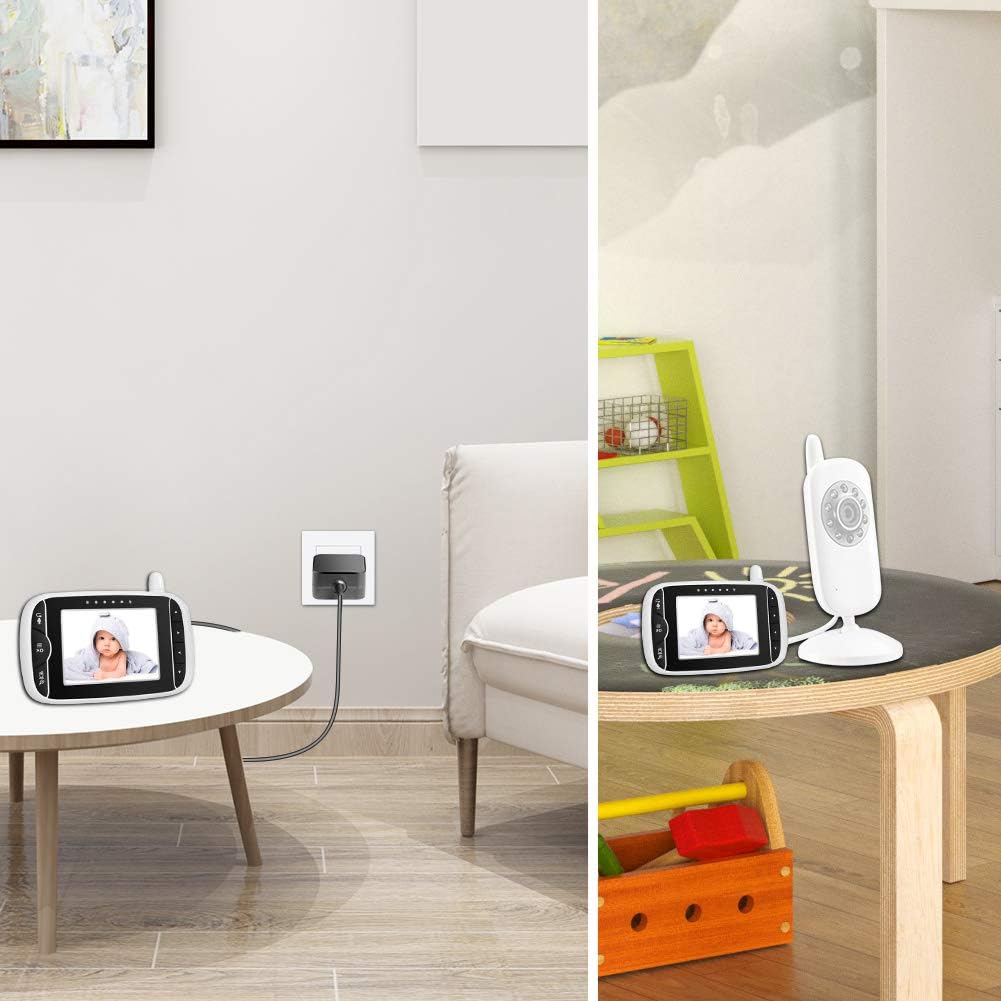
Figure 4: Using the Magic Tape Strap for cable management.
7. Troubleshooting
| Problem | Possible Cause | Solution |
|---|---|---|
| Device not powering on/charging. | Adapter not properly connected. Power outlet is not active. Device is incompatible. Adapter or device is faulty. | Ensure both ends of the adapter are securely plugged in. Test the outlet with another device. Verify device compatibility (refer to Section 3.2). Contact customer support if issues persist. |
| Adapter feels hot during use. | Normal operation heat. Poor ventilation. Overload. | A slight warmth is normal. Ensure the adapter is in a well-ventilated area. Do not cover it. If it becomes excessively hot, disconnect immediately and contact support. |
| Loose connection. | Worn connector or port. | Ensure the connector is fully inserted. If the connection remains loose, the connector or device port may be damaged. |
8. Specifications
- Model: RJ-AS060600U003
- Input Voltage: 100-240 Volts AC
- Output: 6V, 0.6 Amps (3.6 Watts)
- Connector Type: Barrel Connector
- Item Weight: 4.2 ounces
- Package Dimensions: 5.12 x 3.58 x 1.65 inches
- Special Features: Fast Charging, Lightweight Design, Short Circuit Protection, Travel-friendly
- Included Components: 1x AC Power Adapter/Battery Cable Charger
9. Warranty and Support
9.1 Warranty Information
HKY provides a 3-year warranty for this product. Additionally, a 90-day money-back guarantee is offered from the date of purchase. Please retain your proof of purchase for warranty claims.

Figure 5: HKY Warranty and Guarantee Information.
9.2 Customer Support
For any questions, technical assistance, or warranty claims, please contact HKY customer support. We offer 24/7 email support to assist you.
Contact Information: Refer to the HKY official website or your purchase documentation for the most current contact details.