
Product Overview
The eMACROS Solar Wireless Driveway Alarm System provides a reliable security alert for your property. This system features a solar-powered motion sensor and a wireless receiver, designed for both indoor and outdoor use. It detects movement from people, vehicles, and large animals, alerting you with a customizable chime.
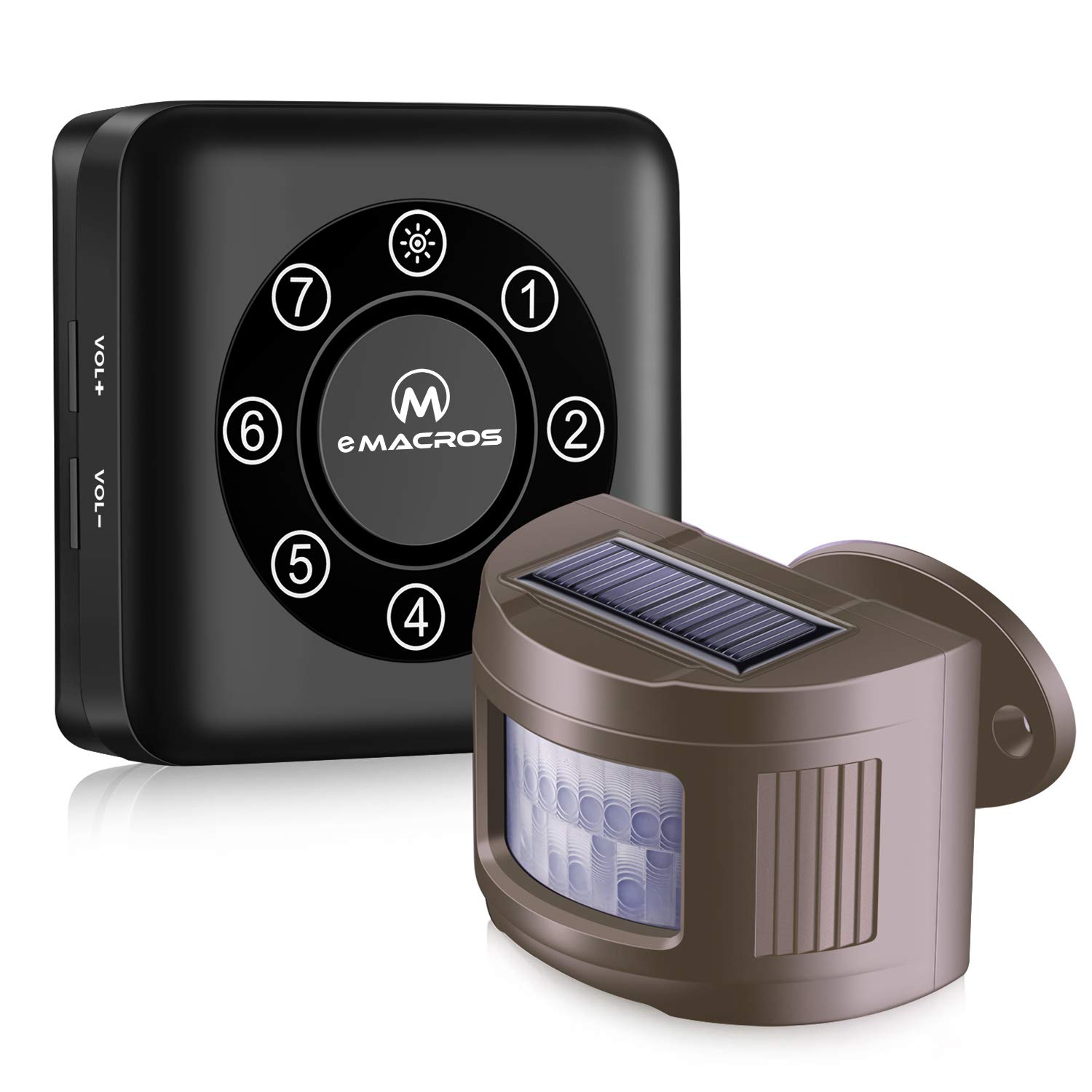
Image: The eMACROS Solar Wireless Driveway Alarm System, showing the solar-powered motion sensor and the receiver unit.
Key Features
- Solar Powered Sensor: The outdoor motion sensor is equipped with a solar panel, eliminating the need for frequent battery replacement. It charges even on cloudy or rainy days.
- Long Range Wireless Transmission: The system offers a wireless transmission range of up to 1/2 mile (2000 feet), ensuring reliable alerts across large properties.
- Wide Detection Area: The Passive Infrared (PIR) motion sensor detects movement up to 30 feet, covering a significant area.
- Weatherproof Design: The sensor is designed to withstand various weather conditions, including rain and freezing temperatures, ensuring year-round operation.
- Expandable System: The receiver can pair with up to 7 sensors, each assignable to a unique melody for distinct alerts from different zones.
- Adjustable Sensor Angle: The sensor features a 360-degree adjustable mounting bracket for optimal positioning and detection.

Image: Close-up of the solar wireless motion sensor, highlighting its solar charging capability, simple installation, waterproof construction, and antifreeze properties.

Image: Illustration demonstrating the 1/2 mile wireless transmission range and the 30-foot PIR sensor detection range of the system.

Image: Examples of the motion sensor detecting various movements, including people walking, animals, and vehicles entering a driveway.
Setup and Installation
1. Sensor Placement and Mounting
Choose a suitable location for your motion sensor where it can effectively monitor the desired area. The sensor should be mounted securely using the provided hardware. The 360-degree adjustable bracket allows for precise aiming to optimize detection and avoid false alarms.

Image: The motion sensor mounted on a wooden post, illustrating its 360-degree adjustment capability and integrated solar panel.
2. Receiver Power and Placement
Connect the receiver to a standard AC power outlet using the provided adapter. For continuous operation during power outages, install 4 AA backup batteries (not included) in the designated compartment on the back of the receiver. Place the receiver in a central location within your home or office to ensure optimal wireless reception from the sensors.

Image: Detailed view of the eMACROS receiver unit, indicating the location of volume controls, mode and power buttons, DC 5V input, non-slip mats, mounting holes, and the compartment for 4 AA backup batteries.
3. Pairing Sensors with Receiver
To pair a sensor with the receiver and assign a unique melody:
- Ensure the receiver is powered off. If plugged in, unplug it. If batteries are installed, remove them.
- Press and hold the POWER button on the receiver. While holding, plug in the AC adapter or reinsert batteries. You will hear 3 beeps, indicating all memory has been cleared. Release the POWER button.
- Press and hold the MODE button for 3 seconds until the number light on the receiver blinks blue. Release the MODE button.
- Short press the MODE button again to cycle through and select your desired channel (1-7) and melody.
- Once the desired channel/melody is selected, trigger the motion sensor by waving your hand in front of it. The receiver will beep, confirming successful pairing to that channel and melody.
Video: This video demonstrates the process of pairing an eMACROS motion sensor with the receiver unit and selecting a specific ringtone for a channel.
Operating Instructions
Volume Adjustment
Use the VOL+ and VOL- buttons on the side of the receiver to adjust the alert volume to your preferred level.
Melody Selection
After pairing, the receiver will play the selected melody when motion is detected by the corresponding sensor. Each of the 7 channels can have a distinct melody, allowing you to identify which sensor has been triggered.
Motion Detection Alerts
When the motion sensor detects movement within its 30-foot range, it will send a signal to the receiver. The receiver will then sound the assigned melody and illuminate the corresponding channel number, providing an immediate alert.
Maintenance
- Solar Panel Cleaning: Periodically clean the solar panel on the sensor with a soft, damp cloth to ensure optimal charging efficiency.
- Battery Check: While the sensor is solar-powered, it contains a rechargeable battery. Ensure the sensor is exposed to sufficient sunlight. For the receiver, regularly check and replace the 4 AA backup batteries if they are used during power outages.
- Sensor Lens: Keep the PIR sensor lens clear of dirt, debris, or obstructions to maintain accurate detection.

Image: An illustration showing how multiple eMACROS sensors can be deployed around a property to create a comprehensive, expandable security system.
Troubleshooting
| Problem | Possible Cause | Solution |
|---|---|---|
| No alert from receiver when motion is detected | Sensor not paired; low sensor battery; receiver out of range; obstructions; receiver powered off. | Re-pair the sensor (refer to "Pairing Sensors" section). Ensure sensor receives adequate sunlight. Relocate receiver closer to the sensor. Remove obstructions. Check receiver power. |
| False alarms | Sensor aimed incorrectly; small animals; moving foliage; direct sunlight on sensor lens. | Adjust sensor angle to avoid detecting unwanted movement (e.g., small animals, swaying branches). Ensure sensor is not directly facing the sun or heat sources. |
| Short detection range | Obstructions; sensor angle; extreme weather. | Clear line of sight between sensor and detection area. Adjust sensor angle. Ensure sensor is not covered by snow or ice. |
Specifications
- Brand: eMACROS
- Model Number: eMACROS
- Power Source: Solar Powered (Sensor), AC Powered with 4 AA Battery Backup (Receiver)
- Maximum PIR Detection Range: 30 Feet
- Wireless Transmission Range: Up to 1/2 Mile (2000 Feet)
- Mounting Type: Wall Mount (Sensor)
- Compatible Devices: Up to 7 eMACROS Motion Sensors
- Battery Type (Sensor): Lithium Polymer (Rechargeable via Solar)
- Battery Type (Receiver Backup): 4 x AA Batteries (not included)
- Color: Neutral Tone
Warranty and Support
eMACROS provides a lifetime warranty and technical support for this product. For any questions, issues, or assistance, please contact eMACROS customer support. Refer to the product packaging or the official eMACROS website for contact information.
Note: Customer feedback indicates responsive technical support and a commitment to product quality.


