
Introduction
The DSC PG9994 is an advanced 2-way wireless outdoor Passive Infrared (PIR) motion detector designed to provide reliable intruder detection with minimal false alarms. This device incorporates innovative technologies to effectively operate in challenging outdoor environments, including varying weather conditions, direct sunlight, and the presence of animals. Its revolutionary Octa-Quad technology utilizes eight PIR sensors, each functioning as a Quad detector, to accurately differentiate between genuine threats and environmental disturbances.
Product Overview
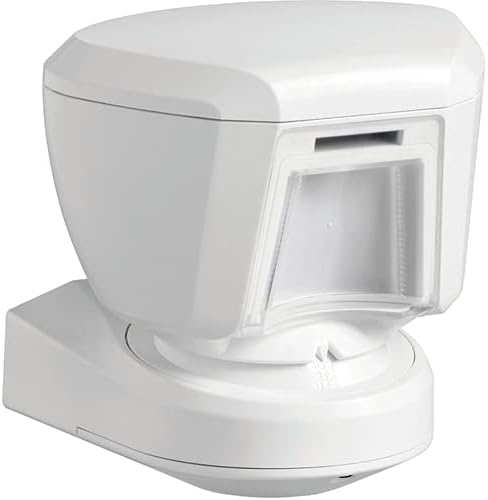
Figure 1: Front view of the DSC PG9994 Outdoor PIR Motion Detector, showing the sensor lens.
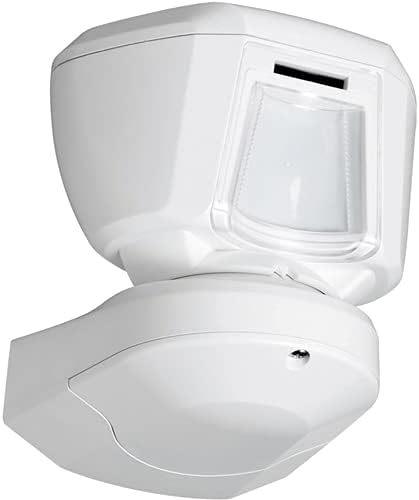
Figure 2: Side view of the DSC PG9994 Outdoor PIR Motion Detector, illustrating its compact design.
Key features of the PG9994 include:
- Octa-Quad Technology: Enhances detection accuracy and reduces false alarms.
- Black Mirror Optics: Provides high immunity to false alarms caused by light changes.
- Vandal-Resistant Design: Ensures durability and protection against tampering.
- Visible Link Quality Indicator: Simplifies installation and verifies wireless communication.
- Outdoor Durability: Engineered to withstand various environmental conditions.
Setup and Installation
Proper installation is crucial for the optimal performance of the PG9994 motion detector. This device is designed for wall mounting.
1. Mounting Location
- Select a stable, vertical surface for wall mounting.
- Ensure the detection area is clear of obstructions like large plants or moving objects that could cause false alarms.
- Avoid direct sunlight exposure on the sensor lens if possible, although the black mirror optics provide high immunity.
- Consider the maximum range of 12 meters when positioning the detector.
2. Powering the Device
The PG9994 operates using a Lithium battery. Ensure the battery is correctly inserted according to the polarity markings inside the battery compartment. The device is also described as "Corded Electric" in some specifications, which may refer to an optional power input or a general category. For wireless operation, rely on the internal Lithium battery.
3. Wireless Enrollment
The PG9994 is a wireless PowerG device. Refer to your PowerSeries Neo control panel's instruction manual for specific steps on enrolling new wireless devices. The visible link quality indicator on the detector will assist in confirming a strong and reliable wireless connection during the enrollment process.
- Put your PowerSeries Neo control panel into enrollment mode.
- Activate the PG9994 detector as per its specific enrollment procedure (usually by triggering it or pressing an enrollment button).
- Observe the link quality indicator on the detector to ensure optimal signal strength.
- Confirm successful enrollment on your control panel.
4. Compatibility
This device is compatible with DSC PowerSeries Neo systems. It is also noted to be compatible with Honeywell's 5800 Series wireless system, indicating potential cross-platform integration capabilities. Consult the respective system manuals for detailed compatibility and integration instructions.
Operating the Detector
Once installed and enrolled, the PG9994 operates automatically to detect motion within its specified range.
Detection Principles
The detector uses Octa-Quad PIR technology to sense changes in infrared radiation caused by moving objects (like people). The advanced processing algorithms are designed to distinguish between human movement and environmental factors, significantly reducing false alarms. The black mirror optics further enhance its immunity to light and temperature fluctuations.
Detection Range
The PG9994 has a maximum detection range of 12 meters. The actual coverage area can be influenced by mounting height, environmental conditions, and the presence of obstacles.
Indicator Lights
The device features indicator lights (e.g., for link quality, detection, low battery) that provide visual feedback on its status. Refer to the detailed product sheet for a complete explanation of each indicator's function.
Maintenance
Regular maintenance ensures the longevity and reliable operation of your PG9994 motion detector.
- Cleaning: Periodically clean the sensor lens with a soft, dry cloth to remove dust, dirt, or spiderwebs. Do not use abrasive cleaners or solvents.
- Battery Replacement: The device will typically signal a low battery condition to your control panel. Replace the Lithium battery promptly when indicated to ensure continuous operation. Refer to the product's technical specifications for the exact battery type.
- Environmental Checks: Regularly inspect the area around the detector for new obstructions (e.g., growing foliage) that might interfere with its detection pattern.
- Firmware Updates: If applicable, consult your security system provider for information on firmware updates for the detector.
Troubleshooting
This section addresses common issues you might encounter with the PG9994 motion detector.
False Alarms
- Environmental Factors: Check for moving objects like tree branches, loose banners, or small animals within the detection zone.
- Direct Sunlight/Heat Sources: Although designed for immunity, extreme conditions or reflective surfaces might still cause issues.
- Improper Mounting: Ensure the detector is securely mounted and not subject to vibrations.
- Sensor Lens Cleanliness: A dirty lens can impair performance. Clean as per maintenance instructions.
No Detection
- Battery Status: Check if the battery needs replacement.
- Wireless Link: Verify the wireless connection using the link quality indicator. Re-enroll if necessary.
- Obstructions: Ensure there are no physical barriers blocking the sensor's field of view.
- Detection Zone: Confirm that motion is occurring within the 12-meter maximum range and within the sensor's pattern.
Communication Issues
- Range: The detector might be too far from the control panel or a PowerG repeater.
- Interference: Other wireless devices might be causing interference.
- Control Panel Status: Ensure the control panel is functioning correctly and in range.
If issues persist, contact technical support.
Specifications
| Feature | Detail |
|---|---|
| Brand | DSC |
| Model Number | PG9994 |
| Color | Black |
| Power Source | Corded Electric (Note: Primarily battery-operated for wireless function, check for optional wired power input) |
| Battery Type | Lithium |
| Maximum Range | 12 Meters |
| Mounting Type | Wall Mount |
| Item Weight | 1.71 pounds |
| Product Dimensions | 6.18 x 5.79 x 4.88 inches |
| Compatible Devices | DSC PowerSeries Neo, Honeywell's 5800 Series wireless system |
| UPC | 738714001715 |
Warranty Information
Specific warranty details for the DSC PG9994 PowerSeries Neo Wireless PowerG Outdoor PIR Motion Detector are typically provided by the manufacturer or the authorized reseller at the time of purchase. Please retain your proof of purchase. For comprehensive warranty terms and conditions, refer to the documentation included with your product or visit the official DSC website.
Support
For technical assistance, further product information, or to report issues, please contact your security system installer or the manufacturer directly. You can typically find support contact details on the official DSC website or within the packaging materials.
Manufacturer: DSC
Website: www.dsc.com


