
Introduction
This manual provides instructions for the ZdalaMit NH000UD Replacement Remote Control, designed for use with various Emerson TV models including LC320EMFX, LC195EMX, LC320EMXF, LC320EMXFB2, and LC320EMX. This remote control is pre-programmed and requires no additional setup beyond battery installation.
Setup
To begin using your NH000UD replacement remote control, follow these simple steps:
- Open the Battery Compartment: Locate the battery compartment cover on the back of the remote control. Slide or press the latch to open it.
- Insert Batteries: Insert two (2) AAA alkaline batteries into the compartment. Ensure the positive (+) and negative (-) terminals of the batteries match the markings inside the compartment.
- Close the Battery Compartment: Replace the battery compartment cover, ensuring it clicks securely into place.
- No Programming Required: The NH000UD remote control is pre-programmed for compatible Emerson TV models. No additional programming or code entry is necessary. It is ready for use immediately after battery installation.
Operating Instructions
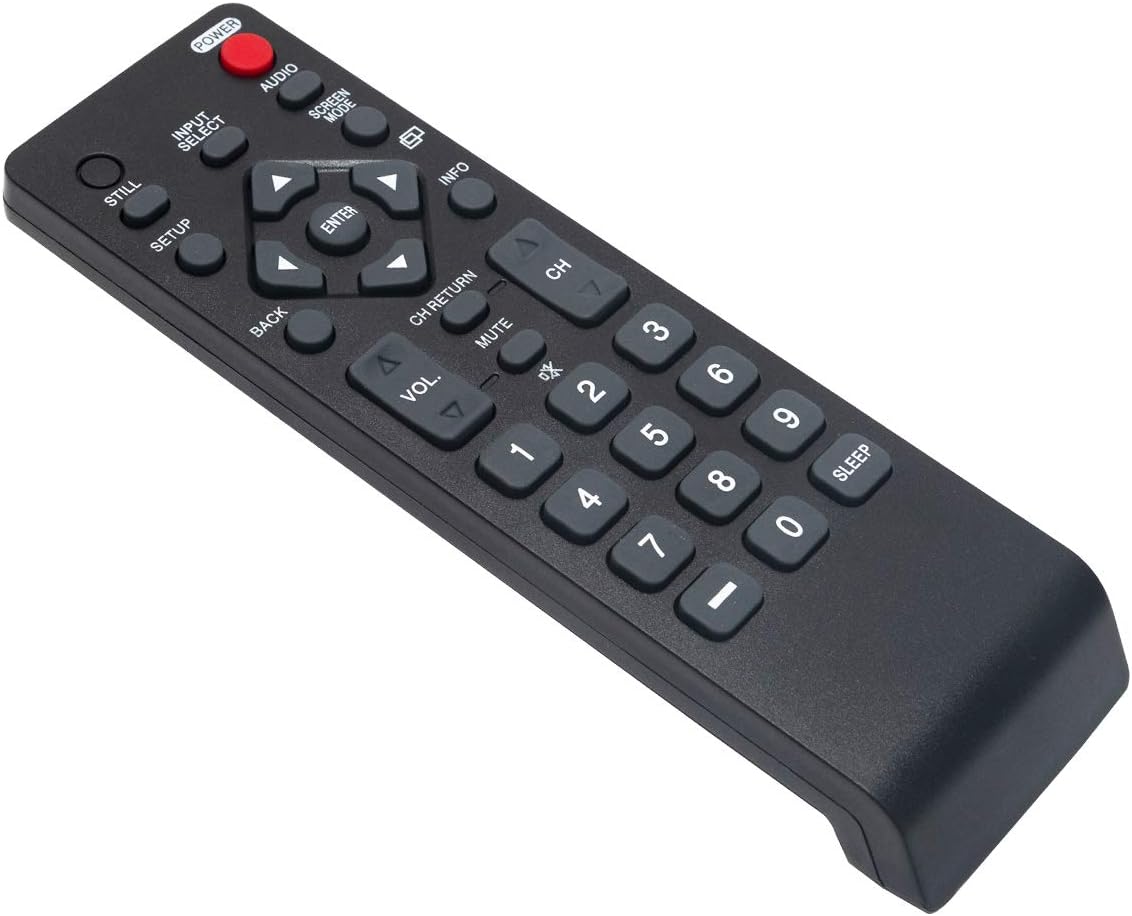
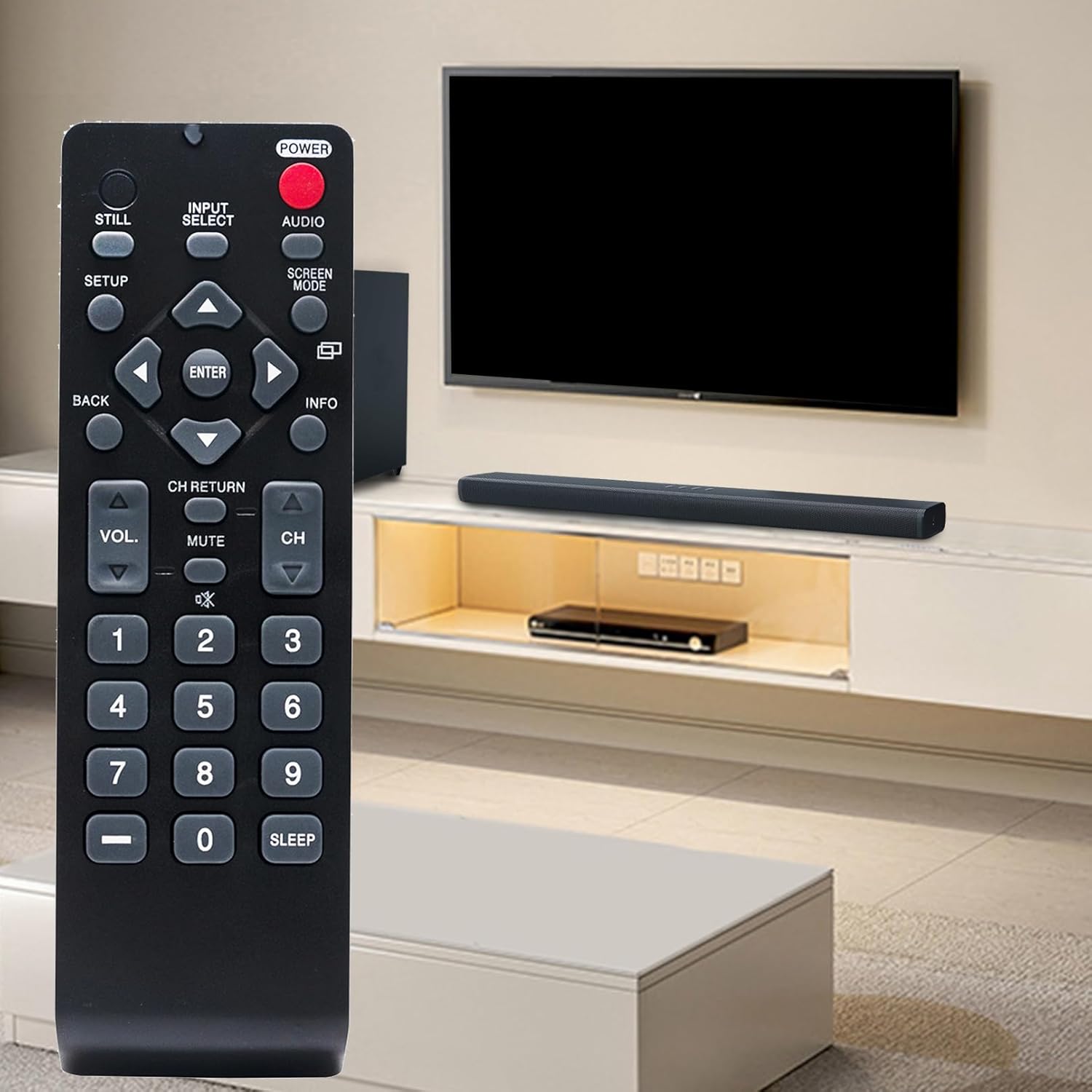
The NH000UD remote control provides full functionality for your compatible Emerson TV. Point the remote directly at the TV's infrared sensor for optimal performance.
- Power Button (POWER): Press to turn the TV on or off.
- Input Select (INPUT SELECT): Cycles through available input sources (e.g., HDMI, AV, Component).
- Volume Control (VOL +/-): Adjusts the TV's volume level.
- Channel Control (CH +/-): Changes TV channels up or down.
- Mute (MUTE): Silences the TV audio. Press again to restore sound.
- Navigation Buttons (Arrows and ENTER): Used to navigate menus and confirm selections.
- Back (BACK): Returns to the previous menu or screen.
- Info (INFO): Displays information about the current program or input.
- Screen Mode (SCREEN MODE): Adjusts the screen display mode.
- Audio (AUDIO): Selects audio tracks or modes.
- Numeric Keypad (0-9): Directly enter channel numbers.
- Sleep (SLEEP): Sets a timer for the TV to automatically turn off.
Maintenance
- Battery Replacement: Replace batteries when the remote's range decreases or buttons become unresponsive. Always replace both batteries simultaneously with new AAA alkaline batteries. Do not mix old and new batteries, or different types of batteries.
- Cleaning: Wipe the remote control with a soft, dry cloth. Do not use liquid cleaners, sprays, or abrasive materials, as these can damage the remote's surface or internal components.
- Storage: Store the remote control in a cool, dry place away from direct sunlight and extreme temperatures. If the remote will not be used for an extended period, remove the batteries to prevent leakage.
Troubleshooting
- Remote Not Responding:
- Ensure batteries are inserted correctly with the correct polarity.
- Replace old batteries with new AAA alkaline batteries.
- Check for any obstructions between the remote control and the TV's infrared sensor.
- Ensure you are within the effective operating range (up to 33 feet) and pointing the remote directly at the TV.
- Specific Buttons Not Working:
- This may indicate low battery power. Try replacing the batteries.
- Inspect the button for any physical damage or debris that might be preventing it from pressing correctly.
Specifications
| Brand | ZdalaMit |
| Model Name | NH000UD |
| Model Number | NH000UD |
| Compatible Devices | Emerson Televisions (e.g., LC320EMFX, LC195EMX, LC320EMXF, LC320EMXFB2, LC320EMX) |
| Connectivity Technology | Infrared |
| Number of Buttons | 20 |
| Maximum Range | 33 Feet |
| Battery Type | 2 x AAA Alkaline Batteries (not included) |
| Item Dimensions (L x W x H) | 6.55" x 1.99" x 0.55" |
| Item Weight | 2.1 Ounces |

Warranty Information
This ZdalaMit NH000UD Replacement Remote Control comes with a 1-year warranty from the date of purchase. This warranty covers manufacturing defects under normal use. It does not cover damage caused by misuse, accidents, unauthorized modifications, or battery leakage. Please retain your proof of purchase for warranty claims.
Customer Support
Should you have any questions, require assistance, or encounter issues not covered in this manual, please do not hesitate to contact ZdalaMit customer support. Refer to your product packaging or the retailer's website for specific contact details.
For further information or support, you may visit the official ZdalaMit website or the platform where the product was purchased.