Introduction
This manual provides detailed instructions for the safe and efficient use of your Xtreme Armor All Wireless Bluetooth FM Transmitter. Please read this manual thoroughly before operating the device and retain it for future reference.
Safety Information
For your safety and to prevent damage to the device, please observe the following:
- Handle the device with care.
- Avoid exposure to water and high temperatures.
- Do not attempt to disassemble or modify the device.
- Ensure proper ventilation when in use.
Product Overview
The Xtreme Armor All Wireless Bluetooth FM Transmitter allows you to stream music wirelessly from your Bluetooth-enabled device to your vehicle's stereo system. It also features dual USB charging ports, voice control capabilities, and a bass boost function.
Component Identification
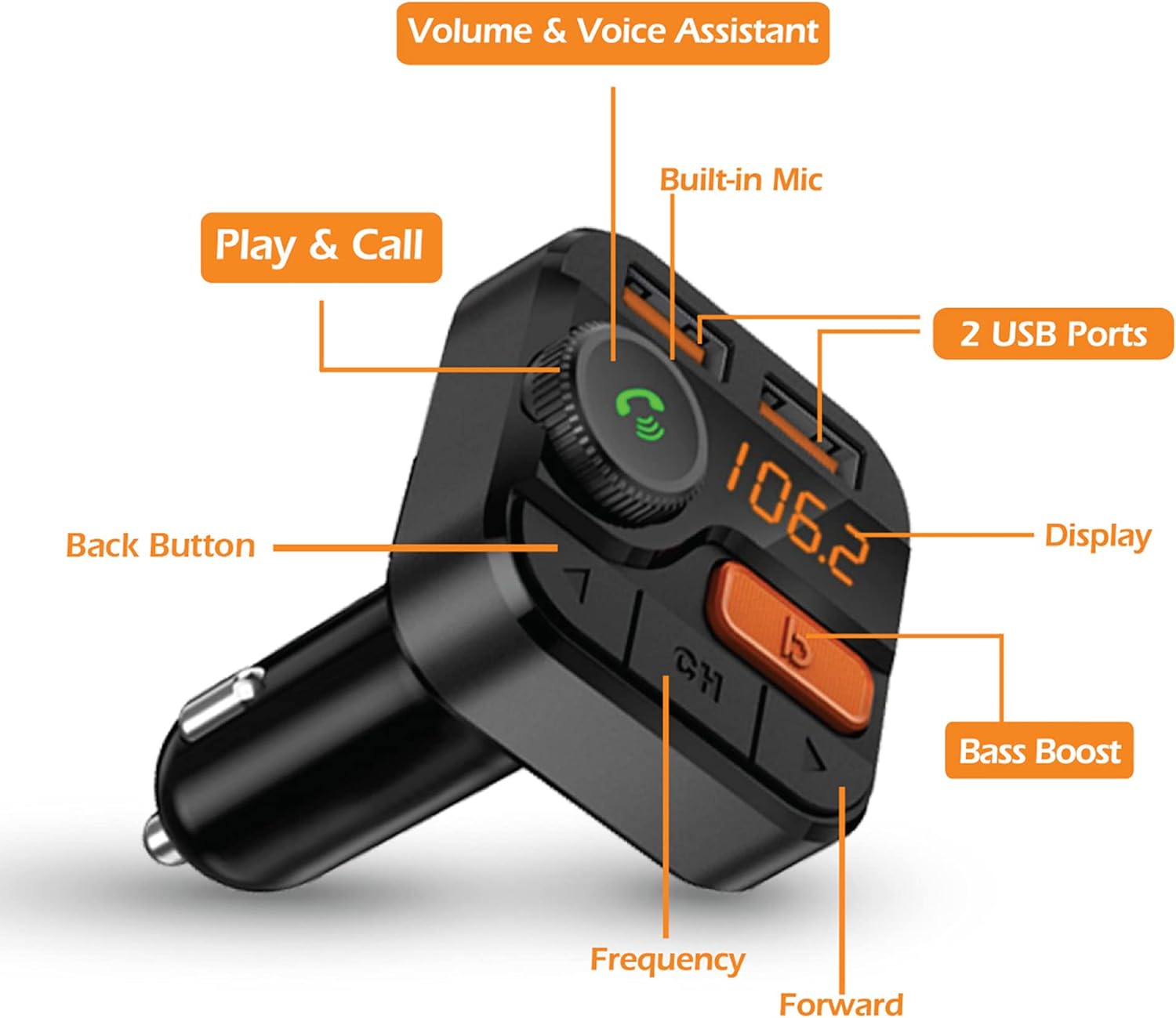
This image illustrates the key components of the FM Transmitter:
- Volume & Voice Assistant Knob: Rotate to adjust volume, press to activate voice assistant or answer/end calls.
- Built-in Mic: For hands-free calling and voice commands.
- 2 USB Ports: For charging devices. The left port also supports USB flash drive music playback.
- Display: Shows the current FM frequency.
- Bass Boost Button: Enhances bass output.
- Frequency Adjustment Buttons (Back/Forward): Used to change the FM frequency.
Setup Instructions
- Power On: Insert the FM Transmitter into your vehicle's 12V power outlet (cigarette lighter socket). The device will power on automatically, and the LED display will illuminate.
- Tune FM Frequency:
- Tune your vehicle's FM radio to an unused, clear frequency. Avoid frequencies with strong radio stations to minimize interference.
- Adjust the FM Transmitter to the same frequency as your car radio. Use the "CH" button to enter frequency adjustment mode, then use the left and right arrow buttons to select the desired frequency.
- Pair Bluetooth:
- On your smartphone or Bluetooth-enabled device, enable Bluetooth and search for available devices.
- Select "AHF9-1010-BLK" (or similar name) from the list to pair. A confirmation tone will sound upon successful pairing.
- Test Connection: Play audio from your paired device. The sound should now transmit through your vehicle's stereo system. Adjust the volume on both your device and car stereo for optimal sound.
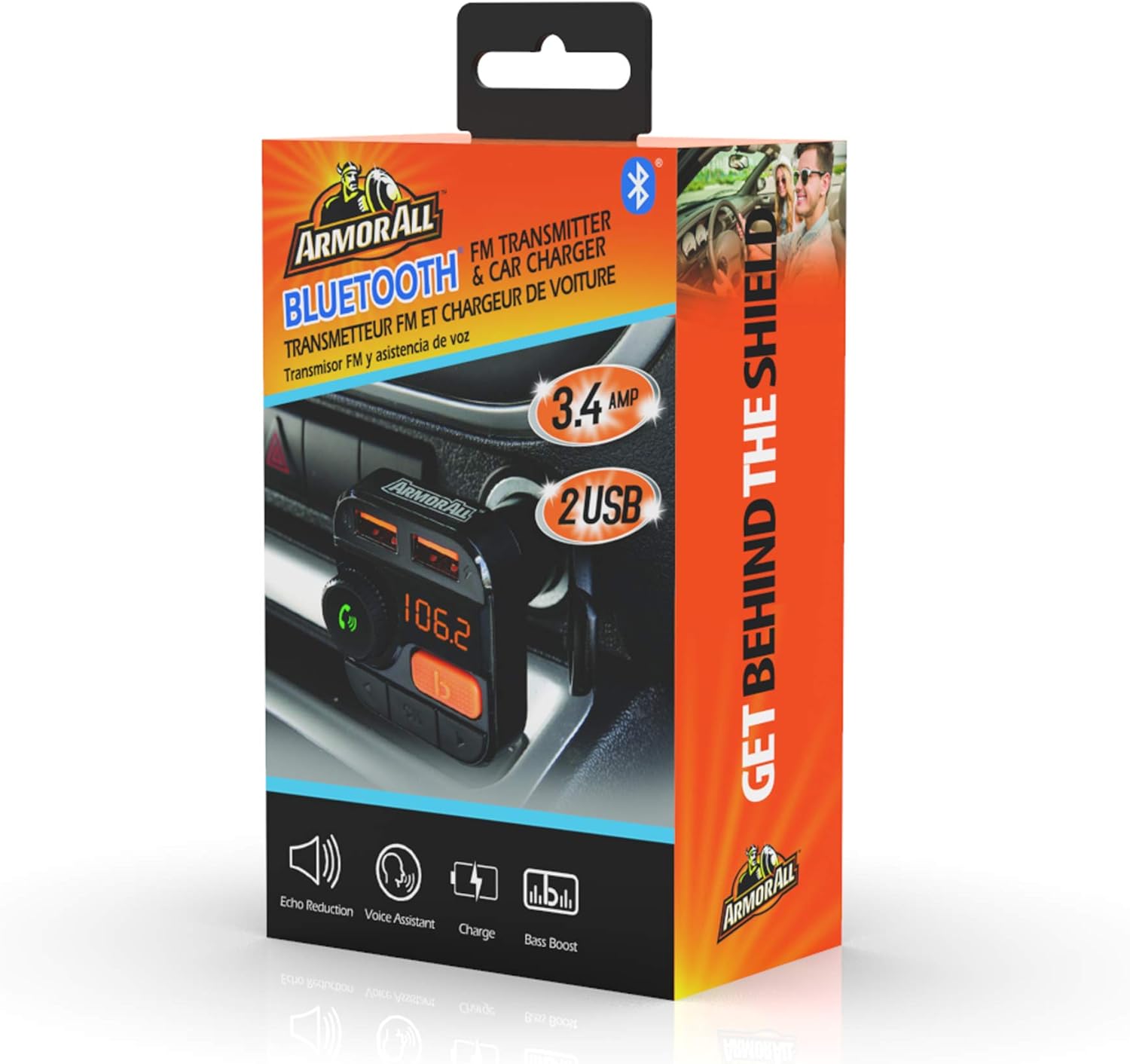
This image demonstrates the correct installation of the FM Transmitter into a car's power socket, ready for operation.
Operating Instructions
Music Playback
- Bluetooth Streaming: Once paired, music from your device will automatically stream to your car stereo.
- USB Flash Drive Playback: Insert a USB flash drive containing MP3 files into the left USB port. The device will automatically detect and play music from the drive.
- Volume Control: Rotate the multi-function knob to adjust the output volume of the transmitter.
- Track Navigation: Use the left and right arrow buttons to skip to the previous or next track.
- Bass Boost: Press the "B1" (Bass Boost) button to activate or deactivate the bass enhancement feature.

This image highlights the various control buttons and the digital frequency display, essential for operating the device.
Hands-Free Calling
- Answer/End Call: Press the multi-function knob once to answer an incoming call. Press it again to end a call.
- Reject Call: Press and hold the multi-function knob to reject an incoming call.
- Redial: Double-press the multi-function knob to redial the last number.
Voice Control
- Activate Voice Assistant: Press and hold the multi-function knob to activate your smartphone's voice assistant (e.g., Siri, Google Assistant).
- You can then use voice commands for tasks such as selecting playlists, sending texts, or asking for navigation.
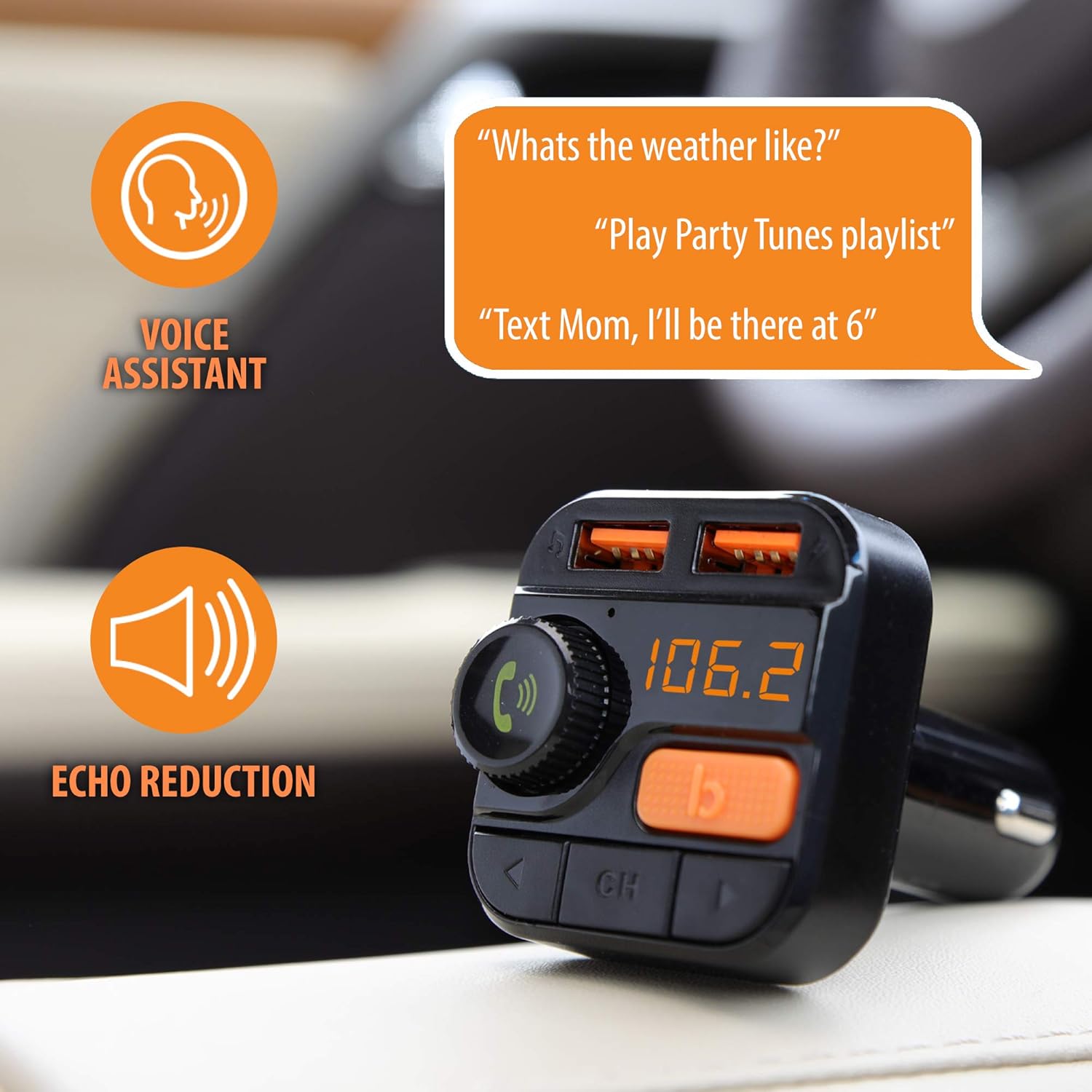
This image demonstrates how to use voice commands with the device, such as asking for weather or sending messages, and highlights the echo reduction feature for clear communication.
USB Charging
- The two USB ports provide 3.4 Amps of power for charging mobile devices.
- Connect your device's charging cable to either USB port on the transmitter.

This image clearly shows the two USB ports, indicating their function for charging electronic devices.
Maintenance
- Cleaning: Use a soft, dry cloth to clean the device. Do not use liquid cleaners or aerosols.
- Storage: When not in use for extended periods, store the device in a cool, dry place away from direct sunlight.
- Avoid Impact: Protect the device from drops and impacts.
Troubleshooting
| Problem | Possible Cause | Solution |
|---|---|---|
| No power/Device not turning on. | Loose connection in 12V outlet; vehicle's 12V outlet fuse blown. | Ensure the transmitter is firmly seated. Check your vehicle's fuse box for a blown fuse and replace if necessary. |
| Poor sound quality/Static. | FM frequency interference; volume levels too low/high; weak Bluetooth connection. |
|
| Bluetooth not pairing. | Bluetooth not enabled on device; transmitter not in pairing mode; incorrect device selected. |
|
| USB charging not working. | Cable issue; device not compatible; transmitter not powered. |
|
Specifications
| Feature | Detail |
|---|---|
| Model Number | AHF9-1010-BLK |
| Connectivity Technology | Bluetooth, USB, FM |
| Power Source | Vehicle Powered (12V) |
| USB Charging Output | 3.4 Amps (Total for 2 ports) |
| Special Features | Bluetooth FM Transmitter, Dual USB Charging, Voice Controls, Bass Boost, Hands-Free Calling, Music Streaming |
| Item Weight | 3.52 ounces |
| Package Dimensions | 7.8 x 4.53 x 2.4 inches |
| Manufacturer | Armor All |
Warranty and Support
For warranty information or technical support, please refer to the contact details provided with your product packaging or visit the official Xtreme Digital Lifestyle Accessories website. Keep your purchase receipt as proof of purchase.
Manufacturer: Armor All
Brand: XTREME


