
1. Important Safety Instructions
Read and understand all safety warnings and instructions before using this battery. Failure to follow the warnings and instructions may result in electric shock, fire, and/or serious injury.
Battery Use and Care
- Always use the correct charger for the battery. Using an incompatible charger can cause fire or injury.
- Do not disassemble, open, or shred battery cells or packs.
- Do not short-circuit a battery pack. Store battery packs away from other metal objects that could make a connection from one terminal to another.
- Do not expose battery packs to heat or fire. Avoid storage in direct sunlight.
- Do not subject battery packs to mechanical shock.
- In the event of battery leakage, do not allow the liquid to come into contact with the skin or eyes. If contact has been made, wash the affected area with copious amounts of water and seek medical advice.
- Keep battery packs clean and dry.
- Recharge only with the charger specified by the manufacturer. A charger that is suitable for one type of battery pack may create a risk of fire when used with another battery pack.
- When the battery pack is not in use, keep it away from other metal objects, like paper clips, coins, keys, nails, screws, or other small metal objects, that can make a connection from one terminal to another.
Disposal
Do not dispose of battery packs in household waste. Always follow local regulations for battery disposal. Contact your local municipality for information on recycling and disposal options.
2. Product Overview
The PowerSmart 20V 2.0Ah Lithium-Ion Battery (Model PS76020B) is designed to provide reliable power for your PowerSmart 20V cordless tools. This battery features a 2.0 Amp-hour capacity, offering a balance of power and runtime for various applications. It is built with high-quality cells and includes an integrated microchip to prevent overcharging, ensuring long-lasting performance and durability.

Image: The PowerSmart 20V 2.0Ah Lithium-Ion Battery, showcasing its compact design.

Image: A detailed view of the battery's label, indicating its model number (PS76020B) and specifications.
3. Setup and Charging
Initial Charge
Before first use, fully charge the battery pack. This ensures optimal performance and extends battery life.
Charging Procedure
- Ensure the battery pack is clean and dry before placing it on the charger.
- Insert the battery pack into the compatible PowerSmart 20V charger. Ensure it clicks securely into place.
- Plug the charger into a standard electrical outlet.
- The charger's indicator light will show the charging status. Refer to your charger's manual for specific light patterns. A full charge typically takes approximately 1 hour for this 2.0Ah battery.
- Once fully charged, remove the battery pack from the charger and unplug the charger from the outlet.

Image: The PowerSmart 20V 2.0Ah Lithium-Ion Battery placed on its dedicated charger, indicating the charging process.
4. Operation
This PowerSmart 20V 2.0Ah Lithium-Ion Battery is designed for use with all PowerSmart 20V cordless tools.
Inserting the Battery
- Align the battery pack with the battery port on your PowerSmart 20V tool.
- Slide the battery pack into the tool until it clicks securely into place. Ensure it is fully seated to prevent accidental dislodgement during operation.

Image: A hand inserting the PowerSmart 20V battery into a compatible power tool, demonstrating the secure fit.
Removing the Battery
- Locate the battery release button on the tool.
- Press and hold the release button, then slide the battery pack out of the tool.
Battery Level Indicator
Many PowerSmart 20V tools and batteries feature an LED indicator to show the remaining battery charge. Press the indicator button on the battery (if available) or observe the tool's indicator lights to check the charge level.
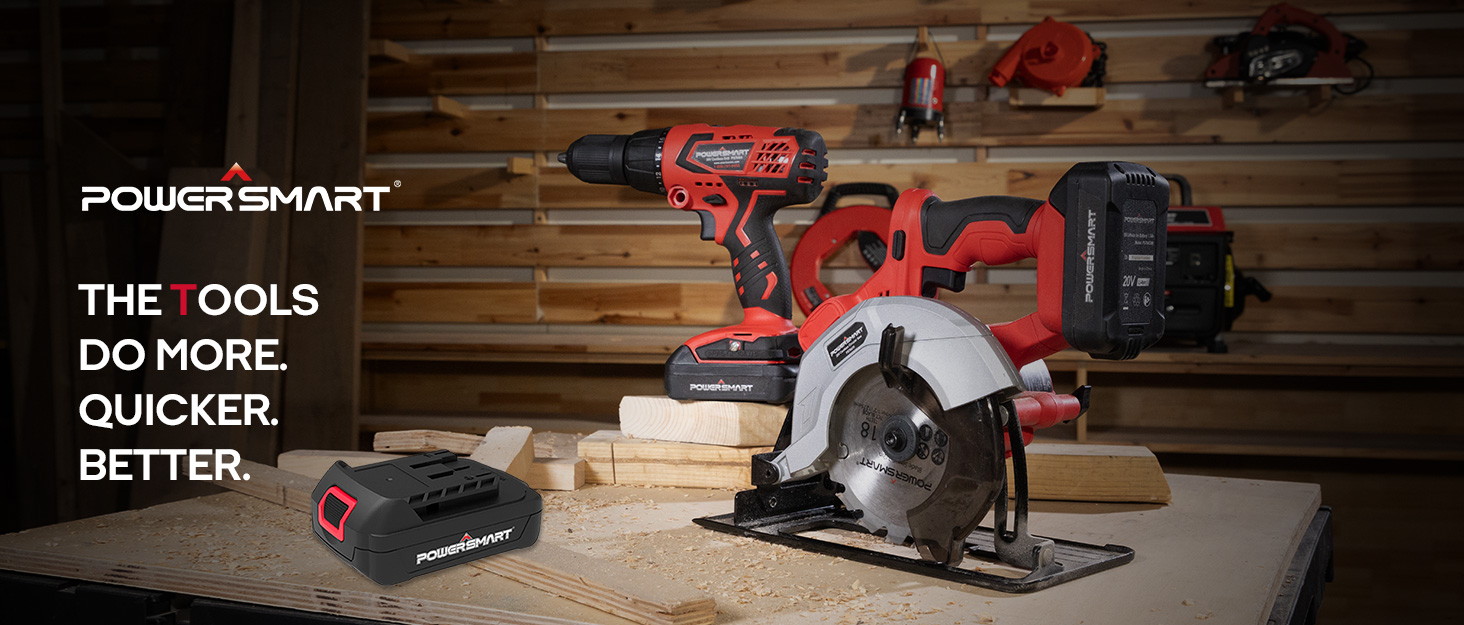
Image: The PowerSmart 20V battery in action, powering a leaf blower, drill, circular saw, and string trimmer, demonstrating its versatility.

Image: The PowerSmart 20V battery positioned centrally, illustrating its compatibility with a wide range of PowerSmart 20V tools.
5. Maintenance and Storage
Cleaning
Keep the battery pack's terminals clean and free of debris. Use a clean, dry cloth to wipe down the battery. Do not use water or chemical cleaners.
Storage
- Store the battery pack in a cool, dry place, away from direct sunlight and extreme temperatures.
- For long-term storage, it is recommended to store the battery at approximately 50% charge. Fully discharging or fully charging for extended periods can reduce battery life.
- Avoid storing the battery in areas where it may be exposed to moisture or corrosive materials.
6. Troubleshooting
Battery Not Charging
- Check Power Connection: Ensure the charger is properly plugged into a working electrical outlet.
- Check Battery Connection: Make sure the battery is fully seated in the charger.
- Temperature: Batteries may not charge if they are too hot or too cold. Allow the battery to reach room temperature before attempting to charge.
- Charger Malfunction: Try another compatible PowerSmart 20V charger if available.
Battery Not Holding Charge
- Battery Age: All rechargeable batteries have a limited lifespan. If the battery is old, it may need replacement.
- Storage Conditions: Improper storage (e.g., extreme temperatures, fully discharged for long periods) can degrade battery performance.
- Overuse: Continuous heavy use can reduce overall battery life.
Battery Not Fitting Tool
- Compatibility: Ensure the tool is a PowerSmart 20V model. This battery is specifically designed for PowerSmart 20V tools.
- Obstruction: Check for any debris or foreign objects in the battery port of the tool or on the battery terminals.
7. Specifications
| Feature | Specification |
|---|---|
| Brand | PowerSmart |
| Model Number | PS76020B |
| Battery Type | Lithium Ion |
| Voltage | 20V |
| Capacity | 2.0Ah (2000 Milliamp Hours) |
| Item Weight | 14 ounces |
| Package Dimensions | 5.16 x 3.31 x 2.05 inches |
| Number of Batteries | 1 (included) |
| Manufacturer | Amerisun Inc |
8. Warranty and Support
Warranty Information
PowerSmart products are designed for durability and performance. For specific warranty details regarding your 20V 2.0Ah Lithium-Ion Battery, please refer to the warranty card included with your purchase or visit the official PowerSmart website.
Customer Support
Should you encounter any issues or require assistance with your PowerSmart 20V 2.0Ah Lithium-Ion Battery, PowerSmart offers comprehensive customer support. PowerSmart has over 500 certified repair centers in the U.S. and provides full replacement parts through its Illinois headquarters.
For any questions or support needs, please contact PowerSmart customer service. Contact information can typically be found on the product packaging, the official PowerSmart website, or by calling the number provided on the battery label: 1-872-314-0005.


