1. Introduction
Thank you for purchasing the Smalody YXSM8050BT Portable Wireless Bluetooth Speaker. This speaker combines classic design with modern audio technology, offering rich bass and clear sound. It features Bluetooth 5.0 connectivity, AUX input, TF card support, and True Wireless Stereo (TWS) functionality for an enhanced audio experience. Please read this manual carefully to ensure proper use and optimal performance of your device.
2. Package Contents
Please check the box for the following items:
- Smalody YXSM8050BT Bluetooth Speaker (1 unit)
- AUX Cable (1 unit)
- Charging Cable (1 unit)
- User Manual (1 unit)
3. Product Overview
The Smalody YXSM8050BT speaker features a unique Brazilian oak cabinet with a deluxe rewind fabric covering, providing both aesthetic appeal and robust sound delivery.
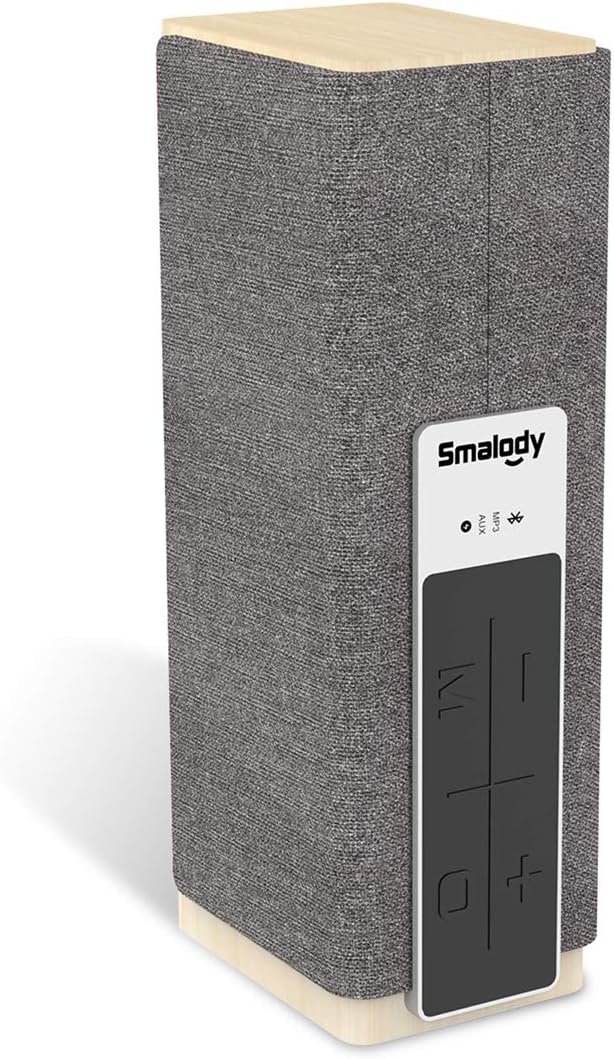
Image: Smalody YXSM8050BT Portable Wireless Bluetooth Speaker, front view with control panel. This image displays the Smalody YXSM8050BT speaker, highlighting its wood and fabric design, and the integrated control panel on the side.
3.1. Controls and Indicators
The control panel is located on the side of the speaker and includes buttons for power, volume, track control, and mode selection.
3.2. Ports
The rear panel of the speaker provides various input options:
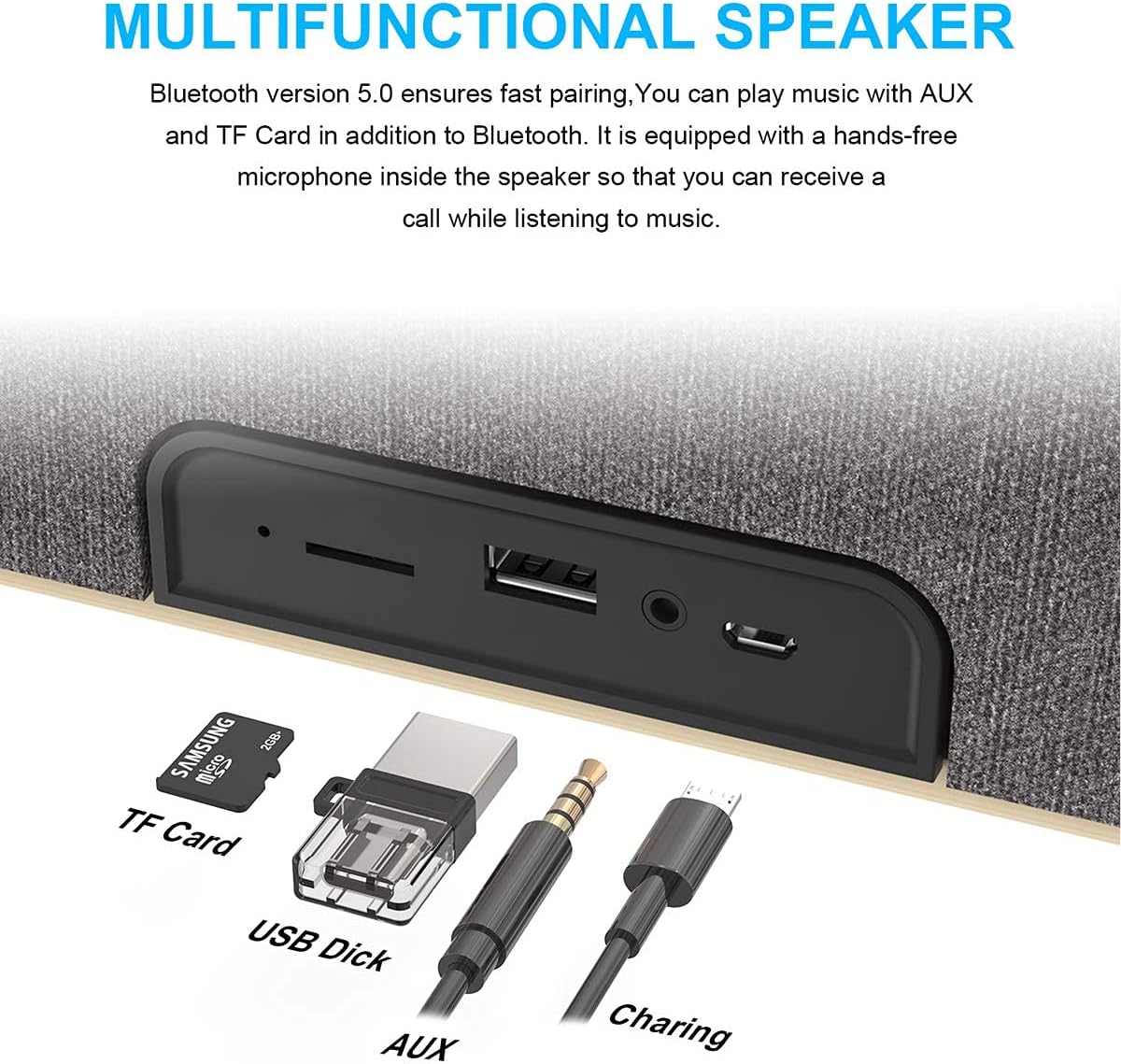
Image: Close-up of Smalody YXSM8050BT speaker ports. A detailed view of the speaker's rear panel, illustrating the various input ports including TF Card slot, USB Disk port, 3.5mm AUX input, and the charging port.
- TF Card Slot: For playing music directly from a MicroSD/TF card.
- USB Disk Port: For playing music directly from a USB flash drive.
- AUX Input: 3.5mm audio jack for wired connection to external devices.
- Charging Port: Micro USB port for charging the speaker.

Image: Diagram showing internal components of Smalody YXSM8050BT speaker. This diagram illustrates the speaker's internal structure, highlighting the dual precision stereo drivers and proprietary bass radiator designed for superior sound quality and rich bass.
4. Setup
4.1. Initial Charging
Before first use, fully charge the speaker using the provided charging cable. Connect the Micro USB end to the speaker's charging port and the USB-A end to a compatible USB power adapter (not included) or computer USB port. The charging indicator light will show the charging status.
4.2. Powering On/Off
- To power on, press and hold the Power button until the indicator light illuminates.
- To power off, press and hold the Power button again until the indicator light turns off.
5. Operating Instructions
5.1. Bluetooth Pairing
The speaker uses Bluetooth version 5.0 for fast and stable connections up to 10 meters.
- Power on the speaker. It will automatically enter Bluetooth pairing mode, indicated by a flashing LED light.
- On your device (smartphone, tablet, etc.), enable Bluetooth and search for available devices.
- Select "Smalody YXSM8050BT" from the list of devices.
- Once paired, the LED indicator will stop flashing and remain solid, and you will hear a confirmation tone.
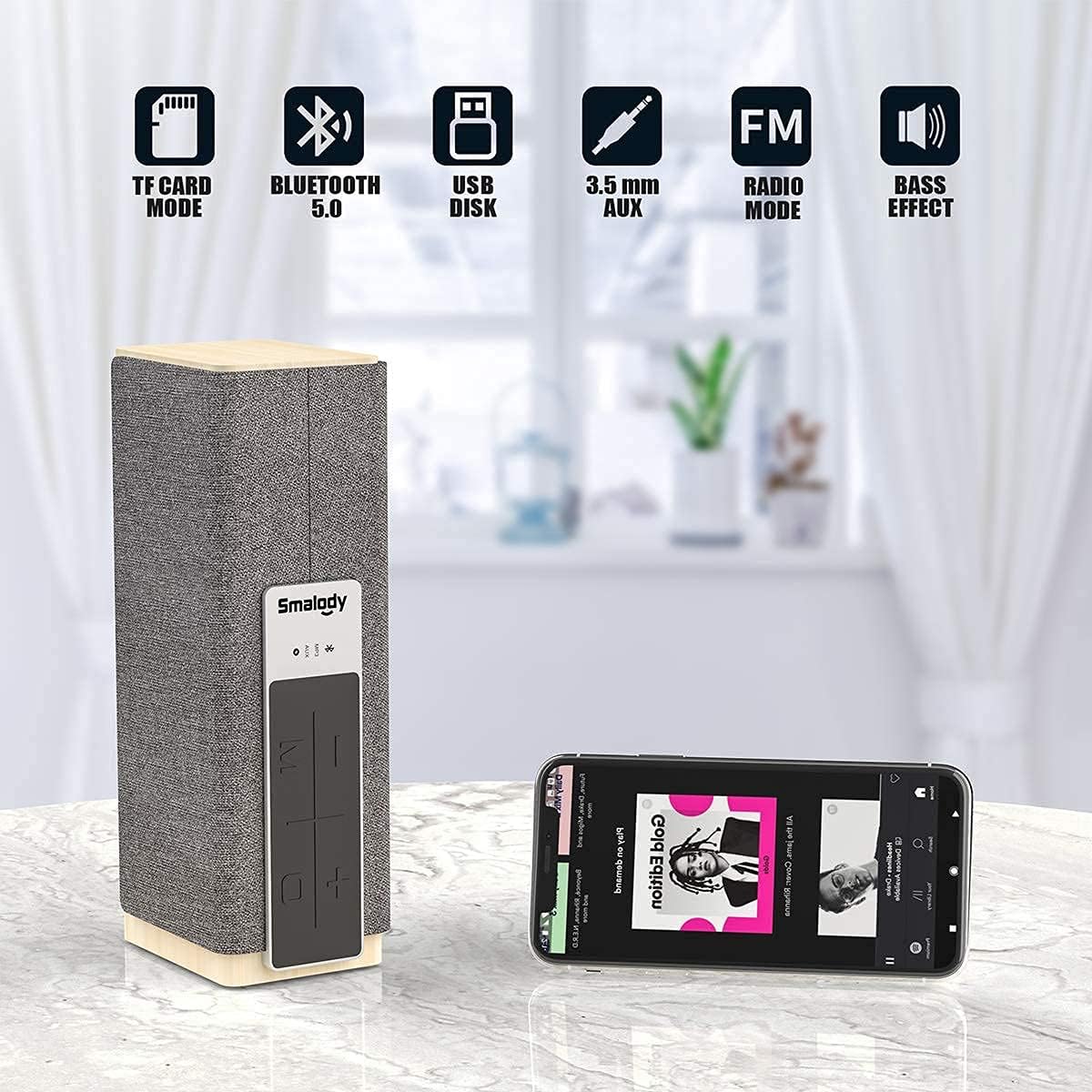
Image: Smalody YXSM8050BT speaker connected via Bluetooth to a smartphone. The speaker is shown alongside a smartphone, demonstrating its Bluetooth connectivity and indicating available modes like TF Card, Bluetooth 5.0, USB Disk, 3.5mm AUX, FM Radio, and Bass Effect.
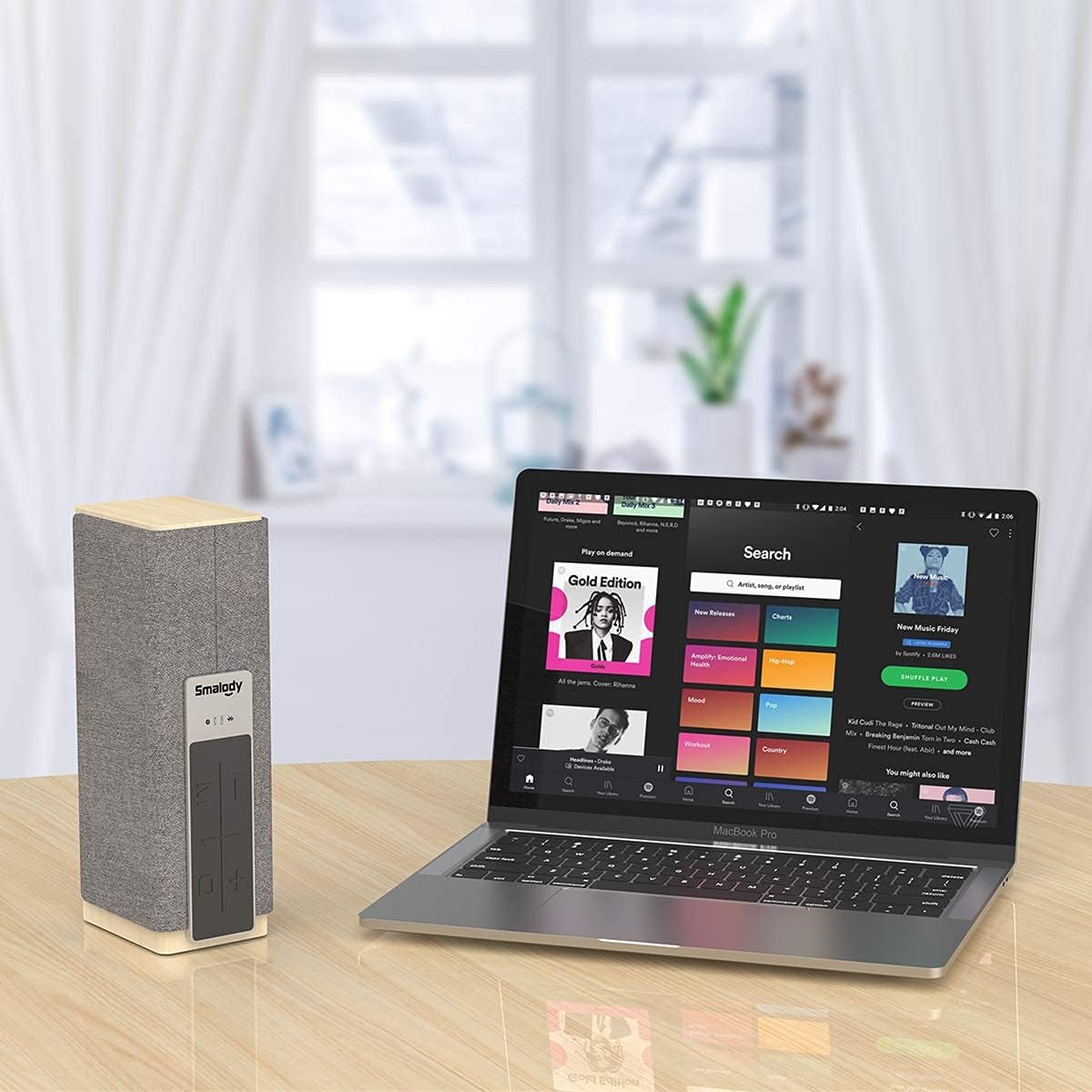
Image: Smalody YXSM8050BT speaker connected to a laptop. This image shows the Smalody speaker wirelessly connected to a laptop, illustrating its compatibility with various devices for audio playback.
5.2. AUX Mode
To play audio from devices without Bluetooth:
- Connect one end of the 3.5mm AUX cable to the speaker's AUX input port.
- Connect the other end to the audio output jack of your device.
- The speaker will automatically switch to AUX mode or you may need to press the Mode button to select AUX.
5.3. TF Card Mode
To play music directly from a TF (MicroSD) card:
- Insert a TF card (with music files) into the TF card slot on the speaker.
- The speaker will automatically detect the card and begin playing music, or you may need to press the Mode button to select TF Card mode.
5.4. USB Disk Mode
To play music directly from a USB flash drive:
- Insert a USB flash drive (with music files) into the USB Disk port on the speaker.
- The speaker will automatically detect the drive and begin playing music, or you may need to press the Mode button to select USB Disk mode.
5.5. True Wireless Stereo (TWS) Pairing
Pair two Smalody YXSM8050BT speakers for a combined 40W stereo surround sound experience.
- Ensure both speakers are powered on and in Bluetooth pairing mode (not yet connected to any device).
- On one of the speakers, press and hold the TWS pairing button (refer to your speaker's control panel for specific button). You will hear a tone indicating it's searching for another speaker.
- The two speakers will automatically connect to each other. A confirmation tone will sound once TWS pairing is successful.
- Now, connect your device to one of the paired speakers via Bluetooth as described in section 5.1. Audio will play in stereo through both speakers.

Image: Diagram illustrating True Wireless Stereo (TWS) pairing. This image shows two Smalody YXSM8050BT speakers wirelessly connected, demonstrating the TWS function that allows them to deliver a combined 40W stereo audio experience.
5.6. Hands-free Calling
The speaker is equipped with a built-in microphone for hands-free calls when connected via Bluetooth to a smartphone.
- When a call comes in, the music will pause.
- Press the Play/Pause button to answer the call.
- Press the Play/Pause button again to end the call.
6. Charging
The speaker includes a rechargeable battery. When the battery is low, the speaker will indicate this (e.g., via an LED indicator or voice prompt). Connect the provided charging cable to the speaker's charging port and a USB power source (DC 5V) to recharge. The charging time may vary.
7. Maintenance
- Clean the speaker with a soft, dry cloth. Do not use abrasive cleaners or solvents.
- Keep the speaker away from water, moisture, and extreme temperatures. The speaker is not waterproof.
- Store the speaker in a cool, dry place when not in use for extended periods.
- Avoid dropping or subjecting the speaker to strong impacts.
8. Troubleshooting
- No Power: Ensure the speaker is charged. Connect it to a power source and try again.
- No Sound: Check the volume level on both the speaker and your connected device. Ensure the correct mode (Bluetooth, AUX, TF Card, USB) is selected.
- Bluetooth Pairing Issues: Ensure the speaker is in pairing mode and within 10 meters of your device. Turn off and on Bluetooth on your device, then try pairing again. Clear previous pairings on your device if necessary.
- TWS Pairing Failure: Ensure both speakers are not connected to any other Bluetooth device before attempting TWS pairing. Try powering both speakers off and on, then repeat the TWS pairing steps.
- Distorted Sound: Reduce the volume on both the speaker and your device. Ensure there are no obstructions between the speaker and the Bluetooth source.
9. Specifications
| Feature | Specification |
|---|---|
| Model | YXSM8050BT |
| Brand | Smalody |
| Wireless Technology | Bluetooth 5.0 |
| Maximum Range | 10 Meters |
| Speaker Output Power | 20 Watts (Single Speaker), 40 Watts (TWS Paired) |
| Connectivity Options | Bluetooth, 3.5mm AUX, TF Card, USB Disk |
| Audio Output Mode | Surround (with TWS) |
| Special Features | Bass Boost, Built-in Microphone, True Wireless Stereo (TWS) |
| Control Method | Touch Buttons |
| Power Source | DC (Rechargeable Battery Included) |
| Material | Wood |
| Color | Deep Grey |
| Speaker Size | 28 Centimetres (Height) |
| Package Dimensions | 28.8 x 14.71 x 11.1 cm |
| Item Weight | 1.1 kg |
| Waterproof | No |
| Compatible Devices | Smartphone, Tablet |
10. Safety Information
- Do not expose the speaker to direct sunlight, heat sources, or open flames.
- Do not disassemble, repair, or modify the speaker yourself. Contact qualified service personnel if needed.
- Keep the speaker out of reach of children and pets.
- Use only the provided charging cable or a certified equivalent.
- Avoid listening at high volume levels for extended periods to prevent hearing damage.
11. Customer Support
For any questions, issues, or support needs regarding your Smalody YXSM8050BT speaker, please contact our customer service. We offer 24-hour friendly customer service to assist you.
