Introduction
Thank you for choosing the ENCHEN BLACKSTONE 3 Electric Shaver. This manual provides essential information for the safe and effective use, maintenance, and troubleshooting of your new shaver. Please read it thoroughly before first use and keep it for future reference.
Key Features:
- 3D Floating Shaving Head: Equipped with 3 floating shaving heads, the 3D rotary shaver head can float in 4 directions and follows every contour of your face to remain in close contact with the skin for a fast shave that's also gentle on the skin.
- Type-C Charge & Smart LED Screen: Charge your shaver anyplace & anytime. Provides 150 minutes of cordless runtime after just 1.5 hours of charging. Intuitively displays the shaving time remaining to remind you to charge; safety lock function provides perfect protection from unexpected starting up on a trip.
- Pop-up Trimmer: One-touch to open. Trim and detail your beard and sideburns for a clean-cut look to complete your facial hair grooming routine.
- IPX7 Waterproof Multifunctional Electric Razor: This is an IPX7 waterproof whole body washable electric rotary shaver. You can use the electric shaver wet or dry. For a more comfortable shaving experience, we recommend that you use foam or gels when shaving. For easy cleaning, you can rinse the razor under the tap.
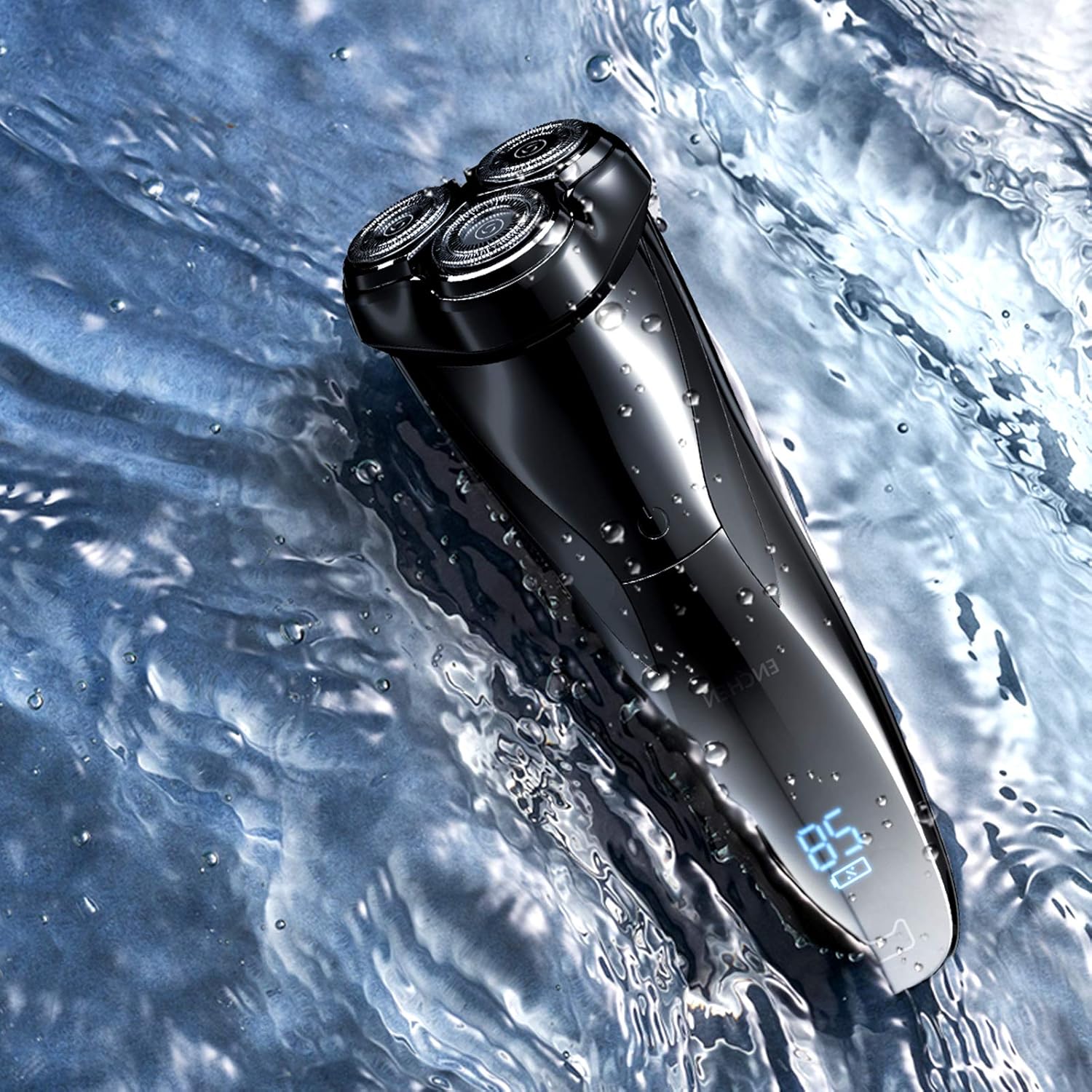
Image: The ENCHEN BLACKSTONE 3 Electric Shaver, showcasing its sleek design and rotary heads.
What's in the Box
The ENCHEN BLACKSTONE 3 package typically includes the following items:
- ENCHEN BLACKSTONE 3 Electric Shaver Unit
- Type-C Charging Cable
- User Manual
Setup and Initial Charging
Initial Charge:
Before first use, fully charge the shaver. Connect the Type-C charging cable to the shaver's charging port and plug the other end into a compatible USB power adapter (not included). The LED screen will display the charging progress. A full charge takes approximately 1.5 hours and provides up to 150 minutes of cordless runtime.
Note: The shaver features a smart LED screen that intuitively displays the remaining shaving time, reminding you when to charge.

Image: Close-up of the shaver's Type-C charging port and LED display.
Travel Lock:
To prevent accidental activation during travel, the shaver is equipped with an intelligent travel lock. Long-press the power button for 3 seconds to activate or deactivate the lock. The LED screen will indicate the lock status.

Image: The shaver displaying the intelligent travel lock icon on its LED screen.
Operating Instructions
Shaving:
Press the power button to turn on the shaver. The 3D floating shaving heads will adapt to the contours of your face, ensuring close contact with the skin. For optimal results, move the shaver in small, circular motions against the direction of hair growth.
Wet and Dry Shaving: The ENCHEN BLACKSTONE 3 is IPX7 waterproof, allowing for both wet and dry shaving. For a more comfortable experience, especially for sensitive skin, it is recommended to use shaving foam or gel when shaving wet. After use, the shaver can be rinsed directly under running water for easy cleaning.

Image: Diagram illustrating the 3D floating blade heads and their independent movement.

Image: The shaver submerged in water, demonstrating its IPX7 waterproof rating and suitability for wet shaving.

Image: A man using the ENCHEN BLACKSTONE 3 electric shaver for a close shave.
Using the Pop-up Trimmer:
The shaver includes a built-in pop-up trimmer for detailing and shaping. To activate the trimmer, simply push the release button located on the back of the shaver. Use the trimmer to define beard lines, sideburns, or for quick touch-ups.

Image: Close-up view of the integrated pop-up trimmer extended from the shaver body.
Maintenance and Cleaning
Cleaning After Each Use:
- Turn off the shaver.
- Open the shaving head assembly.
- Rinse the shaving heads and the inner chamber under warm running water. The IPX7 waterproof design allows for easy and thorough cleaning.
- Shake off excess water and allow the shaver to air dry completely before closing the head assembly or storing.
- For dry cleaning, use a small brush to remove hair clippings from the shaving heads.

Image: The ENCHEN BLACKSTONE 3 shaver being cleaned under running water, highlighting its waterproof capability.
Blade Replacement:
For optimal shaving performance, it is recommended to replace the shaving heads approximately every 12 months, depending on usage. Replacement heads can be purchased from authorized ENCHEN retailers.
Troubleshooting
| Problem | Possible Cause | Solution |
|---|---|---|
| Shaver does not turn on. | Battery is depleted. Travel lock is activated. | Charge the shaver fully. Deactivate the travel lock by long-pressing the power button for 3 seconds. |
| Poor shaving performance. | Shaving heads are dirty or worn out. Not using proper technique. | Clean the shaving heads thoroughly. Consider replacing the shaving heads. Ensure you are moving the shaver against hair growth in circular motions. |
| Shaver stops during use. | Battery is low. | Recharge the shaver. |
Technical Specifications
- Model Name: Blackstone3
- Item Model Number: SEP-Blackstone3
- Brand: Enchen
- Power Source: Corded Electric (for charging)
- Battery Type: Lithium Ion (included)
- Battery Life: Up to 150 minutes cordless runtime
- Charging Time: Approximately 1.5 hours
- Waterproof Rating: IPX7 (Full-body washable)
- Blade Material: Stainless Steel
- Product Dimensions: 10 x 8 x 20 cm
- Item Weight: 300 g
- Included Components: Shaver Unit, Type-C Charging Cable
Warranty and Customer Support
Warranty Information:
The ENCHEN BLACKSTONE 3 Electric Shaver comes with a 1 Year Warranty from the date of purchase. This warranty covers manufacturing defects and issues arising from normal use. Please retain your proof of purchase for warranty claims.
Customer Support:
For any questions, technical assistance, or warranty claims, please contact our customer support team:
- Importer: Eccentric Enterprises Private Limited
- Contact Number: +91 93541 70767
- Email: support@eccentricindia.com
Please provide your product model number (Blackstone3) and purchase details when contacting support.