
Introduction
This manual provides comprehensive instructions for the setup, operation, and maintenance of your 1MORE Stylish True Wireless in-Ear Headphones, model E1026BT-I. Please read this manual thoroughly before using the product to ensure proper function and longevity.
Package Contents
Verify that all items are present in the package:
- 1MORE Stylish True Wireless Earbuds (Left and Right)
- Charging Case
- USB Charging Cable
- Multiple Pairs of Ear Tips (various sizes)
- User Manual (this document)
Product Overview
The 1MORE Stylish True Wireless in-Ear Headphones feature a dynamic driver with a titanium composite diaphragm for balanced audio. They offer up to 6.5 hours of playtime on a single charge, extended to 24 hours with the charging case, and support quick charging. Connectivity is provided via an optimized Qualcomm chip with aptX and AAC compatibility for a stable Bluetooth 5.0 connection. The ergonomic design includes 45° oblique-angled nozzles for a secure fit.

Image: The 1MORE Stylish True Wireless Earbuds, pink in color, resting inside their matching pink charging case. The case is open, revealing the earbuds with their metallic pink finish and blue indicator lights.
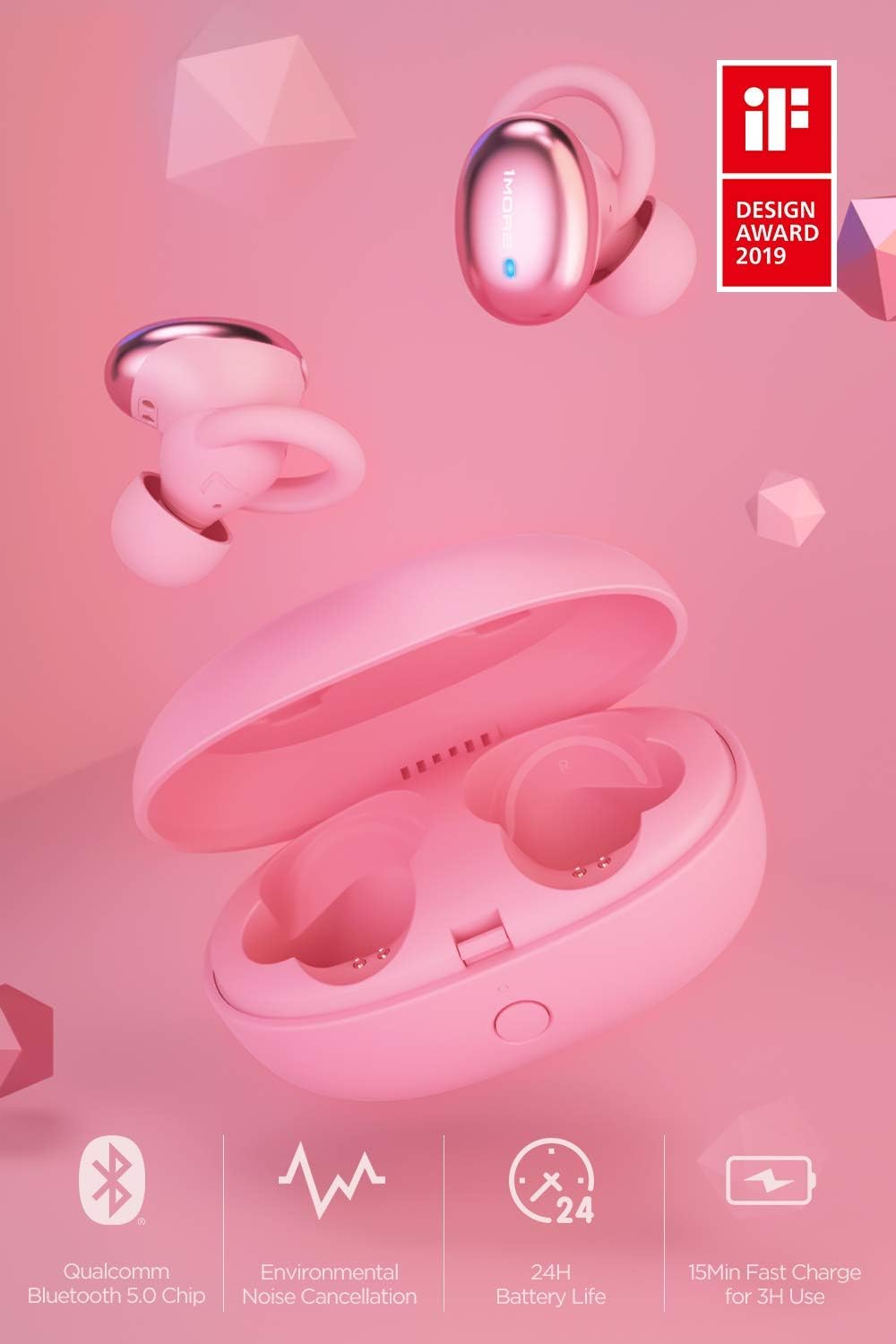
Image: An overview of the 1MORE Stylish True Wireless Earbuds, showcasing key features such as Qualcomm Bluetooth 5.0 Chip, Environmental Noise Cancellation, 24H Battery Life, and 15min Fast Charge for 3H Use. The earbuds and charging case are pink, with an 'iF DESIGN AWARD 2019' logo visible.
Setup
1. Charging the Earbuds and Case
Before first use, fully charge the earbuds and the charging case.
- Place the earbuds into the charging case. Ensure they are seated correctly.
- Connect the USB charging cable to the charging port on the case and to a power source (e.g., USB wall adapter, computer USB port).
- The indicator light on the charging case will show charging status. A full charge typically takes approximately 2 hours for the case and earbuds.

Image: An illustration demonstrating the charging case and earbuds, highlighting the 24 hours of total battery life with the case and 6.5 hours of playtime for the earbuds on a single charge. The earbuds are shown both inside and outside the pink charging case.
2. Pairing with a Bluetooth Device
The earbuds will automatically enter pairing mode when taken out of the charging case for the first time.
- Open the charging case and remove both earbuds. They will automatically power on and attempt to pair with each other.
- On your device (smartphone, tablet, laptop), go to Bluetooth settings and enable Bluetooth.
- Look for "1MORE Stylish TWS" in the list of available devices and select it to connect.
- Once connected, you will hear an audio prompt, and the indicator lights on the earbuds will change.
Note: If the earbuds do not automatically enter pairing mode, press and hold the multi-function button on both earbuds for 3 seconds until the indicator lights flash rapidly.
3. Choosing the Right Ear Tips
Selecting the correct ear tip size is crucial for comfort, sound quality, and secure fit.
- Experiment with the different sizes of ear tips provided.
- A good fit will create a seal in your ear canal, enhancing bass response and noise isolation.
- The earbuds are designed with 45° oblique-angled nozzles for an ergonomic fit.

Image: A diagram illustrating the ergonomic design of the 1MORE Stylish True Wireless Earbuds, showing how they fit securely and comfortably within the ear, emphasizing the "Perfected Ergonomic Design for the Perfect Fit."
Operating Instructions
Power On/Off
- Power On: Remove earbuds from the charging case. They will power on automatically. Alternatively, press and hold the multi-function button for 2 seconds.
- Power Off: Place earbuds back into the charging case. They will power off automatically. Alternatively, press and hold the multi-function button for 4 seconds.
Music Playback

Image: An illustration showing the physical button controls on the 1MORE Stylish True Wireless Earbuds, with icons for Power, Music, Call, and Voice Assistant, indicating "Physical Button for Effortless Control."
- Play/Pause: Single press the multi-function button on either earbud.
- Next Track: Double press the multi-function button on the right earbud.
- Previous Track: Double press the multi-function button on the left earbud.
Call Management
- Answer/End Call: Single press the multi-function button on either earbud.
- Reject Call: Press and hold the multi-function button on either earbud for 2 seconds.
Voice Assistant
- Activate Voice Assistant: Triple press the multi-function button on either earbud.
Maintenance
Cleaning
- Regularly clean the earbuds and charging case with a soft, dry, lint-free cloth.
- Remove ear tips and clean them with mild soap and water, then dry thoroughly before reattaching.
- Avoid using abrasive cleaners, solvents, or aerosol sprays.
Storage
- When not in use, store the earbuds in their charging case to protect them and keep them charged.
- Store in a cool, dry place, away from extreme temperatures and direct sunlight.
Battery Care
- To preserve battery life, charge the earbuds and case regularly, even if not used frequently.
- Avoid fully discharging the battery for extended periods.
Troubleshooting
| Problem | Possible Cause | Solution |
|---|---|---|
| Earbuds not powering on | Low battery | Place earbuds in the charging case and charge fully. |
| Cannot pair with device | Bluetooth not enabled; earbuds not in pairing mode; device too far | Ensure Bluetooth is on. Remove earbuds from case to enter pairing mode. Keep device within 10 meters. Forget device on your phone and re-pair. |
| No sound or poor sound quality | Incorrect ear tip size; low volume; connection issue | Adjust ear tips for a secure seal. Increase volume on device and earbuds. Reconnect Bluetooth. |
| Earbuds not charging | Improper placement in case; dirty charging contacts; faulty cable/charger | Ensure earbuds are correctly seated. Clean charging contacts. Try a different USB cable or power adapter. |
Specifications
- Model Name: E1026BT-I
- Connectivity Technology: Bluetooth 5.0
- Audio Driver Type: Dynamic Driver
- Battery Life (Earbuds): Up to 6.5 hours
- Total Playtime (with Charging Case): Up to 24 hours
- Quick Charge: 15 minutes charge for 3 hours of use
- Charging Time (Case & Earbuds): Approximately 2 hours
- Control Method: Touch / Physical Button
- Item Weight: 53 Grams (total) / 1.87 ounces
- Product Dimensions: 2.36 x 1.57 x 1.5 inches (Charging Case)
- Special Features: Environmental Noise Cancellation (ENC) for calls, aptX and AAC compatibility, Ergonomic Fit
- UPC: 753575529154
Warranty and Support
This product is covered under the Amazon Renewed Guarantee, which provides for replacement or refund if you are not satisfied with your purchase. For specific warranty details and support, please refer to the Amazon Renewed program terms or contact Amazon customer service.
For further assistance or technical support, please visit the official 1MORE website or contact their customer service department.
- Amazon Renewed Guarantee: Learn more about Amazon Renewed
- Manufacturer: 1MORE


