
Introduction
This manual provides essential instructions for the safe and effective installation and use of your E-YIIVIIL TWL-003 replacement battery for Nintendo DSi and NDSi consoles. Please read this manual thoroughly before proceeding with installation to ensure proper function and safety.
Safety Information and Warnings
Observe the following safety precautions to prevent damage to the battery, your device, or personal injury:
- Do not short-circuit battery contacts.
- Do not modify the battery in any way.
- Do not dispose of the battery in fire or expose it to high temperatures.
- Use and charge this battery ONLY with devices compatible with the TWL-001 battery model.
- Do not disassemble, manipulate, or insert the battery into fire.
- Avoid using low-quality third-party adapter chargers, as this can significantly shorten the battery's lifespan.
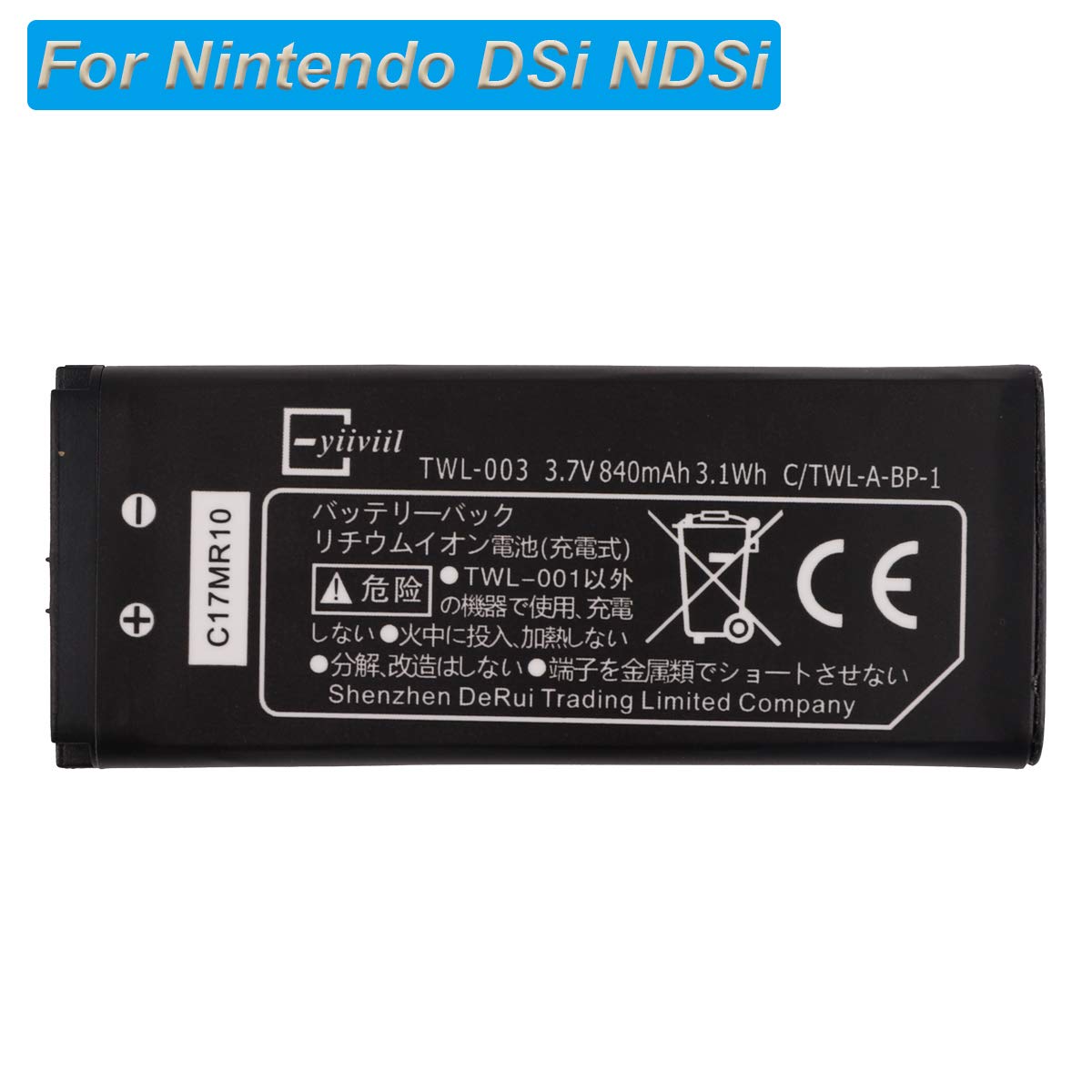
Image: Front side of the E-YIIVIIL TWL-003 battery, showing model number TWL-003, 3.7V 840mAh 3.1Wh, and Japanese safety warnings. The battery is black with white text.

Image: Back side of the E-YIIVIIL TWL-003 battery, displaying English safety warnings regarding short-circuiting, modification, disposal in fire, and using only with TWL-001.
Package Contents
The package typically includes:
- 1 x E-YIIVIIL TWL-003 Replacement Battery
Compatibility
This replacement battery (Part No: TWL-003) is compatible with the following Nintendo console models:
- Nintendo DSi
- Nintendo NDSi
Important: This battery is not compatible with Nintendo DSi XL or NDSi XL models. Please verify your device model number before attempting installation.
Installation Instructions
Professional installation is strongly recommended. Incorrect installation can lead to damage to your device or the battery itself. We are not responsible for any damage resulting from improper operation or installation.
- Preparation: Ensure your Nintendo DSi/NDSi console is powered off completely before beginning.
- Access Battery Compartment: Locate and open the battery compartment on your console. This typically requires removing small screws with a precision screwdriver (not included).
- Disconnect Old Battery: Carefully and gently disconnect the cable of your old battery from the console's mainboard. Avoid pulling on the wires directly.
- Remove Old Battery: Once disconnected, remove the old battery from its compartment.
- Install New Battery: Place the E-YIIVIIL TWL-003 replacement battery into the compartment, ensuring it fits correctly.
- Connect New Battery: Carefully and gently connect the new battery's cable to the mainboard. Ensure the connector is properly seated and secure.
- Secure Compartment: Close the battery compartment and re-insert any screws to secure it.
- Initial Test: Attempt to power on your device. If it does not power on, ensure the battery cable has been properly connected and try again.
Operating Instructions
For optimal performance and to achieve its best capacity, a new Li-ion battery will typically require 2 or 3 complete charge and discharge cycles. This involves fully charging the battery, using the device until the battery is depleted, and then fully recharging it, for the initial few uses.
Maintenance
- Store the battery in a cool, dry place when not in use for extended periods.
- Avoid exposing the battery to extreme temperatures (both high heat and freezing cold), as this can degrade performance and lifespan.
- Do not allow the battery to remain fully discharged for long periods, as this can reduce its overall lifespan.
- Always use only compatible and quality chargers to prevent damage to the battery.
Troubleshooting
- Device does not power on after battery replacement:
- Ensure the battery connector is properly and securely connected to the mainboard. If necessary, re-open the compartment and re-install the battery, making sure all connections are firm.
- Battery life is shorter than expected:
- Perform 2-3 full charge/discharge cycles to allow the new battery to calibrate. Verify that you are using a compatible and quality charger. Avoid operating or charging the device in extreme temperatures.
Specifications
| Feature | Detail |
|---|---|
| Part Number | TWL-003 |
| Capacity | 840mAh / 3.1Wh |
| Voltage | 3.7V |
| Type | Polymer (Li-ion) |
| Reusability | Rechargeable |
| Battery Weight | 50 Grams |
| Item Dimensions | 7.87 x 1.97 x 1 inches |
Customer Support
If you have any questions, encounter issues during installation, or experience problems with the product, please contact E-YIIVIIL customer support. We aim to respond to inquiries within 24 hours.
Please note: Specific warranty details are not provided in this manual. Refer to your purchase documentation or contact customer support for warranty information.