1. Important Safety Instructions
Please read all instructions carefully before using this appliance and retain for future reference. Failure to follow these instructions may result in electric shock, fire, or serious injury.
- Electrical Safety: Ensure the power supply matches the voltage requirements of the unit. Do not use extension cords or adapters. Always plug into a grounded outlet.
- Placement: Place the unit on a flat, stable surface. Maintain at least 20 inches (50 cm) clearance from walls or other objects to ensure proper airflow. Do not block air inlets or outlets.
- Ventilation: The exhaust hose must be vented to the outside to expel hot air. Ensure the hose is not kinked or blocked.
- Water Drainage: For continuous operation, especially in dehumidifier mode, ensure proper drainage to prevent water overflow.
- Children and Pets: Keep children and pets away from the appliance. Do not allow them to play with the unit or its controls.
- Maintenance: Always unplug the unit before cleaning or performing any maintenance.
2. Product Overview
The COSTWAY 8000 BTU Portable Air Conditioner is a versatile 3-in-1 unit designed to provide efficient cooling, dehumidifying, and fan functions for rooms up to 230+ sq. ft. It features an intuitive LED display and remote control for convenient operation.
Key Features:
- Efficient Cooling: 8,000 BTU cooling power for spaces up to 230+ sq. ft.
- Multifunctional Modes: Offers cooling, dehumidifying, fanning, and sleeping modes.
- Adjustable Speeds: Two fan speeds (low/high) for customized comfort.
- Timer Function: 24-hour programmable timer for energy saving.
- Quiet Operation: Sleep mode ensures low noise (56dB) for peaceful rest.
- Easy Operation: Digital LED display and remote control for precise adjustments.
- Washable Air Filter: Removable and washable filter for clean air and efficient running.
- Portable Design: Sleek body with all-direction casters and built-in handle for easy mobility.

Image: The COSTWAY 8000 BTU Portable Air Conditioner, showing its compact design and included remote control.

Image: A visual representation of the unit's 3-in-1 functionality as an air cooler, dehumidifier, and fan, illustrating air intake and output.
3. Setup and Installation
Proper installation is crucial for the efficient operation of your portable air conditioner. Follow these steps to set up your unit.
Unpacking:
- Carefully remove the unit and all accessories from the packaging.
- Check for any damage during transit. Contact customer support if any issues are found.
- Keep the original packaging for future storage or transport.
Window Kit Installation:
The unit requires an exhaust hose to vent hot air outside. The included window kit facilitates this process.
- Attach the exhaust hose to the exhaust outlet on the back of the unit.
- Connect the other end of the exhaust hose to the window slide adapter.
- Adjust the window slide kit to fit your window opening and secure it.
- Ensure there are no gaps around the window kit to prevent hot air from re-entering the room.

Image: Details of the unit's design, including the built-in handle for mobility, the removable and washable air filter, the continuous drain system outlet, and the 360-degree rotating casters for easy movement.
4. Operating Instructions
Your portable air conditioner offers multiple modes and settings for optimal comfort. Use the control panel or the remote control to adjust settings.
Control Panel and Remote:
The unit features an intuitive LED display and touch controls on the top panel, replicated on the remote control for convenience.

Image: A detailed view of the intelligent touch control panel with LED display and the accompanying remote control, highlighting various function buttons.
Operating Modes:
- Cool Mode: Provides powerful cooling. Set your desired temperature between 60°F and 86°F (16°C and 30°C). Adjust fan speed as needed.
- Dehumidifier Mode (DRY): Reduces humidity in the air. The unit will operate as a dehumidifier, and continuous drainage is recommended in this mode.
- Fan Mode: Circulates air without cooling. Choose between high or low fan speeds.
- Sleep Mode: Designed for quiet operation during sleep. The fan speed will automatically adjust to low, and the temperature may gradually increase to maintain comfort while minimizing noise.
Adjusting Airflow:
The air outlet blades can be manually adjusted vertically and horizontally to direct the airflow as desired.
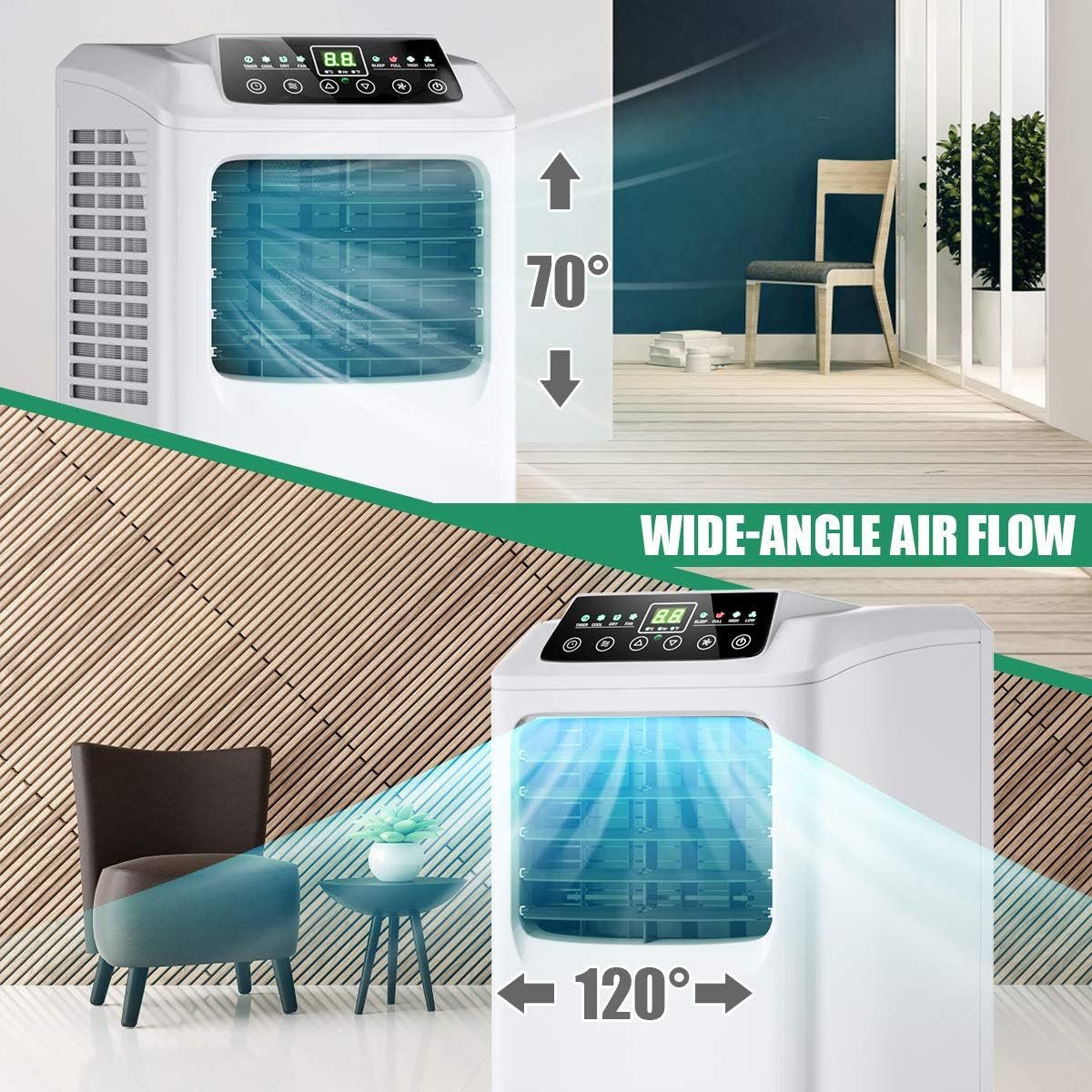
Image: A visual guide demonstrating the wide-angle air flow capabilities, showing how the air can be directed vertically (up to 70°) and horizontally (up to 120°).
5. Maintenance
Regular maintenance ensures optimal performance and longevity of your air conditioner.
Cleaning the Air Filter:
The unit features a removable and washable air filter. A dirty filter can reduce efficiency and airflow. The indicator light will remind you to clean it regularly.
- Unplug the air conditioner from the power outlet.
- Locate and remove the air filter from the back or side of the unit.
- Wash the filter under running water with a mild detergent.
- Allow the filter to air dry completely before re-installing. Do not expose to direct sunlight.
- Re-insert the dry filter into the unit.
Water Drainage:
The unit has a continuous drain system. For prolonged use in high humidity or dehumidifier mode, connect a drain hose (not included) to the drainage port.
- Ensure the drain hose is positioned lower than the drainage port to allow gravity drainage.
- Periodically check the drain hose for blockages.
6. Troubleshooting
If you encounter issues with your air conditioner, refer to the following common problems and solutions before contacting customer support.
| Problem | Possible Cause | Solution |
|---|---|---|
| Unit does not turn on | No power supply; Power cord not plugged in; Circuit breaker tripped. | Check power connection; Reset circuit breaker. |
| Unit does not cool effectively | Dirty air filter; Room size too large; Doors/windows open; Exhaust hose blocked or improperly installed. | Clean air filter; Ensure room is within specified area; Close all doors/windows; Check exhaust hose for kinks or blockages. |
| Water leakage | Drain plug not properly inserted; Continuous drain hose blocked or improperly connected. | Ensure drain plug is secure; Check drain hose for blockages and proper connection. |
| Unit is noisy | Unit not on a flat surface; Air filter dirty; Internal components vibrating. | Place unit on a level surface; Clean air filter; Contact customer support if noise persists. |
7. Specifications
| Feature | Detail |
|---|---|
| Model Number | 800000BTU |
| Cooling Power | 8000 British Thermal Units (BTU) |
| Coverage Area | Up to 230 Square Feet |
| Functions | Cool, Dehumidify, Fan |
| Voltage | 120 Volts |
| Noise Level | 56 Decibels |
| Product Dimensions | 12 x 13 x 30 inches (D x W x H) |
| Item Weight | 54.5 pounds |
| Refrigerant | R410A |
| Temperature Setting Range | 62°F - 86°F |
8. Warranty and Support
For warranty information, product registration, or technical support, please visit the official COSTWAY website or contact their customer service department. Keep your purchase receipt as proof of purchase.
Website: Visit the COSTWAY Store on Amazon


