
1. Product Overview
The Panzong Camera Shutter Button is a soft release button designed to enhance the tactile experience of operating your camera's shutter. Constructed from pure copper, it features a knurled, concave surface for improved grip and comfort. This accessory is compatible with a wide range of cameras that have a threaded shutter release button.

Figure 1: Panzong Camera Shutter Buttons (Red, Gold, Black) and an installed black button.
2. Key Features
- Enhanced Comfort: The button features a concave surface designed to provide a comfortable and ergonomic feel during operation, contributing to smoother and steadier shots.
- Durable Construction: Made from pure copper with a knurled design, ensuring durability and a refined texture.
- Broad Compatibility: Designed for cameras with a threaded shutter release button, including models from Leica (M10, M9, M8, M7, M6, MP, MA), Fuji (X-pro 3, X-Pro 2, X-pro1, X100V, X100F, X100T, X100S, X100, X-T4, X-T3, XT2, X-E3, X-E2, X-E1, X30, X20, X10, XT30, X-T20), Olympus Pen-F, RX1, RX1R, RX1R II, Nikon (Df, M2), Pentax (67, 67II), and Canon.
- Secure Attachment: Each button includes a rubber ring to provide cushioning and stability, helping to keep the button securely in place once installed.

Figure 2: Concave design for enhanced comfort.
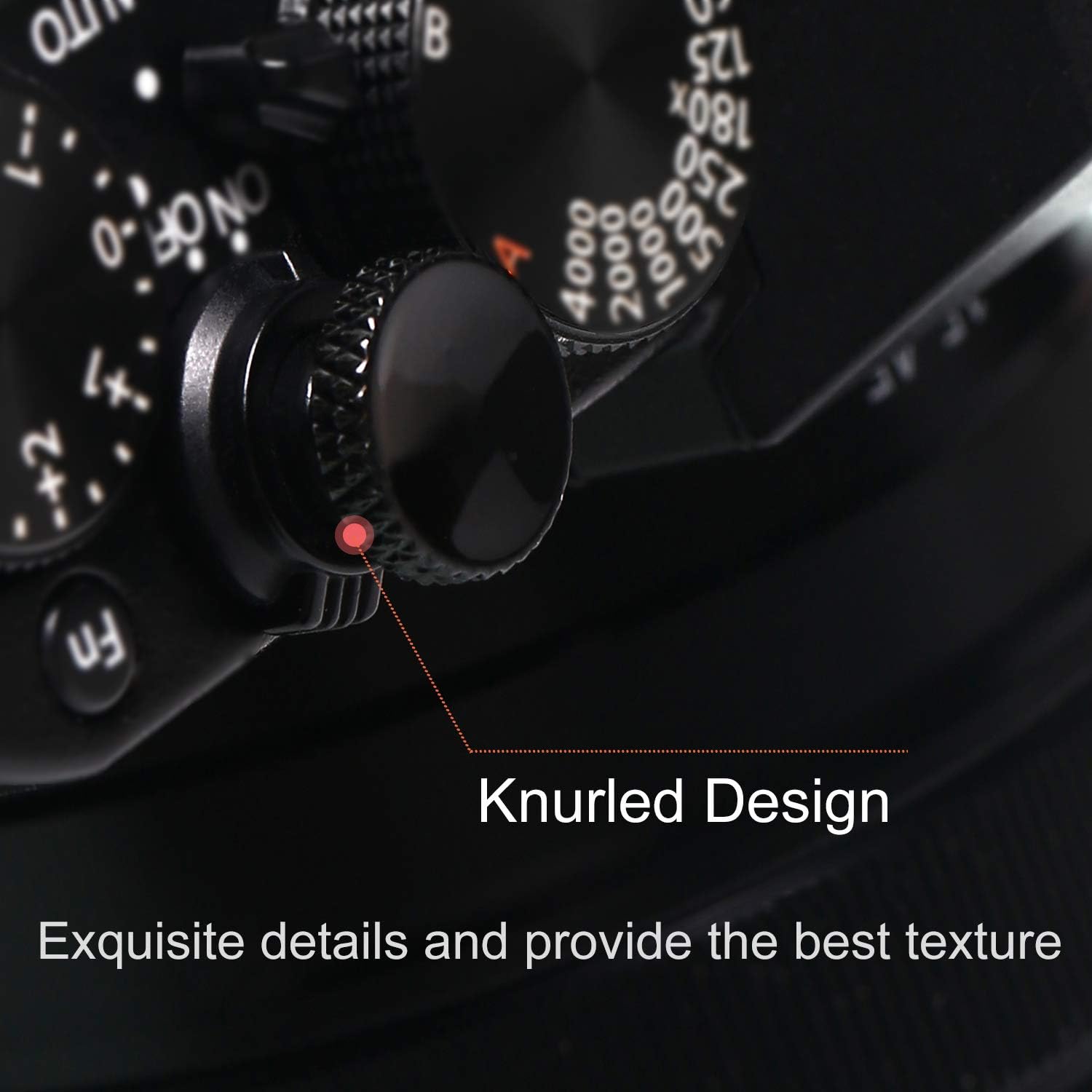
Figure 3: Knurled design for improved texture and grip.
3. Installation
- Identify the threaded hole on your camera's shutter release button.
- Place the small rubber ring (included with each button) onto the threaded post of the Panzong shutter button. This ring provides cushioning and helps secure the button.
- Carefully screw the Panzong shutter button into the camera's threaded shutter release button hole.
- Tighten the button sufficiently to ensure it is secure and does not come loose during use. Avoid over-tightening to prevent damage to the camera or button.

Figure 4: Camera with compatible threaded shutter release button.
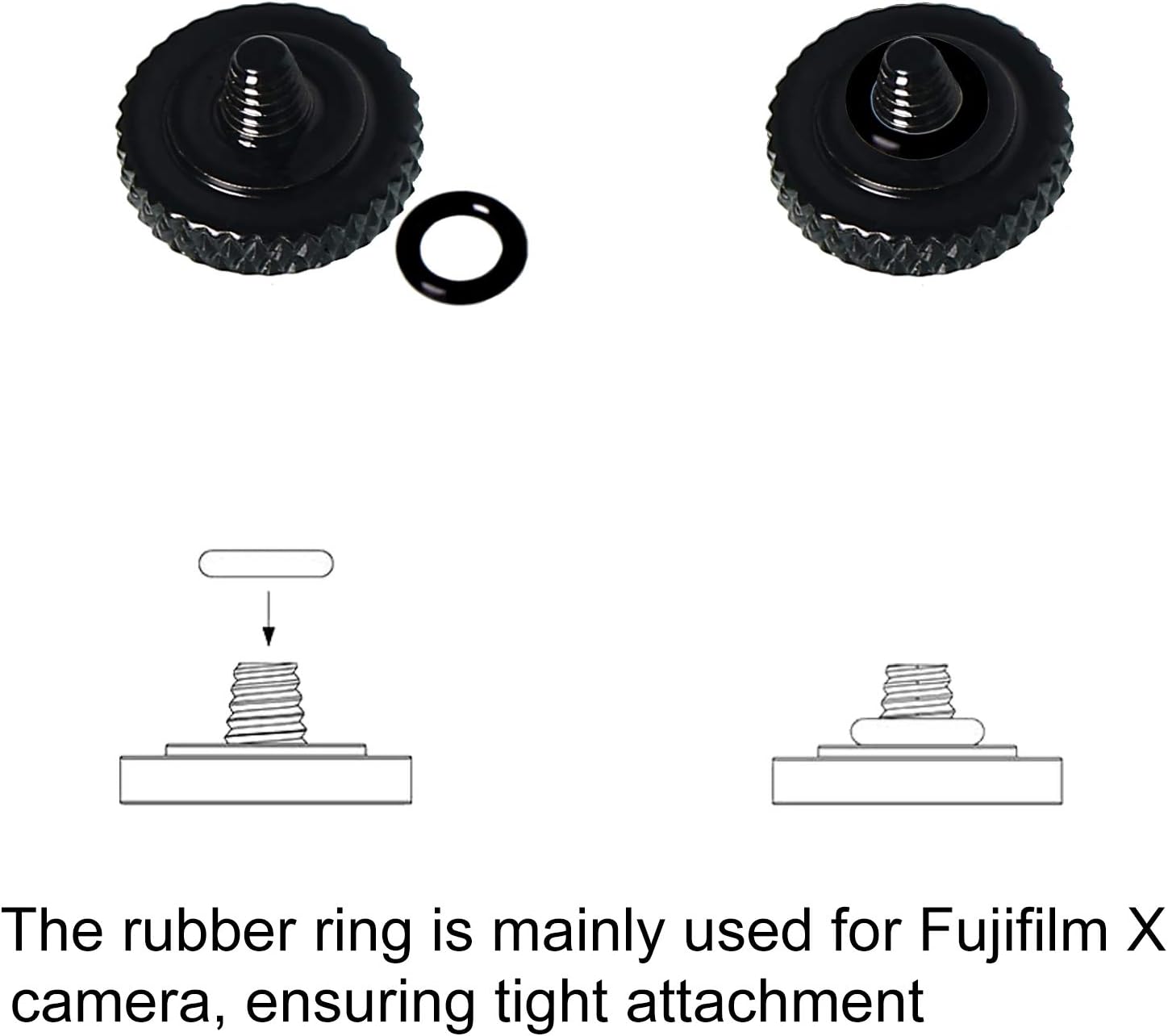
Figure 5: Installation diagram showing the rubber ring for stability.
4. Operating Instructions
Once installed, the Panzong Camera Shutter Button functions as an extension of your camera's existing shutter release. Its concave design and knurled texture provide a larger, more tactile surface for your finger, potentially leading to a more comfortable and stable shutter release action. Simply press the button as you would your camera's original shutter release to capture images.
5. Care and Maintenance
- To clean the button, wipe it gently with a soft, dry cloth. Avoid using abrasive cleaners or solvents.
- Periodically check the tightness of the button to ensure it remains securely attached to your camera.
- Store the buttons in their original packaging or a protective case when not in use to prevent scratches or loss.

Figure 6: Original Panzong packaging for storage.
6. Troubleshooting
| Problem | Possible Cause | Solution |
|---|---|---|
| Button feels loose or wobbly. | Button is not tightened sufficiently. | Gently tighten the button by hand until secure. Ensure the rubber ring is in place. |
| Button falls off easily. | Insufficient tightening or missing rubber ring. | Ensure the rubber ring is used during installation and tighten the button firmly, but do not over-tighten. |
| Button does not fit my camera. | Camera's shutter release is not threaded or has a different thread size. | Verify your camera model's compatibility with threaded shutter release buttons. This product is designed for standard threaded types. |
7. Specifications
- Brand: Panzong
- Model Number: Pzx-001
- Material: Pure Copper
- Color: Red, Gold, Black (3-pack)
- Dimensions (L x W x H): 0.43 x 0.43 x 0.28 inches
- Item Weight: 0.32 ounces
- Connector Type: Screws
- Operation Mode: ON-OFF
- Mounting Type: Surface Mount
- Number of Positions: 1
- UPC: 726672223935
8. Warranty and Support
For any questions regarding the Panzong Camera Shutter Button, please contact Panzong customer support through the retailer where the product was purchased. Please retain your proof of purchase for warranty claims, if applicable.