1. Introduction
This manual provides comprehensive instructions for the BLU C5L C0050UU smartphone. Please read this manual carefully to ensure proper use and optimal performance of your device. Keep this manual for future reference.
2. Setup
2.1 Package Contents
Verify that your package contains the following items:
- BLU C5L C0050UU Smartphone
- USB Cable
- Lithium Ion Battery (pre-installed or separate)
2.2 Device Overview

Image: Front and back view of the BLU C5L C0050UU smartphone in black. The front shows the display, and the back shows the camera and BLU branding.
2.3 SIM and MicroSD Card Installation
The BLU C5L supports Dual-SIM functionality and expandable storage via a MicroSD card.
- Power off the device completely.
- Carefully remove the back cover of the phone.
- Insert your SIM card(s) into the designated SIM slots. Ensure the gold contacts face downwards.
- If using, insert a MicroSD card (up to 64GB) into the MicroSD card slot.
- Replace the back cover securely.
2.4 Battery Charging
Before first use, fully charge the device battery.
- Connect the USB cable to the phone's charging port.
- Connect the other end of the USB cable to a compatible power adapter or computer USB port.
- The charging indicator will appear on the screen.
- Once fully charged, disconnect the charger.
3. Operating Your Device
3.1 Power On/Off
- To power on: Press and hold the Power button until the BLU logo appears.
- To power off: Press and hold the Power button, then select 'Power off' from the options.
3.2 Basic Navigation
The BLU C5L features a 5.0-inch IPS LCD capacitive touchscreen for interaction.
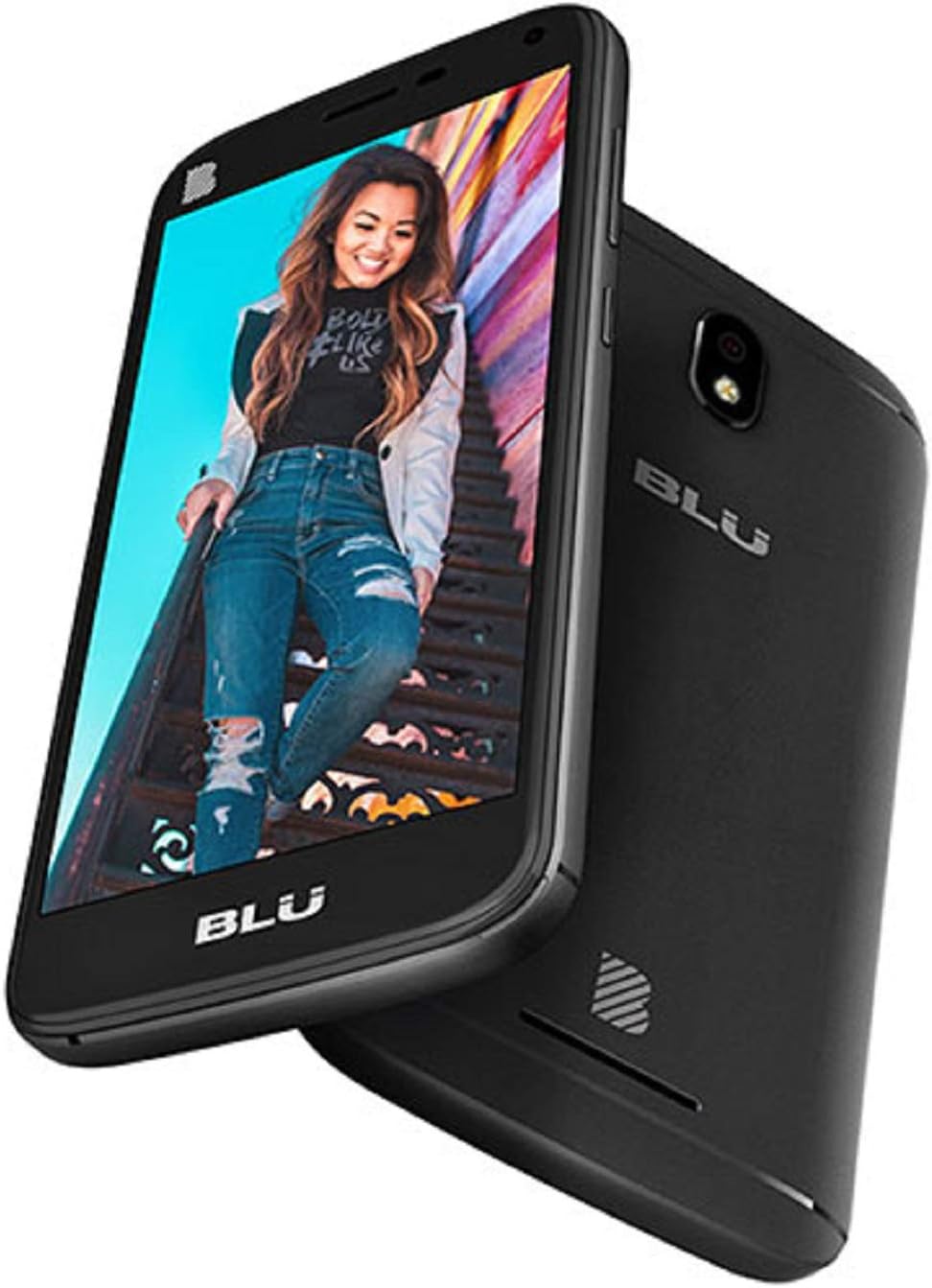
Image: Angled view of the BLU C5L C0050UU smartphone, displaying a vibrant screen with a user interface.
- Tap: Touch the screen once to open apps, select items, or activate buttons.
- Swipe: Drag your finger across the screen to scroll through lists or switch between home screens.
- Pinch: Use two fingers to zoom in or out on photos and web pages.
3.3 Making Calls
- Tap the Phone icon on the home screen.
- Enter the phone number using the dial pad or select a contact.
- Tap the Call button to initiate the call.
3.4 Messaging
- Tap the Messages icon.
- Tap the 'Start new message' icon.
- Enter the recipient's number or select from contacts.
- Type your message and tap Send.
3.5 Camera Functions
The device features a 5 MP main camera and a 2 MP front camera.
- Open the Camera app.
- Frame your subject.
- Tap the Shutter button to take a photo.
- Switch between front and rear cameras using the camera switch icon.
3.6 Connectivity
- Wi-Fi: Go to Settings > Network & internet > Wi-Fi to connect to available networks.
- Bluetooth: Go to Settings > Connected devices > Bluetooth to pair with other Bluetooth devices.
- GPS: Location services can be enabled or disabled in Settings > Security & Location > Location.
4. Maintenance
4.1 Cleaning Your Device
Use a soft, lint-free cloth to clean the screen and body of the phone. Avoid using harsh chemicals or abrasive materials.
4.2 Software Updates
Periodically check for software updates to ensure your device has the latest features and security enhancements. Go to Settings > System > About phone > System update.
4.3 Battery Care
To prolong battery life:
- Avoid extreme temperatures.
- Do not leave the phone charging for extended periods after it's full.
- If the device feels excessively warm during charging or use, disconnect it from power and allow it to cool down.
5. Troubleshooting
This section addresses common issues you might encounter with your BLU C5L C0050UU.
| Issue | Possible Solution |
|---|---|
| Device does not power on | Ensure the battery is charged. Connect to a charger for at least 30 minutes before attempting to power on again. |
| Poor network signal | Check SIM card installation. Move to an area with better network coverage. Restart the device. |
| Applications crashing or freezing | Close background applications. Clear app cache (Settings > Apps & notifications > App info > [App Name] > Storage & cache). Restart the device. |
| Battery drains quickly | Reduce screen brightness. Disable Wi-Fi, Bluetooth, and GPS when not in use. Close unused apps. Check for background app activity. |
| Device overheating | Close demanding applications. Disconnect from charger if charging. Avoid direct sunlight. If overheating persists, discontinue use and contact support. |
6. Specifications
Key technical specifications for the BLU C5L C0050UU smartphone:
| Feature | Detail |
|---|---|
| Model Name | C5L (C0050UU) |
| Display | 5.0 inches IPS LCD, 480 x 854 pixels |
| Operating System | Android 8.1 Oreo |
| Processor | Quad-core 1.4 GHz Cortex-A53 (Mali-400 GPU) |
| Internal Memory | 8GB ROM, 1GB RAM |
| Expandable Storage | MicroSD, up to 64 GB |
| Main Camera | 5 MP, AF with LED flash, 1080p@30fps video |
| Selfie Camera | 2 MP with LED flash, 720p@30fps video |
| Connectivity | Wi-Fi 802.11 b/g/n, Bluetooth 4.0, GPS (A-GPS), microUSB 2.0 |
| Cellular Technology | 2G, 4G (LTE bands 2/4/5/12/17 or 1/3/4/5/7/28) |
| Battery | 1 Lithium Ion battery (included) |
| Dimensions | 6.46 x 3.54 x 1.97 inches (Package) |
| Weight | 7.2 ounces |
7. Warranty Information
Your BLU C5L C0050UU smartphone is covered by a manufacturer's warranty. Please refer to the warranty card included in your product packaging or visit the official BLU website for detailed terms and conditions regarding warranty coverage and service.
8. Customer Support
For further assistance, technical support, or to inquire about service, please visit the official BLU Products website or contact their customer service department. Contact information can typically be found on the BLU website or in your product documentation.


