
Hisense 65A7100F
Hisense 65A7100F 4K UHD Smart TV User Manual
Model: 65A7100F
Introduction
This user manual provides essential information for setting up, operating, and maintaining your Hisense 65A7100F 4K UHD Smart TV. Please read this manual thoroughly before using the television to ensure proper and safe operation.

Figure 1: Hisense 65A7100F 4K UHD Smart TV. This image shows the television from the front, displaying a vibrant football match, highlighting its immersive display capabilities.
Package Contents
Before proceeding with the setup, ensure all components are present in the package:
- Hisense 65A7100F 4K UHD Smart TV
- Remote Control
- Power Cable
- Adjustable Stand Feet (2x)
- Screws for Stand Assembly
- AAA Batteries (2x) for Remote Control
- Quick Setup Guide
- User Manual (this document)
Setup
1. Attaching the Stand Feet
Carefully place the TV face down on a soft, clean surface to prevent screen damage. Align the stand feet with the corresponding slots on the bottom of the TV. Secure them using the provided screws.
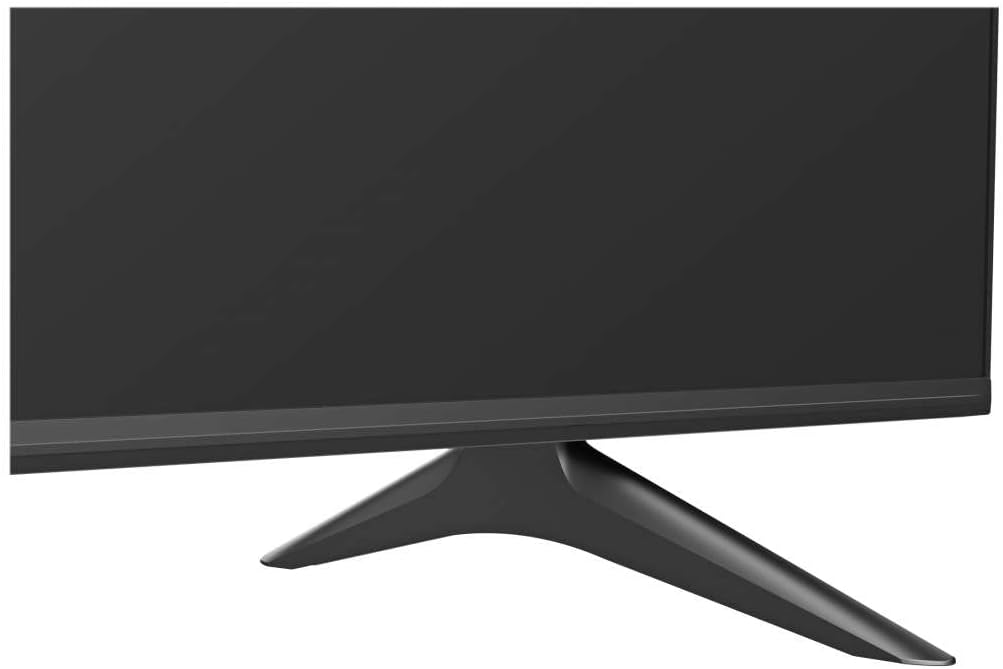
Figure 2: Close-up of the TV stand foot. This image illustrates the design of one of the adjustable stand feet, showing how it connects to the television's base.
2. Connecting External Devices
The Hisense 65A7100F offers various connectivity options. Refer to the port diagram below for connection points.

Figure 3: Rear view of the Hisense TV's connectivity ports. This image displays the various input and output ports on the back of the television, including HDMI, USB, LAN, antenna, and AV inputs.
- HDMI: Connect Blu-ray players, game consoles, or set-top boxes. The TV features multiple HDMI ports.
- USB: For connecting USB storage devices to play media files.
- LAN (Ethernet): For wired internet connection.
- Antenna/Cable: Connect your antenna or cable TV signal.
- AV In: For older devices using composite video and stereo audio.
- Digital Audio Out (Optical): For connecting to external audio systems.
3. Power Connection
Connect the power cable to the TV's power input and then to a wall outlet. The TV will enter standby mode.
4. Initial Setup Wizard
Upon first power-on, the TV will guide you through the initial setup process, including language selection, network connection (Wi-Fi or Ethernet), channel scanning, and time zone settings. Follow the on-screen instructions.
Operating the TV
Remote Control Functions
Familiarize yourself with the remote control. Insert the two AAA batteries into the remote control, observing polarity.
VIDAA U Smart TV System
The Hisense 65A7100F operates on the VIDAA U 4.0 smart TV system. This customizable interface allows quick access to your favorite apps and content.
- Home Screen: Press the Home button on the remote to access the main smart TV interface.
- App Access: Popular streaming services like Netflix, Prime Video, Disney+, YouTube, and DAZN are pre-installed or easily accessible.
- Customization: Arrange your favorite apps and channels for quick access.
- Anyview Cast: Mirror content from your smartphone or tablet to the TV.
- Voice Control (Alexa): The TV supports Alexa for voice commands. Refer to the on-screen guide for setup.
Picture and Sound Settings
Access the settings menu to adjust picture modes (Standard, Dynamic, Cinema, etc.), brightness, contrast, color, and sound modes (Standard, Music, Movie, Speech, etc.).
Maintenance
Cleaning the TV
- Always unplug the TV before cleaning.
- Use a soft, dry cloth to wipe the screen and cabinet.
- For stubborn marks, use a screen cleaner specifically designed for TVs, applied to the cloth, not directly to the screen.
- Avoid using abrasive cleaners, waxes, or solvents.
General Care
- Do not block ventilation openings on the back of the TV.
- Avoid exposing the TV to direct sunlight, high temperatures, or high humidity.
- Do not place heavy objects on the TV.
Troubleshooting
| Problem | Possible Cause | Solution |
|---|---|---|
| No Power | Power cable not connected; outlet not working. | Ensure power cable is securely connected. Test outlet with another device. |
| No Picture/Sound | Incorrect input source; loose cable connection. | Press the Input button on the remote to select the correct source. Check all cable connections. |
| Remote Control Not Working | Batteries depleted or incorrectly inserted; obstruction. | Replace batteries. Ensure correct polarity. Remove any obstructions between remote and TV. |
| Smart TV Features Not Working | No internet connection. | Check network settings. Ensure Wi-Fi is connected or Ethernet cable is plugged in. Restart router. |
If the problem persists after trying these solutions, please contact Hisense customer support.
Specifications
| Feature | Detail |
|---|---|
| Model Name | Hisense 65A7100F |
| Screen Size | 164 cm (65 Inch) |
| Resolution | 4K Ultra HD (3840 x 2160) |
| Display Technology | LED |
| HDR Support | HDR10, HLG, HDR10+ |
| Operating System | VIDAA U 4.0 |
| Tuner Type | Triple Tuner (DVB-C/S/S2/T/T2) |
| Connectivity | Bluetooth, USB, Ethernet, HDMI |
| Supported Internet Services | Netflix, Prime Video, Disney+, YouTube, DAZN |
| Dimensions (W x H x D) | 144.8 x 89.4 x 29 cm (with stand) |
| Weight | 17 Kilograms |
| Included Components | TV, Remote Control, User Manual |
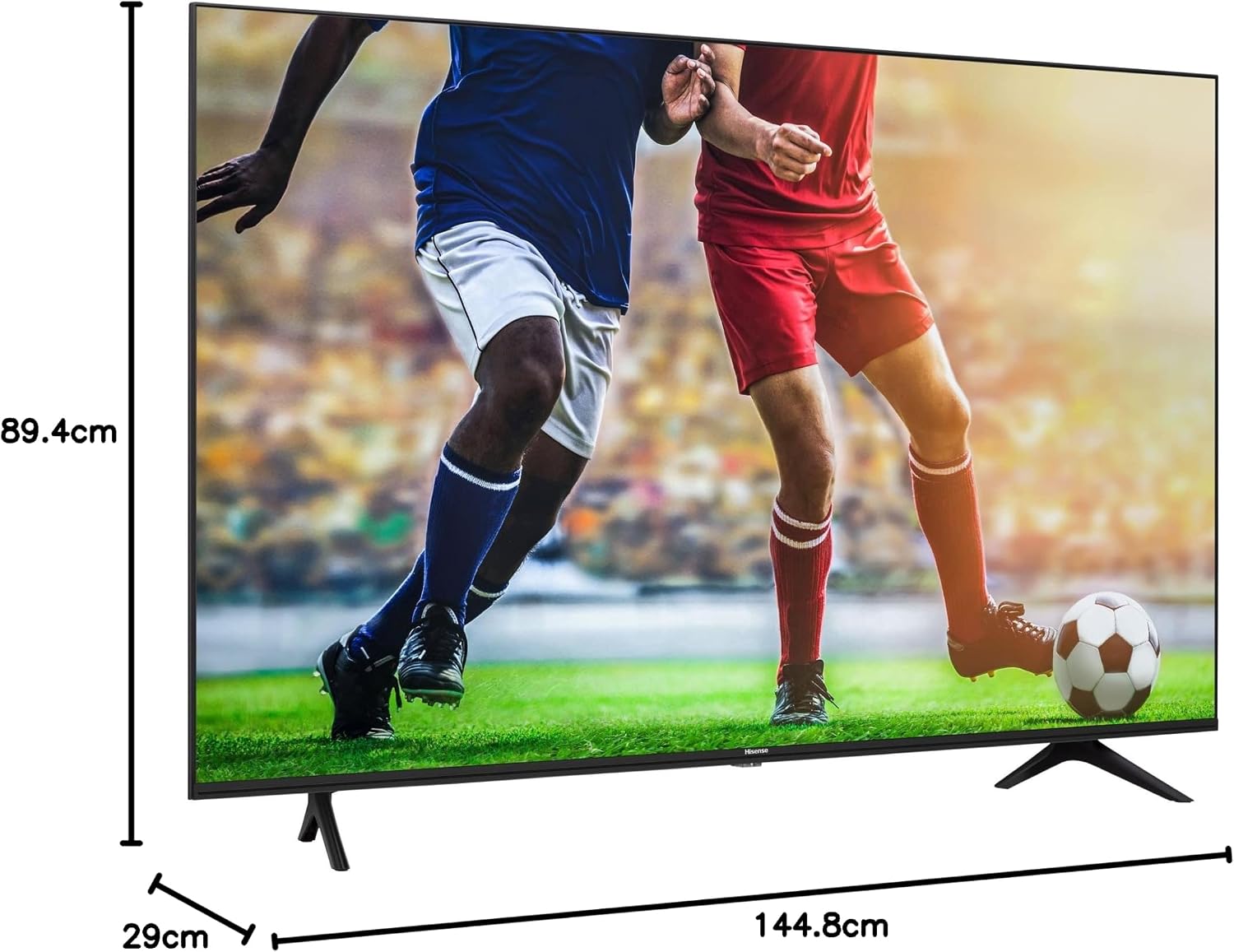
Figure 4: Dimensions of the Hisense 65A7100F TV. This diagram provides a visual representation of the television's width, height, and depth, including the stand, with measurements in centimeters.
Warranty and Support
Hisense products are covered by a manufacturer's warranty. Please refer to the warranty card included in your package for specific terms and conditions.
For technical support, service, or warranty claims, please contact Hisense customer service. You can find contact information on the official Hisense website or in the quick setup guide.
Online Resources:
- Official Hisense Website: www.hisense.com
- Product Support Page (if available): Search for "Hisense 65A7100F support" on the Hisense website.
Related Documents - 65A7100F
 |
Hisense 32A4N HD Smart TV - Технически Спецификации Подробни технически спецификации за Hisense 32A4N HD Smart TV, включително размери, резолюция, свързаност, аудио и енергийна ефективност. Открийте всичко за този 32-инчов смарт телевизор. |
 |
Hisense 98U7HAU ULED TV Specifications Detailed specifications for the Hisense 98U7HAU 98-inch ULED 4K TV, covering display technology, image processing, hardware, inputs, smart TV features, digital TV tuners, audio, media playback, hotel lock capabilities, installation details, and accessories. |
 |
Hisense 50A6Q 4K UHD Smart TV - Specifications and Features Comprehensive technical specifications, features, and connectivity details for the Hisense 50A6Q 4K UHD Smart TV, including display technology, audio capabilities, smart features, and dimensions. |
 |
Hisense VIDAA U5 User Manual - Setup, Features, and Troubleshooting Comprehensive user manual for the Hisense VIDAA U5 television, detailing setup procedures, feature explanations, connectivity options, smart functions, picture and sound adjustments, and troubleshooting guides. |
 |
Hisense 75E7Q PRO 75-inch QLED Smart TV 4K 144Hz - Specifications and Features Detailed specifications and features for the Hisense 75E7Q PRO, a 75-inch QLED Smart TV with 4K resolution, 144Hz refresh rate, Dolby Vision, and AMD FreeSync. |
 |
Hisense Smart TV User Manual Comprehensive user manual for Hisense Smart TVs, covering setup, features, troubleshooting, and system support. |
Ask a question about this manual
Ask about setup, troubleshooting, compatibility, parts, safety, or missing instructions. Manuals+ will review the question and use this page’s manual context to help answer it.