
Briggs & Stratton P2400 (Model 030800)
Contents
Briggs & Stratton PowerSmart Series Inverter Generator P2400 User Manual
Model: 030800
Introduction
Thank you for choosing the Briggs & Stratton PowerSmart Series Inverter Generator P2400. This manual provides essential information for the safe operation, maintenance, and troubleshooting of your generator. Please read this manual thoroughly before operating the unit to ensure proper use and to prevent injury or damage.
Safety Information
Your safety and the safety of others are very important. Always follow the safety precautions outlined in this manual. Failure to do so may result in serious injury or death.
General Safety Precautions:
- Read and understand all instructions before operating the generator.
- Keep children and pets away from the generator during operation.
- Operate the generator on a level surface.
- Do not operate the generator in rain or wet conditions.
Carbon Monoxide Hazard:
Generator exhaust contains carbon monoxide, a colorless, odorless, poisonous gas. Breathing carbon monoxide can cause nausea, fainting, or death. Always operate the generator outdoors in a well-ventilated area, far away from windows, doors, and vents. The P2400 features CO Guard technology for enhanced safety, which automatically shuts down the generator if carbon monoxide levels become unsafe.
Fuel Safety:
- Gasoline is highly flammable and its vapors are explosive.
- Store fuel in an approved container in a well-ventilated area.
- Never refuel a hot or running engine. Allow the generator to cool before adding fuel.
Package Contents
Verify that all items are included in your package:
- Briggs & Stratton PowerSmart Series Inverter Generator P2400 (Model 030800)
- User Manual
- Oil Funnel
- Spark Plug Wrench
Product Overview
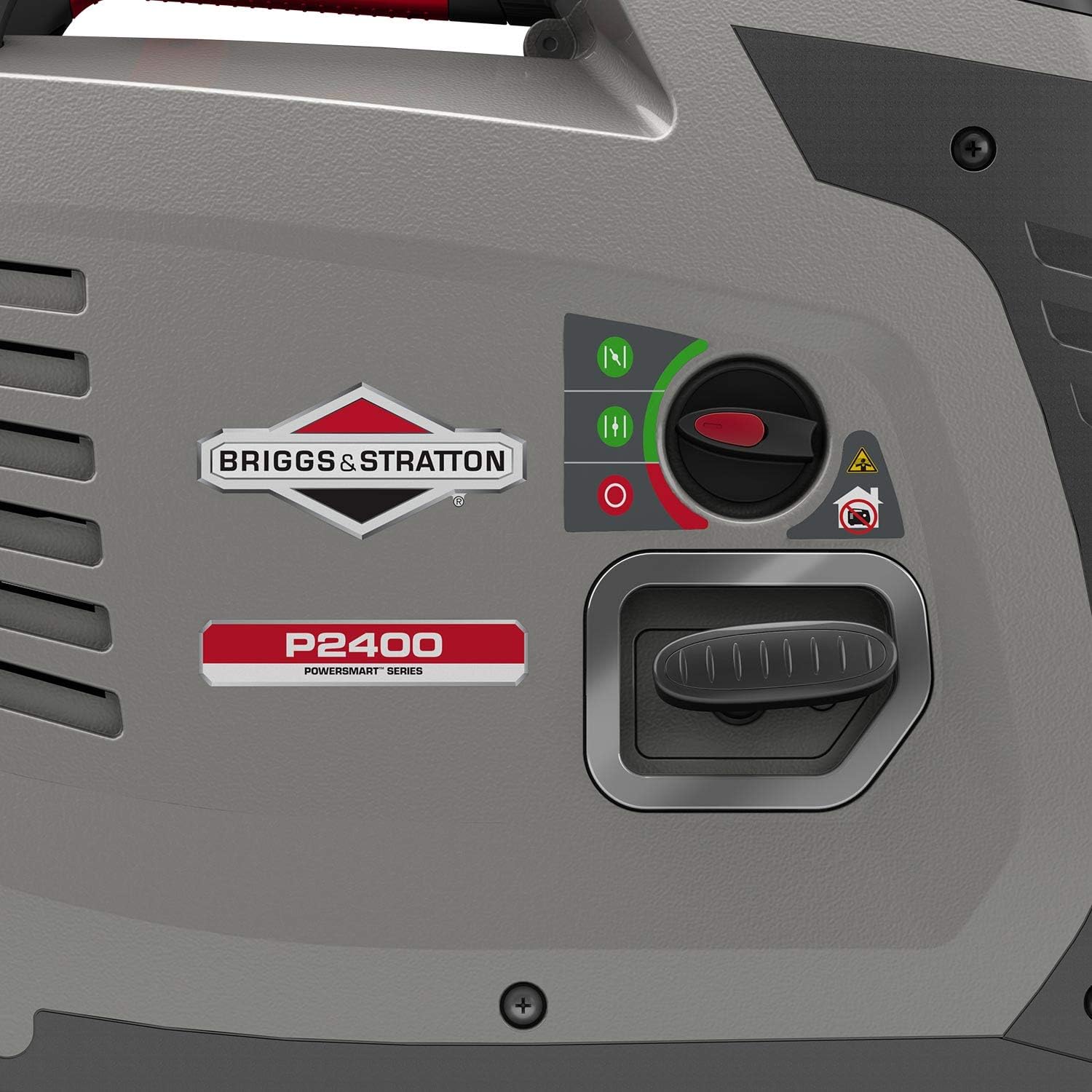
Familiarize yourself with the components of your Briggs & Stratton P2400 Inverter Generator.



Setup
1. Add Engine Oil:
- Place the generator on a level surface.
- Remove the oil fill cap/dipstick.
- Using the provided funnel, slowly add 5W-30 synthetic engine oil (not included) until it reaches the upper mark on the dipstick. Do not overfill.
- Securely replace the oil fill cap/dipstick.
2. Add Fuel:
- Ensure the generator is off and cool.
- Unscrew the fuel cap.
- Fill the fuel tank with fresh, unleaded gasoline (minimum 87 octane) up to the fill line, leaving space for expansion. Do not overfill.
- Securely replace the fuel cap.
3. Placement:
Always operate the generator outdoors in a well-ventilated area, at least 6.1 meters (20 feet) away from any building openings (windows, doors, vents) and away from any combustible materials. Ensure the exhaust is directed away from people and buildings.
Operating Instructions
Starting the Generator:
- Ensure the generator is on a level surface and all connections are secure.
- Turn the engine switch to the 'Start' position (refer to Figure 3).
- Pull the recoil starter handle firmly and smoothly until the engine starts.
- Once the engine starts, move the engine switch to the 'Run' position.
Connecting Devices:
- Allow the generator to run for a few minutes to stabilize.
- Plug your devices into the appropriate outlets (230V AC, 12V DC, or USB).
- The inverter technology provides clean and stable power, safe for sensitive electronics like laptops and smartphones.
Quiet Power Technology:
The generator automatically adjusts engine speed to match the load, reducing noise, fuel consumption, and emissions. This allows for quieter operation, especially at lower loads.
Parallel Operation (Optional):
For increased power output, two P2400 generators can be connected in parallel using an optional parallel kit (sold separately). Refer to the parallel kit's instructions for detailed setup.
Shutting Down the Generator:
- Disconnect all electrical loads from the generator.
- Allow the generator to run for a few minutes without load to cool down.
- Turn the engine switch to the 'Stop' position (refer to Figure 3).
Maintenance
Regular maintenance ensures optimal performance and extends the life of your generator. Always perform maintenance with the engine off and cool.
Before Each Use:
- Check engine oil level.
- Inspect the air filter.
- Check fuel level.
Every 50 Hours or Annually:
- Change engine oil.
- Clean or replace the air filter.
- Inspect and clean the spark plug.
Storage:
If storing the generator for more than 30 days, add a fuel stabilizer to the fuel tank or drain the fuel completely to prevent fuel system issues.
Troubleshooting
This section provides solutions to common issues you might encounter.
| Problem | Possible Cause | Solution |
|---|---|---|
| Engine will not start | No fuel; Low oil level; Engine switch in 'Off' position; Spark plug issue | Add fuel; Add oil; Turn engine switch to 'Start' or 'Run'; Check/clean/replace spark plug |
| No power output | Overload; Circuit breaker tripped; ECO mode engaged (if applicable) | Reduce load; Reset circuit breaker; Ensure ECO mode is off if full power is needed |
| CO Guard shutdown | High carbon monoxide levels detected | Move generator to a well-ventilated outdoor area; Allow area to clear before restarting |
Specifications
| Feature | Specification |
|---|---|
| Model | P2400 (030800) |
| Starting Watts | 2400 Watts |
| Running Watts | 1800 Watts |
| Voltage | 230 Volts |
| Engine Type | 79cc OHV Gasoline Engine |
| Fuel Tank Capacity | 3.8 Liters |
| Run Time (at 25% load) | Up to 8 hours |
| Noise Level (at 25% load, 7m) | 58 dB |
| Dimensions (L x W x H) | 51 x 31 x 44 cm |
| Weight | 22.8 Kilograms |
| Special Features | Inverter Technology, Quiet Power Technology, CO Guard Carbon Monoxide Shutdown, Low Oil Shutdown |
| Outlets | 2 x 230V AC, 1 x 12V DC, 2 x 5V USB |
Warranty and Support
Briggs & Stratton products are built to last and are backed by a comprehensive warranty. For specific warranty details, please refer to the warranty card included with your product or visit the official Briggs & Stratton website.
For technical support, spare parts, or service, please contact Briggs & Stratton customer service or an authorized service dealer. Contact information can typically be found on the Briggs & Stratton website or in your product registration materials.
Documents and downloads
Ask a question about this manual
Ask about setup, troubleshooting, compatibility, parts, safety, or missing instructions. Manuals+ will review the question and use this page’s manual context to help answer it.