
1. Introduction
This manual provides instructions for the safe and efficient operation of your VOLTCRAFT BC-300 NiMH Round Cell Charger. Please read this manual thoroughly before using the device to ensure proper function and to prevent damage.
2. Safety Instructions
- Use the charger only for NiMH round cells. Do not attempt to charge other battery types.
- Do not expose the charger to moisture or extreme temperatures.
- Keep the device out of reach of children.
- Do not disassemble or modify the charger. Refer all servicing to qualified personnel.
- Ensure proper ventilation during charging.
- Unplug the charger from the power outlet when not in use.
3. Product Overview
The VOLTCRAFT BC-300 is a compact, microprocessor-controlled charger designed for NiMH round cells. It features intelligent control for each charging compartment, allowing for safe and efficient charging of batteries with varying brands and capacities.
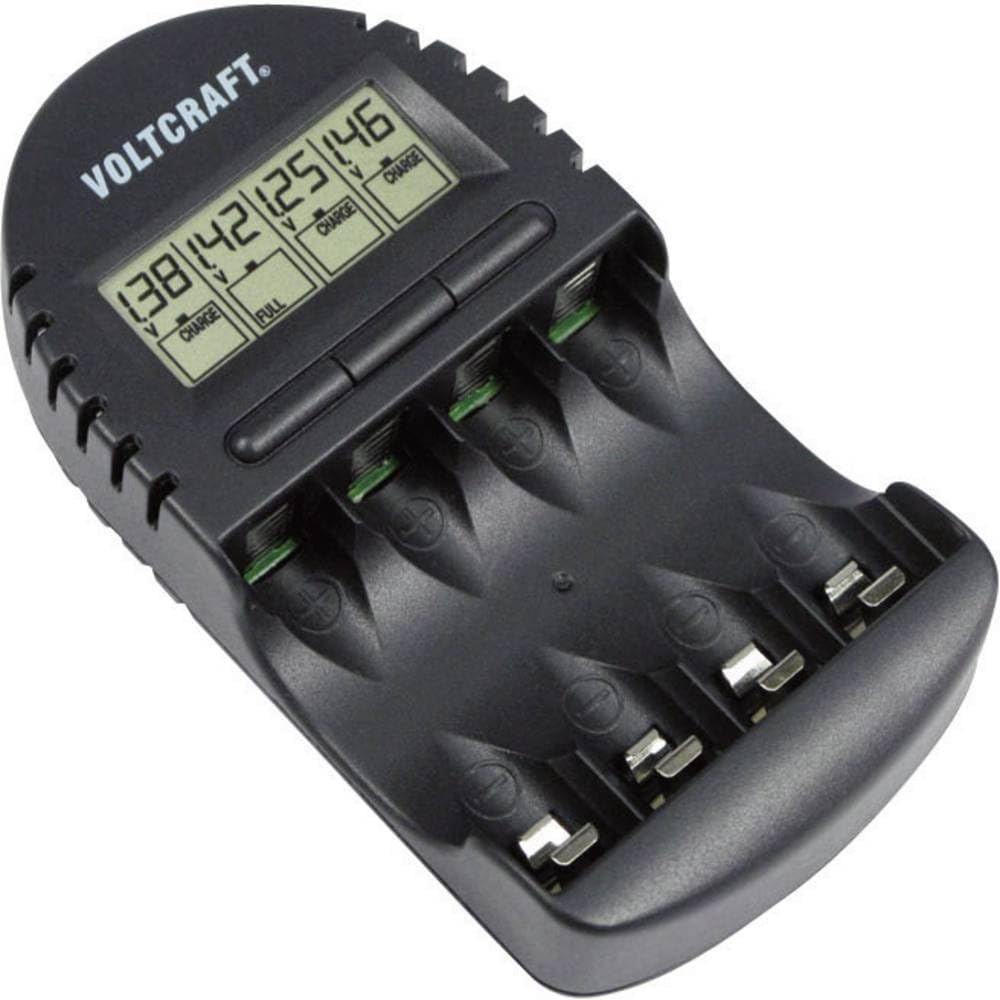
Figure 1: Front view of the VOLTCRAFT BC-300 charger, showing the charging slots and display.
Key features include a safety timer cut-off and display of charging progress and voltage.
4. Setup
- Unpack the Charger: Carefully remove the charger and all accessories from the packaging.
- Inspect for Damage: Check the charger and power adapter for any signs of damage. Do not use if damaged.
- Connect Power: Plug the power adapter into the charger's input port, then connect the adapter to a suitable power outlet. The display should illuminate.
5. Operating Instructions
5.1 Inserting Batteries
- Ensure the charger is connected to power.
- Insert NiMH round cells into the charging compartments, observing the correct polarity (+/-). Each compartment is independently monitored.

Figure 2: Close-up view of the charger with batteries correctly inserted into the charging slots.
5.2 Charging Process
- Once batteries are inserted, the charger will automatically begin the charging process.
- The display will show the charging progress and current voltage for each individual battery.
- The charger features a safety timer cut-off to prevent overcharging.
- When charging is complete, the display will indicate the full status, and the charger will switch to trickle charge or stop charging.
5.3 Removing Batteries
Once charging is complete, carefully remove the charged batteries from the compartments. The batteries may be slightly warm, which is normal.
6. Maintenance
- Cleaning: Disconnect the charger from power before cleaning. Use a soft, dry cloth to wipe the exterior. Do not use liquid cleaners or solvents.
- Storage: Store the charger in a cool, dry place away from direct sunlight when not in use.
- Inspection: Periodically inspect the power cord and charger for any signs of wear or damage.
7. Troubleshooting
| Problem | Possible Cause | Solution |
|---|---|---|
| Charger not powering on. | No power connection. | Check if the power adapter is securely plugged into the charger and the wall outlet. |
| Battery not charging. | Incorrect battery type or polarity. | Ensure only NiMH batteries are used and inserted with correct polarity. |
| Charging process stops prematurely. | Battery fully charged or faulty battery. | Check the display for full charge indication. If not full, try another battery or consult support. |
8. Specifications
- Brand: VOLTCRAFT
- Model: BC-300 (200121)
- Compatible Battery Types: NiMH Round Cells
- Features: Microprocessor-controlled, individual compartment monitoring, safety timer cut-off, charge progress and voltage display.
- ASIN: B089M9P15R
9. Warranty and Support
For warranty information or technical support, please refer to the contact details provided with your purchase or visit the official VOLTCRAFT website. Keep your proof of purchase for warranty claims.


