Important Safety Information
Please read all instructions carefully before using this scale. Failure to follow these instructions may result in inaccurate readings or personal injury.
- Medical Devices: Do not use this scale if you have a pacemaker or other internal medical device. The body analysis feature uses a small electrical current, which may interfere with such devices.
- Placement: Always place the scale on a hard, flat surface. Using the scale on soft surfaces like carpet can lead to inaccurate weight measurements.
- Foot Contact: For accurate body analysis readings (body fat, body water, BMI, bone mass), ensure proper foot contact with the electrodes on the scale surface. Hard or dry skin can prevent proper contact, resulting in an '----' display. Applying a small amount of moisturizer to your feet before use may help.
- Initial Step-On: If you step on the scale before '0.0' appears on the display, the scale may not function properly or provide accurate readings. Always wait for '0.0' to display.
- Error Messages: The scale will display 'Err' if there is improper foot contact during body analysis, such as when wearing socks or shoes.
- Pregnancy: Body analysis features are not recommended for pregnant women.
Product Overview
The Conair WW702XF Body Analysis Glass Bathroom Scale is designed to provide comprehensive body composition measurements. It features a durable glass platform and a large digital display for easy reading.

Image: Overview of the scale's key features, including 4-user memory, 2.0-inch large display, ability to view 5 results at once, and body analysis capabilities.
Key Features:
- Body Analysis: Measures body fat percentage (BF), body water percentage (BW), Body Mass Index (BMI), and bone mass.
- Weight Capacity: Supports up to 400 lbs (182 kg).
- User Memory: Stores data for up to 4 individual users.
- Display: Large, easy-to-read 2-inch digital display shows up to 5 results simultaneously.
- Power: Operates on one long-life lithium battery (CR2032), included.
Setup
1. Battery Installation
The scale comes with one CR2032 lithium battery. Ensure it is correctly installed in the battery compartment located on the underside of the scale. If the battery is already installed, remove any protective tab.
2. Initial Activation and Placement
- Place the scale on a hard, flat surface (e.g., bathroom floor, not carpet).
- Quickly tap the scale surface with your foot to turn it on. The display will show '888.8' then '0.0'.
- Wait for '0.0' to appear before proceeding.
3. Setting User Profiles (P1-P4)
The scale can store personal data for up to 4 users to provide accurate body analysis readings.
- With '0.0' displayed, press the 'USER' button to select a user number (P-01 to P-04).
- Press 'SET' to confirm the user number.
- Use the 'UP' or 'DOWN' arrows to set your gender (male/female icon). Press 'SET'.
- Use the 'UP' or 'DOWN' arrows to set your height (in cm or inches). Press 'SET'.
- Use the 'UP' or 'DOWN' arrows to set your age. Press 'SET'.
- The scale will then display '0.0', indicating it is ready for measurement with your profile saved.
Operating Instructions
Taking a Measurement
- Ensure the scale is on a hard, flat surface.
- Quickly tap the scale surface with your foot to turn it on. Wait for '0.0' to appear.
- If you have set up a user profile, press the 'USER' button to select your profile number (P-01, P-02, etc.).
- Step onto the scale with bare feet, ensuring your feet are positioned on the metal electrodes. Stand still.
- The scale will first display your weight, then cycle through your body fat percentage (BF), body water percentage (BW), bone mass (BONE), and Body Mass Index (BMI).
- The readings will flash twice to confirm and then the scale will turn off automatically.
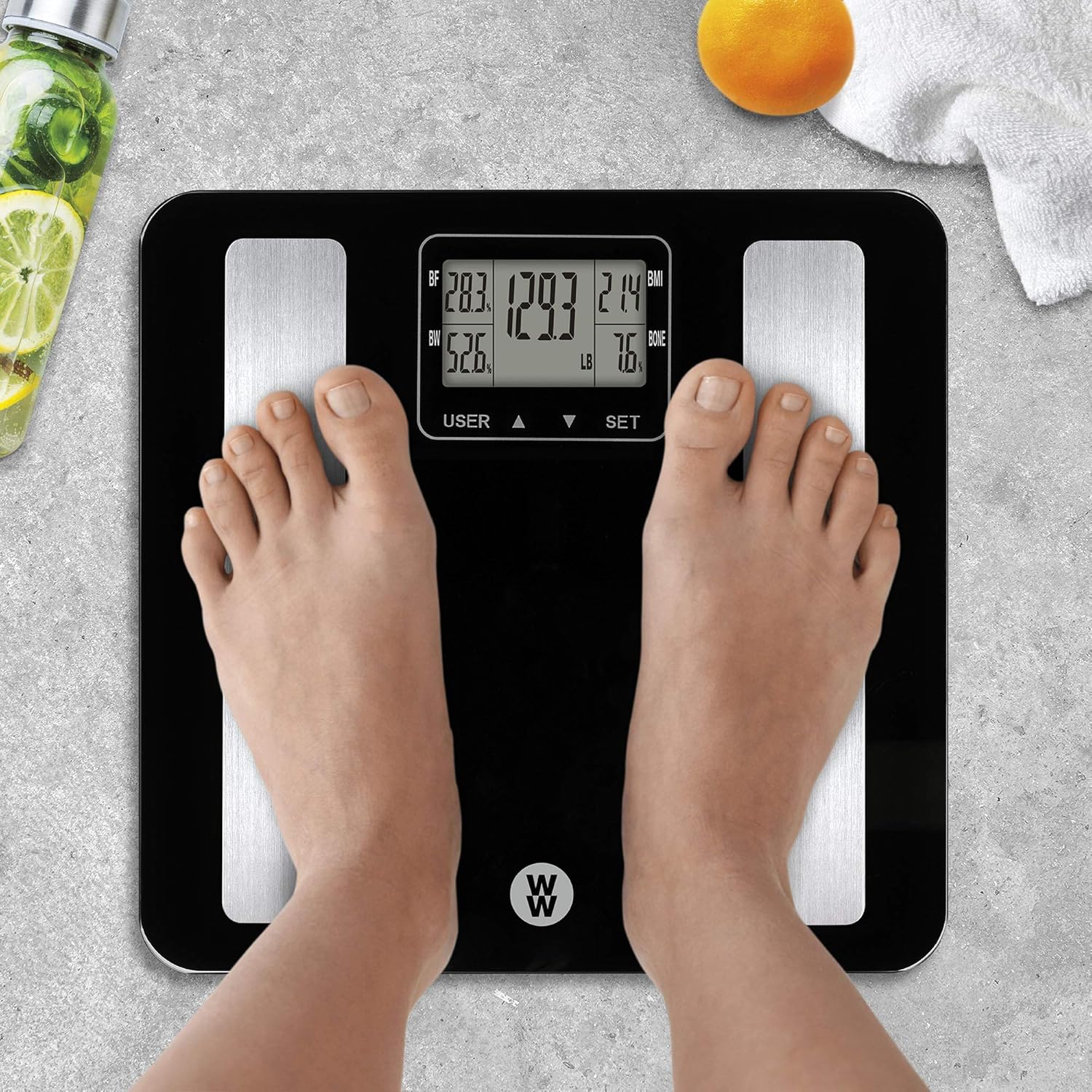
Image: A person standing on the Conair WW702XF scale, with the digital display showing various body analysis metrics like body fat, body water, BMI, and bone mass.
Understanding Your Readings:
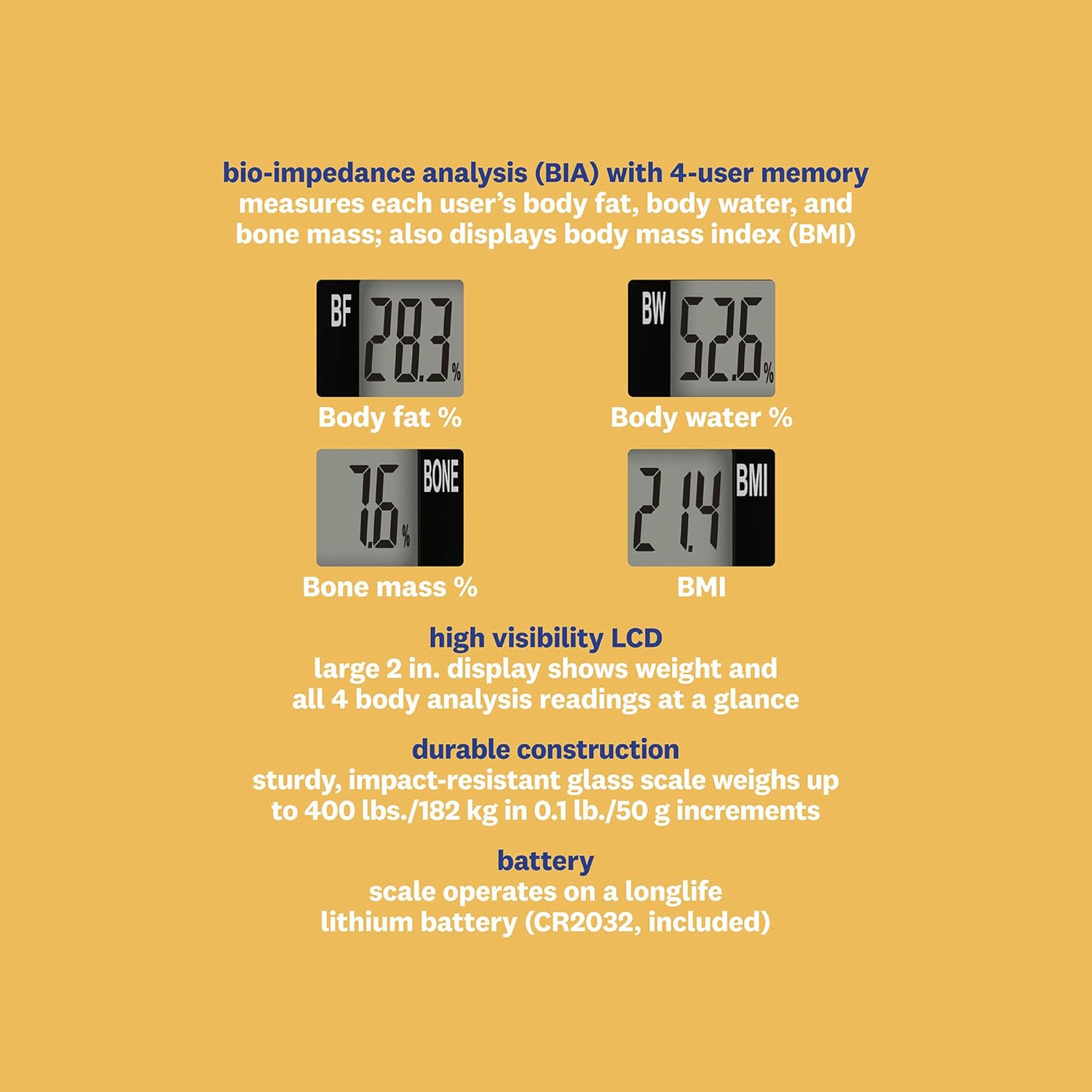
Image: A visual explanation of the body analysis metrics displayed on the scale, including Body Fat %, Body Water %, Bone Mass %, and BMI, along with details on the high visibility LCD and durable construction.
- Weight: Your current body weight.
- BF (Body Fat %): The percentage of your total body weight that is fat.
- BW (Body Water %): The percentage of your total body weight that is water.
- BMI (Body Mass Index): A measure that uses your height and weight to work out if your weight is healthy.
- BONE (Bone Mass %): The percentage of your total body weight that is bone.
Maintenance
Cleaning the Scale
To clean your scale, use a damp cloth and mild detergent. Do not use abrasive cleaners or immerse the scale in water.
Battery Replacement
When the scale display shows 'Lo', it indicates that the battery is low and needs to be replaced. Replace the CR2032 lithium battery with a new one, ensuring correct polarity.
Troubleshooting
| Problem | Possible Cause | Solution |
|---|---|---|
| Scale displays 'Err' | Improper foot contact during body analysis (e.g., wearing socks or shoes). | Step onto the scale with bare feet, ensuring direct contact with the metal electrodes. |
| Scale displays '----' | Hard or dry skin preventing proper electrical contact for body analysis. | Apply a small amount of moisturizer to your feet before using the scale. |
| Scale displays 'Lo' | Low battery. | Replace the CR2032 lithium battery. |
| Inaccurate weight readings or scale not turning on. | Scale not on a hard, flat surface; stepping on before '0.0' appears; battery issues. | Ensure scale is on a hard, flat surface. Tap to turn on and wait for '0.0'. Check or replace battery. |
Specifications
- Model Number: WW702XF
- Product Dimensions: 12.6 x 12.2 x 0.9 inches
- Product Weight: 2.9 Pounds
- Weight Capacity: Up to 400 lbs (182 kg)
- Measurement Increments: 0.1 lb / 50 g
- Display Type: LED Digital Display
- Power Source: 1 x CR2032 Lithium Battery (included)
- Body Analysis Metrics: Body Fat, Body Water, BMI, Bone Mass
- User Memory: 4 users
- Manufacturer: Conair
- UPC: 074108367228
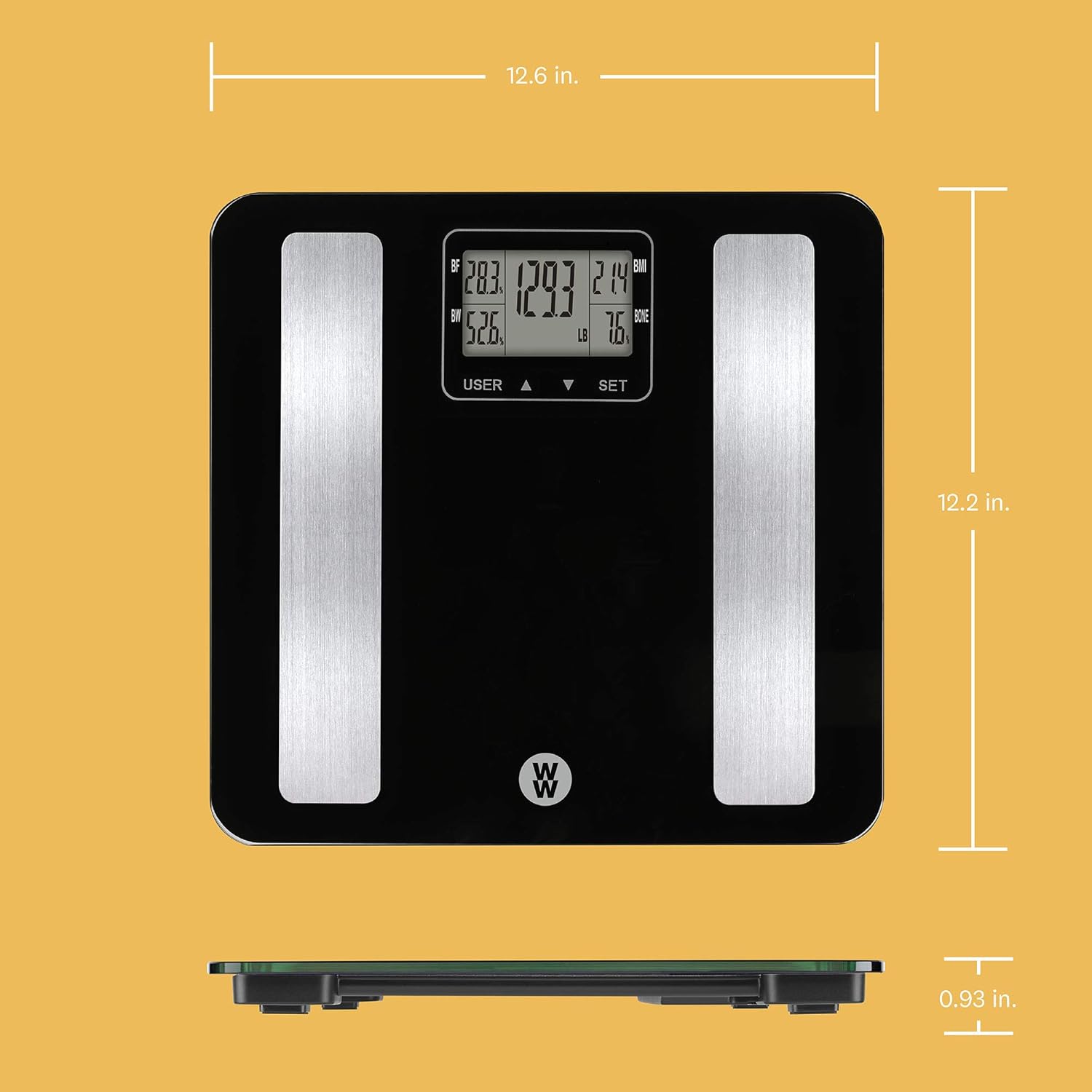
Image: Diagram illustrating the dimensions of the Conair WW702XF Body Analysis Glass Bathroom Scale, showing its length, width, and thickness.
Warranty and Support
This Conair WW702XF Body Analysis Glass Bathroom Scale comes with a Limited 10-Year Warranty. For detailed warranty information, product support, or any questions regarding your scale, please refer to the official Conair website or contact their customer service.

Image: Product packaging for the Conair WW702XF scale, highlighting features, dimensions, and indicating a Limited 10-Year Warranty and the Conair website for questions.
Online Support: Visit www.conair.com for additional resources and contact information.


