1. Introduction
The veicomtech Ionic Detox Foot Bath is an ionic detoxification system designed for personal use. It features two primary functions: a detox foot spa and a far infrared waistbelt mode. The foot spa component is intended to assist with general body purification, while the far infrared waistbelt aims to promote blood circulation and support weight management. This manual provides detailed instructions for safe and effective use of your device.
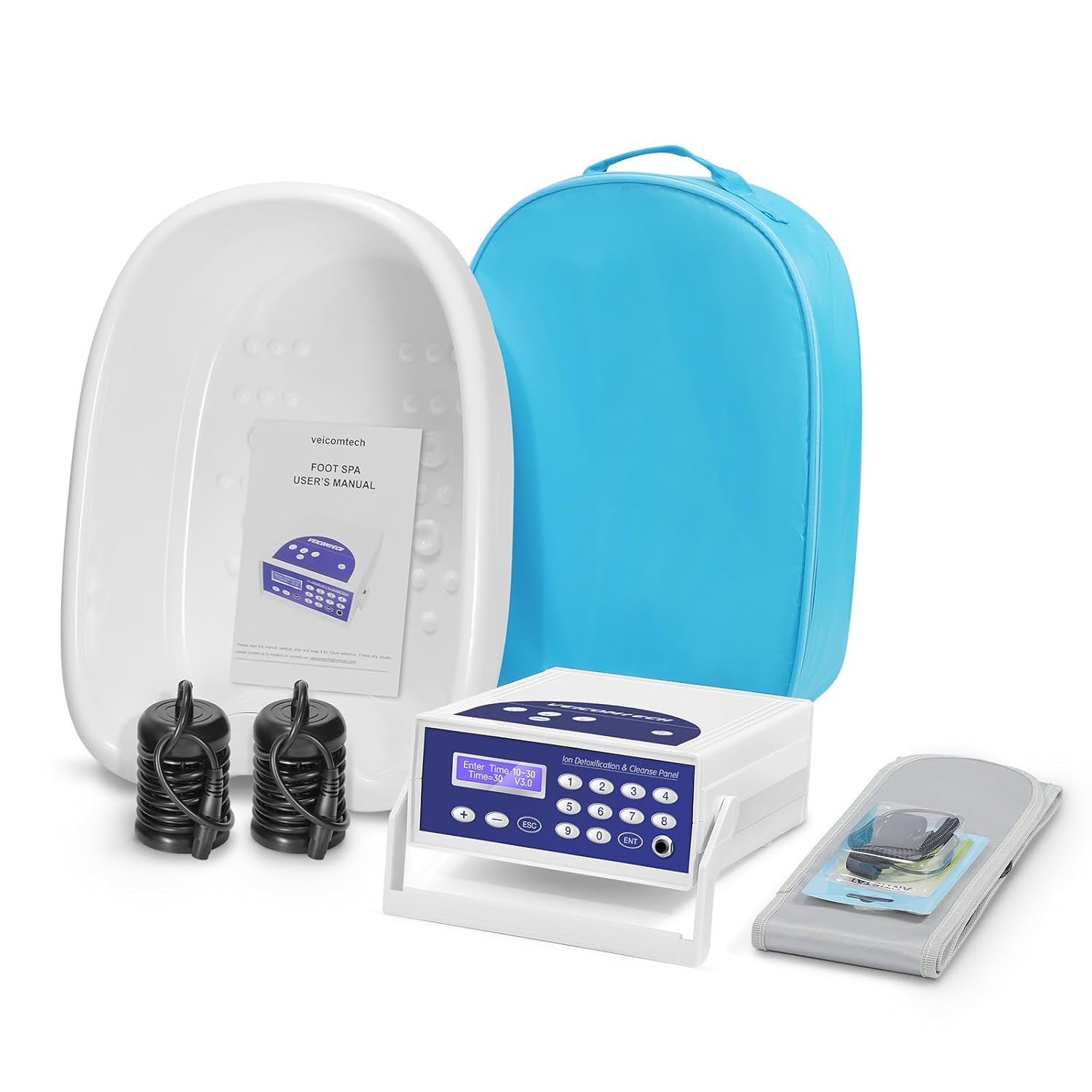
Image: A person using the veicomtech Ionic Detox Foot Bath and far infrared waistbelt while relaxing.
2. Safety Information
Important Safety Precautions:
- Always consult with a healthcare professional before starting any new wellness regimen, especially if you have pre-existing medical conditions, are pregnant, or have implanted electronic devices.
- Do not immerse the main unit in water or any other liquid.
- Keep the device out of reach of children.
- Ensure all connections are secure before operating the device.
- Use only the provided power adapter and accessories.
- If you experience any discomfort or adverse reactions, discontinue use immediately and consult a healthcare professional.
3. Package Contents
Verify that all items are present in your package:
- Main Control Unit
- Foot Basin (Tub)
- Wrist Strap
- Far Infrared Waistbelt
- 2 Ionic Arrays
- Power Cord
- Blue Portable Carry Bag
- User Manual
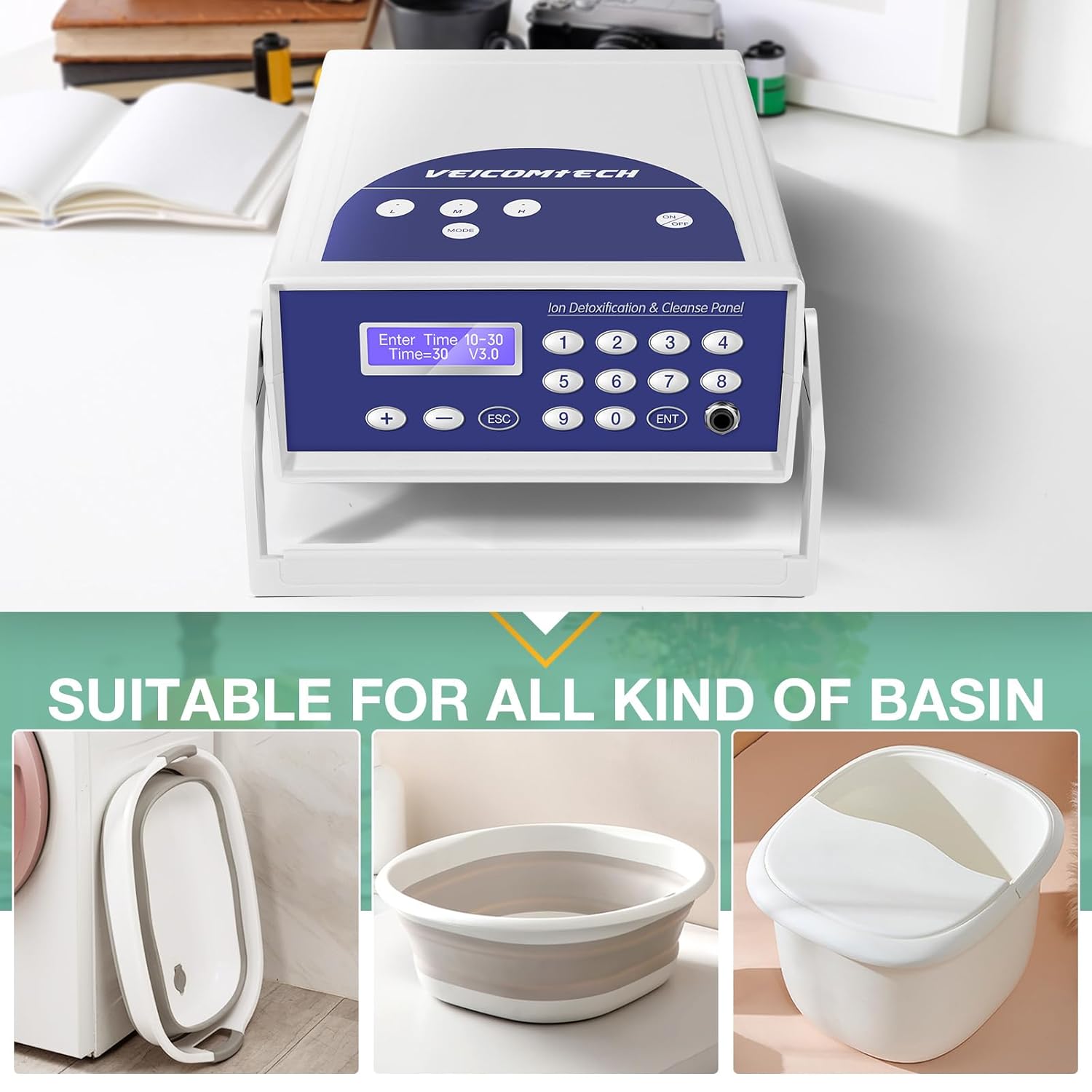
Image: Overview of the veicomtech Ionic Detox Foot Bath components, including the main unit, basin, arrays, wrist strap, waistbelt, and carry bag.
4. Setup Instructions
Follow these steps to prepare your veicomtech Ionic Detox Foot Bath for use:
- Unfold the Stand: Gently pull out the side stands of the main control unit to position it upright for easy viewing of the display.
- Connect Power: Plug the power cord into the back of the main control unit and then into a standard electrical outlet.
- Connect Wrist Strap: Plug the wrist strap into the designated port on the main control unit. Ensure the metal contact on the wrist strap is touching your skin when worn.
- Connect Ionic Array: Plug one of the ionic arrays into the designated port on the main control unit.
- Prepare Foot Basin: Place a disposable liner (if desired) into the foot basin. Fill the basin with warm water, ensuring it covers your feet up to the ankles.
- Place Array and Feet: Submerge the ionic array into the water in the foot basin. Carefully place your feet into the water, ensuring they are fully immersed.
- Add Salt: Add a small amount of salt (approximately 0.1 oz or a teaspoon) to the water. This helps improve conductivity.
- Connect Far Infrared Waistbelt (Optional): If using, connect the far infrared waistbelt to its dedicated port on the main unit and secure it around your waist.

Image: The main control unit and an ionic array, highlighting the ease of connection.
Video: A detailed guide on how to set up and use the Detox Foot Spa Machine, including connections and initial operation.
5. Operating Instructions
Once the system is set up, follow these steps to begin your session:
- Power On: Flip the power switch on the back of the main control unit to the 'ON' position. The display will illuminate.
- Select Mode: Use the 'MODE' button on the control panel to cycle through available modes. The display will show the selected mode.
- Set Time: Use the '+' and '-' buttons to adjust the session duration. Recommended session time is typically 30 minutes.
- Adjust Intensity: Use the intensity knobs (if available on your model) to set the desired detox intensity level.
- Start Session: Press the 'ENT' (Enter) button to begin the session. The timer will start counting down.
- Monitor Water Color: During the session, the water color may change. This is a normal reaction due to the electrolysis process and interaction with the array. Refer to the 'Colors and Objects in the Water' chart below for general indications.
- Session Completion: The machine will automatically stop and may beep when the session is complete.

Image: Visual representation of water color changes during an ionic detox session at 5, 15, and 30 minutes.
Understanding Water Color Changes
The device utilizes the principle of electrolysis, a process that breaks down water into oxygen and hydrogen ions which react with the electrodes and metal array parts, leading to a reduction reaction. The final color change is a result of this combination of reactions. It is normal for the water color to change even without feet in the basin.

Image: Chart explaining the meaning of different water colors and particles observed during a detox session.
6. Maintenance
Proper maintenance ensures the longevity and hygiene of your veicomtech Ionic Detox Foot Bath.
- Clean Array: After each use, clean the ionic array. You can add citric acid to water and immerse the array for a quick clean. Rinse thoroughly with clean water.
- Clean Basin: Dispose of the water and any liner. Clean the foot basin with mild soap and water. Rinse and dry completely.
- Store Properly: Store the main unit, arrays, and accessories in the provided blue carry bag in a cool, dry place.
Video: A short demonstration of the VEICOMTECH 803 Foot Spa Detox Machine, including cleaning the array.
7. Troubleshooting
If you encounter issues, refer to the following common problems and solutions:
| Problem | Possible Cause | Solution |
|---|---|---|
| Machine beeps during operation. | High salt concentration, poor array connection, or wrist strap not making proper skin contact. | Check the array connection, ensure feet are in water, and the wrist strap has good skin contact. If salt concentration is too high, replace water and adjust salt level. |
| Array does not produce bubbles. | Poor array connection or wrist strap not making proper skin contact. | Check the array connection and ensure the wrist strap has good skin contact. |
| Water does not change color. | Insufficient salt, poor connections, or array malfunction. | Ensure adequate salt is added. Verify all connections (power, array, wrist strap). If issues persist, the array may need replacement. |
8. Specifications
| Feature | Detail |
|---|---|
| Product Dimensions | 15 x 11 x 4 inches |
| Weight | 10.52 Pounds |
| UPC | 193499408706 |
| Manufacturer | Veicomtech |
| ASIN | B089KM2SV3 |
| Power Source | Corded Electric |
| Input Power | 230 Watts |
| Model Number | A10201303-V1-ALPB |
| Unit Count | 1.00 Count |
| Material Type | Plastic |
9. Warranty and Support
veicomtech stands by its products and offers a 12-month warranty and a 100% satisfaction guarantee. If you encounter any problems or have questions regarding your Ionic Detox Foot Bath, please contact veicomtech customer support directly for assistance.
For further support, please refer to the contact information provided in your product packaging or visit the official veicomtech website.


