
1. Overview
The SONICAKE Fazy Cream is a compact, 100% analog circuit fuzz guitar effect pedal designed to deliver a classic muff-style fuzz sound. It is suitable for both guitar and bass, offering a wide tone control range from dark, smooth fuzz to aggressively blasting distortion. The pedal features a true bypass footswitch to maintain signal integrity when disengaged.

Image 1: The SONICAKE Fazy Cream Fuzz Pedal, highlighting its classic sound capabilities.
2. Setup
2.1 Power Supply
The Fazy Cream pedal requires a 9V DC power supply with a center-negative polarity. The power supply is not included with the pedal. Ensure you use a compatible power supply to prevent damage to the unit.
2.2 Connecting the Pedal
Connect your guitar to the INPUT jack on the right side of the pedal using a standard 1/4-inch audio cable. Connect the OUTPUT jack on the left side of the pedal to your amplifier or the next effect in your signal chain using another 1/4-inch audio cable. Plug in the 9V DC power supply to the DC 9V input at the top of the pedal.
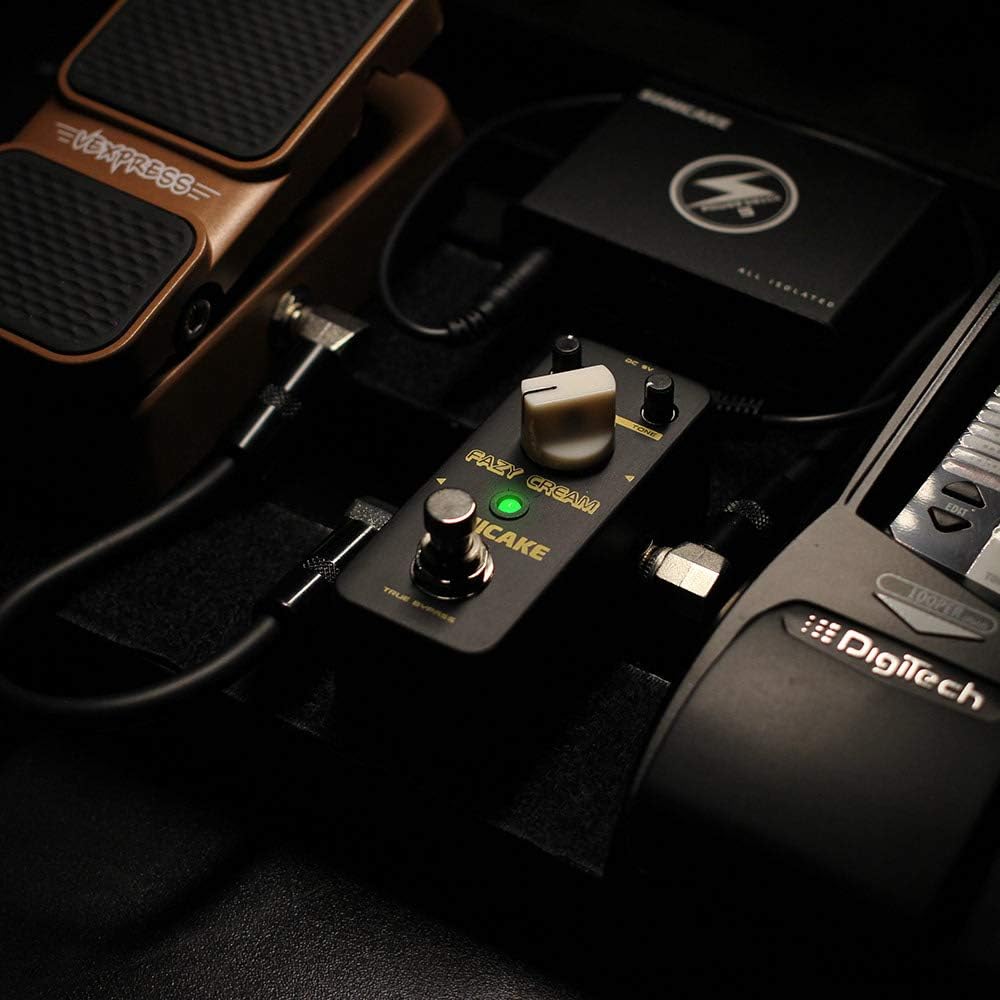
Image 2: The Fazy Cream pedal connected within a typical guitar pedalboard setup.
3. Operating Controls
The Fazy Cream pedal features three main control knobs and a footswitch:
- LEVEL: Controls the overall output volume of the effect.
- FUZZ: Adjusts the amount of fuzz/gain. Turning clockwise increases the intensity of the fuzz effect.
- TONE: Shapes the tonal character of the fuzz, ranging from dark and thick to bright and aggressive.
- FOOTSWITCH: Engages or bypasses the effect. The LED indicator illuminates when the effect is active.

Image 3: Close-up of the Fazy Cream pedal's control knobs.
3.1 Video Demonstration of Controls
Video 1: A demonstration of the SONICAKE Fazy Cream Fuzz Pedal's sound and control adjustments.
4. Features
- 100% Analog Circuit: Delivers authentic vintage fuzz tones.
- Muff Style Fuzz: Designed to produce classic creamy fuzz to high-gain fuzzy distortion, suitable for both guitar and bass.
- Wide Tone Control Range: Allows for versatile sound shaping, from deep, dark tones to bright, aggressively blasting sounds.
- True Bypass Footswitch: Ensures a clean signal path when the effect is disengaged, preserving your instrument's natural tone.

Image 4: The Fazy Cream pedal illustrating its True Bypass feature for a clean signal path.
5. Specifications
| Model Number | QSS11-20 |
| Item Weight | 7.4 ounces (0.21 Kilograms) |
| Product Dimensions | 3.68 x 1.65 x 2.05 inches (93.5 x 42 x 52 mm) |
| Body Material | Metal (Zinc-alloy die cast casing) |
| Connector Type | 1/4 inch audio jack |
| Hardware Interface | 1/4-inch Audio |
| Signal Format | Analog |
| Voltage | 9 Volts DC (Center Negative) |

Image 5: Dimensions of the SONICAKE Fazy Cream Fuzz Pedal.
6. Maintenance
To ensure the longevity and optimal performance of your Fazy Cream pedal, follow these maintenance guidelines:
- Keep the pedal clean by wiping it with a soft, dry cloth. Avoid using abrasive cleaners or solvents.
- Protect the pedal from extreme temperatures, humidity, and direct sunlight.
- Always use the specified 9V DC center-negative power supply. Using an incorrect power supply can damage the unit and void the warranty.
- Disconnect the power supply when the pedal is not in use for extended periods.
7. Troubleshooting
If you encounter issues with your Fazy Cream pedal, try the following steps:
- No Sound:
- Check all cable connections (guitar, pedal, amplifier, power supply).
- Ensure the power supply is correctly connected and providing power (LED should light up when engaged).
- Test with different cables, guitar, and amplifier to isolate the problem.
- Unwanted Noise/Hum:
- Ensure you are using a regulated 9V DC center-negative power supply. Unregulated power supplies can introduce noise.
- Check for ground loop issues by trying the pedal in a different power outlet or with an isolated power supply.
- Ensure all cables are in good condition and properly shielded.
- Effect Not Engaging:
- Verify the footswitch is functioning correctly (LED should toggle on/off).
- Check power supply as described above.
8. Warranty & Support
For warranty information and technical support, please refer to the official SONICAKE website or contact your local distributor. Keep your purchase receipt as proof of purchase for any warranty claims.