
Omoton C4
Omoton C4 Foldable Cell Phone Stand Instruction Manual
Model: C4
1. Introduction
This manual provides instructions for the Omoton C4 Foldable Cell Phone Stand. This device is designed to securely hold smartphones and small tablets, offering adjustable viewing angles for various activities. Its foldable design enhances portability.

Image 1.1: The Omoton C4 Foldable Cell Phone Stand in its open configuration.
2. Key Features
- Adjustable Angle: The stand features dual rotating gears, allowing for angle adjustments up to 270 degrees to achieve an optimal viewing position.
- Sturdy Construction: Constructed from premium aluminum alloy, the stand provides stability and durability for holding devices securely.
- Foldable & Portable: Designed to be fully foldable and compact, making it easy to transport in a backpack, handbag, or suitcase.
- Anti-Scratch & Anti-Slip: Equipped with soft silicone pads on the device hook and back to prevent scratches, and an anti-skid pad on the base for stability.
- Universal Compatibility: Compatible with a wide range of smartphones and tablets from 4 to 12.9 inches.

Image 2.1: The robust design of the Omoton C4 stand compared to a standard phone stand.
3. Setup Instructions
- Unfold the Base: Gently unfold the base of the stand until it lies flat and stable on a surface.
- Raise the Support Arm: Lift the main support arm upwards from the base.
- Adjust the Device Holder: Pivot the device holder forward to create a cradle for your phone or tablet.
- Secure Placement: Ensure all hinges are firmly in place before placing your device.
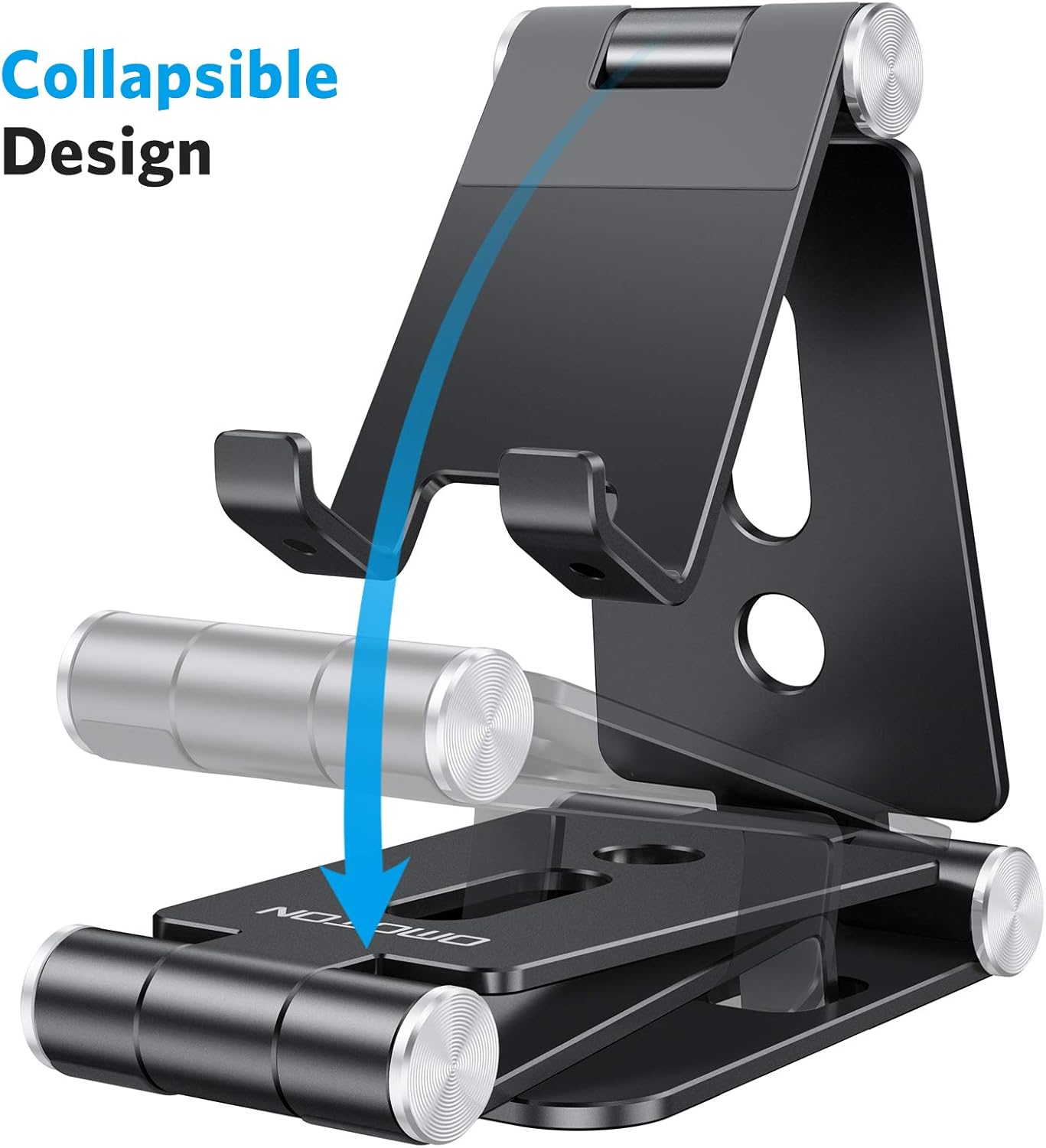
Image 3.1: Visual guide for unfolding the stand from its collapsed state.
4. Operating Instructions
- Place Your Device: Carefully place your smartphone or tablet onto the silicone-padded hooks of the stand.
- Adjust Viewing Angle: Use the dual rotating gears to adjust the angle of your device. The stand allows for adjustments up to 270 degrees at both the base and the device holder for optimal viewing.
- Ensure Stability: After adjusting, ensure the stand is stable and your device is securely seated before use.

Image 4.1: Illustration of the dual rotating gear system for angle adjustment.
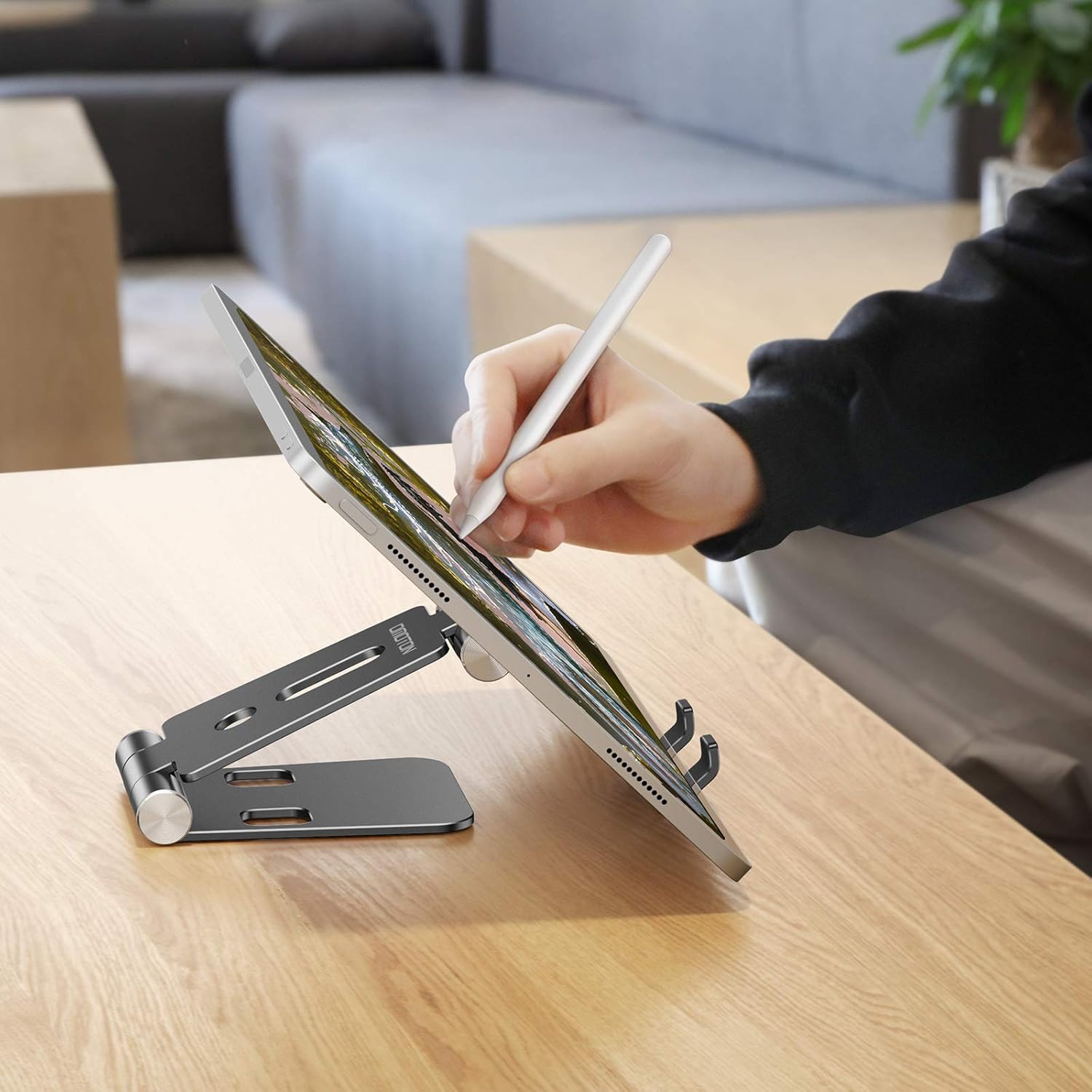
Image 4.2: The stand supporting a tablet for interactive use.

Image 4.3: Example of the stand's use in various environments.
4.1 Compatibility
The Omoton C4 stand is designed for universal compatibility, supporting devices ranging from 4 to 12.9 inches. Its 18mm wide shelves accommodate phones even with certain accessories attached, such as pop sockets, magnetic chargers, or ring stands.

Image 4.4: The stand's compatibility with devices featuring various accessories.

Image 4.5: The stand's compact, foldable design for easy transport.
5. Maintenance
To maintain the longevity and appearance of your Omoton C4 stand, follow these simple guidelines:
- Cleaning: Wipe the stand with a soft, dry, or slightly damp cloth. Avoid using abrasive cleaners or solvents, as these may damage the finish.
- Storage: When not in use, fold the stand into its compact form and store it in a clean, dry place to prevent dust accumulation and potential damage.
- Avoid Over-forcing: Do not apply excessive force when adjusting the angles, as this may damage the rotating gears.
6. Troubleshooting
If you encounter any issues with your Omoton C4 stand, consider the following:
- Stand Instability: Ensure the stand is fully unfolded and placed on a flat, stable surface. Check that the device is centered on the hooks.
- Difficulty Adjusting Angle: The rotating gears are designed to be firm to hold the angle. Apply steady, gentle pressure to adjust. Do not force the hinges beyond their intended range of motion (270 degrees).
- Device Slipping: Verify that the silicone pads on the hooks and base are clean and intact. These pads provide friction to prevent slipping.
7. Product Specifications
| Feature | Detail |
|---|---|
| Model | C4 |
| Product Dimensions | 11 x 10 x 8 cm |
| Weight | 190 g |
| Material | Aluminum Alloy, Silicone |
| Color | Black |
| Form Factor | Foldable |
| Mounting Type | Tabletop |
| Adjustable Angle | Up to 270 degrees (dual rotating gears) |
| Compatible Devices | 4-12.9 inch smartphones and tablets (e.g., iPhone 13/12/11 Pro Max, Samsung Galaxy, iPad) |
8. Warranty and Support
For warranty information or technical support regarding your Omoton C4 Foldable Cell Phone Stand, please refer to the product packaging or visit the official Omoton website. Contact details for customer service are typically provided with your purchase documentation.
Related documentsC4

Ask a question about this manual
Ask about setup, troubleshooting, compatibility, parts, safety, or missing instructions. Manuals+ will review the question and use this page’s manual context to help answer it.