1. Introduction
Welcome to the LEMEGA IR1 Portable WiFi Internet Radio. This manual provides detailed instructions on how to set up, operate, and maintain your device to ensure optimal performance. The IR1 offers a versatile listening experience, combining Internet Radio, FM Digital Radio, Bluetooth streaming, and convenient alarm features in a compact and portable design.
2. What's in the Box
Please check the contents of your package. If any items are missing or damaged, please contact LEMEGA customer support.
- LEMEGA IR1 Portable WiFi Internet Radio
- Power Adapter
- Owner's Manual
- Quick Start Guide

3. Product Overview
Familiarize yourself with the main components and controls of your LEMEGA IR1 radio.
Front Panel and Display

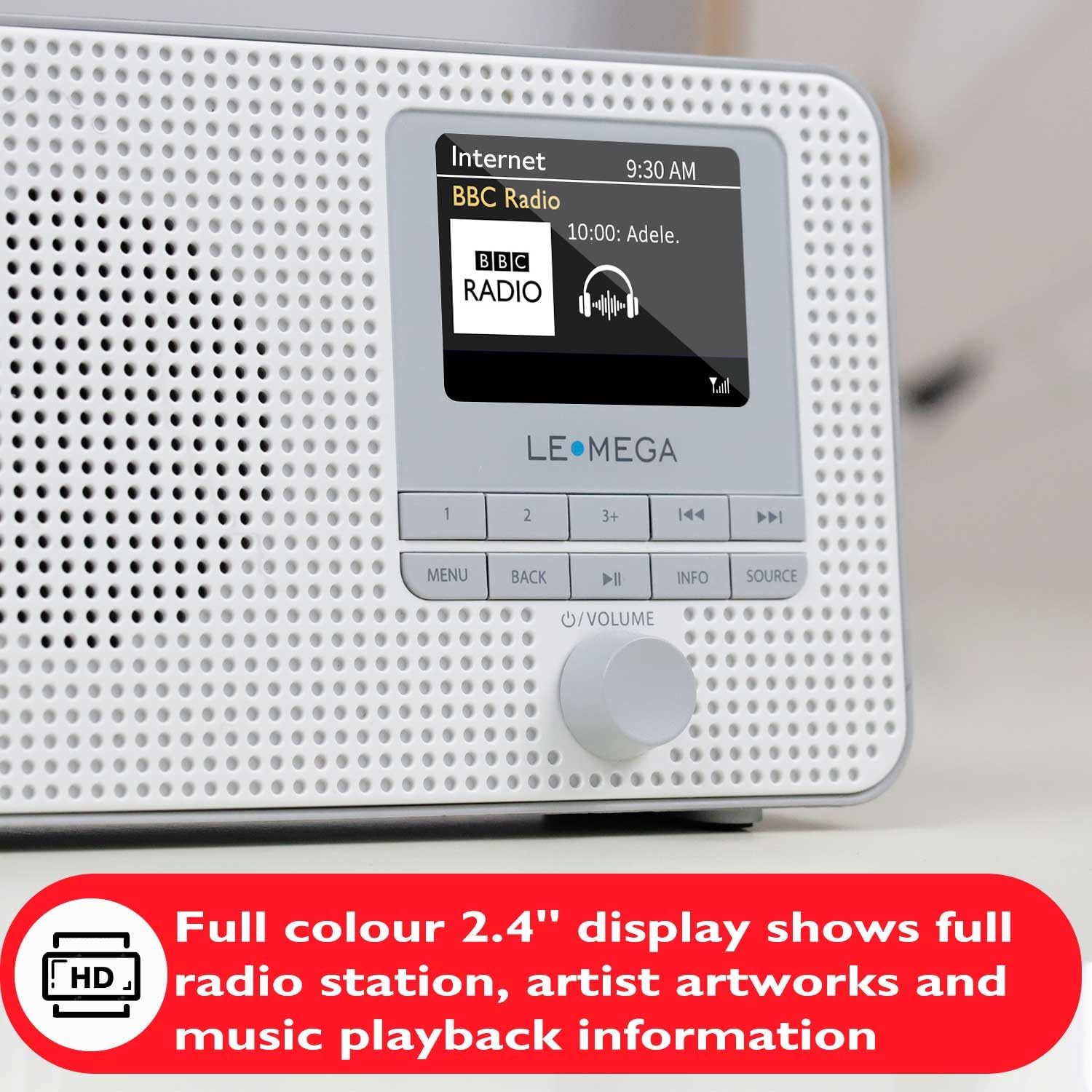
The front panel features a clear 2.4-inch full-color display that shows radio station information, artist artworks, and music playback details. Below the display are the main control buttons and the multi-function rotary knob for navigation and volume control.
Rear Panel and Connections
The rear of the unit includes the battery compartment for 4 x AA batteries (not included), a DC 5V power input, and a headphone output jack for private listening.
4. Setup
4.1 Powering On
The LEMEGA IR1 can be powered by the included mains adapter or 4 x AA batteries for portable use. Connect the power adapter to the DC 5V input on the rear of the unit, or insert batteries into the battery compartment, ensuring correct polarity.
4.2 Initial Setup Wizard & WiFi Connection
Upon first power-on, the radio will guide you through a setup wizard to configure date/time, timezone, and network settings. It is crucial to connect to your WiFi network to access Internet Radio features.
- Follow the on-screen prompts for the setup wizard.
- When prompted for Network Settings, select 'YES' to keep the network connected.
- The radio will scan for available WiFi networks. Select your network (SSID) from the list.
- Input your WiFi password using the rotary knob to select characters and push to confirm. Select 'OK' to connect.
- Once connected, a 'Connected' message will appear, followed by 'Setup wizard completed'. Press SELECT to exit.
5. Operating Instructions
5.1 Internet Radio
Access thousands of global digital radio stations via your WiFi connection.
- From the main menu, select 'Internet Radio'.
- You can browse by Location, Popular stations, Discover new stations, or use the Search function to find specific stations.
- Use the rotary knob to navigate and select your desired station.
5.2 FM Radio
Tune into your favorite local FM radio stations.
- From the main menu, select 'FM Radio'.
- Extend the telescopic antenna for optimal reception.
- Use the TUNE-/TUNE+ buttons or the rotary knob to scan for stations.
5.3 Bluetooth Streaming
Connect your smartphone or other Bluetooth-enabled devices to stream audio.

- From the main menu, select 'Bluetooth Audio'. The radio will enter pairing mode.
- On your device, enable Bluetooth and search for 'LEMEGA IR1'.
- Select 'LEMEGA IR1' to pair. Once connected, you can stream audio from your device.
5.4 Dual Alarms & Sleep Timer
Set up to two independent alarms and use the sleep timer function.

- Navigate to 'System Settings' from the main menu, then select 'Alarms' or 'Sleep'.
- For alarms, configure the time, source (buzzer, Internet Radio, FM), and frequency (daily, weekdays, weekends, once).
- For the sleep timer, set the duration after which the radio will automatically turn off.
5.5 Saving and Recalling Presets
The LEMEGA IR1 allows you to save up to 40 favorite stations for quick access.
Saving to Presets 1 or 2:
While listening to a station, press and hold the '1' or '2' button until the display shows "Preset Stored".
Saving to Presets 3-40:
While listening to a station, press and hold the '3+' button until the display shows "Save to Preset" with a preset list. Use the rotary knob to select the desired preset number (3-40) and push the knob to save.
Recalling Presets:
Tap the '1', '2', or '3+' button. For presets 3-40, use the TUNE- / TUNE+ buttons or the rotary knob to navigate through the list and select your desired station.
6. Maintenance
To ensure the longevity and optimal performance of your LEMEGA IR1 radio, follow these maintenance guidelines:
- Cleaning: Use a soft, dry cloth to clean the exterior of the radio. Do not use abrasive cleaners, waxes, or solvents as they may damage the finish.
- Battery Care: If using batteries, remove them if the unit will not be used for an extended period to prevent leakage and damage.
- Placement: Place the radio on a stable, flat surface. Avoid exposing it to direct sunlight, extreme temperatures, high humidity, or dusty environments.
- Ventilation: Ensure proper ventilation around the unit. Do not block any ventilation openings.
7. Troubleshooting
If you encounter issues with your LEMEGA IR1, please refer to the following common problems and solutions:
| Problem | Possible Cause | Solution |
|---|---|---|
| No power | Power adapter not connected properly; batteries drained or incorrectly inserted. | Check power adapter connection. If using batteries, replace them or ensure correct polarity. |
| Cannot connect to WiFi | Incorrect WiFi password; weak signal; router issue. | Double-check password. Move radio closer to router. Restart router. |
| Internet Radio buffering or cutting out | Weak WiFi signal; internet speed issues. | Improve WiFi signal strength. Check internet connection speed. |
| Poor FM reception | Antenna not extended; interference. | Fully extend the telescopic antenna. Try repositioning the radio to reduce interference. |
| Bluetooth pairing issues | Device not in pairing mode; radio not discoverable. | Ensure radio is in Bluetooth mode. Check your device's Bluetooth settings. Restart both devices. |
| Time/Date incorrect | Time zone or daylight saving settings incorrect. | Go to System Settings > Time/Date to adjust. Ensure network time sync is enabled. |
For further assistance, please consult the full Owner's Manual or contact LEMEGA customer support.
8. Specifications
| Feature | Detail |
|---|---|
| Product Dimensions | 6.9 x 1.85 x 4.53 inches |
| Item Weight | 1.39 pounds |
| Model Number | IR1 |
| Connectivity Technology | Bluetooth, Wi-Fi |
| Tuner Technology | FM, Internet Radio |
| Power Source | DC (Mains Adapter), 4 x AA Batteries (not included) |
| Special Features | Lightweight, Built-In Clock, Dual Alarms, Sleep Timer, 2.4" Color Display, 40 Presets |
| Color | IR1 Grey |
| Manufacturer | LEMEGA |
| Country of Origin | China |
9. Warranty & Support
LEMEGA products come with a standard manufacturer's warranty. Please refer to the included Owner's Manual for specific warranty terms and conditions. For technical support, troubleshooting assistance, or warranty claims, please contact LEMEGA US customer service directly. Contact information can typically be found in your product's documentation or on the official LEMEGA website.


