1. Introduction
This manual provides comprehensive instructions for the installation, operation, and maintenance of your Retekess TH103 Wireless Strobe Light and Panic Button System. This system is designed to provide an audible and visual alert for various applications, including emergency calls in offices, warehouses, businesses, or for elderly assistance.
Please read this manual thoroughly before using the product to ensure proper function and safety.
2. Safety Information
- Ensure the power adapter is correctly connected to a suitable power source.
- Do not expose the strobe light or call buttons to extreme temperatures or direct sunlight for extended periods.
- Keep the devices away from water and moisture, unless specifically designed for outdoor use (strobe light is outdoor-rated).
- Do not attempt to open or repair the devices yourself. Refer all servicing to qualified personnel.
- Dispose of batteries according to local regulations.
3. Package Contents
Verify that all items are present in your package:
- 1 x Wireless Strobe Siren
- 2 x Wireless Call Buttons with Pull Cords
- 1 x Power Adapter
- Mounting Screws

4. Product Overview
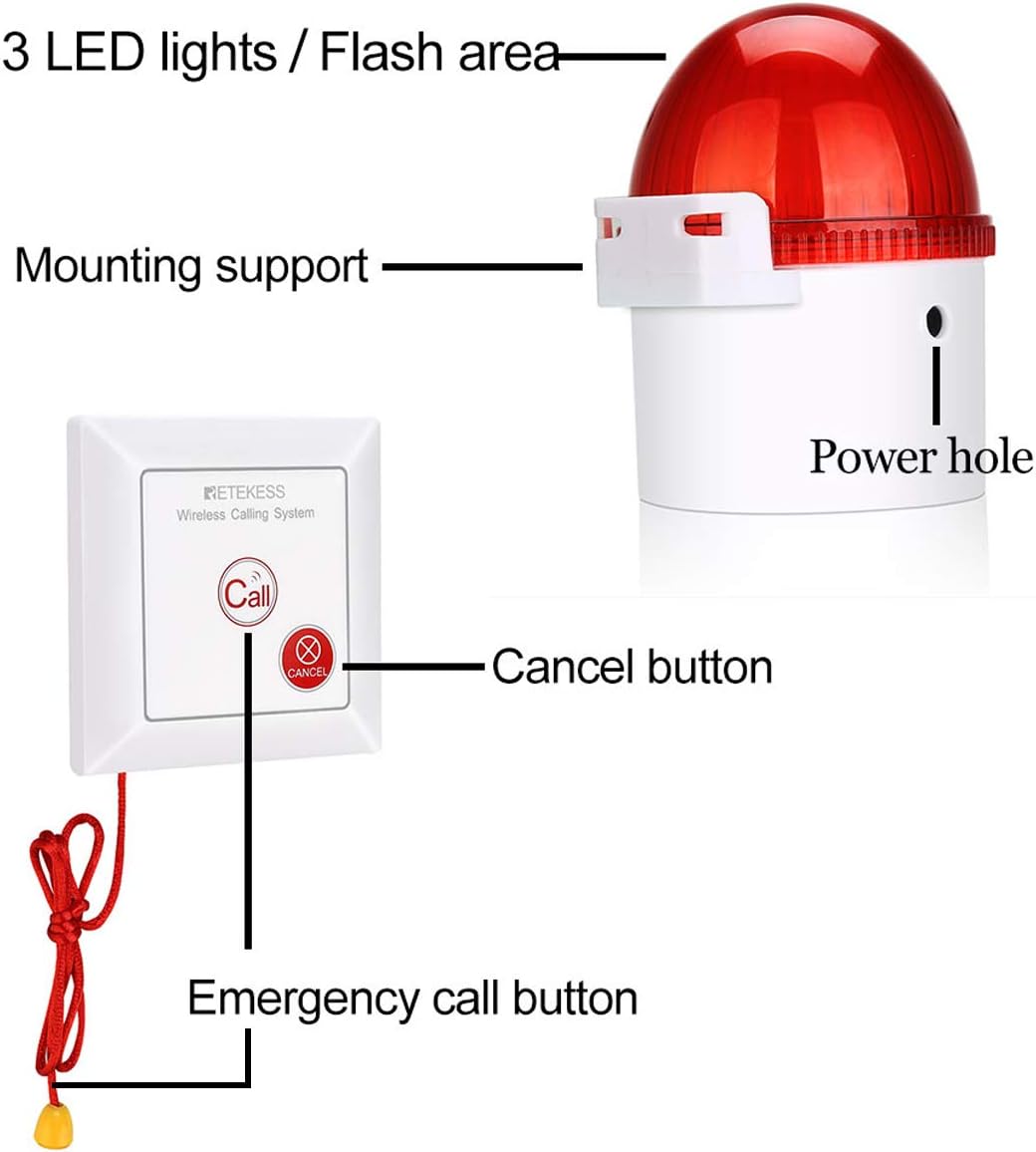
The Retekess TH103 system consists of a wireless strobe siren and wireless call buttons. The strobe siren provides both visual (3 red LEDs) and audible (up to 110dB) alerts, while the call buttons allow for easy activation of the alarm.
4.1 Strobe Siren Features
- LED Lights / Flash Area: Emits bright red flashes during an alarm.
- Mounting Support: Allows for wall installation.
- Power Hole: For connecting the power adapter.
- Sound Modes: Mute, Low Volume, High Volume (up to 110 dB).

4.2 Call Button Features
- Emergency Call Button: Activates the alarm when pressed.
- Cancel Button: Deactivates the alarm.
- Pull Cord: Provides an alternative method to activate the alarm, useful for accessibility.
5. Setup
5.1 Strobe Siren Installation
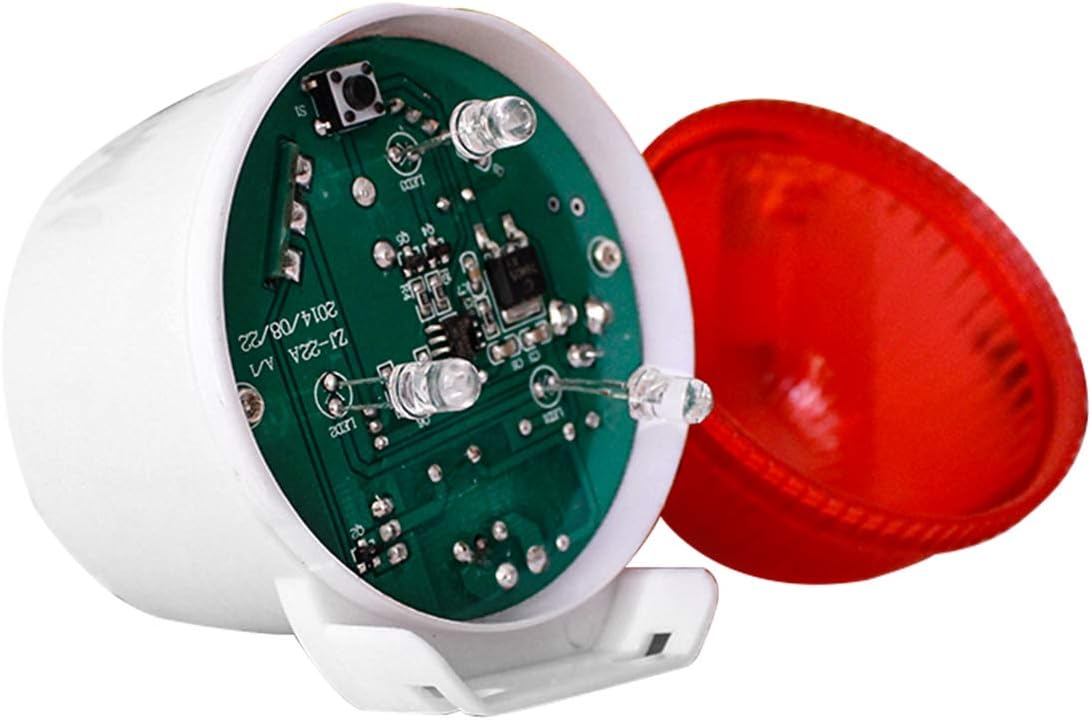
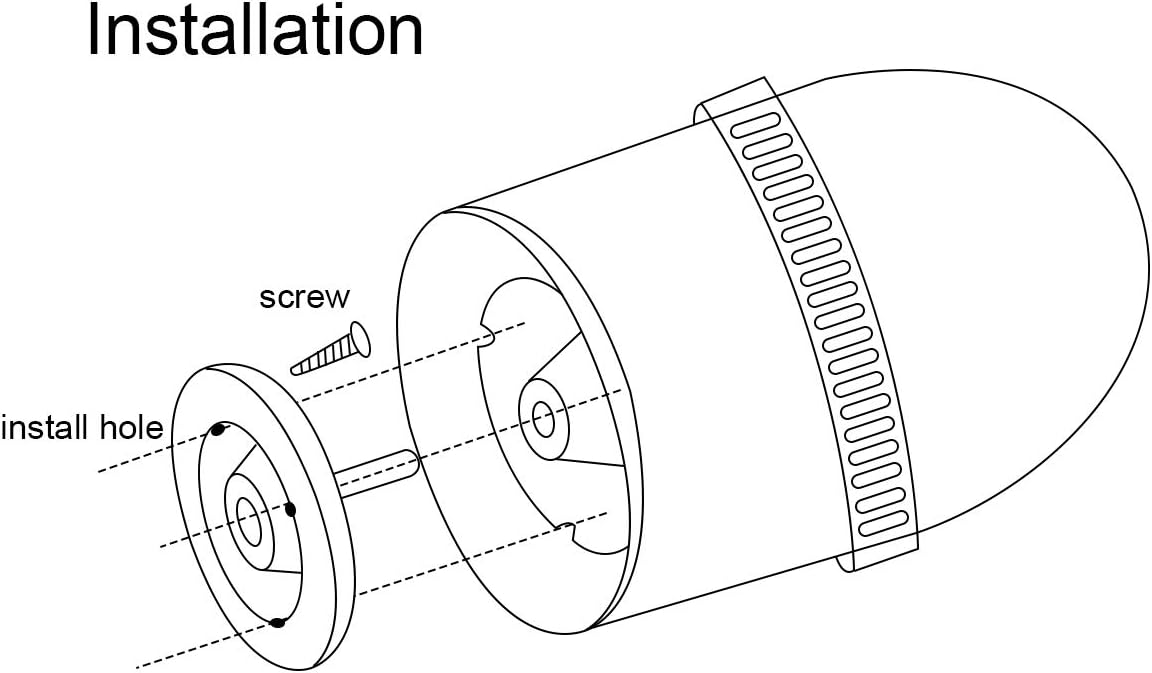
The strobe siren can be wall-mounted for optimal visibility and sound dispersion. Use the provided screws to secure the mounting support to a desired location.
5.2 Call Button Placement
Place the call buttons in easily accessible locations where assistance might be needed, such as by a bed, in a bathroom, or near a workstation. The pull cord offers additional flexibility for activation.
5.3 Pairing the Devices
The strobe siren and call buttons need to be paired to communicate wirelessly. Follow the instructions in the video below for the pairing process.
6. Operating Instructions
6.1 Activating an Alarm
To activate the strobe light and siren, press the 'Call' button on the wireless call button or pull the attached red cord. The strobe siren will flash and emit an audible alert.

6.2 Deactivating an Alarm
To stop the alarm, press the 'Cancel' button on the wireless call button. The strobe light and siren will cease operation.
6.3 Adjusting Volume
The strobe siren offers three volume settings: Mute, Low, and High. Refer to the pairing video in Section 5.3 for instructions on how to adjust the volume settings.
7. Maintenance
7.1 Battery Replacement (Call Button)
Each call button is powered by a CR2032 Lithium Ion battery, which typically lasts for approximately 6 months. When the battery is low, the button's indicator light may not illuminate or the signal range may decrease. To replace the battery:
- Carefully open the back cover of the call button.
- Remove the old CR2032 battery.
- Insert a new CR2032 battery, ensuring correct polarity (+/-).
- Close the back cover securely.

7.2 Cleaning
Wipe the devices with a soft, dry cloth. Do not use abrasive cleaners or solvents.
8. Troubleshooting
- Alarm not activating: Ensure the call button battery is not depleted. Re-pair the call button with the strobe siren if necessary (refer to Section 5.3). Check if the strobe siren is powered on.
- Weak signal or limited range: Replace the call button battery. Ensure there are no significant obstructions (thick walls, metal objects) between the call button and the strobe siren. The maximum range is approximately 262 feet in open areas.
- No sound from siren: Check the volume setting on the strobe siren (refer to Section 6.3). Ensure the siren is not in mute mode.
9. Specifications
| Feature | Specification |
|---|---|
| Brand | Retekess |
| Model Number | FF9492D-F9492CX2 |
| Item Weight | 14.4 ounces (409 Grams) |
| Product Dimensions | 5.51 x 3.74 x 3.15 inches |
| Power Source | Battery Powered (Call Buttons), Adapter Powered (Strobe Siren) |
| Battery Type (Call Button) | Lithium Ion (CR2032) |
| Number of Batteries | 2 Lithium Ion batteries required (included) |
| Voltage | 12 Volts |
| Control Method | Touch |
| Noise Level | 110 Decibels |
| Mounting Type | Wall Mount |
| Maximum Range | 262 Feet |
| Special Features | Waterproof (Call Button), Wireless |
| Material | Plastic |
| Date First Available | June 1, 2020 |
10. Warranty and Support
Warranty Policy: We provide a 1-year warranty and 30 days no-reason return policy. Please use original accessories. If product parts stop working within 1 year, you do not need to return them; contact us via Amazon email, and we will send you a replacement for free.
Beyond the warranty period, we still offer maintenance service. Buyers are required to afford corresponding costs. We process requests in the most hassle-free way possible. You just need to contact us on Amazon, and we will reply within 12 hours.


