

1. Introduction
The MCO Home MH-S314 is a sophisticated Z-Wave enabled 4-relay glass touch switch designed to control up to four connected loads. It combines the functionality of a traditional wall switch with advanced remote control capabilities via the Z-Wave wireless protocol. Its elegant glass surface and modern design seamlessly integrate into any contemporary interior.
This switch can be integrated into a Z-Wave network, allowing control through your Z-Wave gateway or remote controller. It is capable of controlling various types of loads, including lighting and other electrical equipment. The MH-S314 also supports direct association (Group 1), enabling it to control up to five other associated Z-Wave devices manually or via your Z-Wave controller. Each touch button is equipped with an LED indicator to display the ON/OFF status of the corresponding load.
Important Note:
This switch requires a neutral wire connection and an integrated square junction box (70 x 70 mm) for proper installation.
2. Key Features
- 4-Channel Control: Remote control capability for up to four independent devices.
- Easy Replacement: Designed to replace existing wall switches.
- On/Off Functionality: Simple and reliable switching for connected loads.
- Modern Design: Elegant glass surface with touch-sensitive buttons.
- Z-Wave Compatibility: Seamless integration into Z-Wave smart home networks.
- LED Indicators: Visual feedback for the ON/OFF status of each channel.
- Direct Association: Ability to control up to 5 other Z-Wave devices directly.
3. Setup and Installation
3.1 Safety Precautions
- Always disconnect power at the circuit breaker before installation or maintenance.
- Installation should be performed by a qualified electrician in accordance with local electrical codes.
- Ensure the switch is rated for the connected load.
- Do not expose the device to moisture or extreme temperatures.
3.2 Wiring Diagram
The MH-S314 requires a neutral wire for operation. Below is a general wiring guide. Refer to the specific diagram provided with your product packaging for detailed instructions.
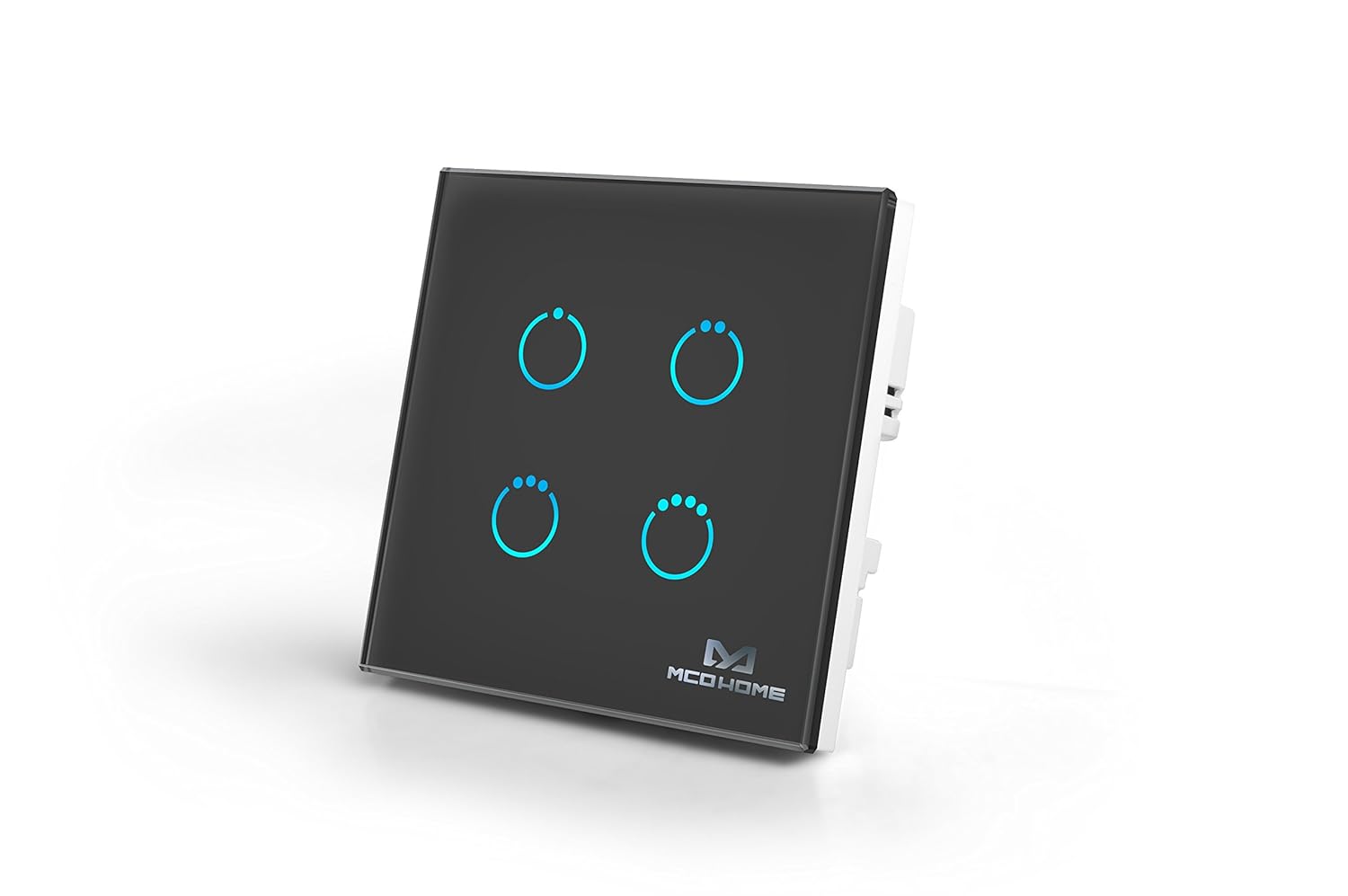
Figure 1: MCO Home MH-S314 4-Relay Glass Touch Switch. This image shows the sleek black glass panel with four illuminated touch circles, indicating its four-channel control capability.
- L (Live): Connect to the live wire from your electrical supply.
- N (Neutral): Connect to the neutral wire from your electrical supply.
- L1, L2, L3, L4 (Load): Connect to the live wires of the devices you wish to control (e.g., lights, fans).
- Ground: Ensure proper grounding for safety.
Ensure all connections are secure and insulated before restoring power.
3.3 Z-Wave Inclusion (Pairing)
- Place your Z-Wave gateway/controller into inclusion (pairing) mode. Refer to your gateway's manual for specific instructions.
- With the MH-S314 powered on, quickly press any of the touch buttons three times within 1.5 seconds.
- The LED indicator on the switch will flash to confirm successful inclusion.
- If inclusion fails, repeat the process. You may need to exclude the device first (see 3.4 Exclusion).
3.4 Z-Wave Exclusion (Unpairing)
- Place your Z-Wave gateway/controller into exclusion (unpairing) mode.
- With the MH-S314 powered on, quickly press any of the touch buttons three times within 1.5 seconds.
- The LED indicator on the switch will flash to confirm successful exclusion.
- The switch will reset to factory defaults after successful exclusion.
4. Operating Instructions
4.1 Manual Operation
Each of the four touch circles on the glass panel corresponds to a specific relay. To manually control a connected load:
- Turn ON: Lightly touch the desired circle on the glass panel. The corresponding LED will illuminate.
- Turn OFF: Lightly touch the same circle again. The corresponding LED will turn off.
4.2 Z-Wave Remote Control
Once successfully included in your Z-Wave network, you can control the MH-S314 remotely using your Z-Wave gateway's interface or a compatible Z-Wave remote controller. The switch will appear as a multi-channel switch, allowing individual control of each of the four relays.
Refer to your Z-Wave gateway's user manual for instructions on how to control connected devices.
4.3 Association Groups
The MH-S314 supports Z-Wave Association Groups, allowing it to directly control other Z-Wave devices without needing to route commands through the central controller. This can be useful for creating direct relationships between devices.
- Group 1 (Lifeline): Reports status changes to the Z-Wave controller.
- Group 2, 3, 4, 5 (Control Groups): Each button can be associated with other Z-Wave devices (up to 5 nodes per group) to control them directly.
Configuration of association groups is typically done through your Z-Wave gateway's advanced settings.
5. Maintenance and Troubleshooting
5.1 Cleaning
To clean the glass surface of the switch, gently wipe it with a soft, damp cloth. Do not use abrasive cleaners or solvents, as these may damage the finish.
5.2 Troubleshooting
| Problem | Possible Cause | Solution |
|---|---|---|
| Switch does not respond to touch. | No power; Incorrect wiring; Device malfunction. | Check circuit breaker. Verify wiring connections (Live, Neutral, Load). Contact support if wiring is correct. |
| Cannot include/exclude from Z-Wave network. | Gateway not in pairing mode; Device too far from gateway; Interference; Previous inclusion failed. | Ensure gateway is in pairing mode. Move gateway closer or use a Z-Wave repeater. Try exclusion first, then inclusion. |
| LED indicator not working. | Device malfunction. | Verify power. If power is present and switch functions otherwise, contact support. |
| Connected device does not turn ON/OFF. | Incorrect wiring; Faulty load; Overload. | Check load wiring. Test the connected device with another power source. Ensure load does not exceed switch's current rating (20A). |
If you encounter persistent issues not covered here, please contact MCO Home customer support.
6. Technical Specifications
| Model Number: | MH-S314 Black |
| Brand: | MCO Home |
| Product Dimensions (L x W x H): | 8.6 x 8.6 x 4.3 cm |
| Weight: | 310 grams |
| Operating Voltage: | 230 Volts |
| Current Rating: | 20 A |
| Operating Mode: | ON-OFF-ON |
| Contact Type: | Normally Open |
| Connector Type: | Plug In |
| Switch Type: | Bipolar Transistor |
| Terminal: | Screw |
| Material: | Polycarbonate |
| Country of Origin: | China |
Note: Specifications are subject to change without notice.
7. Warranty and Support
MCO Home products are designed for reliability and performance. For information regarding warranty coverage, please refer to the warranty card included with your product or visit the official MCO Home website.
For technical support, troubleshooting assistance, or inquiries about product functionality, please contact MCO Home customer service through their official channels. Keep your purchase receipt and product model number handy when contacting support.
Online Resources: For the latest manuals, firmware updates, and FAQs, please visit the MCO Home support page.


