
1. Product Overview
The Quntis 5-inch LED Wireless Weather Station is a versatile device designed to provide accurate indoor and outdoor temperature and humidity readings, along with weather forecasts, time, and date. It integrates multiple functions including a hygrometer, thermometer, alarm clock, and electronic meter, offering comprehensive environmental monitoring for your home.

Image 1.1: Quntis 5" LED Wireless Weather Station and its remote sensor.
2. Package Contents
Please check the package contents upon unboxing to ensure all items are present:
- 1 x Quntis Weather Station Main Unit
- 1 x Wireless Outdoor Sensor
- 1 x User Manual
Note: 2 x AA batteries for the main unit and 2 x AA batteries for the sensor are required and not included.

Image 2.1: Main unit and sensor with battery compartments indicated.
3. Product Features
This weather station offers a range of features for comprehensive environmental monitoring:
- Large 5-inch LED Display: Clear and easy-to-read display for all information.
- Indoor/Outdoor Temperature & Humidity: Real-time monitoring of conditions.
- Wireless Connectivity: Sensor communicates wirelessly with the main unit (433 MHz or 868 MHz).
- Weather Forecast: Built-in sensor provides weather predictions.
- Comfort Level Indication: Displays comfort levels (WET, COM, DRY) based on humidity.
- Alarm Clock with Snooze: Integrated alarm function with a 5-minute snooze.
- Date and Time Display: Keeps track of current date and time.
- Soft Backlight: Eye-protection soft backlight for viewing data at night, automatically turns off after 8 seconds.
- Multi-Channel Support: Capable of connecting with up to 3 wireless sensors (one included).

Image 3.1: Labeled diagram of the weather station's display and touch buttons.

Image 3.2: Weather forecast icons and comfort level humidity ranges.
4. Setup Guide
4.1 Battery Installation
- Main Unit: Open the battery compartment cover on the back of the main unit. Insert 2 x AA batteries, observing the correct polarity (+/-). Close the cover.
- Wireless Sensor: Open the battery compartment cover on the back of the wireless sensor. Insert 2 x AA batteries, observing the correct polarity (+/-). Close the cover.
4.2 Sensor Pairing
After inserting batteries into both units, the main unit will automatically search for the sensor signal. Ensure both units are within range. The outdoor temperature and humidity should appear on the main unit's display. If not, press the 'CH' button on the main unit to cycle through channels or initiate a manual search (refer to operating instructions for specific button functions).
4.3 Placement Recommendations
- Main Unit: Place the main unit indoors on a flat surface or mount it on a wall. Avoid direct sunlight or heat sources that could affect indoor readings.
- Wireless Sensor: Place the outdoor sensor in a sheltered location away from direct sunlight and rain to ensure accurate readings and prolong its lifespan. The maximum effective distance between the sensor and the weather station is approximately 200 feet (60 meters) in open areas.

Image 4.1: Examples of sensor placement in various indoor and outdoor environments.
5. Operating Instructions
5.1 Setting Time and Date
Press and hold the 'SET' button to enter time/date setting mode. Use the 'MEM' (down) and 'CH' (up) buttons to adjust values. Press 'SET' again to confirm and move to the next setting (e.g., Hour → Minute → Year → Month → Day).
5.2 Alarm and Snooze Function
To set the alarm, press the 'SET' button repeatedly until the alarm time is displayed. Press and hold 'SET' to enter alarm setting mode. Use 'MEM' and 'CH' to adjust the alarm time. Press 'SET' to confirm. When the alarm sounds, press any button (except 'SNOOZE/LIGHT') to stop it, or press 'SNOOZE/LIGHT' for a 5-minute snooze.
5.3 Temperature Unit Selection (°C/°F)
Press the '°C/°F' button to switch between Celsius and Fahrenheit temperature units.
5.4 Channel Selection
If you have multiple outdoor sensors, press the 'CH' button to cycle through the channels (CH1, CH2, CH3) and view readings from different sensors.
5.5 Backlight Operation
Press the 'SNOOZE/LIGHT' button to activate the soft backlight. The backlight will illuminate the display for 8 seconds and then automatically turn off to conserve battery power.
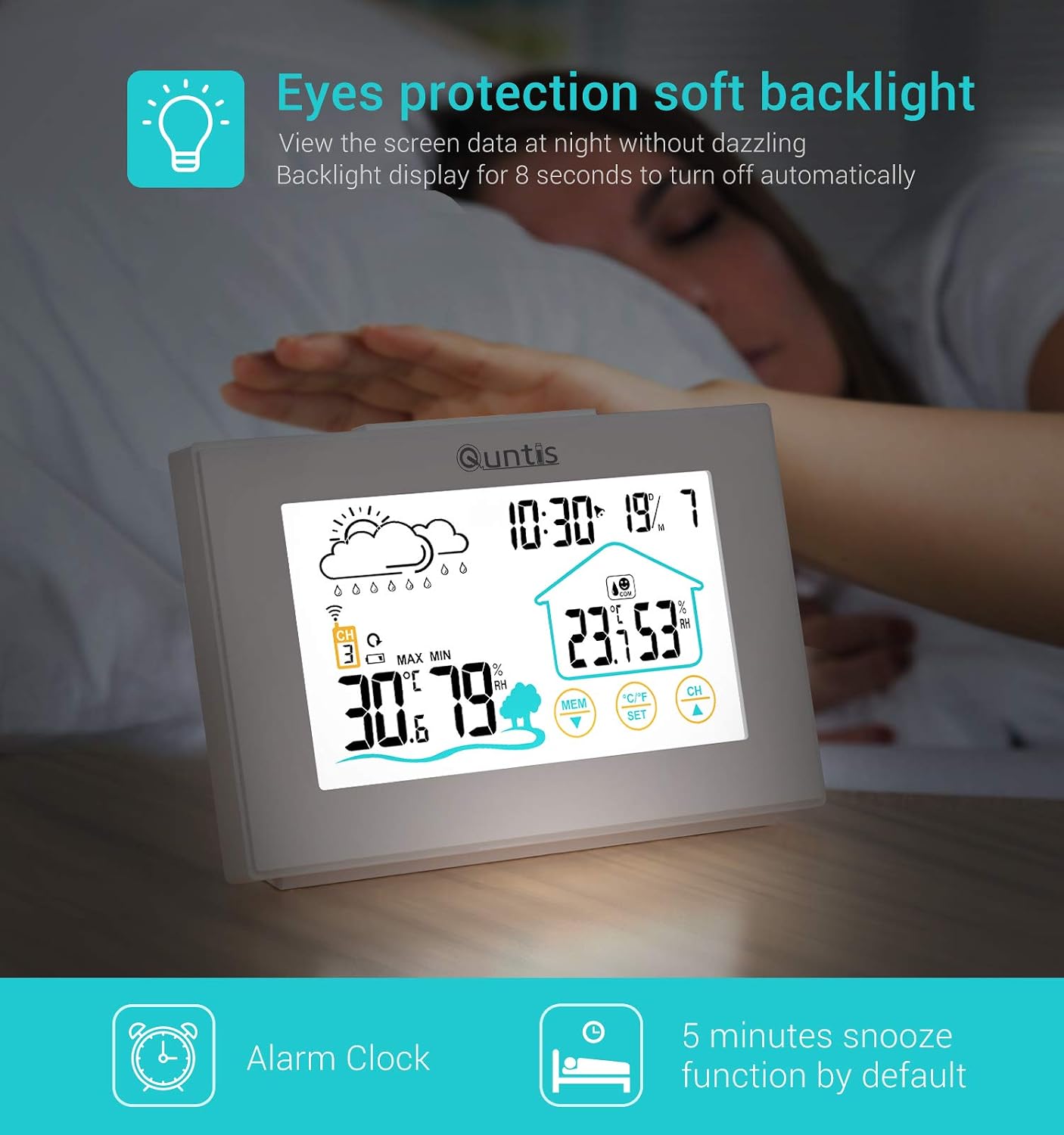
Image 5.1: The soft backlight feature for night viewing.
5.6 Comfort Level Indication
The display shows a comfort level icon based on indoor humidity:
- WET: Humidity 70-95%
- COM (Comfort): Humidity 40-70%
- DRY: Humidity 20-40%
5.7 Weather Forecast Display
The weather station provides a weather forecast icon (e.g., sunny, cloudy, rainy) based on changes in atmospheric pressure. This is a prediction and may not always perfectly match actual weather conditions.
6. Maintenance
- Cleaning: Wipe the main unit and sensor with a soft, dry cloth. Do not use abrasive cleaners or solvents.
- Battery Replacement: Replace batteries in both units when the low battery indicator appears on the display to ensure continuous and accurate operation.
- Sensor Protection: Ensure the outdoor sensor is protected from extreme weather conditions, such as heavy rain or direct prolonged sunlight, to maximize its lifespan.
7. Troubleshooting
| Problem | Possible Cause | Solution |
|---|---|---|
| No display on main unit | Batteries are dead or incorrectly installed. | Replace batteries, ensuring correct polarity. |
| Outdoor reading not displayed or inaccurate | Sensor out of range, interference, or dead batteries. | Move sensor closer to main unit. Check for interference sources. Replace sensor batteries. Press 'CH' to re-sync. |
| Weather forecast is incorrect | Weather forecast is a prediction based on pressure changes, not always exact. | This is normal. The forecast is an indication, not a guarantee. Allow time for the unit to calibrate. |
| Alarm does not sound | Alarm is not activated or set incorrectly. | Ensure alarm time is set and alarm function is enabled. |
8. Specifications
| Feature | Detail |
|---|---|
| Model Number | HGY 414 |
| Display Type | 5-inch LED |
| Power Source (Main Unit) | 2 x AA Batteries (not included) |
| Power Source (Sensor) | 2 x AA Batteries (not included) |
| Connectivity Technology | Wireless (433 MHz or 868 MHz) |
| Special Features | Wireless, Alarm, Snooze, Backlight, Weather Forecast |
| Included Components | Hygrometer, Thermometer, Main Unit, Sensor |
| Color | White |
| Package Dimensions | 16.1 x 11.2 x 5.7 cm; 280 grams |

Image 8.1: Dimensions of the main unit and wireless sensor.
9. Warranty and Support
Quntis products are manufactured to high-quality standards. For information regarding warranty coverage, technical support, or spare parts availability, please refer to the contact information provided on the product packaging or visit the official Quntis website. Please retain your purchase receipt for warranty claims.