1. Important Safety Information
- Keep the device away from water and high humidity.
- Do not expose to direct sunlight or extreme temperatures.
- Use only the provided USB cable for charging.
- This product is not a toy. Adult supervision is recommended for young children.
- Do not attempt to disassemble or repair the device yourself. Contact customer support if issues arise.
2. Product Overview
The Ayybboo Luminous Kids Alarm Clock is designed to help children develop healthy sleep habits with its various features, including a sunrise simulator, night light, dual alarms, and sleep training mode.
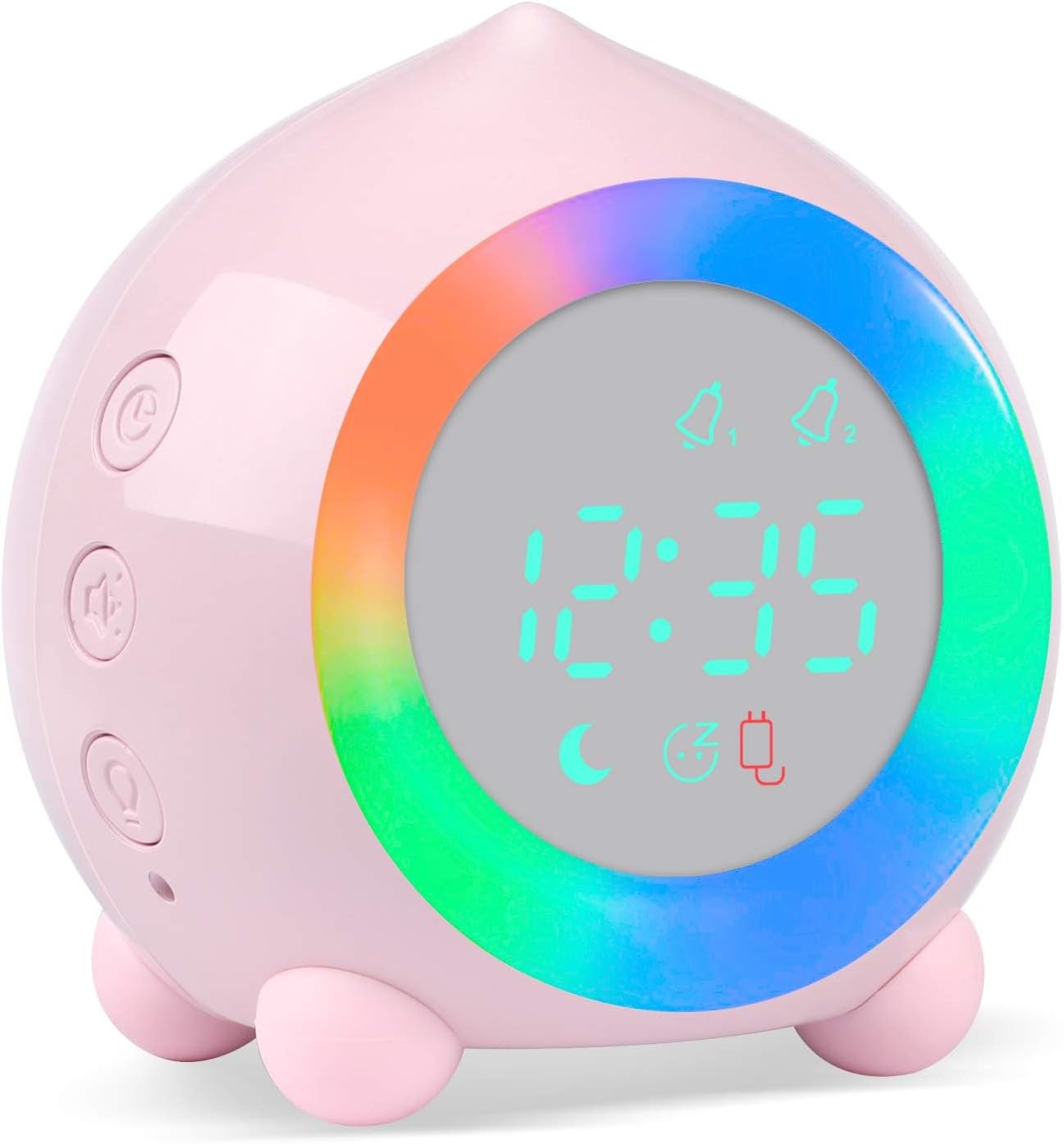
Front view of the Ayybboo Luminous Kids Alarm Clock, showcasing its digital display and vibrant light ring.
2.1 Key Features
- Sunrise Simulation: Gradually brightens before alarm time.
- Dual Alarm Clock: Set two independent alarms.
- Snooze Function: Shake to snooze for 5 minutes (up to 3 times).
- Night Light: Warm light (1-60 min timer) and 7-color night light options.
- Adjustable Volume: 5 levels for alarm sounds.
- 6 Ringtones: Various musical tones for alarms.
- Temperature Display: Shows ambient temperature.
- 12/24H Format: Switch between time display formats.
- USB Charging: Convenient power via USB cable.
- Sleep Training Mode: Visual cues for day and night.
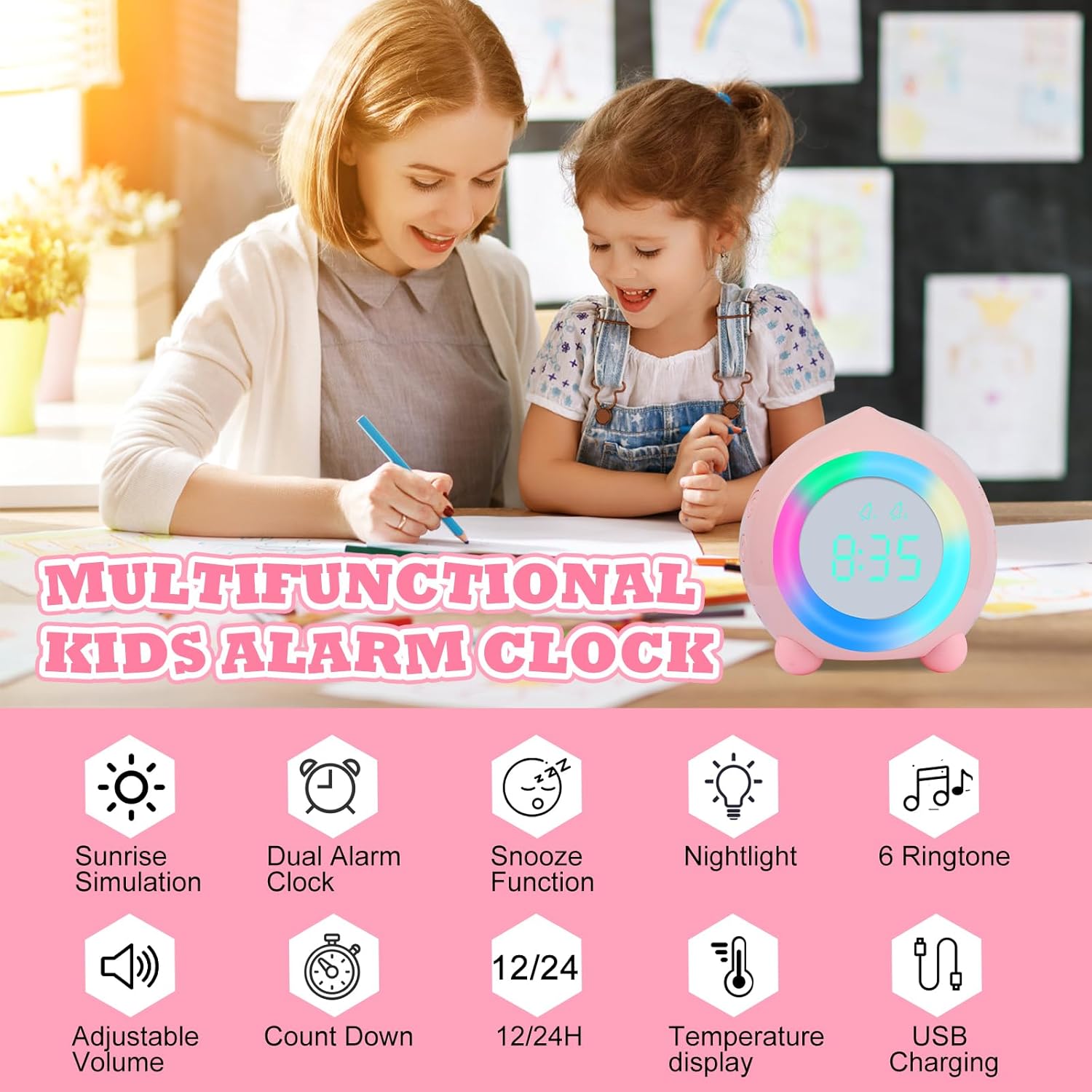
Overview of the Ayybboo Luminous Kids Alarm Clock's multifunctional features, including sunrise simulation, dual alarms, and night light.
2.2 Controls and Indicators

Detailed diagram of the alarm clock's controls and features, including button functions, display indicators, and dimensions.
- Time Setting Button: Used to enter time setting mode.
- Plus (+) Button: Increases values during setting, adjusts volume.
- Minus (-) Button: Decreases values during setting, adjusts volume.
- Alarm Setting Button: Used to enter alarm setting mode.
- Sound-Activated Night Light Button: Activates night light via sound.
- Sleep Training/Night Light Button: Activates sleep training mode or night light.
- Reset Button: Located at the bottom.
- USB Charging Port: For power and charging.
3. Setup
3.1 Initial Charging
Before first use, fully charge the alarm clock using the provided USB cable. Connect the cable to the USB port on the back of the clock and plug the other end into a USB power adapter (not included) or a computer USB port. The display will remain on while charging.

Shows the alarm clock's power source options: USB charging and battery power for portability.
3.2 Setting the Time
- Press the Time Setting Button (circle icon) on the side of the clock. The hour digits will flash.
- Use the Plus (+) or Minus (-) buttons to adjust the hour.
- Press the Time Setting Button again to move to minute adjustment. Use Plus (+) or Minus (-) to set the minutes.
- Continue pressing the Time Setting Button to cycle through year, month, and day settings, adjusting each with Plus (+) or Minus (-).
- Press the Time Setting Button one last time to confirm and exit time setting mode.
4. Operation
4.1 Setting Alarms (Alarm 1 & Alarm 2)
The clock supports two independent alarms. You can customize alarm times for weekdays, weekends, or every day.
- Press the Alarm Setting Button (bell icon) to select Alarm 1 or Alarm 2. The alarm icon will flash.
- Use Plus (+) or Minus (-) to set the desired alarm hour.
- Press the Alarm Setting Button again to set the minutes.
- Press the Alarm Setting Button to select the alarm frequency: Monday-Friday, Monday-Saturday, or Everyday.
- Press the Alarm Setting Button to select the alarm ringtone (6 options available).
- Press the Alarm Setting Button to set the alarm volume (5 levels available).
- Press the Alarm Setting Button one last time to confirm and activate the alarm. The alarm icon will remain on the display.

Illustrates how the alarm clock assists children with waking up, highlighting its dual alarm settings, multiple alarm sounds, adjustable volume, and snooze feature.

Illustrates the customizable alarm settings for weekdays and weekends, promoting healthy sleep habits.
4.2 Sunrise Simulation
If an alarm is set between 0:01 AM and 8:00 AM, the sunrise light will gradually brighten for 10 minutes before the alarm time. The light will continue until the alarm is turned off.
4.3 Snooze Function
When the alarm sounds, shake the clock to activate the snooze function. The alarm will pause for 5 minutes. This can be repeated up to 3 times (total 15 minutes of snooze). After 3 snoozes, the alarm will deactivate.
4.4 Night Light Features
The alarm clock functions as a versatile night light.
- Warm Night Light: Press the Sleep Training/Night Light Button (heart icon) to activate a warm night light. You can set a timer for 1 to 60 minutes for this light.
- 7-Color Night Light: Press the Sleep Training/Night Light Button repeatedly to cycle through 7 different colors.
- Sound-Activated Night Light: Press the Sound-Activated Night Light Button (speaker icon) to enable this feature. The night light will turn on when it detects sound above 56 dB and stay on for 40 seconds.
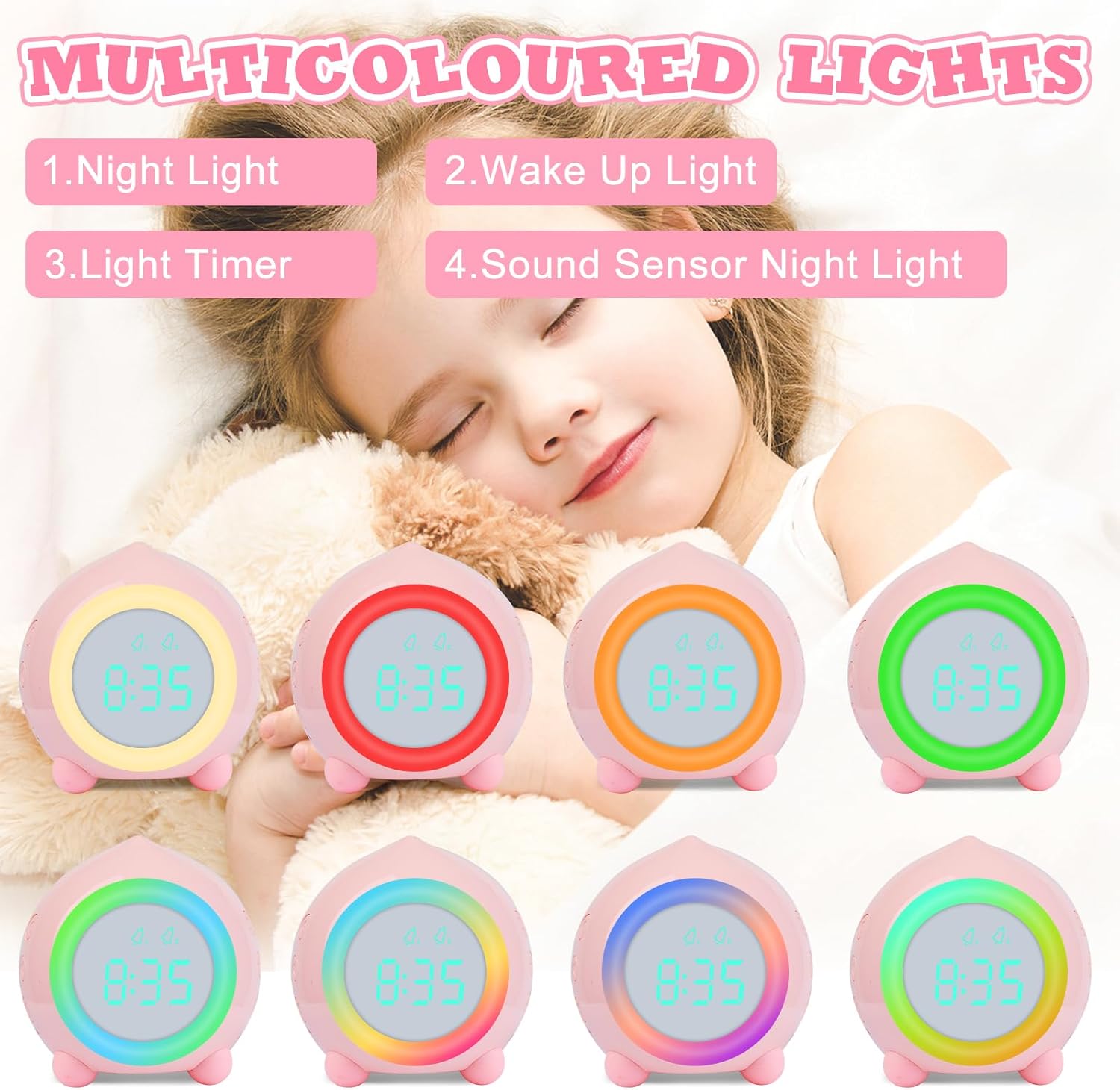
Demonstrates the various multicolored light options, including night light, wake-up light, light timer, and sound-activated night light.

A child sleeping peacefully with the alarm clock's warm night light providing comfort.

A collection of Ayybboo Luminous Kids Alarm Clocks showcasing their diverse and vibrant light color options.
4.5 Sleep Training Mode
Activate the sleep training mode to help children develop a good sense of time and healthy sleep habits.
- From 6:00 PM to 5:59 AM, the night light will gradually dim from bright to dark, signaling bedtime.
- From 6:00 AM to 5:59 PM, the night light will gradually brighten from dark to bright, signaling wake-up time.
4.6 Volume Adjustment
During alarm setting or when the alarm is sounding, use the Plus (+) or Minus (-) buttons to adjust the volume to one of the 5 available levels.

The alarm clock's adjustable ringtones and volume settings, featuring 6 musical tones and 5 volume levels.
4.7 Temperature Display
The clock displays the ambient temperature. You can switch between Celsius and Fahrenheit by pressing the Minus (-) button while in time display mode.
4.8 12/24 Hour Format
To switch between 12-hour and 24-hour time formats, press the Plus (+) button while in time display mode.
5. Maintenance
- Clean the clock with a soft, dry cloth. Do not use abrasive cleaners or solvents.
- Ensure the USB charging port is free of dust and debris.
- When not in use for extended periods, store the clock in a cool, dry place.
6. Troubleshooting
| Problem | Possible Cause | Solution |
|---|---|---|
| Alarm does not sound. | Alarm not activated; incorrect time/day setting; volume too low. | Ensure alarm is activated (bell icon visible). Double-check alarm time and frequency settings. Increase alarm volume. |
| Display does not stay on. | Power saving mode is active; not connected to power. | The display is designed to turn off after 40 seconds in power-saving mode when not charging. Connect to USB power for continuous display. |
| Difficulty with settings. | Unfamiliarity with button functions. | Refer to Section 2.2 (Controls and Indicators) and Section 3 (Setup) for detailed instructions. Practice setting the time and alarms. |
| Clock not responding. | Temporary software glitch. | Locate the Reset button at the bottom of the clock and press it with a thin object (e.g., paperclip). This will reset the device. You will need to set the time and alarms again. |
| Battery drains quickly. | Frequent use of bright lights or sound-activated features. | Reduce the brightness of the night light or the duration of its use. Ensure the clock is fully charged regularly. |
7. Specifications
- Brand: Ayybboo
- Model Number: XR-MM-C1903
- Color: Pink1903pink1903 (as per current product)
- Product Dimensions (L x W x H): 9 x 3.81 x 9 cm
- Item Weight: 230 grams
- Material: Plastic
- Power: 1 Watt
- Power Source: Electric Cable (USB Rechargeable)
- Display Type: Digital
- Special Features: Snooze, Illuminated, Alarm, Adjustable Volume
8. Product Videos
Watch these official videos for a visual guide on using your Ayybboo Luminous Kids Alarm Clock.
This video demonstrates the key features of the Ayybboo Luminous Kids Alarm Clock, including its night light timer, various light colors, snooze function, dual alarm settings, temperature display, and button controls.
A detailed view of the Ayybboo Luminous Kids Alarm Clock (Model 1903), showcasing its design, side buttons for settings, and the USB charging port.
9. Warranty and Support
Ayybboo is committed to providing high-quality products and excellent customer service. For any questions, concerns, or technical support regarding your Luminous Kids Alarm Clock, please refer to your purchase platform for contact information or visit the official Ayybboo brand store.
Please retain your proof of purchase for warranty claims. Warranty terms and conditions may vary based on region and retailer.

