
Holo Audio MAY-L3
Contents
Holo Audio MAY DAC Level 3 KTE User Manual
Model: MAY-L3
1. Introduction and Overview
The Holo Audio MAY DAC Level 3 Kitsune Tuned Edition (KTE) is an ultimate high-end audiophile Digital-to-Analog Converter, representing over three years of dedicated research and development since the acclaimed SPRING2 DAC. It is engineered to deliver an uncompromising natural analog sound, achieving world-leading measurement values in NOS R2R DAC technology. This two-chassis model features fully independent left and right channels with separate linear power supplies, ensuring pristine audio reproduction.
The MAY DAC Level 3 KTE supports DSD1024 native and PCM 1.536MHz output, offering exceptional resolution for high-fidelity audio. It incorporates an improved USB iPurifier for ultra-low latency and minimal jitter, providing a captivating sound signature that audiophiles seek.
2. Key Features
- Ultimate high-end Audiophile DAC design.
- Uncompromising natural analog sound reproduction.
- Achieves world's best measurement values in NOS R2R DAC.
- Supports DSD1024 native and PCM 1.536MHz output.
- Two-chassis design with L/R fully independent circuits and separate linear power supply.
- Improved USB iPurifier for low latency and low jitter.
- KTE model includes all premium upgrades for ultimate performance.
3. Model Differences
MAY DAC Level 3 Kitsune Tuned Edition (KTE)
The Level 3 KTE is the pinnacle model, featuring comprehensive upgrades over Level 2:
- All internal copper wiring and coils are upgraded to 1.5mm 99.999% pure OCC silver wire.
- DAC modules are strictly selected from production to achieve the highest measurement values, resulting in superior dynamic range.
- Features a CNC machined black/shielded cover DAC module with a laser-etched KTE logo.
- IEC inlet connector upgraded to pure silver/rhodium plated Faston connector.
- Includes custom-made HoloAudio KTE capacitor upgrades.
- Equipped with world-class Red Nano fuses utilizing graphene and quartz filter materials.
MAY DAC Level 2
Level 2 builds upon Level 1 with the following enhancements:
- Custom-made HoloAudio 1000V 1uF capacitor upgrade.
- Upgraded extended USB module with Titanis 2.0 circuit.
MAY DAC Level 1
The foundational Level 1 model includes:
- 100 VAC dual O-type, flat wire, 6N copper custom handmade audio transformer.
- Pure copper internal wiring and coils.
- High-quality PCB board L/R fully independent circuit DAC module.
- IEC Faston connector.
- Shurter gold filter & fuse.
- Vishay capacitors.
- Mundorf EVO Silver/Gold capacitors (same type as Spring2 DAC).
- XMOS XU208 USB module (same type as Spring2 DAC).
- Robust chassis made of high-purity copper and black alumite processed aluminum.
- Japanese specifications with domestic repair support.
4. Setup
Before connecting your Holo Audio MAY DAC, ensure all components are powered off. The MAY DAC is a two-chassis unit, consisting of a main DAC unit and a separate power supply unit. Connect these two units using the provided DC power cord.
4.1 Physical Connections

Figure 4.1: Front view of the Holo Audio MAY DAC, showing the display and control buttons.

Figure 4.2: Rear view of the Holo Audio MAY DAC, displaying various input and output connections.

Figure 4.3: Detailed view of the rear panel connectors, including RCA, XLR, Coaxial, Optical, AES, USB, and I2S inputs.
4.2 Input Connections
The MAY DAC offers a wide range of digital inputs:
- COAXIAL (1), COAXIAL (2), OPTICAL, AES: Supports PCM 44.1 - 192K (24bit) and DSD 64 (DOP).
- USB: Supports PCM 44.1K - 1.536M (32bit), DSD 64 - 512 (DOP), and DSD 64 - 1024 (Native).
- I2S (1), I2S (2): Supports PCM 44.1K - 1.536M (32bit) and DSD 64 - 1024 (Native).
Connect your digital audio sources (e.g., CD transport, streamer, computer) to the appropriate input ports on the rear of the DAC.
4.3 Output Connections
Connect the analog outputs of the MAY DAC to your amplifier or pre-amplifier. The DAC provides both RCA (single-ended) and XLR (balanced) outputs.
- RCA Output: 2.9Vrms (for PCM 48K NOS), 1.45Vrms (for DSD 128).
- XLR Output: 5.8Vrms (for PCM 48K NOS), 2.9Vrms (for DSD 128).
Use high-quality audio cables for optimal performance.
5. Operating Instructions
5.1 Power On/Off
After all connections are made, connect the AC power cord to the power supply unit and then to a wall outlet. Power on the unit using the switch on the power supply chassis. The front display of the main DAC unit will illuminate.
5.2 Input Selection
Use the input selection buttons on the front panel or the remote control to cycle through the available digital inputs (COAXIAL 1, COAXIAL 2, OPTICAL, AES, USB, I2S 1, I2S 2). The selected input will be indicated on the front display.
5.3 Supported Operating Systems and Drivers
The Holo Audio MAY DAC is compatible with a variety of operating systems:
- MAC OS X, Linux: Supports Direct Native and DoP playback. DSD512 is the upper limit due to Core Audio and ALSA driver limitations.
- Windows 8, 10: Supports Direct Native and DoP playback. For DSD1024 playback, a dedicated ASIO driver must be installed. The Windows Driver (CD-R) is included with the accessories.
For DSD1024 and PCM1536K playback, HQPlayer is recommended as the playback software. Note that for DSD1024 playback, the performance of your PC's CPU is a significant factor.
6. Maintenance
To ensure the longevity and optimal performance of your Holo Audio MAY DAC, follow these general maintenance guidelines:
- Cleaning: Use a soft, dry cloth to wipe the exterior of the unit. Avoid using abrasive cleaners, solvents, or chemical sprays, as these can damage the finish.
- Ventilation: Ensure adequate ventilation around both chassis of the DAC. Do not block the ventilation openings. Avoid placing the unit in enclosed spaces or on soft surfaces that may impede airflow.
- Environment: Operate the DAC in a clean, dry environment, away from direct sunlight, heat sources, and excessive humidity.
- Power: Always disconnect the power cord from the wall outlet before cleaning or if the unit will be unused for an extended period.

Figure 6.1: Internal view of the main DAC chassis, highlighting the DAC modules and internal layout.

Figure 6.2: Internal view of the power supply chassis, showing the toroidal transformers and power regulation components.
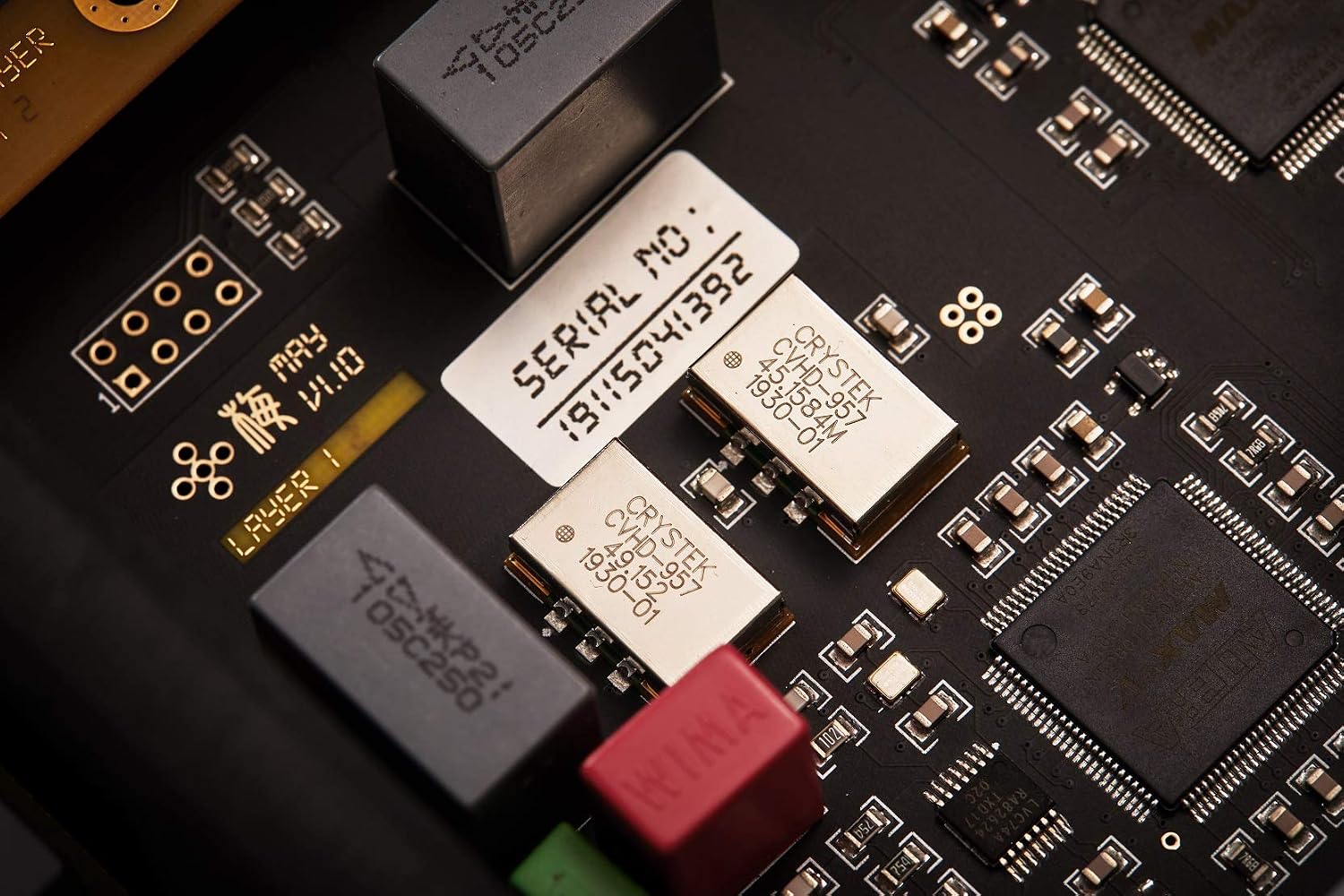
Figure 6.3: Close-up of internal circuitry, including capacitors and the serial number label.
7. Troubleshooting
If you encounter any issues with your Holo Audio MAY DAC, please refer to the following common troubleshooting steps:
- No Power: Ensure the AC power cord is securely connected to both the power supply unit and the wall outlet. Check the power switch on the power supply chassis.
- No Sound: Verify that the correct input source is selected on the DAC. Check all audio cable connections between the DAC, source, and amplifier. Ensure your amplifier is powered on and set to the correct input.
- Distorted Sound: Check the sample rate and bit depth of your audio source to ensure it is within the DAC's supported range. Verify that the correct drivers are installed for your operating system, especially for high-resolution playback.
- USB Connection Issues: If using a PC, ensure the dedicated ASIO driver is correctly installed. Try a different USB port or cable. Restart both the DAC and your computer.
- High-Resolution Playback (DSD1024/PCM1536K) Problems: Ensure you are using compatible playback software like HQPlayer. Verify that your computer's CPU meets the performance requirements for such demanding formats.
If the problem persists after attempting these steps, please contact Holo Audio customer support or your authorized dealer for further assistance.
8. Specifications
| Product Weight | 18 kg |
| Manufacturer Reference | MAY-L3 |
| Connector Type | USB |
| Supported OS | Mac OS X, Linux, Windows |
| Bundled Software | WINDOWS ASIO Driver |
| Voltage | 100 Volts |
| Wattage | 40 W |
| Connectivity Technology | Wired |
| Material | Aluminum |
| Compatible Devices | PC |
| External Dimensions | 430 mm (W) x 300 mm (L) x 55 mm (H) (2 chassis) |
Audio Performance
| PCM 48K NOS THD+N | 0.00017% @1K(-115dB) |
| PCM 48K NOS DNR | 130dB |
| PCM 48K NOS Voltage Output | 2.9Vrms (RCA), 5.8Vrms (XLR) |
| DSD 128 THD+N | 0.00025% @1K(-112dB) |
| DSD 128 DNR | 115dB |
| DSD 128 Voltage Output | 1.45Vrms (RCA), 2.9Vrms (XLR) |
9. Warranty and Support
The Holo Audio MAY DAC Level 3 KTE is a special order product. For specific warranty terms and conditions, please refer to the documentation provided at the time of purchase or contact your authorized dealer. This product includes domestic repair support for Japanese specifications.
Included Accessories:
- AC Power Cord
- DC Power Cord (for connecting DAC and power supply chassis)
- USB Cable
- Windows Driver (CD-R)
- Japanese Manual (for local market)
- Remote Control
For technical support or service inquiries, please contact your point of purchase or the official Holo Audio distributor in your region.
Documents and downloads
Ask a question about this manual
Ask about setup, troubleshooting, compatibility, parts, safety, or missing instructions. Manuals+ will review the question and use this page’s manual context to help answer it.