
Important Safety Instructions
Please read and understand all instructions before using this fan. Failure to follow these instructions may result in electric shock, fire, or serious personal injury.
- Always unplug the fan from the power outlet before cleaning, servicing, or relocating.
- Do not operate the fan with a damaged cord or plug. If the cord or plug is damaged, contact a qualified electrician for repair or replacement.
- Keep hands, hair, clothing, and loose items away from the fan blades during operation to prevent injury.
- Ensure the fan is mounted securely to a solid surface capable of supporting its weight.
- This fan is designed for indoor use only. Do not expose to rain or moisture.
- Do not use this fan in areas where flammable liquids or gases are stored or present.
- Supervise children and pets when the fan is in operation.
Product Overview
The XtremepowerUS Pro-Series 20-inch Wall Mount High-Velocity Fan is designed to provide powerful airflow for various indoor environments. Its durable construction and adjustable settings make it suitable for workshops, garages, and other areas requiring strong air circulation.
Key Features:
- Durable Industrial Fan: Features an all-metal finish and a 3-speed motor for workplace environments.
- Improved Air Quality: Provides steady airflow to move exhaust, fumes, and dust out while circulating clean air.
- Commercial Quality: Powerful 3-speed motor produces 4900 CFM of airflow for maximum air circulation.
- Utility: Helps remove odors, ideal for bathrooms, kitchens, basements, restrooms, warehouses, and garages.
- Quick Installation: Easy to install by attaching the fan enclosure to a joist with screws.
Components:
- Fan Motor and Housing
- Fan Blades
- Front and Rear Fan Grills
- Wall Mount Bracket
- Mounting Hardware (screws, anchors)
- Speed Control Pull Chain
Setup and Installation
Follow these steps to properly assemble and install your XtremepowerUS wall mount fan.
Visual Guide:
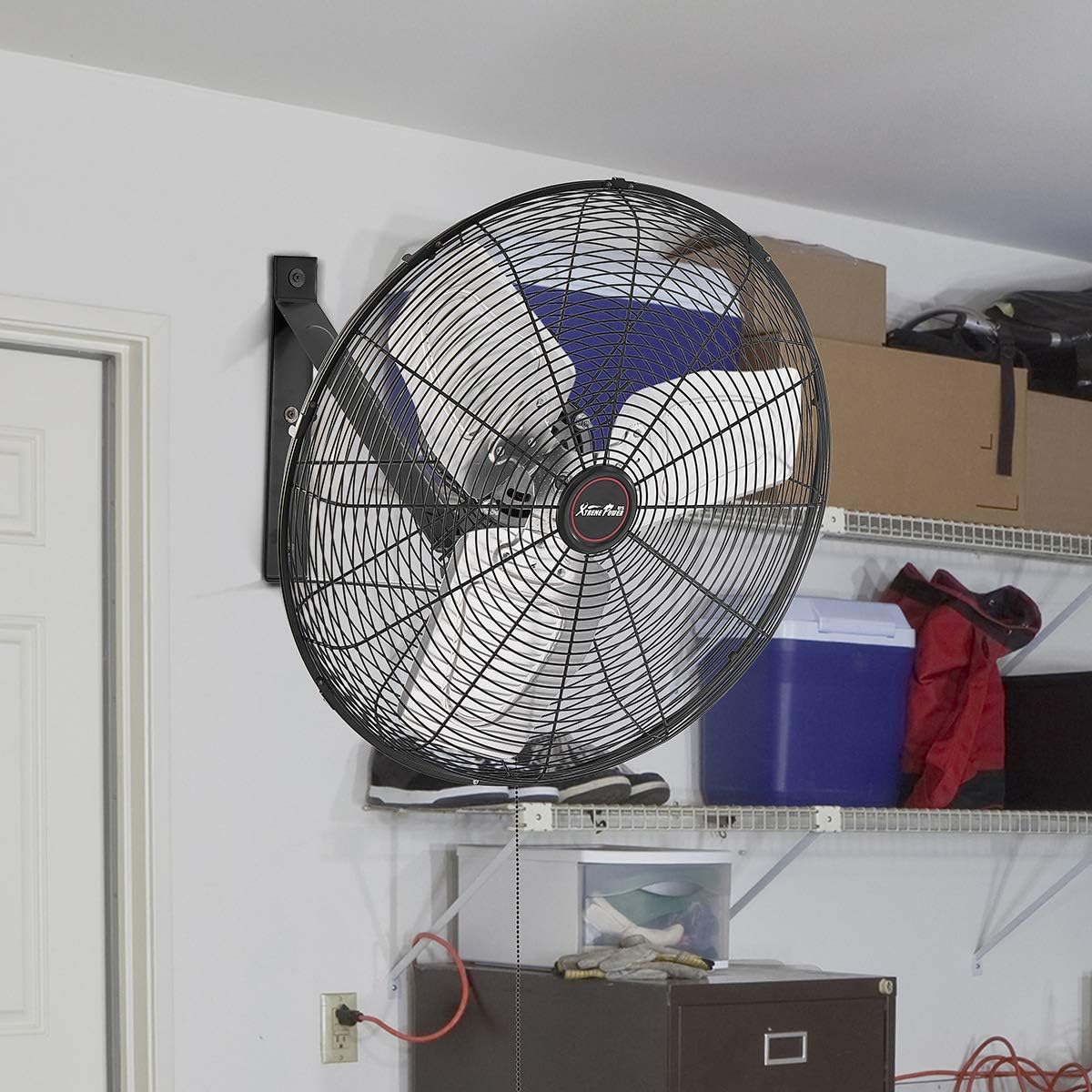
Figure 1: XtremepowerUS 20-inch wall mount fan installed in a garage setting.
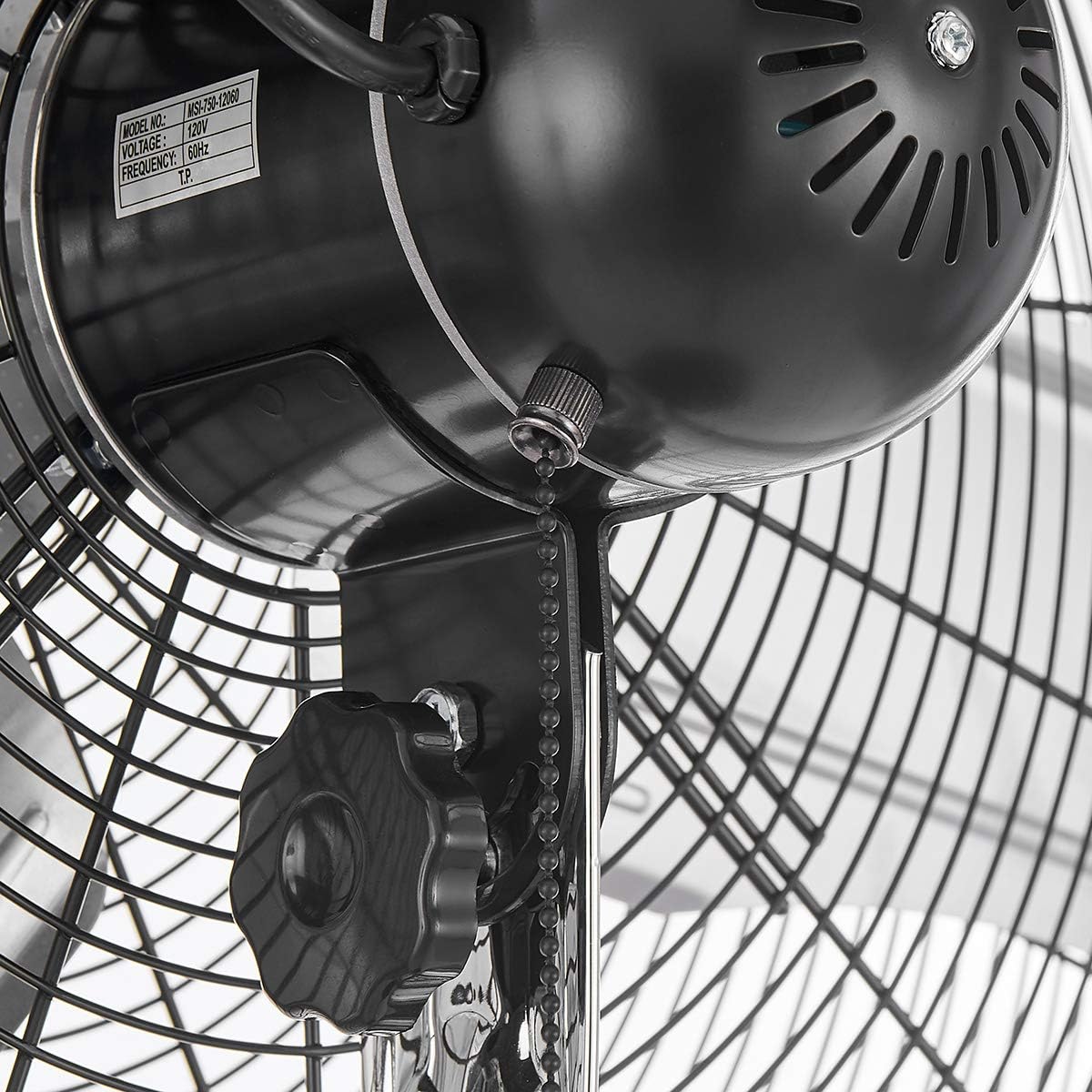
Figure 2: Close-up view of the robust wall mount bracket, designed for secure attachment.
Step-by-Step Assembly:
- Unpack Components: Carefully remove all parts from the packaging. Verify that all components listed in the 'Components' section are present.
- Attach Rear Grill: Align the bolt holes of the rear fan grill with the corresponding holes on the fan motor housing. Secure the rear grill using the provided screws.
- Install Fan Blades: Carefully slide the fan blades onto the motor shaft pin. Ensure the collar screw on the fan blade assembly aligns with the motor's hole. Tighten the collar screw to secure the blades.
- Attach Front Grill: Position the front fan grill onto the rear grill, ensuring the buckles are properly engaged. Use the security screw to tighten and secure the fan grills together.
- Assemble Wall Bracket: Attach the curved arm of the wall bracket to the fan motor assembly. Ensure all bolts are tightened securely.
- Mount to Wall: Select a suitable location on a solid wall stud or masonry. Use the provided lag bolts and wall anchors (if necessary for non-stud mounting) to securely fasten the wall mount bracket to the wall.
- Attach Fan to Wall Bracket: Carefully lift the assembled fan and slide its bracket arm into the wall-mounted bracket. Secure it with the provided bolts and ensure it is stable.
Installation Video:
Video 1: Detailed step-by-step guide for the installation and assembly of a 20-inch wall mount fan. This video demonstrates securing the fan grills, attaching blades, and mounting the unit.
Operating Instructions
Your XtremepowerUS wall mount fan features a 3-speed motor and adjustable tilt for optimal airflow control.
Speed Control:

Figure 3: The pull chain located at the bottom of the motor housing controls the fan's speed settings.
- To turn the fan ON and cycle through speeds (Low, Medium, High), pull the chain.
- Pull once for Low speed.
- Pull twice for Medium speed.
- Pull three times for High speed.
- Pull a fourth time to turn the fan OFF.
Adjusting Tilt:
The fan head can be tilted up or down to direct airflow precisely where needed. Loosen the adjustment knobs on the sides of the fan housing, tilt the fan to the desired angle, and then securely tighten the knobs.
Oscillation (if applicable):
Some models may feature an oscillation function to distribute air across a wider area. If your model includes this feature, a separate pull chain or switch will be present on the motor housing to activate or deactivate oscillation.
Maintenance
Regular maintenance ensures optimal performance and longevity of your fan.
Cleaning:
- Always unplug the fan before cleaning.
- Use a soft, damp cloth to wipe the exterior surfaces of the fan. Do not use abrasive cleaners or solvents.
- To clean the fan blades, carefully remove the front grill (refer to installation steps in reverse). Wipe the blades with a damp cloth. Ensure blades are completely dry before reattaching the grill.
- Do not immerse the fan in water or allow water to drip into the motor housing.
Storage:
When not in use for extended periods, store the fan in a cool, dry place, away from direct sunlight and moisture. Cover the fan to protect it from dust.
Troubleshooting
If you encounter issues with your fan, refer to the following common problems and solutions:
- Fan does not turn on:
- Ensure the power cord is securely plugged into a working electrical outlet.
- Check the circuit breaker or fuse box for tripped breakers or blown fuses.
- Verify the speed control chain has been pulled correctly to an ON setting.
- Reduced airflow:
- Check if the fan blades or grills are obstructed by dust or debris. Clean as per maintenance instructions.
- Ensure the fan is set to a higher speed setting.
- Unusual noise or vibration:
- Turn off and unplug the fan. Check for any loose parts, screws, or foreign objects in the fan grills or blades.
- Ensure the fan is securely mounted to the wall and all mounting bolts are tight.
If the problem persists after attempting these solutions, please contact XtremepowerUS customer support.
Specifications
| Attribute | Value |
|---|---|
| Brand | XtremepowerUS |
| Model Name | 20" Wallmount Shop Fan |
| Item Model Number | 92027 |
| Size | 20" Wall Mount |
| Color | Black |
| Power Source | Corded Electric |
| Wattage | 150 watts |
| Voltage | 115 Volts |
| Speed Settings | 3 |
| Air Flow Capacity | 4900 Cubic Feet Per Minute |
| Item Weight | 19.9 Pounds |
| Product Dimensions | 24"D x 24"W x 20"H |
| Indoor/Outdoor Usage | Indoor |
| Installation Type | Wall Mount |
| UPC | 812365034916 |
Warranty and Support
For warranty information or technical support, please refer to the documentation included with your product or visit the official XtremepowerUS website. Keep your purchase receipt as proof of purchase for any warranty claims.
If you require further assistance, please contact XtremepowerUS customer service directly.


