
Introduction
This manual provides instructions for the safe and efficient use of your Amazon Basics 9W Dimming Halo Rechargeable Table Lamp. This lamp features 40 LED lights, adjustable brightness, and three color modes (Cool Day Light, Neutral White, and Warm White). It is equipped with a BIS certified 1800mAh Lithium-ion rechargeable battery and charges via a USB cable.
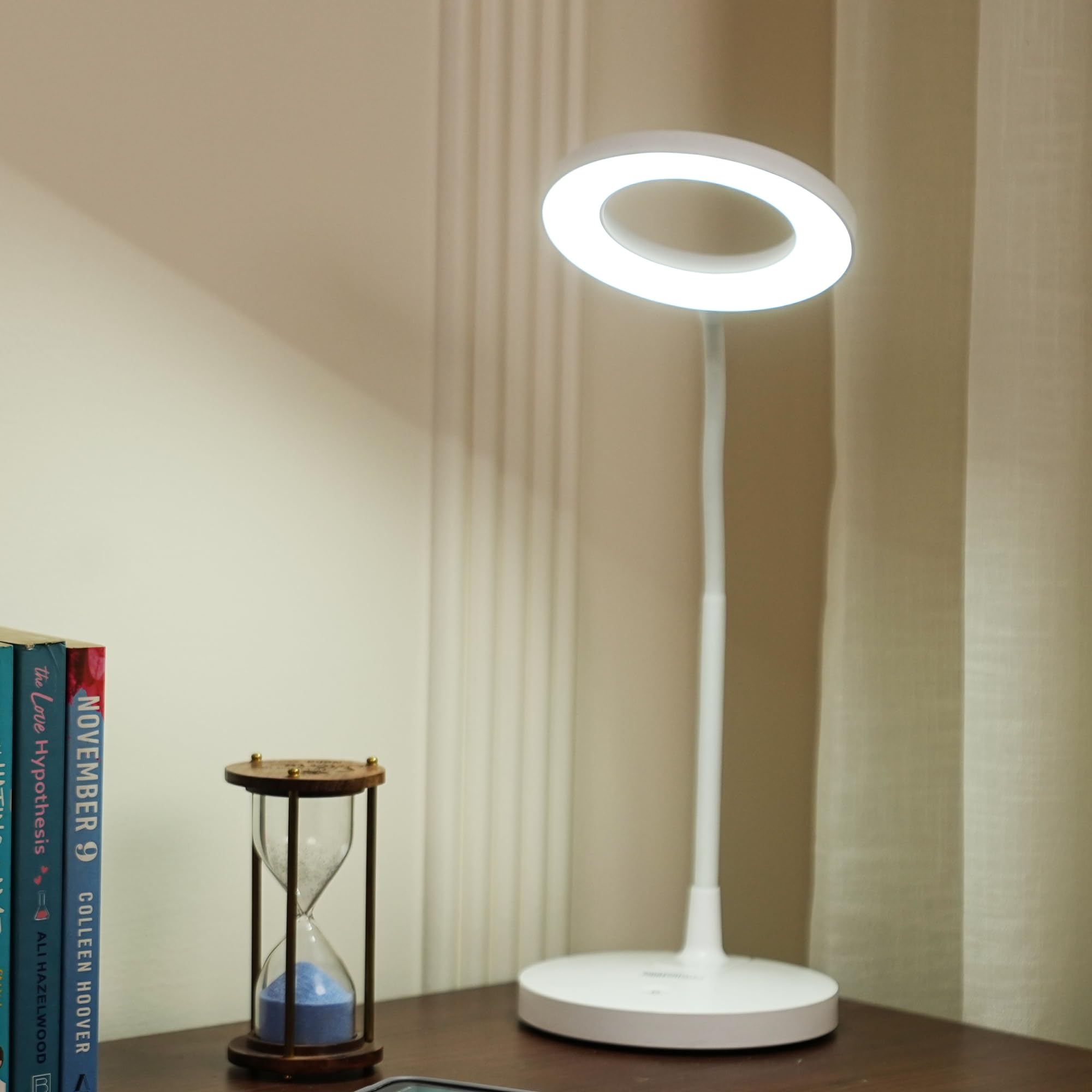
Image: Front view of the Amazon Basics 9W Dimming Halo Rechargeable Table Lamp, showing its white finish and halo-shaped light head.
What's in the Box
Verify that all components are present upon unboxing:
- 1 x Amazon Basics 9W Dimming Halo Rechargeable Table Lamp
- 1 x Micro-B USB Charging Cable
- 1 x User Manual (this document)
Product Features
- Light Source: 40 LED lights
- Brightness: Adjustable dimming switch
- Color Modes: 3 options - Cool Day Light, Neutral White, Warm White
- Battery: BIS certified 1800mAh Lithium-ion rechargeable battery
- Charging: USB cable provided, 8 hours recharge time
- Power: 9W
- Dimensions: 16D x 32W x 43H Centimeters
- Control: Touch-sensitive switch
- Design: Cordless, flexible neck

Image: Diagram illustrating key features of the lamp, including 40 LED lights, 9W power, USB cable, and adjustable brightness switch.
Setup
- Unpack: Carefully remove all components from the packaging.
- Placement: Place the lamp on a stable, flat surface such as a desk or bedside table. Ensure the area is clear of obstructions.
- Initial Charge: Before first use, fully charge the lamp for approximately 8 hours using the provided USB cable. Refer to the "Charging Instructions" section for details.

Image: The table lamp positioned on a desk, highlighting its compact size and dimensions suitable for various workspaces.
Operating Instructions
The lamp features a touch-sensitive control panel located on its base.
- Power On/Off: Lightly touch the power icon (⏻) on the base to turn the lamp on or off.
- Adjust Brightness: While the lamp is on, press and hold the power icon (⏻) to continuously adjust the brightness level. Release when the desired brightness is reached.
- Change Color Mode: With the lamp on, short press the mode icon (often represented by a sun or color palette symbol, if present, otherwise use the power button for cycling) to cycle through the three available color temperatures:
- Cool Day Light
- Neutral White
- Warm White

Image: The lamp demonstrating its three distinct color modes: Cool Day Light, Golden Yellow Light, and Warm White Light, suitable for various activities.

Image: The lamp being used in different scenarios such as reading, working, and relaxing, showcasing its adaptability.
Charging Instructions
The lamp is powered by a built-in rechargeable battery.
- Locate the Micro-B USB charging port on the side of the lamp's base.
- Connect the provided Micro-B USB cable to the lamp's charging port.
- Connect the other end of the USB cable to a compatible USB power source (e.g., computer USB port, USB wall adapter, power bank).
- The charging indicator light (if present) will illuminate to show charging status.
- A full charge takes approximately 8 hours. The indicator light may change or turn off once fully charged.
- The lamp can operate while charging.
Battery Life: The 1800mAh battery provides approximately 40 hours of light on the weakest setting and 3.5 hours on the brightest setting.

Image: A close-up of the lamp's base showing the USB charging cable connected to a power source, illustrating the charging process.

Image: Visual representation of the lamp's battery performance, showing it lasts 40 hours on the lowest brightness and 3.5 hours on the highest brightness.
Maintenance
- Cleaning: Disconnect the lamp from any power source before cleaning. Use a soft, dry cloth to wipe the lamp's surface. Do not use abrasive cleaners, solvents, or harsh chemicals.
- Storage: When not in use for extended periods, store the lamp in a cool, dry place. Ensure the battery is partially charged before storage to prolong its lifespan.
- Avoid Water: This product is not water-resistant. Avoid exposure to water or high humidity.
Troubleshooting
| Problem | Possible Cause | Solution |
|---|---|---|
| Lamp does not turn on. | Battery is depleted. | Connect the lamp to a power source using the USB cable and charge for 8 hours. |
| Lamp does not charge. | USB cable or power source is faulty. | Try a different USB cable or a different USB power adapter. Ensure connections are secure. |
| Brightness or color mode cannot be adjusted. | Incorrect operation of touch controls. | Refer to "Operating Instructions" for correct touch control usage. Ensure fingers are clean and dry. |
Specifications
| Feature | Detail |
|---|---|
| Model Number | ABBRLX006 |
| Power | 9 Watts |
| Light Source | 40 LED lights |
| Battery Type | 1800mAh Lithium-ion (BIS certified) |
| Recharge Time | Approx. 8 hours |
| Battery Life (Weakest Setting) | Up to 40 hours |
| Battery Life (Brightest Setting) | Up to 3.5 hours |
| Color Modes | Cool Day Light, Neutral White, Warm White |
| Control Method | Touch |
| Product Dimensions (D x W x H) | 16D x 32W x 43H Centimeters |
| Item Weight | 524 Grams |
| Material | Plastic |
| Connectivity Technology | USB |
| Indoor/Outdoor Usage | Indoor |
| Manufacturer | KENNEDE ELECTRONICS MFG CO. LTD |
| Country of Origin | China |
Safety Information
- Do not disassemble, repair, or modify the product.
- Keep the lamp away from water, high humidity, and extreme temperatures.
- Do not expose the lamp to direct sunlight for prolonged periods.
- Use only the provided USB cable or a certified equivalent for charging.
- Keep out of reach of children.
- Avoid looking directly into the LED light source for extended periods.
Warranty and Support
For warranty information and customer support, please refer to the documentation included with your purchase or visit the official Amazon Basics support website. Contact details for the importer and manufacturer are provided in the product specifications for reference.
- Importer Contact: ETRADE MARKETING PRIVATE LIMITED, 633-B, UDYOG VIHAR, PAHSE -V, SECTOR-19, GURUGRAM-122016, HARYANA
- Manufacturer Contact: KENNEDE ELECTRONICS MFG CO. LTD, No.21 Jintong Road, Tangxia Town, Pengjiang District 'Jiangmen'Guangdong 529085 'China