
1. Introduction
Thank you for choosing the MOSISO Camera Bag Sling Backpack. This manual provides detailed instructions for the proper use, setup, and maintenance of your new camera bag. Designed for photographers on the go, this bag offers secure storage, quick access, and protection for your valuable camera gear.

Figure 1.1: Front view of the MOSISO Camera Bag Sling Backpack.
2. Key Features
- Outer Dimensions: 15.5 x 9.5 x 5.9 inches (H x L x W).
- Main Compartment: Features removable modular inserts (inner dimension: 12.5 x 8.2 x 4.1 inch) to customize space for DSLR/SLR/Mirrorless cameras, lenses, and flash units.
- Additional Pockets: Two front compartments (8.2 x 7 inch) for accessories like cables, cellphones, keys, wallets, and cards. A hidden anti-theft zippered back pocket for valuables.
- Tripod Holder: Integrated mesh net pocket and adjustable strap on the side for securing a tripod.
- Rain Cover: Includes a dedicated waterproof polyester rain cover stored in a vertical zipper bag on the back.
- Adjustable Sling Strap: Padded crossbody shoulder strap adjustable from 32.5 to 41.5 inches for comfortable wear and quick access.

Figure 2.1: Multi-function main storage capacity with modular inserts. This compartment can accommodate one DSLR camera and up to three lenses, along with an iPad mini and other small items.
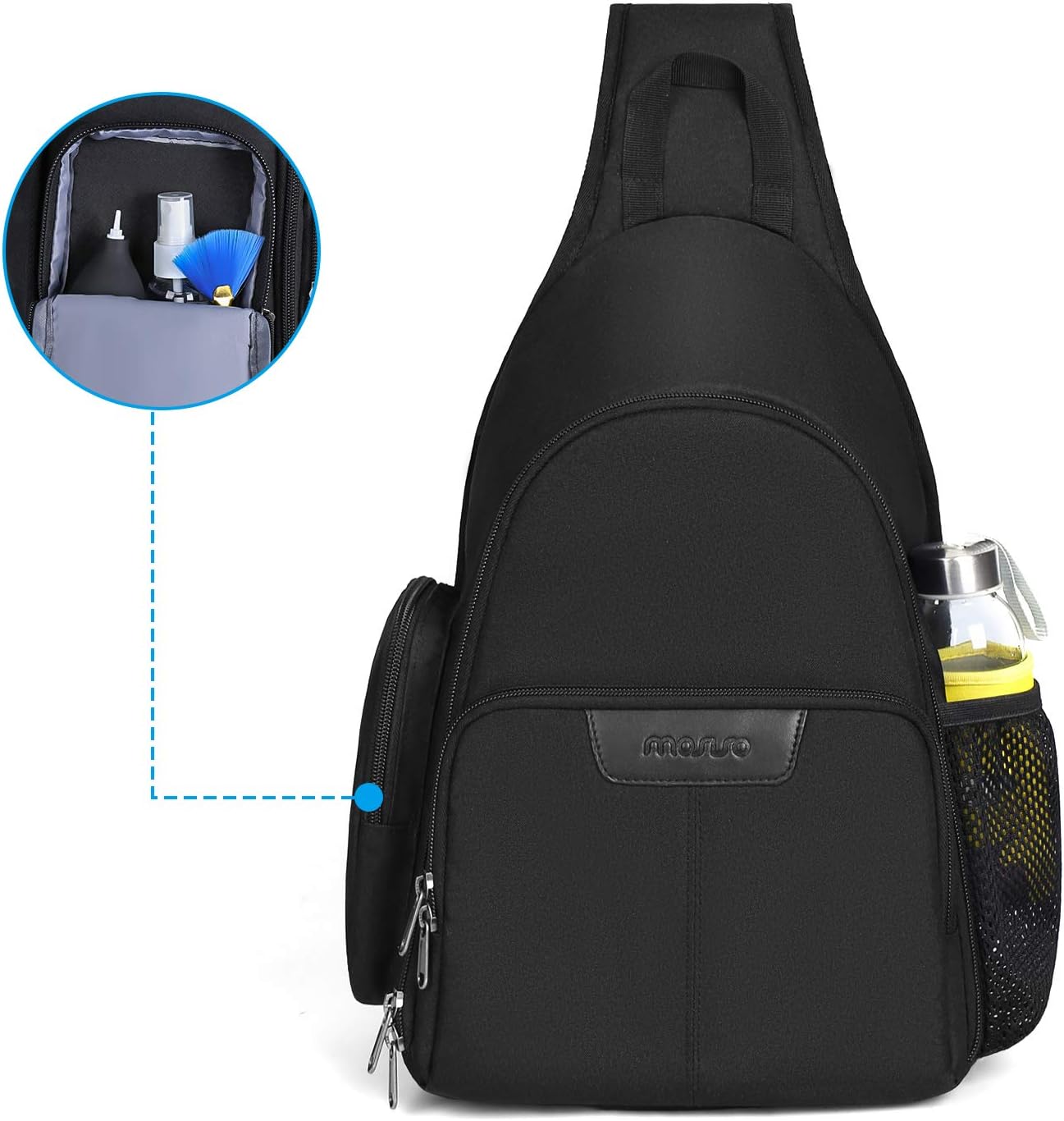
Figure 2.2: Side pocket for small accessories like cleaning kits.
3. Setup
3.1 Configuring Internal Dividers
- Unzip the main compartment of the bag.
- The bag comes with removable, padded inserts. These are attached with hook-and-loop fasteners.
- Adjust the position of these inserts to create custom compartments that snugly fit your camera body, lenses, and other equipment. Ensure all gear is securely cushioned.
- Place your camera and lenses into their designated sections.
3.2 Attaching a Tripod
- Locate the mesh net pocket on the side of the bag. This is designed to hold the base of your tripod.
- Insert the feet of your tripod into this pocket.
- Secure the upper part of the tripod using the adjustable strap located above the mesh pocket. Tighten the strap to prevent movement.
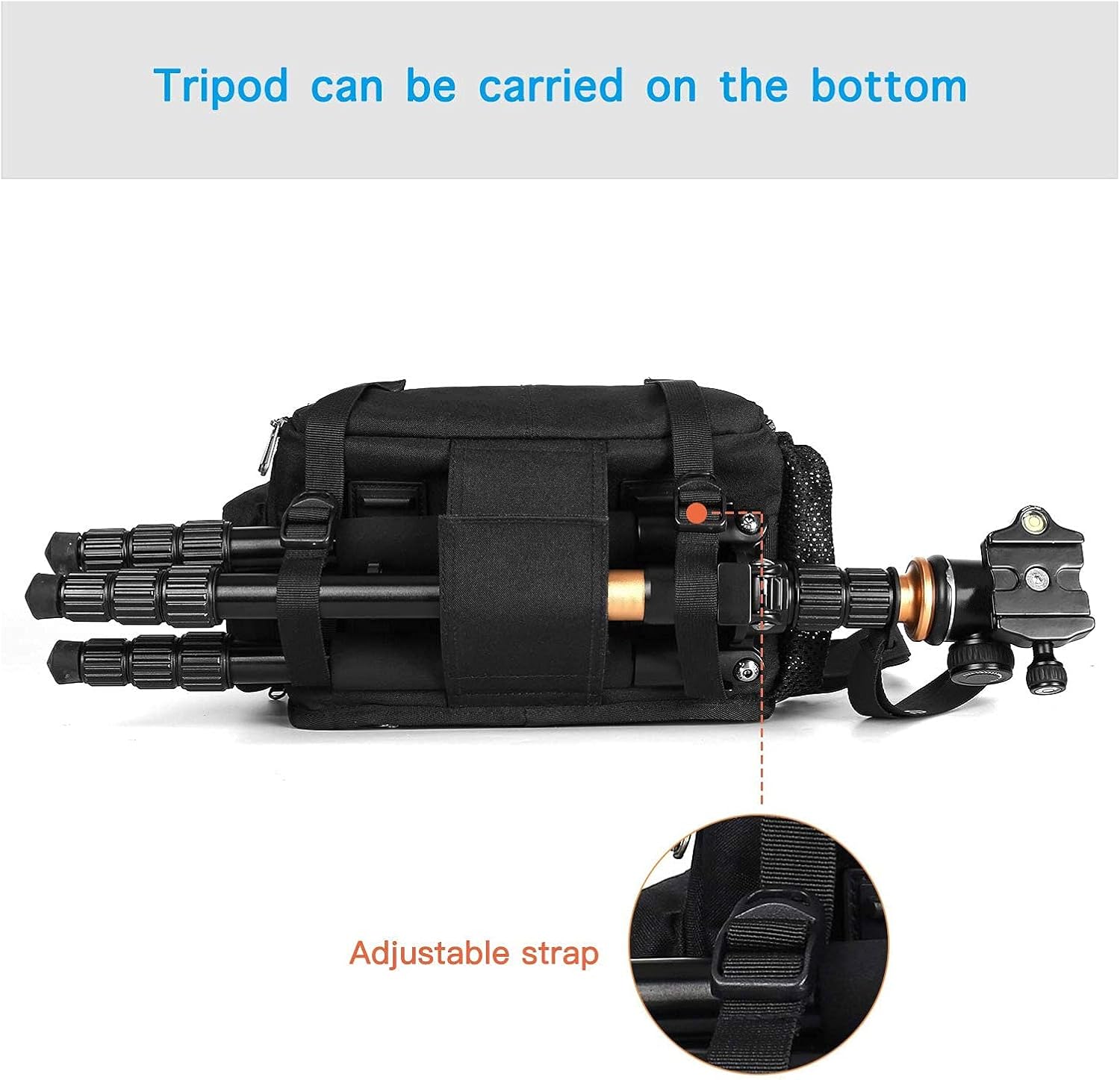
Figure 3.1: Tripod can be carried securely on the bottom of the bag using the adjustable strap.
3.3 Deploying the Rain Cover
- The waterproof rain cover is stored in a vertical zipper bag on the back of the main compartment.
- Unzip the pocket and remove the folded rain cover.
- Unfold the cover and stretch it over the entire bag, ensuring all sides are covered for maximum protection against rain or dust.

Figure 3.2: Waterproof Polyester Rain Cover and bag dimensions (15.5 inch H, 9.5 inch L, 5.9 inch W).
4. Operating the Bag
4.1 Wearing the Sling Backpack
The MOSISO Camera Bag is designed as a sling backpack for comfortable wear and quick access. Adjust the padded crossbody shoulder strap to your preferred length (32.5 to 41.5 inches) for optimal comfort. The sling design allows you to easily swing the bag from your back to your front to access your camera without removing the bag.

Figure 4.1: The bag worn as a sling backpack.
4.2 Utilizing Pockets and Compartments
- Main Compartment: Ideal for your camera body and lenses. The full-open design provides easy visibility and access to all your gear.
- Front Pockets: Use these for smaller, frequently accessed items like spare batteries, memory cards, lens caps, or personal items.
- Back Pocket: The hidden anti-theft zippered pocket on the back is perfect for securing important documents, passports, or a tablet (compatible with most 8-10 inch tablets).
- Side Pouch: The small zippered side pouch can hold additional small items or cleaning accessories.
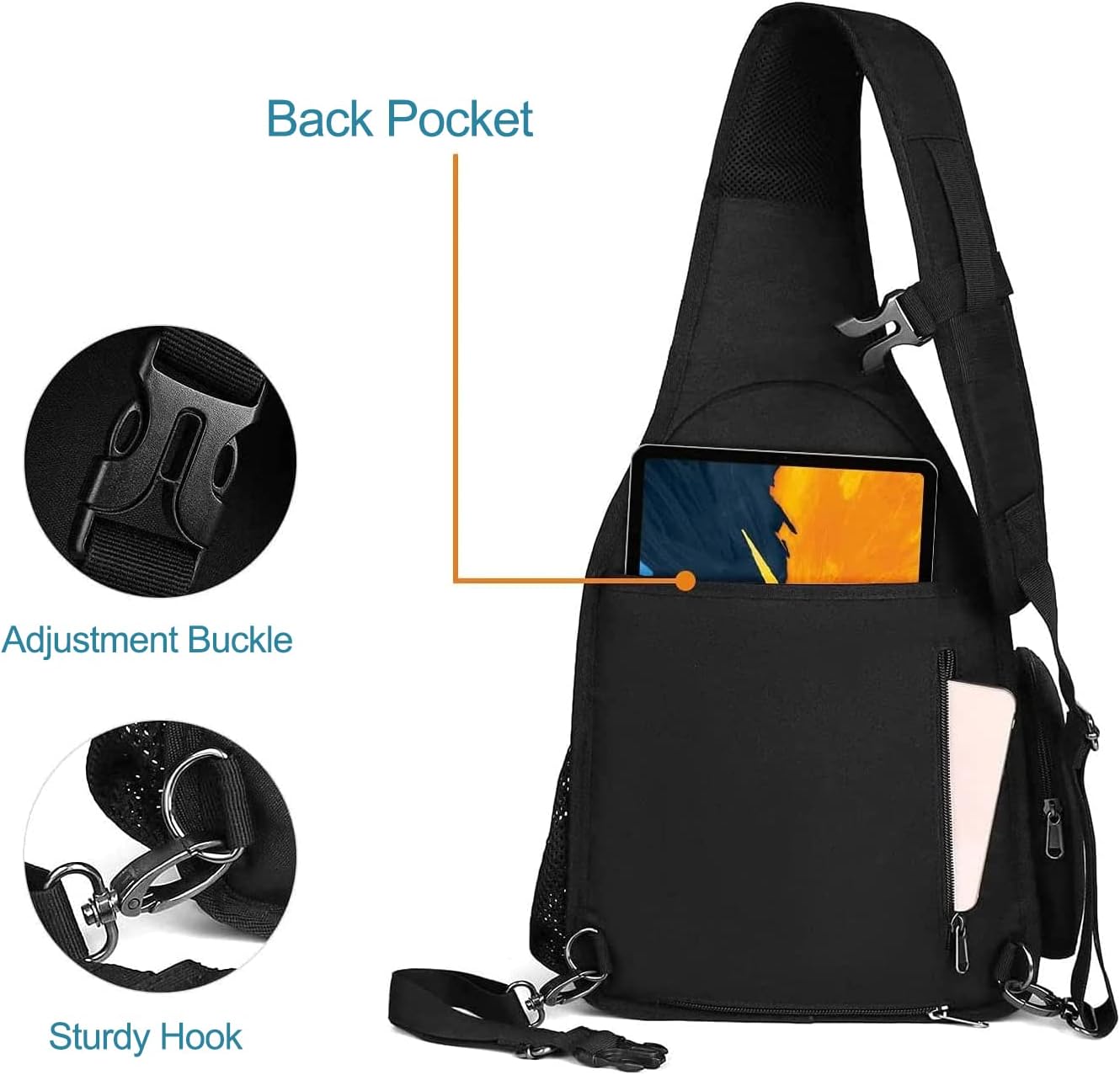
Figure 4.2: Back pocket for tablets, adjustment buckle, and sturdy hook details.
4.3 Product Overview Video
Watch this official video for a comprehensive overview of the MOSISO Camera Sling Bag Backpack, demonstrating its features and usage.
Video 4.1: MOSISO Camera Sling Bag Backpack overview. This video demonstrates the bag's internal organization, external features, and how to utilize its various compartments for camera gear and personal items.
5. Maintenance
5.1 Cleaning Instructions
- For light dirt, wipe the exterior with a damp cloth and mild soap.
- For stubborn stains, a soft brush can be used gently.
- Do not machine wash or tumble dry. Air dry completely before storing.
- Clean the interior by vacuuming or shaking out debris. The modular inserts can be removed and spot cleaned if necessary.
5.2 Storage
When not in use, store the bag in a cool, dry place away from direct sunlight to prevent material degradation. Ensure the bag is completely dry before storage to prevent mold or mildew.
6. Troubleshooting
6.1 Bag Feels Too Small/Large for Gear
Ensure you have properly configured the modular inserts. These are designed to be adjustable to accommodate various camera bodies and lenses. Experiment with different arrangements to find the optimal fit for your specific equipment. Refer to Section 3.1 for guidance on configuring internal dividers.
6.2 Strap Length Issues
The padded crossbody shoulder strap is adjustable from 32.5 to 41.5 inches. If the strap feels too long or too short, ensure you have fully utilized the adjustment buckle. For individuals with specific height requirements, please note the strap's maximum and minimum lengths.
6.3 Tripod Not Secure
Make sure the tripod's feet are fully seated in the mesh net pocket and the adjustable strap is tightened securely around the upper part of the tripod. The strap should be snug to prevent any shifting during movement. Refer to Section 3.2 for proper tripod attachment.
7. Specifications
| Feature | Specification |
|---|---|
| Product Dimensions | 9.5 x 5.9 x 15.5 inches (L x W x H) |
| Item Weight | 1.68 pounds |
| Model Number | MOCAMSLFLOPBG001 |
| Material | Durable Polyester (Water-repellent) |
| Compatibility | DSLR/SLR/Mirrorless cameras (e.g., Nikon D5300, Canon EOS Rebel T6), 8-10 inch tablets |
| Country of Origin | China |
8. Warranty and Support
MOSISO products are manufactured with high-quality materials and craftsmanship. For any questions, concerns, or warranty claims, please contact MOSISO customer support through the retailer where you purchased the product or visit the official MOSISO website for contact information.
Please retain your proof of purchase for warranty purposes.