Introduction
Thank you for choosing OYEALEX EL-B4 Active Noise Cancelling Over Ear Headphones. These headphones are designed to provide a superior audio experience with deep bass, comfortable wear, and effective noise cancellation. This manual will guide you through the setup, operation, and maintenance of your new headphones.
What's in the Box
- OYEALEX EL-B4 Headphones
- Charging Cable
- Audio Cable (3.5mm)
- User Manual (this document)
Product Overview

Figure 1: OYEALEX EL-B4 Over Ear Headphones (Yellow variant shown).

Figure 2: Overview of headphone buttons and their functions, including Power, Volume, Play/Pause, FM Mode, and Next/Previous Song controls.
Setup
1. Charging the Headphones
Before first use, fully charge your headphones. Connect the provided charging cable to the charging port on the headphones and the other end to a USB power source (e.g., computer USB port, wall adapter). The LED indicator will show charging status and turn off when fully charged. A full charge takes approximately 1-2 hours.

Figure 3: Battery life indicators for the OYEALEX EL-B4 headphones.
2. Powering On/Off
To power on, press and hold the Power button until the LED indicator lights up. To power off, press and hold the Power button again until the LED indicator turns off.
3. Bluetooth Pairing
- Ensure the headphones are powered off.
- Press and hold the Power button for approximately 5 seconds until the LED indicator flashes blue and red alternately, indicating pairing mode.
- On your device (smartphone, tablet, PC), enable Bluetooth and search for available devices.
- Select "EL-B4" from the list of found devices.
- Once paired, the LED indicator will turn solid blue or flash blue slowly.

Figure 4: Bluetooth 5.0 technology ensures a stable connection with your devices.
Operating Instructions
Basic Controls
- Power On/Off: Press and hold the Power button.
- Play/Pause: Short press the Play/Pause button.
- Volume Up: Short press the Volume Up (+) button.
- Volume Down: Short press the Volume Down (-) button.
- Next Song: Long press the Volume Up (+) button.
- Previous Song: Long press the Volume Down (-) button.
- Answer/End Call: Short press the Play/Pause button during an incoming call.
- Reject Call: Long press the Play/Pause button during an incoming call.
Modes of Operation

Figure 5: The EL-B4 headphones support multiple playback modes.
- Bluetooth Mode: Connect wirelessly to your Bluetooth-enabled devices for audio playback and calls.
- Wired Mode: Use the provided 3.5mm audio cable to connect to devices without Bluetooth or when the battery is depleted. Simply plug the cable into the headphone's audio jack and your device's audio output.
- MicroSD Card Mode: Insert a MicroSD card (up to 32GB) loaded with MP3 audio files into the designated slot. The headphones will automatically switch to MicroSD card playback.
- FM Radio Mode: Press the 'M' (Mode) button to switch to FM radio. Use the Volume Up/Down buttons to scan for stations.
Features
- Active Noise Cancellation (ANC): Engineered with -20dB noise cancellation, these headphones reduce ambient noise, allowing for a more immersive listening experience.
- Superior Sound Quality: Dual powerful 40mm sound stage drivers deliver true-to-life audio with rich bass.

Figure 6: Experience immersive sound with 40mm drivers and Bass Boost Technology.
- Extended Battery Life: Built-in rechargeable battery provides 10-30 hours of playtime on a single 1-2 hour charge.
- Comfortable & Ergonomic Design: Memory-protein earmuffs and a soft leather headband ensure maximum comfort and superior isolation for prolonged use. The adjustable headband and foldable design enhance portability.
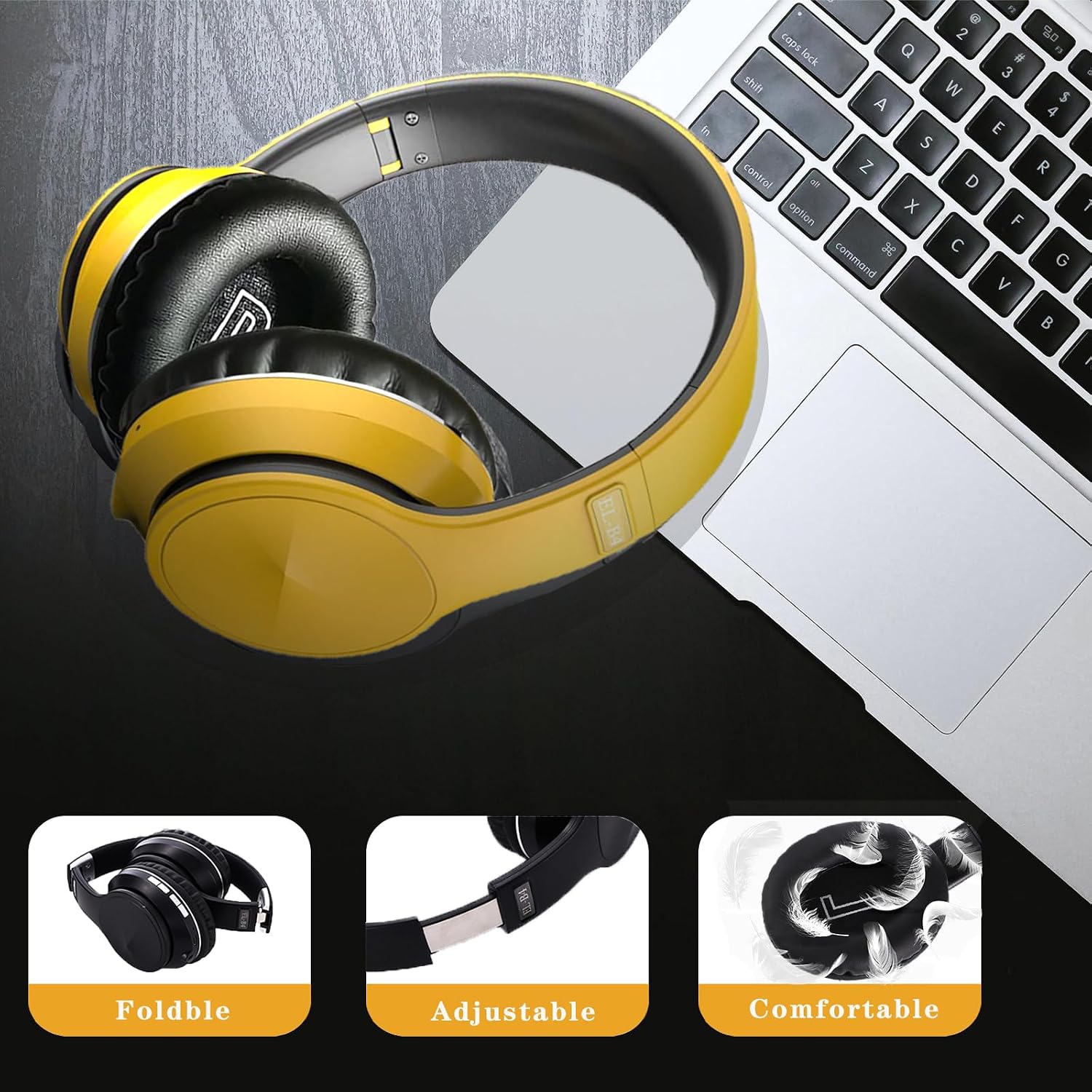
Figure 7: Foldable, adjustable, and comfortable design for extended wear and easy transport.
- Built-in Microphone: High-quality microphone for hands-free calls.
- Versatile Connectivity: Supports Bluetooth 5.0, 3.5mm audio cable, and MicroSD card playback.
Specifications
| Feature | Detail |
|---|---|
| Model Name | EL-B4 |
| Connectivity Technology | Wireless (Bluetooth), Wired (3.5mm Jack) |
| Wireless Communication Technology | Bluetooth 5.0 |
| Noise Control | Sound Isolation / Active Noise Cancellation (-20dB) |
| Earpiece Shape | Over Ear |
| Audio Driver Type | Dynamic Driver (40mm) |
| Battery Life | 10-30 Hours Playtime (20 Hours listed in specs) |
| Charging Time | 1-2 Hours |
| Bluetooth Range | Up to 10 Meters |
| Frequency Range | 20 Hz - 20,000 Hz |
| Item Weight | 0.21 Kilograms (7.4 ounces) |
| Product Dimensions | 7.09 x 3.15 x 8.26 inches |
| Material | Plastic (with metal adjustable parts) |
| Special Features | Built-in Mic, FM Radio, SD Card Slot, Foldable, Adjustable Headband |
Maintenance
- Clean the headphones regularly with a soft, dry cloth.
- Avoid exposing the headphones to extreme temperatures, humidity, or direct sunlight.
- Do not use abrasive cleaners or solvents.
- Store the headphones in a cool, dry place when not in use.
- Avoid dropping or subjecting the headphones to strong impacts.
Troubleshooting
| Problem | Possible Solution |
|---|---|
| Headphones won't turn on. | Ensure the headphones are fully charged. |
| Cannot pair via Bluetooth. |
|
| No sound or low volume. |
|
| Noise cancellation not effective. | Ensure the headphones are worn correctly, covering the ears completely for optimal seal. |
Warranty and Support
OYEALEX headphones are designed for durability and performance. For any issues or support, please refer to the warranty information provided with your purchase or contact OYEALEX customer service. The product is FCC, BQB, UL, and CE certified, ensuring safety and quality standards.
For further assistance, please visit the official OYEALEX store: OYEALEX Store on Amazon.


