
Introduction
Thank you for purchasing the SAMI RS-11807 3-Band Radio. This portable analog radio offers versatile listening options with FM, AM, and SW bands, along with modern connectivity features including Bluetooth, USB, Micro SD, and Aux-In. It features a telescopic antenna for enhanced reception, an ambient LED light, and can be powered by its rechargeable battery or two UM-1 batteries (not included).
Safety Instructions
- Read all instructions carefully before using the device.
- Do not expose the unit to rain, moisture, or direct sunlight for extended periods.
- Avoid placing the unit near heat sources such as radiators, stoves, or other heat-producing appliances.
- Use only the specified power adapter or batteries.
- Do not open the casing; refer all servicing to qualified personnel.
- Keep out of reach of children.
Package Contents
- SAMI RS-11807 3-Band Radio
- AC Power Cable
- Instruction Manual (this document)
Product Layout
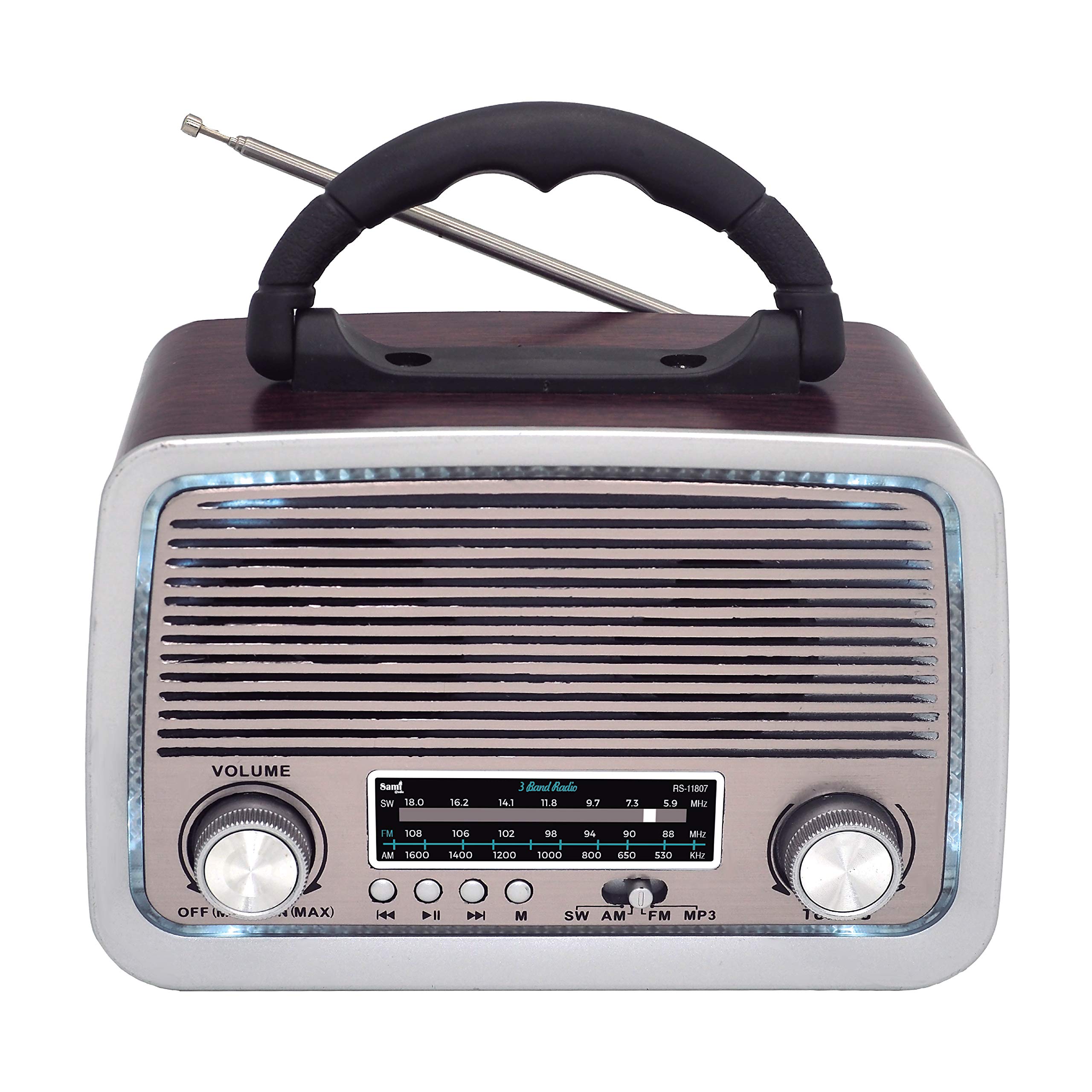
Figure 1: Front View of SAMI RS-11807 Radio. Displays the main speaker, frequency display, volume control (left), tuning control (right), and playback buttons (rewind, play/pause, fast forward, mode).
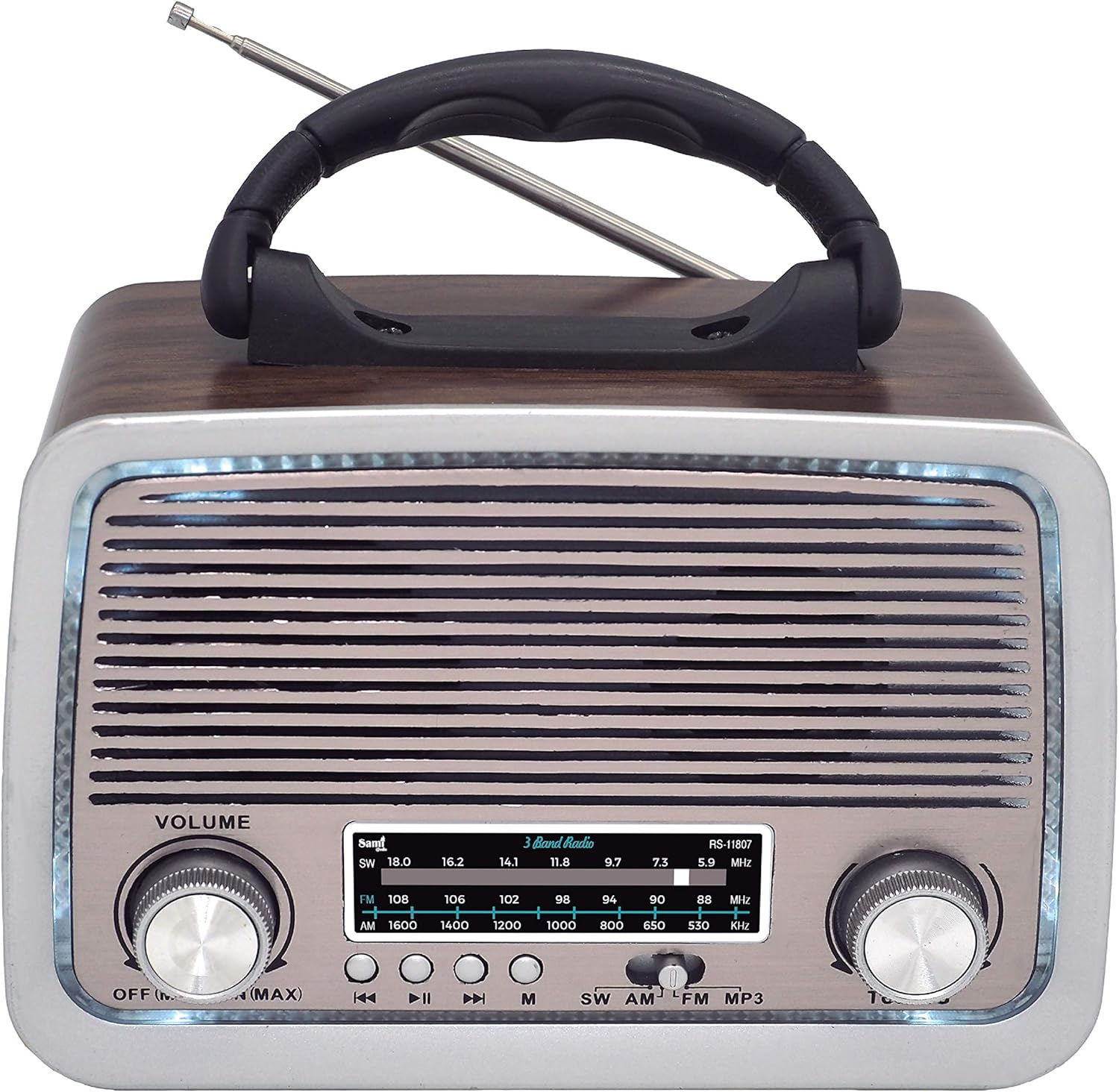
Figure 2: Side View of SAMI RS-11807 Radio. Shows the telescopic antenna extended, the carry handle, and the various input ports on the side: USB, Micro SD card slot, Aux-In, and the DC charging port.
Controls and Ports:
- Volume Knob: Rotate to adjust sound level.
- Tuning Knob: Rotate to select radio frequencies.
- Band Selector: Switch between FM, AM, SW, BT, USB/SD, and Aux modes.
- Playback Controls: For USB/Micro SD/Bluetooth modes (Previous Track, Play/Pause, Next Track).
- USB Port: For USB flash drives.
- Micro SD Card Slot: For Micro SD memory cards.
- Aux-In Port: For connecting external audio devices.
- DC Charging Port: For connecting the AC power cable to charge the internal battery or power the unit.
- Telescopic Antenna: Extend for better radio reception.
- Battery Compartment: Located on the back/bottom for UM-1 batteries.
Setup
1. Powering the Device
- Internal Rechargeable Battery: The radio has a built-in rechargeable battery. Connect the provided AC power cable to the DC charging port on the radio and plug the other end into a wall outlet to charge the battery. The LED indicator will show charging status.
- UM-1 Batteries (Not Included): For portable use without recharging, open the battery compartment and insert two UM-1 size batteries, ensuring correct polarity (+/-).
2. Antenna
For optimal radio reception, fully extend the telescopic antenna. Adjust its direction for the clearest signal.
Operating Instructions
1. Radio Operation (FM/AM/SW)
- Turn the Volume knob clockwise to power on the radio and set a low volume.
- Use the Band Selector to choose your desired band: FM, AM, or SW.
- Extend the telescopic antenna and adjust its position for best reception.
- Rotate the Tuning knob to scan for radio stations. The frequency display will show the selected frequency.
- Adjust the Volume knob to your preferred listening level.
2. Bluetooth (BT) Function
- Turn on the radio and set the Band Selector to 'BT' mode. A voice prompt will indicate Bluetooth pairing mode.
- Enable Bluetooth on your mobile device (smartphone, tablet, etc.).
- Search for available devices and select 'SAMI RS-11807' (or similar name) from the list.
- Once paired, a confirmation sound will be heard. You can now play audio from your device through the radio.
- Use the playback controls on the radio or your device to manage music.
3. USB/Micro SD Playback
- Insert a USB flash drive into the USB port or a Micro SD card into the Micro SD slot.
- Set the Band Selector to 'USB/SD' mode. The radio will automatically detect and begin playing audio files (MP3 format recommended).
- Use the playback controls (Previous Track, Play/Pause, Next Track) to navigate your music.
4. Aux-In Connection
- Connect one end of a 3.5mm audio cable (not included) to the Aux-In port on the radio.
- Connect the other end of the cable to the headphone jack or audio output of your external device (e.g., MP3 player, smartphone).
- Set the Band Selector to 'Aux In' mode.
- Play audio from your external device. The sound will be output through the radio's speaker.
5. Ambient LED Light
The radio features an ambient LED light. This light typically activates automatically when the radio is powered on. There may be a dedicated switch or a long press on a mode button to toggle it on/off, depending on the specific model variant.
Maintenance
- Cleaning: Wipe the radio with a soft, dry cloth. Do not use abrasive cleaners or solvents.
- Battery Care: If using UM-1 batteries, remove them if the radio will not be used for an extended period to prevent leakage. For the rechargeable battery, charge it regularly to maintain its lifespan.
- Storage: Store the radio in a cool, dry place away from direct sunlight and extreme temperatures.
Troubleshooting
| Problem | Possible Cause | Solution |
|---|---|---|
| No power | Battery depleted or incorrectly installed; AC cable not connected. | Charge the internal battery, check UM-1 battery polarity, or ensure AC cable is securely connected. |
| Poor radio reception | Antenna not extended or poorly positioned; weak signal area. | Fully extend and adjust the telescopic antenna. Try moving the radio to a different location. |
| Bluetooth not connecting | Radio not in BT mode; device Bluetooth off; already connected to another device. | Ensure radio is in BT mode. Turn on Bluetooth on your device. Disconnect from other devices. |
| USB/Micro SD not playing | Incorrect file format; media not inserted correctly; radio not in USB/SD mode. | Ensure audio files are MP3. Reinsert media. Select USB/SD mode. |
Specifications
| Feature | Detail |
|---|---|
| Brand | Sami |
| Model | RS-11807 |
| Radio Bands | FM, AM, SW (3 Bands) |
| Tuner Technology | AM, FM, SW |
| Connectivity | Bluetooth, USB, Micro SD, Aux-In |
| Power Source | Rechargeable Battery, 2 x UM-1 Batteries (not included), AC Power Cable |
| Special Features | Telescopic Antenna, Ambient LED Light, Portable Design |
| Compatible Devices | Smartphone, MP3 Player, Laptop |
| Color | Wood |
Warranty and Support
This product comes with a standard manufacturer's warranty. For specific warranty details, please refer to the documentation provided at the time of purchase or contact your retailer. If you encounter any issues or require technical assistance, please contact Sami customer support through their official website or the contact information provided with your purchase.