
Easytry123 AR-RY12
User Manual for Easytry123 Replacement Remote Control
Model: AR-RY12
Introduction
This manual provides comprehensive instructions for the Easytry123 replacement remote control, designed for various Fujitsu Air Conditioner models including AUYG18LVLB, ASYG07LUCA, ASYG09LUCA, RSB09LDC, RSB18LDC, RSB24LDC, RGV09LA, ASHA09LEC, ASHA12LEC, ASHA18LEC, ASHA12LGC, and ASHA14LGC. This remote control is an infrared (IR) device intended to replace your original unit, offering essential functions for your air conditioning system.

Figure 1: Front view of the Easytry123 replacement remote control, showing the display and various control buttons.
Setup
Battery Installation
The remote control requires two AAA batteries (not included). Follow these steps to install them correctly:
- Locate the battery compartment cover on the back of the remote control.
- Slide the cover downwards or press the "OPEN" tab and lift to remove it.
- Insert two AAA batteries, ensuring the positive (+) and negative (-) polarities align correctly with the markings inside the compartment.
- Replace the battery compartment cover by sliding it back into place until it clicks securely.
Important: Do not mix old and new batteries, or batteries of different types. Incorrect battery installation can prevent the remote from functioning or cause damage.
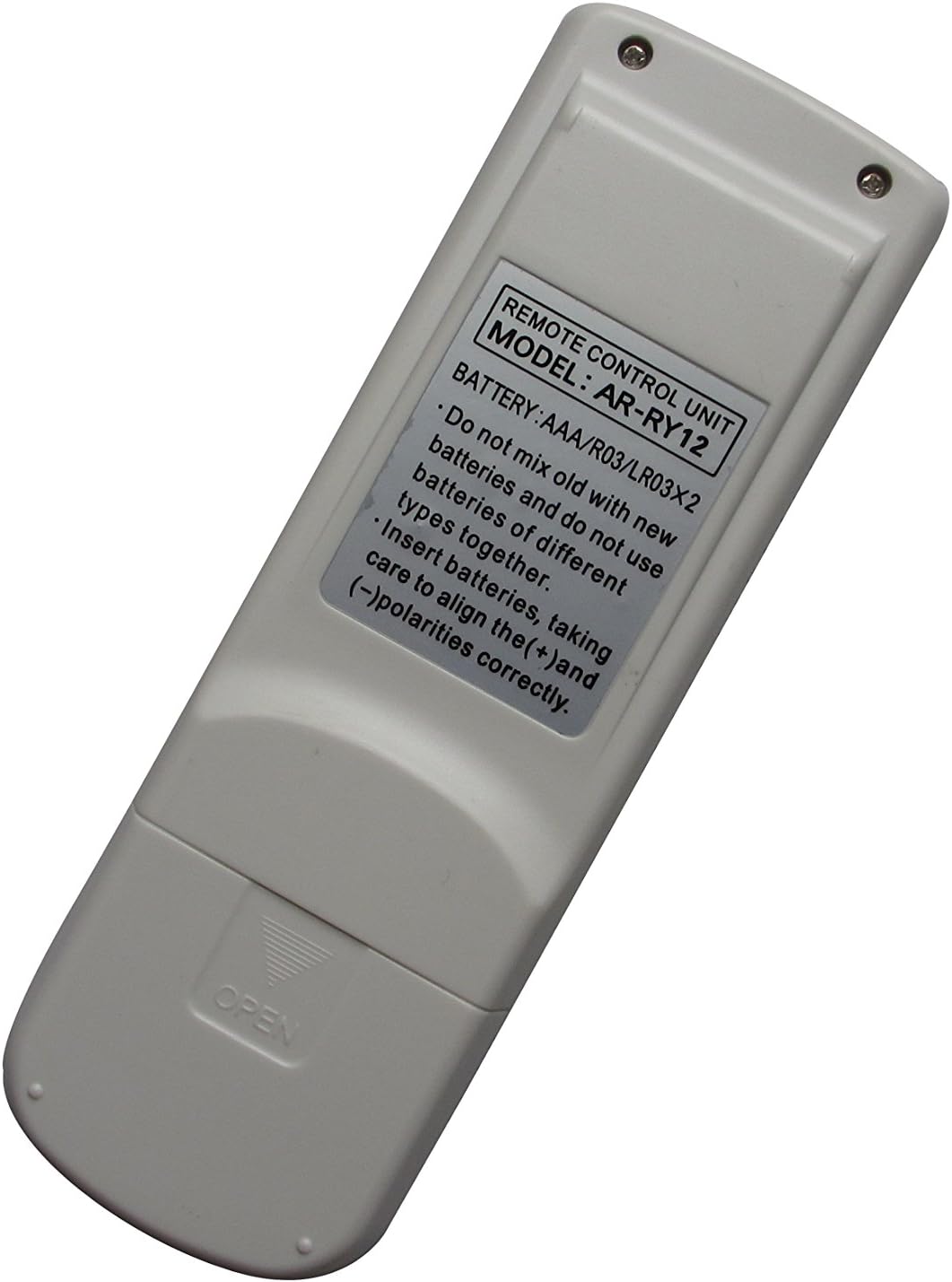

Figure 2: Back view of the remote control (left) indicating the battery compartment, and (right) the compartment open for battery insertion.
Operating Instructions
This remote control features an ergonomic design with clearly labeled buttons for easy operation of your Fujitsu Air Conditioner. Point the remote control directly at the air conditioner's receiver when operating.
Key Functions:
- MASTER CONTROL: Likely cycles through main operating modes (e.g., Cool, Heat, Fan, Dry, Auto).
- START/STOP: Powers the air conditioner On or Off. This button is typically highlighted (e.g., yellow).
- FAN CONTROL: Adjusts the fan speed (e.g., Auto, Low, Medium, High).
- AIR CLEAN: Activates or deactivates the air purification function, if available on your AC unit.
- COIL DRY: Initiates a coil drying function to prevent mold and odors.
- SLEEP: Activates sleep mode, which typically adjusts temperature and fan speed for comfortable sleep.
- SET TEMP ▲ / ▼: Increases or decreases the desired temperature setting.
- SET ▲ / ▼ (Right side): Used for setting timer or other specific parameters.
- SWING: Controls the louver swing direction for air distribution.
- TIMER MODE: Accesses timer settings for scheduled operation.
- TIMER + / -: Adjusts timer settings (e.g., On/Off time).
- CLOCK ADJUST: Sets the current time on the remote's display.
- TEST RUN: For service or diagnostic purposes; typically not for regular user operation.
- RESET: Resets the remote control to default settings. Use a pointed object (like a paperclip) to press this recessed button.
Note: Not all functions may be supported by every Fujitsu Air Conditioner model. Refer to your air conditioner's original manual for specific feature compatibility.
Maintenance
Proper care ensures the longevity and reliable operation of your remote control.
- Cleaning: Wipe the remote control with a soft, dry cloth. Do not use liquid cleaners, sprays, or abrasive materials, as these can damage the remote.
- Battery Replacement: Replace batteries when the remote's response becomes sluggish or the display dims. If the remote will not be used for an extended period, remove the batteries to prevent leakage and corrosion.
- Storage: Store the remote control in a cool, dry place away from direct sunlight and extreme temperatures.
Troubleshooting
If you experience issues with your remote control, try the following solutions:
| Problem | Possible Cause / Solution |
|---|---|
| Remote control is not working. |
|
| Some functions do not work. |
|
| Display is dim or blank. |
|
Specifications
- Model: AR-RY12
- Brand: Easytry123
- Compatible Devices: Fujitsu Air Conditioners (various models)
- Connectivity Technology: Infrared (IR)
- Controller Type: Button Control
- Special Feature: Ergonomic design
- Power Source: 2 x AAA Batteries (not included)
Warranty and Support
For information regarding warranty, returns, or technical support, please refer to the seller's policy on the platform where the product was purchased. As this is a replacement remote, specific warranty details may vary.
For further assistance, you may contact the seller directly through the online marketplace.