1. Introduction
The Gigastone V10 64GB USB2.0 Flash Drive is a portable storage device designed for convenient data transfer and backup. Its capless retractable design protects the USB connector while offering ease of use. This manual provides essential information for setting up, operating, maintaining, and troubleshooting your flash drive.
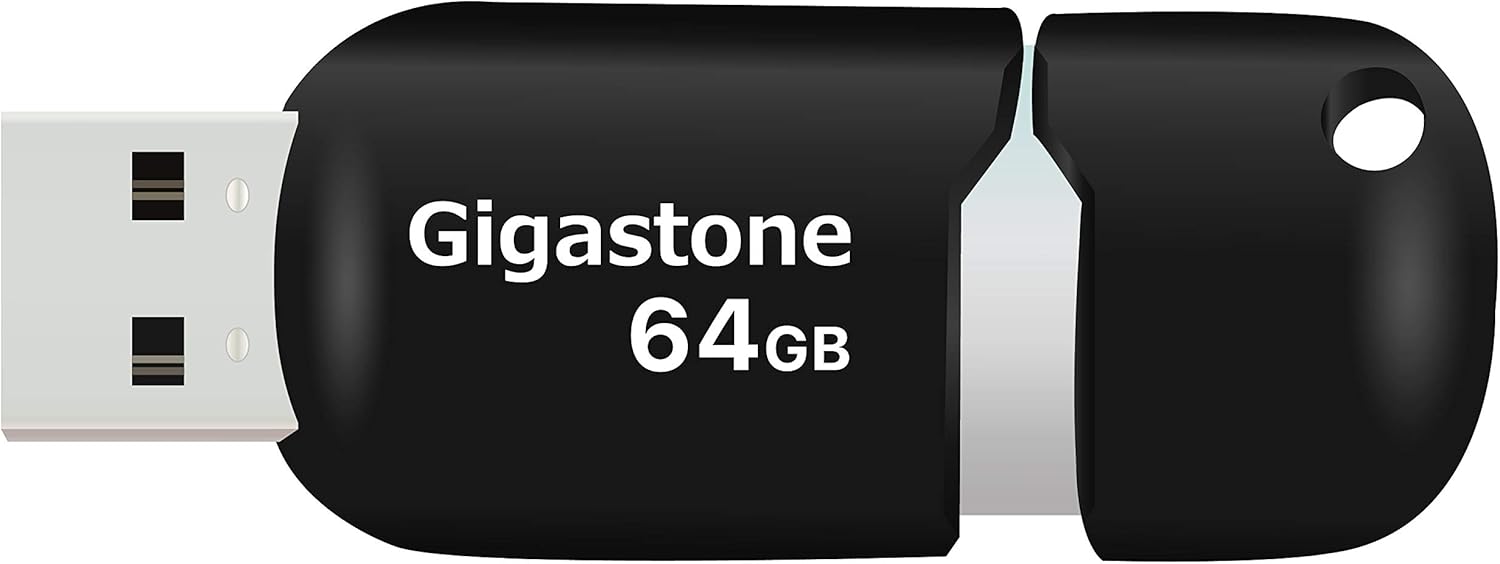
Image 1.1: The Gigastone V10 64GB USB2.0 Flash Drive, featuring its retractable design and Gigastone 64GB branding.
2. Setup
The Gigastone V10 Flash Drive is designed for plug-and-play functionality, requiring no additional software installation for basic operation.
2.1 Connecting the Flash Drive
- Locate an available USB port on your computer or compatible device.
- Gently slide the capless mechanism to expose the USB connector.
- Insert the USB connector firmly into the USB port. The device should be automatically recognized by your operating system.

Image 2.1: The Gigastone V10 Flash Drive connected to a laptop, demonstrating its plug-and-play capability for easy data transfer.
3. Operating Instructions
3.1 Transferring Files
Once connected, the flash drive will appear as a removable storage device (e.g., 'USB Drive' or 'Removable Disk') in your computer's file explorer.
- To copy files to the flash drive: Drag and drop files or folders from your computer to the flash drive's folder, or copy and paste them.
- To copy files from the flash drive: Drag and drop files or folders from the flash drive's folder to your computer, or copy and paste them.
3.2 Safe Removal
To prevent data corruption, always safely remove the flash drive before disconnecting it from your computer.
- Windows: Click the 'Safely Remove Hardware and Eject Media' icon in the system tray, then select the Gigastone V10.
- macOS: Drag the flash drive icon from your desktop to the Trash, or right-click (Control-click) the icon and select 'Eject'.

Image 3.1: A user operating a laptop, illustrating the use of the flash drive for efficient data transfer.
4. Compatibility
The Gigastone V10 Flash Drive offers broad compatibility with various devices and operating systems.
- USB Interface: Compatible with both USB 2.0 and USB 3.0 ports.
- Operating Systems: Supports Windows 7 / 8 / 10 / Vista / XP / Unix / 2000 / ME / NT, Linux, and Mac OS.
- Devices: Suitable for use with desktops, laptops, tablets, smart TVs, gaming consoles, and car audio systems.

Image 4.1: The Gigastone V10 Flash Drive shown alongside a laptop and tablet, highlighting its compatibility with multiple devices.
5. Maintenance
Proper care ensures the longevity and reliable performance of your Gigastone V10 Flash Drive.
- Physical Protection: Avoid dropping the drive or subjecting it to strong impacts. The retractable design helps protect the connector.
- Environmental Conditions: Keep the drive away from extreme temperatures, direct sunlight, and high humidity.
- Cleaning: If necessary, gently wipe the exterior with a soft, dry cloth. Do not use liquid cleaners or solvents.
- Data Backup: Regularly back up important data stored on the flash drive to another storage medium.

Image 5.1: The Gigastone V10 Flash Drive with its rope hole design, allowing it to be attached to a keychain for secure and convenient portability.
6. Troubleshooting
If you encounter issues with your Gigastone V10 Flash Drive, refer to the following common solutions:
- Drive Not Recognized:
- Ensure the drive is fully inserted into the USB port.
- Try a different USB port on your computer.
- Test the drive on another computer to rule out a computer-specific issue.
- Check your computer's Device Manager (Windows) or System Information (macOS) to see if the drive is listed.
- Slow Transfer Speeds:
- Ensure you are using a USB 2.0 or 3.0 port. While compatible with USB 3.0, the drive operates at USB 2.0 speeds.
- Transferring many small files can be slower than transferring a single large file of the same total size.
- Close other applications that might be using system resources.
- Cannot Write Files:
- Check if the drive is full. Delete unnecessary files or transfer them to another location.
- Ensure you have appropriate permissions to write to the drive on your operating system.
- The drive might be formatted with a file system that has limitations (e.g., FAT32 has a 4GB file size limit). Consider reformatting if necessary (this will erase all data).
7. Specifications
| Feature | Detail |
|---|---|
| Brand | Gigastone |
| Model Name | V10 |
| Item Model Number | GS-Z64GCNBL-B |
| Memory Storage Capacity | 64 GB |
| Hardware Interface | USB 2.0, USB 3.0 (compatible) |
| Reading Speed | Up to 25 Megabytes Per Second |
| Flash Memory Type | NAND |
| Special Features | Pocket Size, Easy To Use, Retractable Design |
| UPC | 804272755640 |
| Package Dimensions | 19 x 12 x 0.8 cm |
| Item Weight | 40 g |
8. Warranty and Support
Gigastone stands behind the quality of its products.
- Warranty: The Gigastone V10 Flash Drive comes with a 5-year limited warranty. Please retain your proof of purchase for warranty claims.
- Support: For further assistance, technical support, or warranty inquiries, please visit the official Gigastone website or contact their customer service.

Image 8.1: Gigastone's commitment to quality, highlighted by the 5-year global manufacturer warranty.


