FITUEYES Floor TV Stand Instruction Manual
Model: HU-XI-201
1. Introduction
Thank you for choosing the FITUEYES Floor TV Stand, Model HU-XI-201. This manual provides detailed instructions for the safe and correct assembly, operation, and maintenance of your new TV stand. This stand is designed to accommodate most 32 to 75 inch flat panel or curved screen televisions, offering features such as height adjustment, swivel, and tilt for optimal viewing.
Please read this manual thoroughly before installation and retain it for future reference. Ensure all components are present and undamaged before beginning assembly.
2. Safety Information
- Read All Instructions: Follow all assembly and safety instructions carefully. Incorrect assembly can lead to product damage or personal injury.
- Weight Capacity: Do not exceed the maximum weight capacity of 88 lbs (40 kg) for the TV mount.
- VESA Compatibility: Ensure your TV's VESA mounting pattern falls within the specified range of 200x200mm to 600x400mm.
- Stable Surface: Always place the TV stand on a flat, stable, and level surface.
- Children and Pets: Keep children and pets away from the assembly area. Small parts may be a choking hazard.
- Tools: Use only the tools provided or recommended in this manual.
- Check Connections: Periodically check all screws and connections to ensure they remain tight and secure.
- Avoid Over-tightening: Do not over-tighten screws, as this may cause damage.
3. Package Contents
Before assembly, verify that all parts listed below are present and undamaged. If any parts are missing or damaged, please contact customer support.

Image: All components of the TV stand, including the base, main column, TV bracket, shelves, and various hardware pieces, are laid out for assembly.
- Base Plate
- Main Support Column
- TV Mounting Brackets (Left & Right)
- Adjustable Shelves (x2)
- Hardware Kit (screws, washers, spacers, Allen wrench, open-end wrench)
- Cable Management Clips
4. Setup and Assembly Instructions
Follow these steps carefully to assemble your FITUEYES Floor TV Stand.
4.1 Pre-Assembly Check
- Verify TV Compatibility: Check your TV's VESA mounting pattern and weight. This stand supports VESA patterns from 200x200mm to 600x400mm and TVs up to 88 lbs (40 kg).

Image: A technical diagram illustrating the VESA compatibility range (200x200mm to 600x400mm), maximum TV weight capacity (88 lbs/40 kgs), and the adjustable height range of the stand.
4.2 Assembly Steps
- Assemble the Base: Attach the main support column to the base plate using the provided screws and tools. Ensure it is securely fastened.
- Attach TV Mounting Brackets to TV: Carefully place your TV face down on a soft, clean surface. Attach the TV mounting brackets to the back of your TV using the appropriate screws, washers, and spacers from the hardware kit. Ensure the brackets are level and securely tightened.
- Mount TV to Stand: With assistance, carefully lift the TV and hook the attached brackets onto the main support column's mounting plate. Secure the TV to the stand using the safety screws or locking mechanisms provided.
- Install Shelves: Position the adjustable shelves at your desired height on the main support column. Secure them using the designated fasteners.
- Cable Management: Utilize the integrated cable management clips or channels on the back of the main column to route and conceal your TV and device cables for a tidy appearance.

Image: A detailed view of the TV stand, showcasing its sturdy iron base, the integrated cable routing system along the back of the column, and the mechanism for tilt adjustment.
5. Operating Instructions
5.1 Height Adjustment
The TV mount allows for height adjustment. To change the TV height, loosen the securing bolts on the main column, carefully adjust the TV to the desired vertical position, and then re-tighten the bolts securely. Always ensure the TV is level after adjustment.

Image: An illustration demonstrating how the TV mount can be adjusted vertically along the main column to achieve different viewing heights.
5.2 Swivel Function
The TV mount features a ±30° swivel capability. Gently push the TV to the left or right to adjust the viewing angle. This allows you to optimize your view from various positions in the room without moving the entire stand.
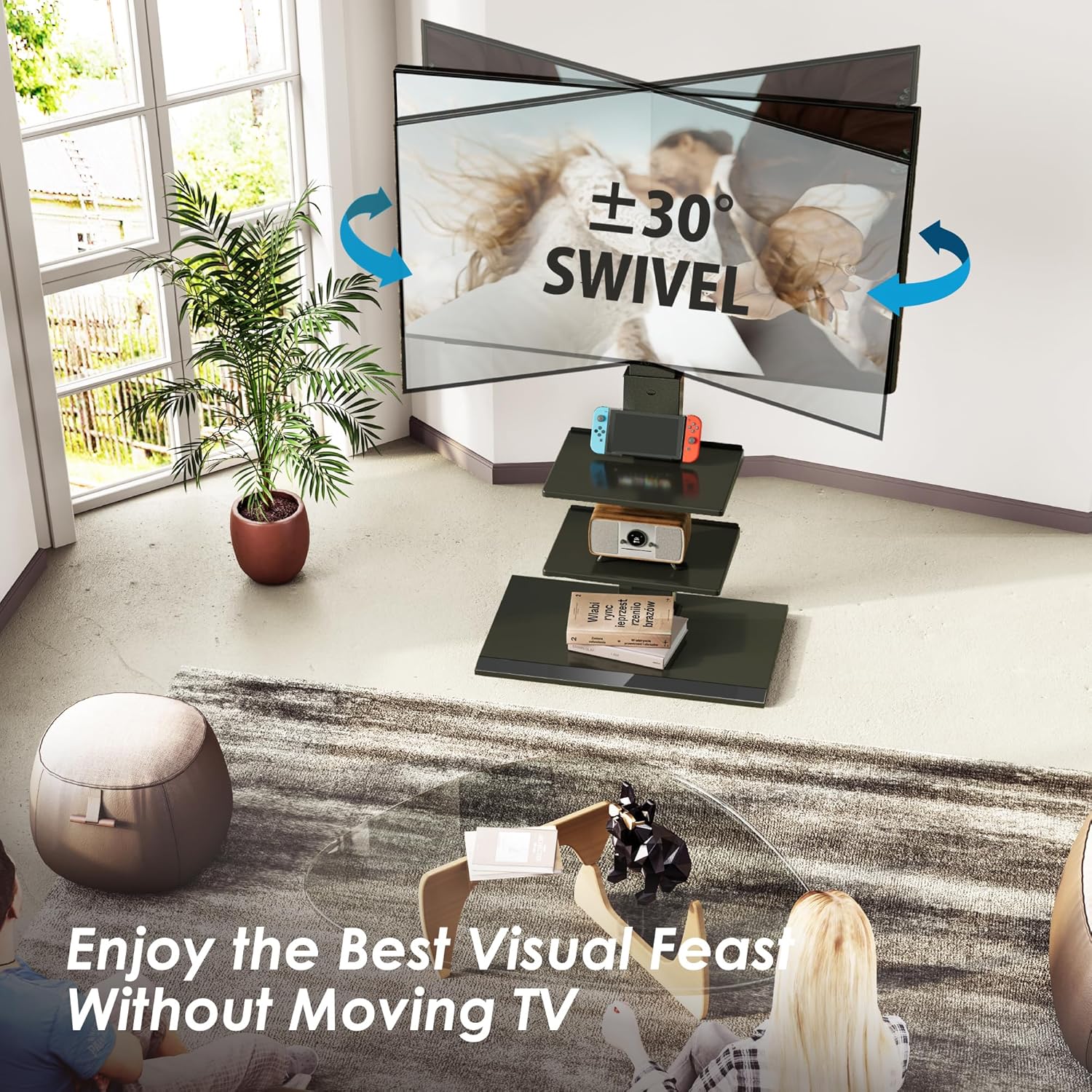
Image: A visual representation of the TV stand's ±30° swivel function, showing how the TV can be angled left or right for flexible viewing.
5.3 Tilt Adjustment
The TV mount can be tilted from +5° to -15°. To adjust the tilt, loosen the tilt adjustment knobs or screws on the TV brackets, set the TV to your preferred angle, and then re-tighten them to secure the position.
5.4 Cable Management
Use the cable management system located on the rear of the main column to organize and hide power cords and AV cables. This helps maintain a clean and clutter-free appearance.
6. Maintenance
- Cleaning: Wipe the stand with a soft, dry cloth. Do not use abrasive cleaners or harsh chemicals, as they may damage the finish.
- Regular Checks: Periodically inspect all connections and fasteners to ensure they are tight and secure. Re-tighten if necessary.
- Avoid Overloading: Do not place items on the shelves or TV that exceed their weight limits.
7. Troubleshooting
- TV Not Level: If the TV appears uneven after mounting, check that the mounting brackets are installed correctly and that all height adjustment bolts are tightened evenly.
- Stand Feels Unstable: Ensure the base is on a flat, level surface. Verify all screws connecting the column to the base and the TV mount to the column are fully tightened. Do not exceed the maximum weight capacity.
- Difficulty Adjusting Swivel/Tilt: Check for any obstructions. Ensure adjustment knobs or screws are sufficiently loosened before attempting to move the TV, and re-tighten them afterward.
8. Specifications
| Feature | Specification |
|---|---|
| Model Number | HU-XI-201 |
| Compatible TV Sizes | 32 to 75 inches |
| VESA Compatibility | 200x200mm to 600x400mm |
| Maximum TV Weight Capacity | 88 lbs (40 kg) |
| Height Adjustment | Adjustable up to 53.5 inches (1361mm) |
| Swivel Angle | ±30° |
| Tilt Angle | +5° to -15° |
| Material | Iron, Metal |
| Color | Black |
9. Warranty and Support
The FITUEYES Floor TV Stand Model HU-XI-201 comes with an up to 10-year warranty, reflecting our commitment to quality and durability. For warranty claims, technical assistance, or any questions regarding your product, please contact FITUEYES customer support.
Please refer to the contact information provided on the product packaging or the official FITUEYES website for the most current support details.


